20 Essential Trading Softwares for Traders & Investors in India

 Author

 Editor
Trading software helps traders and investors analyze markets, execute orders quickly, and manage risk with real-time data and alerts. Trading software in India has evolved into different categories such as advanced analytics, screeners, news platforms, research tools, and options strategy builders.
Popular names include Strike Money, TradingView, MetaTrader, AmiBroker, GoCharting, Screener.in, Moneycontrol, and Sensibull. Each platform offers unique strengths ranging from charting, automation, and portfolio tracking to options Greeks analysis. Choosing the right tool depends on trading style, costs, ease of use, and integration. Free versions suit beginners, while paid tools deliver professional-grade features.
Our Honest Verdict Based on Usage
• Strike Money – Best for Advanced Analytics & Indian Market Traders
• TradingView – Best for Charting & Global Community Sharing
• MetaTrader – Best for Forex and Algorithmic Trading
• AmiBroker – Best for Backtesting & Custom Strategy Development
• GoCharting – Best for Indian Market Options Flow & Advanced Charts
• Chartink – Best for Simple Screeners & Retail Traders
• Screener.in – Best for Fundamental Analysis of Indian Stocks
• Moneycontrol – Best for Market News & Portfolio Tracking
• Trendlyne – Best for Analyst Ratings & Financial Data Insights
• Investing.com – Best for Multi-Asset Global Market Tracking
• Economic Times Markets – Best for Business News & Market Coverage
• Sensibull – Best for Options Strategies in India
• Opstra – Best for Options Greeks & Strategy Backtesting
• Quantsapp – Best for Options Traders Who Need Mobile Tools
• Stolo – Best for Real-Time Market Scanners
• StockEdge – Best for Retail Investors & Data Visualization
• InvestarIndia – Best for Technical Analysis & Auto Alerts
• Tickertape – Best for Investment Screening & Valuation
• StockCharts – Best for Classic Technical Chart Patterns
• iCharts – Best for Real-Time Indian Intraday Traders
Let’s dive deep into each of these stock trading tools.
1. Strike Money
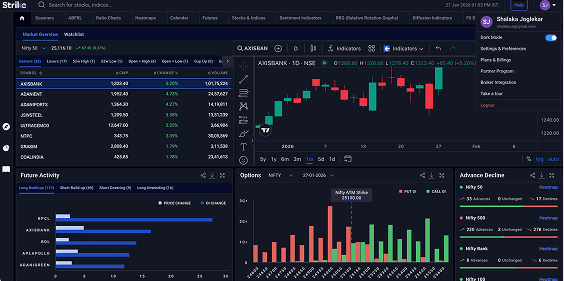
Strike Money is a specialized platform designed for Indian stock market traders. Strike Money focuses on scanners, fundamental data, technical analysis, options data which is essential for all types of traders & investors.
Strike Money is entirely web-based, making it easy to access from any browser without installation, and is structured to deliver insights that typical broker terminals often lack.
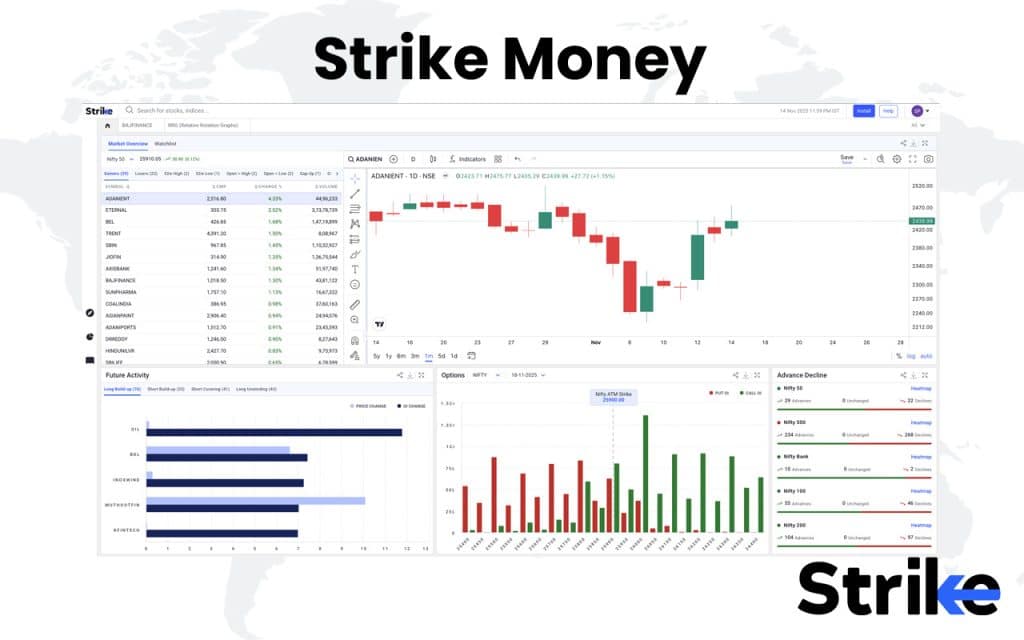
So, what are the important features & use cases of Strike Money?
- Scanners (price action): Ready-made scans for New/Near 52-week High/Low, Gap-Up/Gap-Down, etc., for quick momentum and breakout spotting.
- RRG (Relative Rotation Graphs): Visual sector/stock rotation across Leading, Weakening, Lagging, Improving quadrants to track relative strength vs a benchmark. Official RRG partner integration.
- Diffusion/Breadth Dashboards: Market-wide MACD % buy signals and RSI≥50 breadth to gauge trend health at a glance.
- Stocks & Indices workspace: Real-time charts plus fundamentals, technicals, volume/delivery, and built-in F&O views in one place. Includes “Rohit Setup” and “Strike Valuation Setup” overlays.
- Ratio Charts: Compare relative performance (stock vs stock, sector vs sector) and track historical ratio trends.
- Futures & Options tools: Options analytics and option-chain screen to streamline scanning for stock/index options; payoff/strategy tooling is highlighted in their options content.
- Sentiment & Participant Data: FII/DII participation, heatmaps, and sentiment indicators are part of the Pro feature set.
- Heatmaps: Top-down market view for rapid sector/theme read-through.
- Proprietary indicators: Rohit Momentum Indicator (RMI) for trend capture and timing.
Plans & access: Features like Scanners, Diffusion Indicators, Options, Heatmaps, FII/DII data, and RRG are included in paid tiers.
Now let’s look at the plans Strike has.
| Duration | Price | Discount | Notes |
|---|---|---|---|
| 1 Month | ₹650 | NA | Monthly plan |
| 6 Months | ₹3600 | NA | Mid-term plan |
| 1 Year (Most Popular) | ₹5610 | 15% Off | Best value option |
| 2 Years | ₹10200 | 15% Off | Long-term plan |
Customer support is available via chat and email at sales@strike.money, with response times of one to two hours during market hours.
So, what are the pros and cons? Let’s check.
Pros of Strike Money
- Rich feature‐set across technical & market analytics: Strike offers scanners, heat-maps, RRG (Relative Rotation Graphs), diffusion & sentiment indicators, ratio charts and more.
This means you can look beyond just “is this stock going up” stuff—filter, compare, dissect sectors, etc. - Holistic market view, not just single‐stock charts: With features like diffusion indicators (market breadth) and sentiment modules, it provides a broader view of market health rather than only stock-by-stock.
- Educational / support content available: They’ve published guides on things like chart-patterns, how to analyse stocks etc if you ever need to brush up or explain things to clients/readers, this helps.
- Indian market focus: Since Strike Money was founded in India, the data and tools appear tailored for Indian equities, which corresponds to your geographical location.
Cons of Strike Money
- Relatively new / less proven track‐record: Since it was founded in mid-2023, it doesn’t have as long a history as some legacy platforms. This results in fewer years of data regarding how it performs during crashes or unusual market conditions.
- Datasets / features locked behind paid tiers: The more advanced tools (custom indicators, full scanners, sentiment modules) appear to be in the subscription model. The free tier is likely more limited. So if you’re budget-conscious, you’ll want to check what you get vs what you need.
- No mention of full broker integration / execution: Strike is an analytics platform, not a trading/execution platform. If you want one tool for analysis and placing trades, you’ll still need your broker.
Strike also boasts an impressive 4.9/5 in Google reviews. It has a 5/5 rating on Product Hunt.
2. TradingView
TradingView is one of the most widely used platforms for charting and market analysis. TradingView is known for its powerful technical tools, smooth interface, and large global trading community, which makes it a favourite among both retail and professional traders. It works entirely on the cloud, so you can use it from any browser or device without installation.
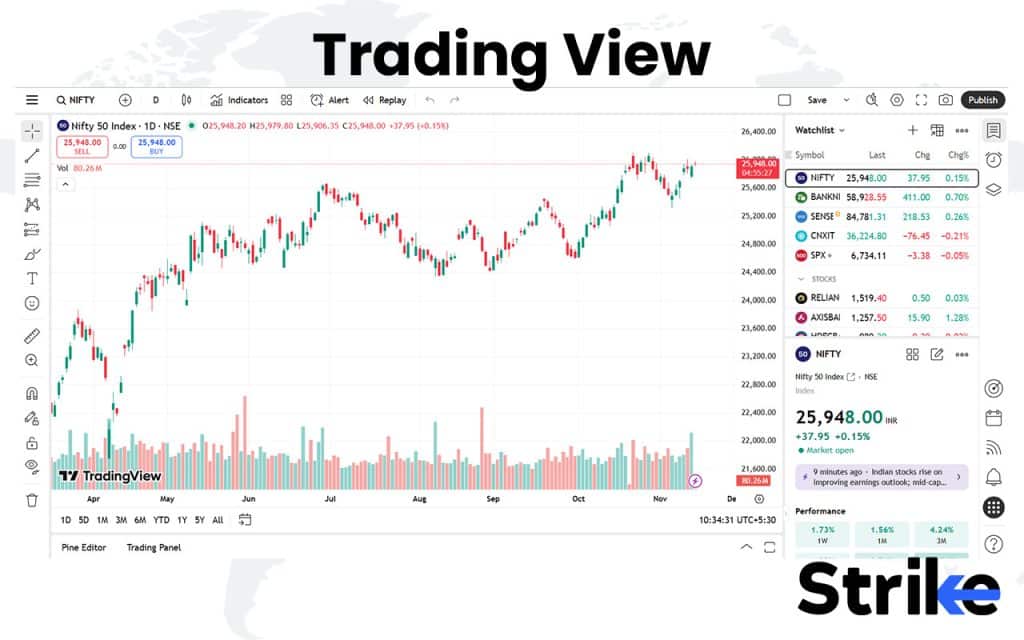
So what makes TradingView useful?
TradingView is designed for anyone who trades using charts and technical signals. You will be able to build and test strategies, track live prices, and get alerts instantly. Plus, there’s a massive community where traders post their ideas — it’s like a live feed of what others are thinking in real time.
Let’s look at some of the best features you get.
- Live charts with 400+ built in indicators and strategies.
- Script builder (Pine Script) to create or test strategies.
- Price and technical alerts on specific conditions.
- Multi-timeframe analysis and comparison.
- Heatmaps, screeners, and volume profiles.
- Seamless access across devices — same charts on desktop and phone.
What will it cost you?
| Plan | Price (Billed Annually) | Charts per Tab | Indicators per Chart | Historical Bars | Parallel Chart Connections | Other Features |
|---|---|---|---|---|---|---|
| Essential | ₹995 / month | 2 | 5 | 10K | 10 | • No ads• Volume profile• Custom timeframes• 30-day free trial |
| Plus | ₹1,995 / month | 4 | 10 | 10K | 20 | • No ads• Volume profile• Custom timeframes• 30-day free trial |
| Premium | ₹3,995 / month | 8 | 25 | 20K | 50 | • No ads• Volume profile• Custom timeframes• 30-day free trial |
| Ultimate | ₹17,333 / month | 16 | 50 | 40K | 200 | • No ads• Volume profile• Custom timeframes• 7-day free trial• Enterprise solutions available |
How do users rate TradingView?
| Platform | Rating | Summary |
|---|---|---|
| Capterra | 4.6 / 5 | Great visuals and smooth charting tools |
| G2 | 4.5 / 5 | Excellent usability and data accuracy |
| Trustpilot | 1.6 / 5 | Loved by pros, though some find it pricey |
| Play Store / App Store | 4.5 / 5 | Mobile version is stable and fast |
Paid users get direct chat and email support, usually within 3–5 hours during weekdays. Free users rely on the help center and community discussions. The documentation is detailed enough that you’ll rarely feel stuck.
Pros of TradingView
- Powerful charting tools with hundreds of indicators and drawings.
- Cross-platform access (web, desktop, mobile) with synced layouts.
- Active trader community sharing ideas and custom scripts.
- Supports multiple markets — stocks, forex, crypto, and more.
- Custom alerts and backtesting for strategies via Pine Script.
Cons of TradingView
- Free plan is limited (few indicators, ads, single chart layout).
- Premium plans are expensive for small traders.
- Limited broker integrations for live order execution.
- Occasional lag or data delay during high-volatility sessions.
- Learning curve — beginners may feel overwhelmed by features.
TradingView stands out for its precision and polish. You get global data, deep analytics, and a vibrant trading community all in one screen.
3. MetaTrader
MetaTrader is one of the most established platforms for forex and CFD traders worldwide. MetaTrader is best known for its strong algorithmic trading environment, low latency execution, and global broker support. MetaTrader is available in two versions – MT4 and MT5, and is primarily used for forex, indices, and commodities trading.
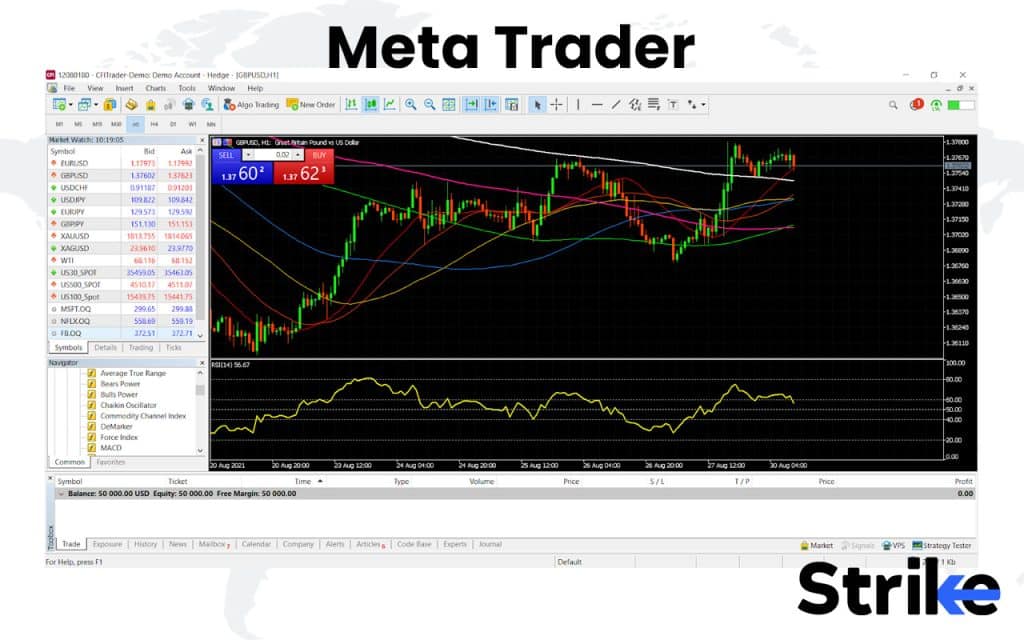
Most traders use it to run Expert Advisors (EAs), which are automated trading systems written in MQL. You can create, test, and deploy your own strategy that trades automatically 24/7. Backtesting is fast and accurate, so you can see how your system would have performed historically. It also allows you to build or import custom indicators to match your trading style.
It comes bundled with some of the best features.
- Automated trading through Expert Advisors (EAs)
- Strategy tester for backtesting performance
- One-click trade execution and minimal latency
- Custom indicators and scripts via MQL
- Multi-device access – desktop, web, and mobile
- Real-time data feeds and order management
Let’s now see how much it will cost you.
| Type | Cost | Notes |
|---|---|---|
| Platform | Free | MetaTrader 4 and 5 are free to download |
| Broker Account | Varies | You pay through spreads or commissions |
Core platform: The MT5 trading platform is free to download and use, but you need to link it to a broker to trade.
Broker-dependent costs: Your total cost will depend on the specific broker you choose.
- Spreads (the difference between the buy and sell price).
- Commissions (fees charged per trade).
- Optional services like VPS (Virtual Private Server) or signals.
MetaTrader is also rated highly, below are some reviews to consider.
| Platform | Rating | Summary |
|---|---|---|
| Capterra | 4.4 / 5 | Fast, reliable, great for automation |
| G2 | 3.9 / 5 | Loved for its stability and execution speed |
| Trustpilot | 1.3 / 5 | Praised for performance, interface feels dated |
| Play Store / App Store | 4.7 / 5 | Smooth mobile trading but limited customization |
MetaTrader itself doesn’t provide direct support, it’s handled by your broker. Most reputable brokers respond within a few hours during trading sessions. For platform issues, there’s also an extensive online forum and documentation library.
MetaTrader comes with its sets of pros and cons. Let’s check that out.
Pros of Meta Trader
- Fast trade execution with minimal latency
- Strong automation via Expert Advisors (EAs) and custom scripting
- Reliable backtesting engine for strategy validation
- Broad global broker integration for seamless connectivity
- Free to download and use with most brokers
- Lightweight platform with stable performance
Cons of Meta Trader
- Interface feels outdated compared to newer platforms
- Requires programming knowledge (MQL) for full automation
- Limited support for Indian equities and exchanges
- Lacks integrated fundamental or research data
- Performance depends on broker server quality and latency
MetaTrader remains the benchmark for retail trading platforms. It’s built for those who want precision, speed, and automation. While its interface may feel old-school, its functionality is rock solid and for traders who value performance over looks, there’s hardly a better choice out there.
4. AmiBroker
AmiBroker is a powerful platform for traders who focus on backtesting and system development. AmiBroker is best known for its custom strategy creation, fast backtesting engine, and flexibility for quantitative traders. It’s a desktop-based tool, which gives you more control and speed compared to browser-based alternatives.
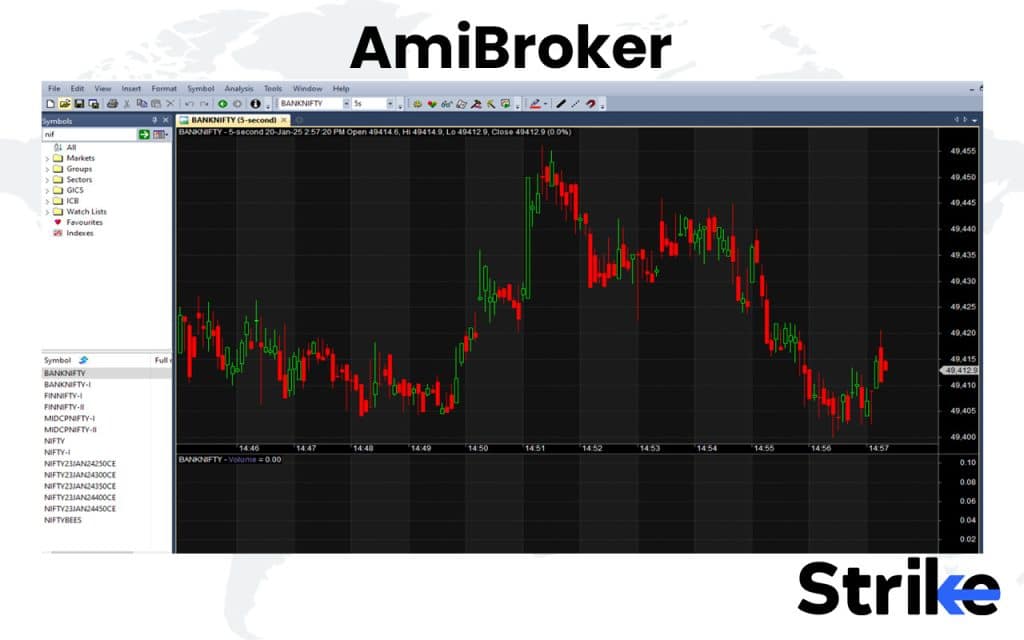
Most users work with NSE equity and futures data, running simulations to tweak entry and exit rules until they find an edge. The software handles large datasets smoothly, making it ideal for traders who test multiple strategies at once. It’s not plug-and-play like broker apps.
What makes AmiBroker stand out?
- Advanced backtesting for portfolios and individual strategies
- AFL (AmiBroker Formula Language) for building and automating systems
- Fast data processing for years of historical data
- Charting and indicator customization with full scripting support
- Optimization tools to test parameter variations
- Integration with third-party data vendors for NSE and BSE feeds
With all those features, is it affordable?
| Edition | Price (USD) | Notes |
|---|---|---|
| Standard Edition | $299 | Perpetual license. Includes 24 months of free upgrades & maintenance. |
| Professional Edition | $399 | Real-time/intraday support, unlimited symbols for real-time quote window. |
| Ultimate Pack Pro (bundle) | $499 | Includes Professional + AmiQuote + AFL Code Wizard add-ons. |
Let’s see what user reviews there are.
| Platform | Rating | What users are saying |
|---|---|---|
| Trustpilot | 3.6 / 5 | Speed and reliability praised; interface seen as dated, steep learning curve. |
| Trading forums / community | Qualitative positive | Favoured by algo and quant traders for flexibility and back-testing power; requires effort to master. |
Support is handled directly by the AmiBroker team via email, and responses usually arrive within 24–48 hours. There’s a massive online knowledge base and an active community forum where users share scripts, data sources, and solutions to common issues.
Here are the pros and cons of AmiBroker.
Pros of AmiBroker
- Offers lightning-fast backtesting for complex strategies and large datasets.
- One-time license makes it more affordable long-term than subscription-based tools.
- Highly customizable through AmiBroker Formula Language (AFL).
- Handles large data efficiently without performance issues.
- Ideal for quantitative traders who want full control over system design.
Cons of AmiBroker
- Steep learning curve for beginners unfamiliar with coding or system setup.
- Interface looks dated compared to modern trading platforms.
- Requires separate bridges or plugins for live trading execution.
- Limited to Windows with no native web or mobile version.
- Data feeds and real-time connectivity need manual setup and maintenance.
AmiBroker is a powerhouse for traders who love precision and control. Once you understand how to use it, it’s one of the most cost-effective tools for serious backtesting and system development. But if you’re new to coding or prefer ready-made dashboards, it might feel overwhelming at first.
5.GoCharting
GoCharting is a browser-based platform built specifically for Indian traders. GoCharting stands out for its real-time NSE data, advanced visualization tools, and strong options flow analytics. It is one of the few Indian platforms that competes directly with global charting tools while being tailored for local needs.
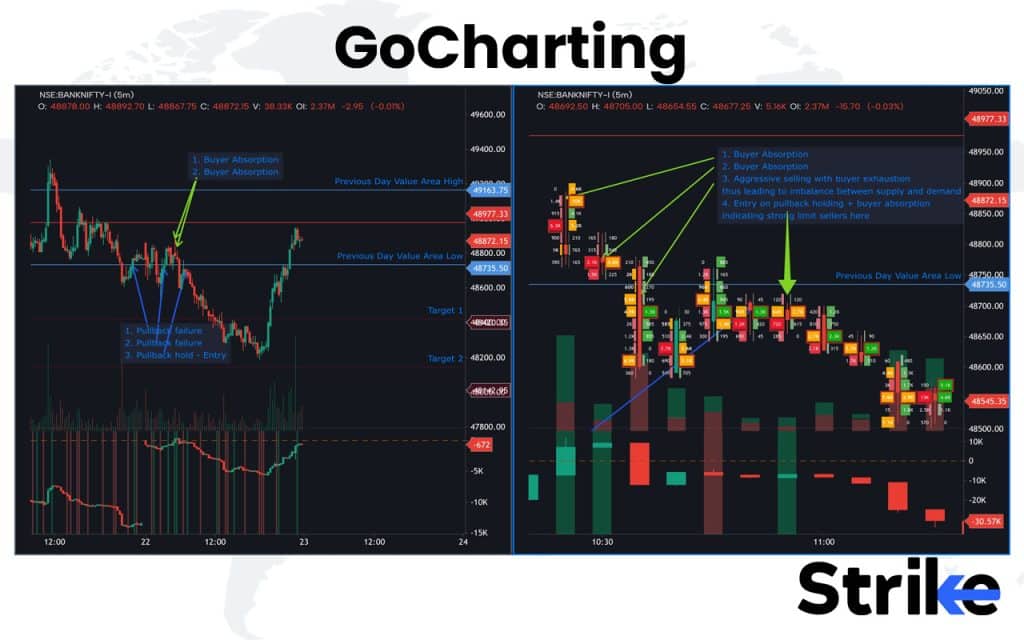
Traders use GoCharting to analyze intraday movements, study volume profiles, and track options activity as it happens. It’s equally useful for discretionary traders following patterns and systematic traders who rely on market structure data to fine-tune entries and exits. The multi-layout dashboards make it easy to monitor several instruments at once without missing critical moves.
Here’s what makes GoCharting stand out
- Real-time charts with market depth and volume profiles
- Options flow and open interest tracking across expiries
- Multi-layout dashboards for monitoring multiple charts simultaneously
- Heatmaps, footprint charts, and market profile analysis
- Cloud-based access from any browser
- Integration with NSE and BSE data feeds
Wondering what it costs?
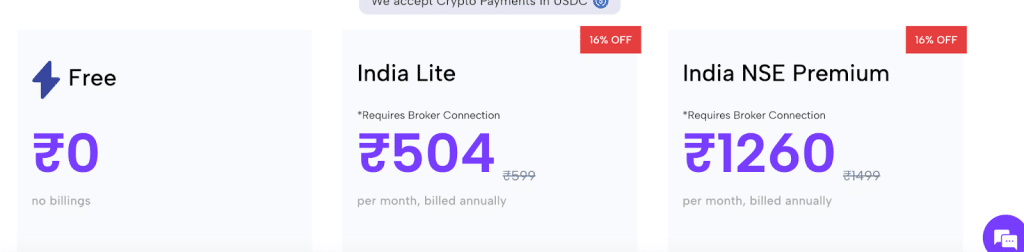
| Plan | Price (₹/month, billed annually) | Requires Broker Connection | Highlights |
|---|---|---|---|
| Free | ₹0 | No | EOD Charting, EOD Options Flow, 2 charts per tab |
| India Lite | ₹504 | Yes | 8 charts per tab, Intraday Open Interest Analysis, Intraday Options Flow, everything in Free plus |
| India NSE Premium | ₹1260 | Yes | NSE real-time charting, Orderflow charts, NSE/MCX/NSE+MCX options, everything in Lite plus |
Let’s see what users are saying
| Platform | Rating | Summary |
|---|---|---|
| Trustpilot | 2.4 / 5 (14 reviews) | Mixed to negative: Users cite charting/data issues and slow support. |
| Techjockey | 4.3 / 5 | Positive for feature-richness, good value for charting/analytics. |
| App Store (iOS) | 2.6 / 5 (17 ratings) | Decent mobile experience but complaints about bugs and usability. |
GoCharting’s support is available via email and chat, and most users say responses come within four hours during trading hours. Their documentation and video tutorials also help resolve most setup or layout issues quickly.
So, what’s good and what’s not?
Pros of GoCharting
- Offers advanced order-flow, volume profile and footprint charting tools not commonly found in mainstream platforms.
- Supports multiple asset classes (stocks, futures, crypto, forex) from a unified interface.
- Web-based with mobile support allows accessibility across devices.
- Free tier allows basic functionality without immediate cost.
- Strong value in terms of features for price, especially in the Indian plan context.
Cons of GoCharting
- Interface and usability are less polished compared with top-tier charting platforms, which may slow down adoption.
- Smaller user community means fewer shared scripts, tutorial resources and peer support compared to large platforms.
- Some users report lag or slower performance in high-volume scenarios or with complex charts.
- Backtesting and automation features are weaker compared to dedicated strategy-testing platforms.
- Integration with brokers/data feeds may require setup/configuration, adding friction for non-technical users.
GoCharting strikes a balance between speed and detail, giving Indian traders institutional-style analytics at an affordable price. It’s one of the few platforms that blends advanced visualization with retail-friendly usability. A few quirks aside, it’s a reliable companion for serious intraday traders who value clarity and precision.
6. Chartink
Chartink is one of the most widely used screening tools among Indian retail traders. Chartink is known for its simple interface, real-time stock screeners, and quick scan execution, making it ideal for traders who want to filter stocks without dealing with complicated setups. It’s entirely browser-based and does not require any installation.
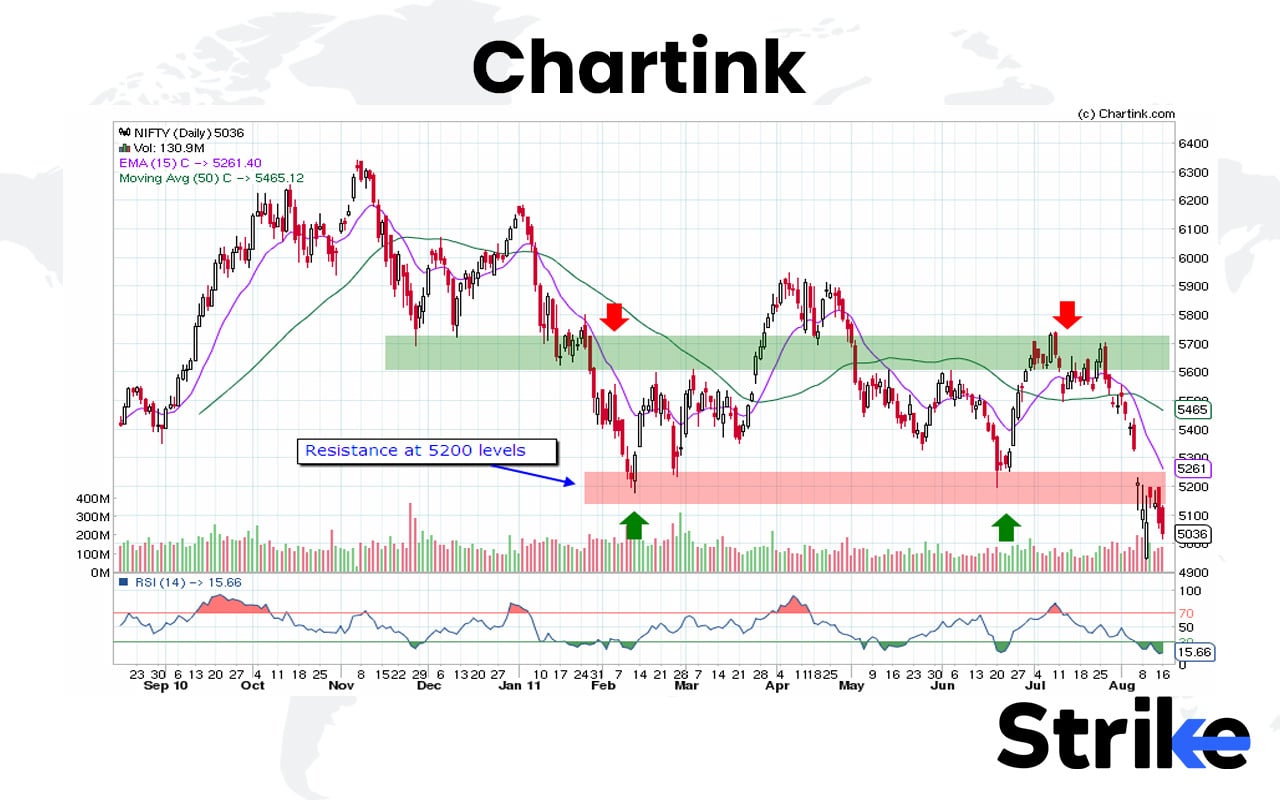
Traders rely on Chartink to track intraday momentum, filter stocks by price and volume, and catch potential breakouts as they happen. You can save your favorite scans, set alerts, and even manage multiple watchlists. It’s fast, light, and tailored for short-term traders who value responsiveness over complexity.
Here’s what makes Chartink worth using
- Real-time stock scanning during market hours
- Custom screen builder with easy, no-code setup
- Pre-built scans for popular strategies like breakouts and volume spikes
- Alerts and notifications when scan conditions trigger
- Multiple watchlists and instant data refresh
- Web-based interface with quick loading times
Wondering about cost? here’s how pricing works
| Plan | Price (INR/month) | Notes |
|---|---|---|
| Free | ₹0 | Basic scanning features, limited data access |
| Premium Monthly | ₹780/month | Real-time/near-real-time updates, full scanner access |
Let’s take a look at what traders are saying
| Platform | Rating / Score | Summary |
|---|---|---|
| Google Play App | 4.5 / 5 | Strong praise for alerts and scanning strength, some complaints about ads or delays |
| Reddit / Indian Stock Forums | Qualitative – Mixed to Positive | Users value custom scans, but report data delays and occasional lag in filters |
| ShareMarketSoftware Review | – (narrative review) | Recommends for custom scans focused on Indian markets; warns about data latency |
Chartink offers email-based support, and most users get a reply within 24 hours. The platform is lightweight, so major issues are rare. Their help guides and community FAQs cover most questions about scan creation or alerts.
So, how does Chartink perform overall?
Pros of Chartink
- Enables highly customisable stock scanning tailored to Indian markets.
- Affordable pricing relative to the feature set for Indian traders.
- Accessible via both web and mobile platforms, useful for intraday and swing traders.
- Supports alerts for scan conditions, which is helpful for tracking breakouts and trades.
Cons of Chartink
- Premium tier users report occasional data update delays (1-2 minutes or more).
- Focus is largely on Indian equity markets (NSE) — limited global market coverage or advanced charting/backtesting.
- User interface and features are simpler compared to global top-tier platforms; lacks advanced automation tools.
- User support and service quality have mixed feedback; responsiveness and clarity vary.
Chartink is perfect if you want speed, simplicity, and practical intraday scans without overcomplication. It strips away unnecessary bulk and focuses on what matters — fast, actionable data during live market hours. While it won’t replace a full-featured trading terminal, it’s one of the most efficient screening tools for Indian stock traders today.
7. Screener.in
Screener.in is one of the most trusted platforms for fundamental analysis of Indian stocks. Screener.in focuses on company financials, ratios, and custom queries, making it a go-to tool for investors who rely on data rather than charts. It is entirely web-based, lightweight, and extremely popular among both beginners and experienced analysts.
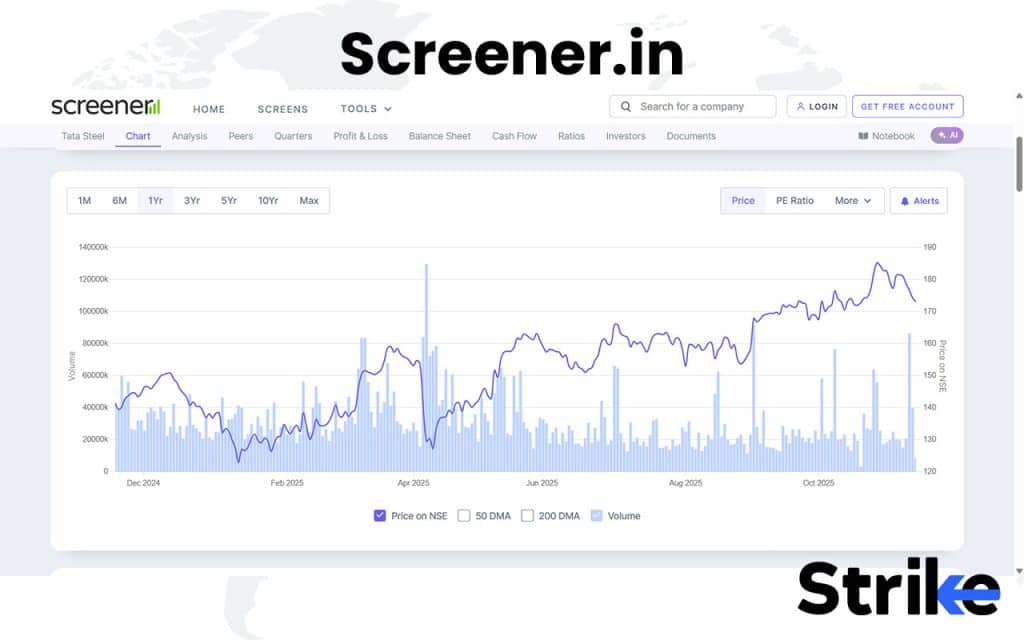
Investors use Screener to analyze company fundamentals, create custom watchlists, and export balance sheets or ratios for deeper study. The biggest appeal is its simple yet powerful query builder, which lets you design your own stock filters using plain English-style commands. Long-term investors especially like how easily they can view a decade of financials without diving through annual reports or PDFs.
Here’s what makes Screener.in stand out
- Instant access to historical financial statements and ratios
- Custom screen builder with plain-language queries
- Ready-made screens for growth, value, and momentum stocks
- Watchlists, alerts, and portfolio tracking
- Data exports for Excel or Google Sheets
- Minimal design with lightning-fast loading times
How much does it cost to use?
| Plan | Price | Notes |
|---|---|---|
| Free | ₹0 | Basic access; limited features for beginners |
| Premium (Annual) | ₹4,999/year | Unlocks more columns, more companies, trade data export, segment results |
Let’s see what investors say
| Platform | Rating / Score | Summary |
|---|---|---|
| App Store / Play | ~4.5 / 5 from ~1,000+ ratings | Users praise its custom screening and data completeness |
| Reddit / Indian Stock Forums | Qualitative – positive but mixed on accuracy | Users like the query power but note occasional data issues |
Customer support is handled via email, and users generally get replies within 24–48 hours. The help section and community threads answer most queries, so it’s rare to need direct support at all.
So, where does Screener.in shine and where does it fall short?
Pros of Screener
- Strong for fundamental screening: create custom queries to find stocks matching value, growth or other criteria.
- Clean, minimal interface: easy to view company financials, peer comparisons, segment data.
- Free tier is useful: beginners can start without cost and explore the tool’s basics.
Cons of Screener
- Some users report data inaccuracies or inconsistencies in financial metrics.
- Premium features are limited to annual payment and may be expensive for casual users.
- Focus is mostly on Indian listed companies — not as broad for global stocks or advanced technical analysis.
Screener.in nails what most research platforms miss, which are simplicity with substance. It doesn’t distract you with charts or indicators; instead, it delivers the raw fundamentals you need to make informed investment decisions. For anyone serious about value investing or long-term analysis, it’s one of the best free tools available in India.
8. Moneycontrol
Moneycontrol is one of India’s most recognizable platforms for market news and portfolio tracking. Moneycontrol is valued for its comprehensive coverage of market updates, company news, and stock data, making it a versatile tool for both traders and investors. It is available on web and mobile, with millions of daily users.
The Moneycontrol dashboard features market indices, stock quotes, news updates, and watchlists, all in one place.
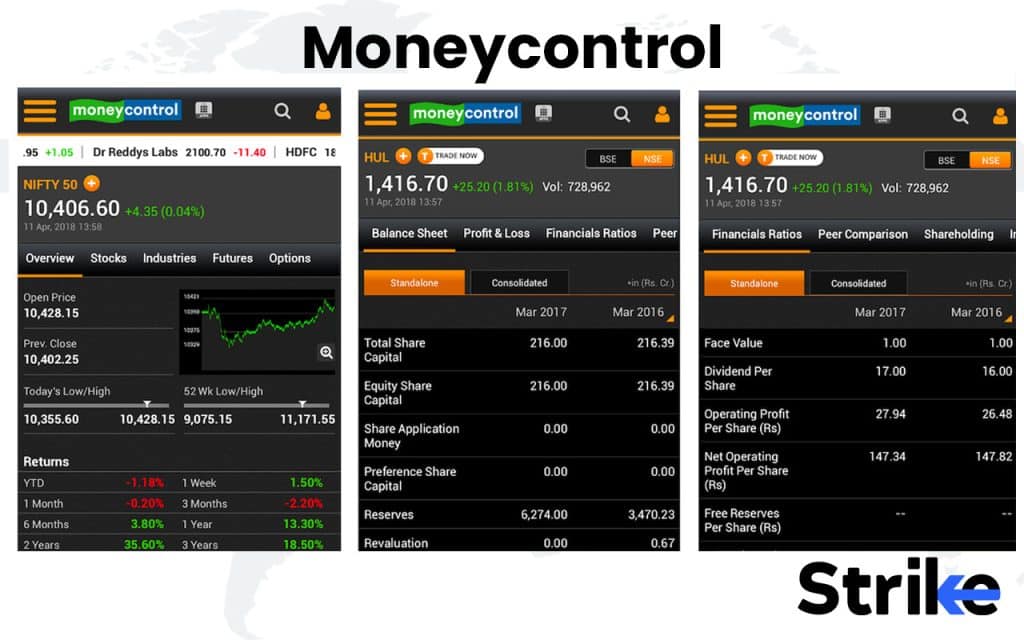
Investors use Moneycontrol to track portfolios, stay updated with breaking market news, and check live quotes. It’s particularly helpful for following corporate announcements, quarterly earnings, and expert recommendations in real time. For traders, it serves as a reliable secondary screen to monitor broader market movements while trading on dedicated platforms.
Here’s why Moneycontrol remains a staple for Indian investors
- Real-time market quotes across asset classes
- News coverage, earnings updates, and corporate actions
- Portfolio tracker with alerts and personalized insights
- Mutual fund data and SIP performance tracking
- Expert opinions and community discussions
- Cross-platform access through web, Android, and iOS apps
Thinking about the cost? Here’s what to expect
| Plan | Tenure | Price (₹) | Billing notes |
|---|---|---|---|
| Super PRO | 1 Month | 499 | Billed monthly, cancel anytime. |
| 1 Year | 2,499 | Billed annually, cancel anytime. | |
| 3 Years | 6,999 | Works out to ~₹166/month. | |
| PRO | 1 Month | 49 | Billed monthly, cancel anytime. |
| 1 Year | 699 | “Additional ₹200 off at checkout” shown on page. | |
| 3 Years | 1,499 | “Additional ₹500 off at checkout” shown on page. |
What do users say about it?
| Platform | Rating | Summary |
|---|---|---|
| Trustpilot | 1.9 / 5 | Very low rating; users report issues with support, billing and feature activation. |
| MouthShut | 3.45 / 5 | Moderate score; mixed reviews—good information depth but complaints about usability. |
| Indian Finance Forums | Mixed | Praised for updates, criticized for ad-heavy layout |
Moneycontrol handles queries via email and help forms, with average response times between 24 and 48 hours. Most technical or login issues are resolved promptly, and their FAQ section covers common portfolio or app-related concerns.
So, what works well and what doesn’t?
Pros of Moneycontrol
- Provides deep Indian-market coverage with news, expert research and feature sets tailored for the India equity/futures ecosystem.
- Ad-free experience and premium content for subscribers in Pro/Super Pro tiers.
- Ultra-premium “Super Pro” adds high-end features: live trade ideas, AI alerts, curated chart patterns, targeted at serious traders.
- Affordable promotional pricing makes it accessible for retail investors testing premium features.
Cons of Moneycontrol
- Service reviews highlight issues: slow or unresponsive customer support and problems with feature activations.
- The value-add vs free version is questioned by many users—premium doesn’t guarantee outperforming returns.
- Feature-richness comes with complexity – users may face a steep learning curve to fully utilise what’s offered.
- Global/international market coverage is relatively limited; focus is mostly India-centric.
Moneycontrol continues to be the first stop for anyone following Indian markets. It’s broad, fast, and familiar, perfect for staying informed and tracking multiple investments at once. While it’s not built for deep technical analysis, it remains unmatched for real-time updates and all-around financial awareness.
9. Trendlyne
Trendlyne is a financial analytics platform that focuses on analyst ratings, financial data insights, and screeners for Indian stocks. Trendlyne stands out for its detailed coverage of broker calls, consensus ratings, and company health scores, which makes it particularly useful for investors who want structured fundamental insights along with data visualizations.
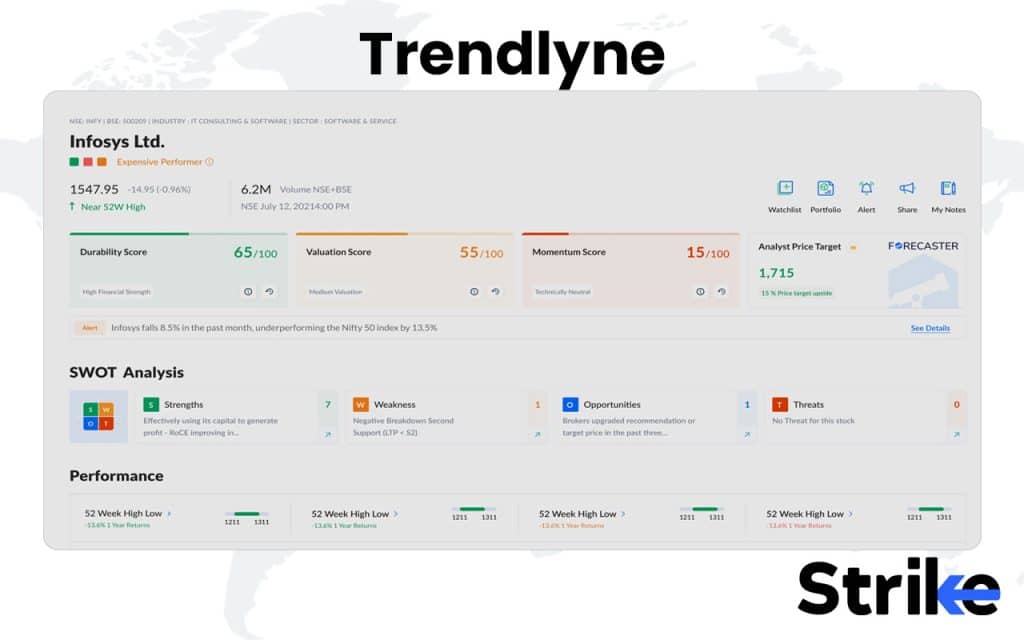
Investors use Trendlyne to track analyst ratings, screen fundamentally strong companies, and receive alerts for key updates like earnings releases, upgrades, or downgrades. The platform’s dashboards are clean and visual, making it easy to compare multiple companies on parameters like profit growth, valuation, and return ratios.
Here’s why Trendlyne stands out among research tools
- Analyst recommendation summaries and target price tracking
- Automated stock health scores and ranking systems
- Screeners for financial performance, valuation, and growth metrics
- Alerts for quarterly results, corporate actions, and rating changes
- Interactive visuals and historical trend comparisons
- Integration with broker research for detailed reports
Wondering what the pricing looks like?
| Plan | Price (INR/month) | Notes |
|---|---|---|
| GURUQ | ₹ 310/month | Entry India-focused plan. |
| STRATQ | Annual only (₹ 5900year) | India plan with advanced features & alerts. |
| PRO (Global) | ₹ 1,500/month | Global plan including Indian + US markets. |
| PRO PLUS (Global) | ₹ 2,000/month | Top-tier global with full features. |
Here’s what investors say about their experience
| Platform | Rating / Score | Summary |
|---|---|---|
| Apple App Store (iOS) | 4.0 / 5 (≈ 276 ratings) | Solid core features; some usability issues reported. |
| Google Play Store | 4.4 / 5 (≈ 4.79K reviews) | Many positive comments about depth of data; some negative about reliability. |
| Reddit / Indian Stock Forums | Qualitative mixed | Some users praise it; others report backtests/alerts didn’t convert. |
| MouthShut Reviews | Narrative reviews | Users note new features being added; some complaints on service. |
Trendlyne handles all support via email, and replies usually come within one business day. The team also maintains detailed FAQs and platform walkthroughs, making it easy to resolve most queries without waiting.
So, how does Trendlyne perform overall?
Pros of Trendlyne
- Provides very detailed fundamental + technical data for Indian stocks, including screeners with many parameters.
- Offers global market access (in higher-tiers) which is useful if you look beyond India.
- Multiple subscription tiers let you scale according to how deep you want to go.
- Good app presence and reasonably rated by many users for feature-richness.
Cons of Trendlyne
- Pricing is relatively high for the top tiers, which may stretch budgets for casual users.
- Mixed user feedback on reliability of alerts/backtests – some say results don’t always match expectations.
- Usability and interface have some complaints (especially from users comparing to ultra-slick global tools).
- Free or lower-tier access still limits many advanced features, so you’ll likely need to upgrade to get full value.
Trendlyne brings a professional-grade research setup to retail investors. It’s analytical yet approachable, making it ideal for anyone serious about evaluating company fundamentals before investing. While it’s not meant for intraday traders, its structured insights and analyst aggregation make it one of the most useful platforms for long-term investors in India.
10. Investing.com
Investing.com is a global multi-asset platform that provides data and charts for virtually every major market. Investing.com is best known for its wide market coverage, multi-asset tracking, and economic calendar, making it useful for traders and investors who follow both Indian and international markets.
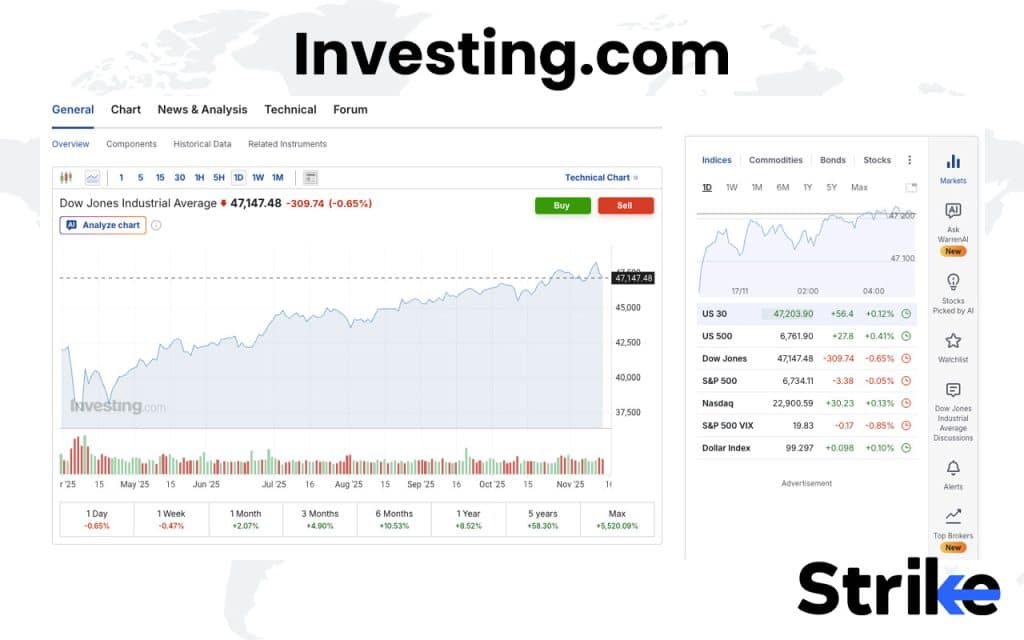
Traders rely on Investing.com to track cross-market movements, follow economic announcements, and monitor indicators that influence market sentiment. Long-term investors, on the other hand, use it to stay updated on commodity prices, currency fluctuations, and bond yields — all key factors in sector performance and valuation. Its mobile app is particularly popular for quick market checks, alerts, and portfolio monitoring on the go.
Here’s why Investing.com remains so widely used
- Real-time quotes and charts for global and Indian markets
- Economic calendar with key event alerts
- Coverage of commodities, forex, bonds, and cryptocurrencies
- Watchlists and portfolio tracking tools
- News feeds, analyst commentary, and sentiment indicators
- Mobile app with push notifications for live updates
If you’re wondering about cost and access
| Plan | Price (₹/month) | Effective annual charge (₹) |
|---|---|---|
| Pro | 269 | 3,228 |
| Pro+ | 619 | 8,268 |
Let’s look at what users say about it
| Platform | Rating | Summary |
|---|---|---|
| Trustpilot | 4.0 / 5 | Strong praise for breadth of data and tools; some complaints over billing/support. |
| Sitejabber | 1.7 / 5 | Mostly negative feedback, particularly regarding value and service. |
| Play Store / App Store | 4.5 / 5 | Great alerts, occasional notification delays |
Support is handled through email, and most users report responses within 24–48 hours. The platform also has an extensive knowledge base that covers portfolio setup, alerts, and integration with external brokers.
Here’s how it performs overall
Pros of Investing.com
- Provides extensive global data, real-time quotes, news, and market tools in one platform.
- Strong mobile app with broad asset class coverage (stocks, forex, commodities, indices).
- Entry free version is very capable; paid tiers add deeper analytics for power users.
Cons of Investing.com
- Premium tier pricing jumps steeply for global users, which may not suit all budgets.
- Some users report issues with billing, subscription cancellation, or support responsiveness.
- Despite “real-time” label, the platform itself cautions that some data may be delayed or indicative only.
Investing.com stands out for its unmatched global reach and reliability. It’s ideal if you want a broader view of how global macro trends shape Indian market movements. While it’s not a specialist platform for local derivatives or deep equity research, its data depth and real-time updates make it one of the most useful free tools for active market watchers.
11. Economic Times Markets
Economic Times Markets is a leading platform for business news and market coverage in India. Economic Times Markets is widely used by traders and investors who want timely updates, corporate announcements, and expert opinions to stay ahead of market moves. It combines real-time data with extensive editorial coverage, making it a trusted source of information.
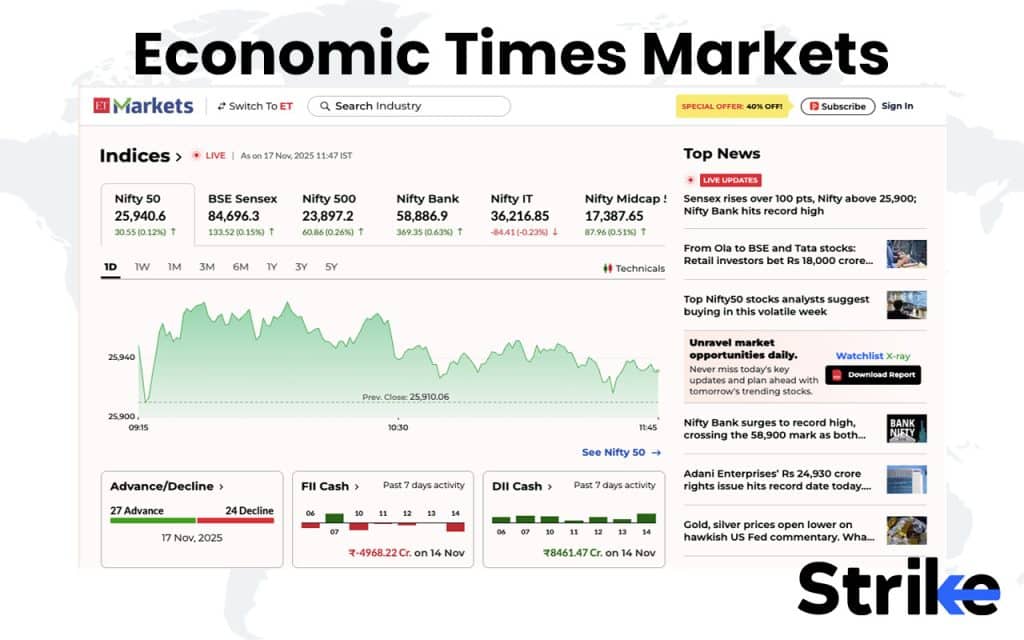
Traders and investors use Economic Times Markets to track breaking news, follow quarterly results, and read brokerage reports that shape short-term sentiment. Opinion pieces from seasoned analysts and market commentators also give much-needed context to daily price action, making it a reliable companion during volatile sessions.
Here’s why investors turn to Economic Times Markets daily
- Real-time market updates and corporate announcements
- Brokerage recommendations and research insights
- Live coverage of earnings, IPOs, and sector trends
- Opinion columns offering macro and stock-level perspectives
- Seamless integration with ET app for alerts and breaking news
- Free access to a large archive of financial content
Thinking about subscriptions? Here’s what’s offered
| Plan | Price (₹/month) | Effective Annual Billing |
|---|---|---|
| 1-Year | ₹ 217/month | Billed ₹ 2599 per year |
| 3-Year | ₹ 144/month | Billed ₹ 5199 over 3 years |
Let’s see how users rate the experience
| Platform | Rating | Summary |
|---|---|---|
| App Store (iOS) | 4.6 / 5 | Strong user base; praised for content and coverage |
| Google Play | 4.4 / 5 = | Good overall rating; some complaints about support or content depth |
| PissedConsumer | 1.1 / 5 | Very negative feedback from small sample about subscription activations & service |
| Indian Market Forums | Highly trusted | Fast updates, minor notification clutter |
Support is available through help forms and email, with average response times of 24–48 hours. The helpdesk is mainly focused on subscription or login issues, while most general queries are resolved through self-help articles.
So, what works best and what could improve?
Pros of Economic Times
- Strong brand credibility: backed by The Economic Times/Times Internet, known in India.
- Deep market/news coverage: useful for investors wanting Indian market insights and commentary.
- The long-term billing options (3-year/5-year) offer strong discounts per month if you commit.
Cons of Economic Times
- Pricing tiers and discounts may be confusing (varies by duration and offers).
- Mixed user feedback on service & product delivery (especially long-term plans).
- Some users feel the premium features may not justify the cost if you don’t actively use them.
Economic Times Markets remains a staple for anyone following Indian markets day-to-day. It delivers reliable updates faster than most sources, combines sharp reporting with expert context, and is trusted by both retail and institutional audiences. While it’s not built for deep analysis or technical tools, it’s an essential platform for keeping pace with the market’s pulse.
12. Sensibull
Sensibull is one of the most popular platforms for options traders in India. Sensibull focuses on options strategy creation, analysis, and execution, making it a top choice for both beginners and experienced traders. It’s web-based and integrates directly with multiple brokers, allowing strategy deployment without leaving the platform.
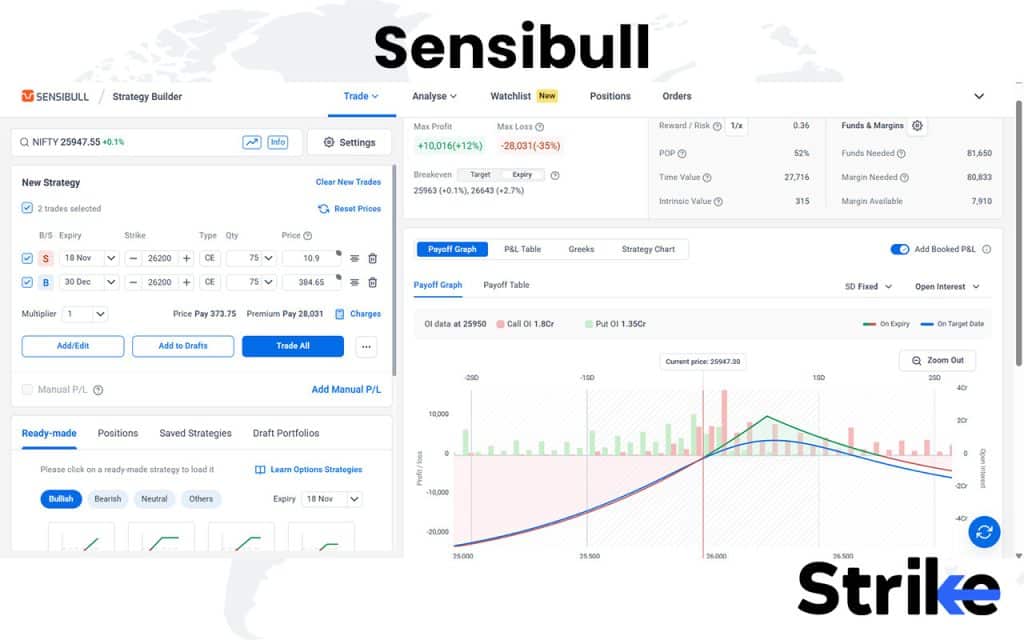
Traders use Sensibull to compare different strategies, analyze real-time P&L, and adjust positions during volatile sessions. It also includes options chain data, open interest (OI) analysis, and strategy tracking tools, making it a one-stop platform for the F&O segment. For those new to derivatives, Sensibull’s educational content and simulations make the learning curve easier.
Here’s why traders find Sensibull valuable
- Strategy builder for spreads, straddles, strangles, and custom setups
- Real-time Greeks and payoff charts
- Options chain with live OI and IV data
- Paper trading mode for learning without capital risk
- Integration with brokers like Zerodha, Angel One, and ICICIdirect
- Alerts and tracking for multi-leg strategies
Curious about the cost? Here’s how plans are structured
| Type | Cost | Notes |
|---|---|---|
| Free Plan | ₹0 | Basic access with limited features |
| Pro Plan | ₹800/month | Strategy builder, live Greeks, and OI data |
| Current “Free for Zerodha users” model | No subscription fee if using with an integrated broker under certain conditions. |
What traders are saying
| Platform | Rating | Summary |
|---|---|---|
| Zerodha Forum | Highly positive | Great strategy builder and educational tools |
| Google Play Store (Android) | 4.6 / 5 | Strong user feedback; praised for usability and options tools. |
| Specialized review (IndianStockMarketSoftware) | Positive | Review says strong for options analytics, less ideal for non-options traders. |
| App Store (iOS) | 4.8 / 5 | High rating but very small sample size for iOS version. |
Support is offered via chat and email, with responses typically within a few hours on trading days. The in-app help center covers most basic queries, from creating strategies to connecting broker accounts.
Let’s look at the strengths and weak spots
Pros of Sensibull
- Excellent focus on options trading: strong tools for strategy building, options chains, implied volatility, open interest.
- Broker integrations simplify usage if you’re already trading via an integrated broker.
- Free / low-cost access option (particularly via certain brokers) lowers barrier for retail traders.
- Good user interface and designed to simplify complex derivatives concepts for Indian retail traders.
Cons of Sensibull
- If you’re not trading options (e.g., only equities), much of the platform may be over-specialised and less relevant.
- Some users report inconsistencies in strategy builder outputs or real-world vs simulated performance gaps.
- Historical subscription pricing suggests that full-feature tiers could be relatively expensive if not covered via broker.
- Free for certain broker users only — depending on your broker/linkage, you may still need a paid subscription.
- Since focus is on Indian derivatives, less functionality for global markets or non-options asset classes compared to broad multi-asset platforms.
Sensibull is perfect for traders who want to plan and execute option strategies without getting lost in spreadsheets or manual calculations. It bridges the gap between simplicity and depth — providing the right tools for visualizing, analyzing, and managing options positions effectively. While it may not replace raw analytical platforms for advanced quants, it’s easily one of the most practical and user-friendly tools for options traders in India.
13. Opstra
Opstra is a platform built for professional options traders who need Greeks analysis, backtesting, and advanced strategy tools. Opstra stands out for its depth of options data, backtesting engine, and clean interface, making it a serious tool for those who rely on data-driven decision-making.
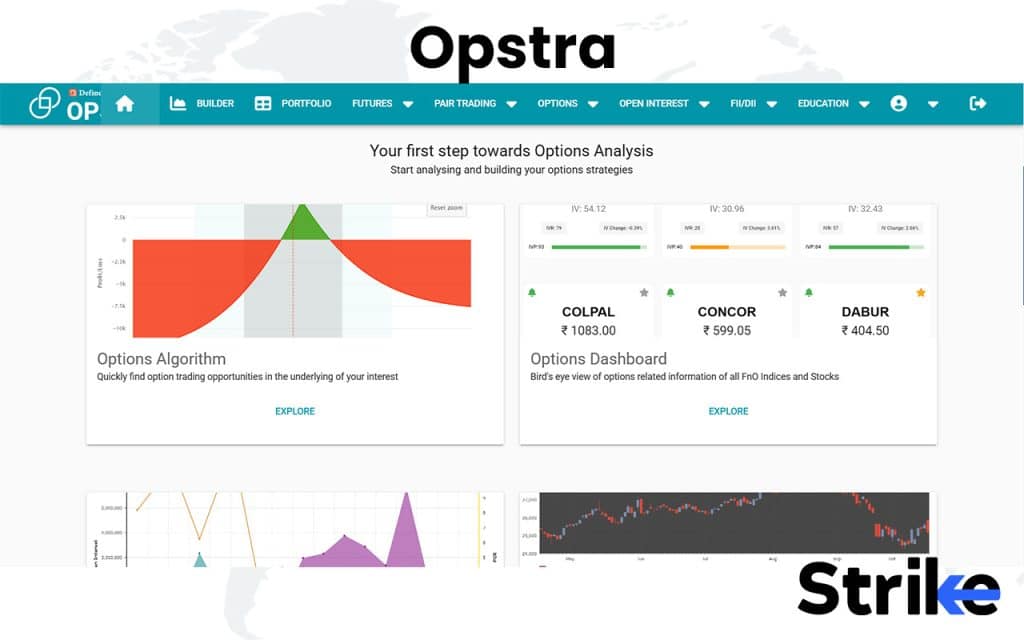
Users rely on Opstra to analyze strategy Greeks, track option flows, and backtest setups on historical data. The backtesting feature, in particular, helps traders understand how a strategy would have performed under past market conditions — a huge advantage for anyone refining entries, exits, and risk management before going live. Because of this versatility, Opstra caters well to both discretionary and systematic traders who want to validate ideas before execution.
Here’s what makes Opstra worth using
- Real-time options chain with Delta, Gamma, Theta, Vega, and IV data
- Advanced payoff and risk–reward visualization tools
- Historical backtesting with detailed performance metrics
- OI and volatility charts for better market context
- Pre-built and custom strategy creation
- Portfolio-level tracking for multi-leg positions
If you’re considering the pricing, here’s a quick look
| Plan | Monthly Price (₹) |
|---|---|
| Basic Plan | ₹ 0 |
| Monthly Plan | ₹ 1,300 + 18% GST |
| 6-Month Plan | ₹ 6,000 + 18% GST |
| Annual Plan | ₹11000 + 18% GST |
Here’s what traders are saying about Opstra
| Platform | Rating | Summary |
|---|---|---|
| App Store (iOS) | 2.2 / 5 (20 ratings) | Users reported login issues, required demat account; lower user-rating. |
| Indian Trading Forums | Highly rated | Trusted data source for F&O traders |
Support is handled through email, and users typically receive a reply within one business day. The support team is known for resolving account and data-related queries quickly, and the website’s documentation covers most feature explanations in detail.
Here’s how it performs overall
Pros of Opstra
- Strong for options traders: offers strategy builder, payoff charts, Greeks, volatility analysis, futures dashboard, etc.
- Good for deeper analytics: back-testing, historical strategy simulation, comprehensive options chain tools.
- Web + app presence and backed by an established brokerage (Definedge), which adds credibility for Indian F&O users.
Cons of Opstra
- Learning curve is steep: While powerful, beginners may find the interface and tools more complex compared to simpler alternatives.
- Pricing appears higher than some competitors, especially for full-feature tiers (starting around ₹1,300/month as per comparison articles).
- Some user feedback indicates issues with login/account requirements, and app usability problems (especially in iOS version).
Opstra stands out as one of the most data-driven options analytics platforms in India. It blends clarity with depth, offering everything an options trader needs to analyze, simulate, and refine strategies with precision. While it’s not designed for equity research or long-term investing, its focused toolset and analytical reliability make it a favorite among serious options traders.
14. Quantsapp
Quantsapp is a mobile-first options analytics platform. Quantsapp is known for its fast mobile experience, OI analytics, and strategy tools, making it ideal for traders who want to monitor the market on the go. It focuses primarily on Indian derivatives, particularly index options.
The Quantsapp dashboard is optimized for smartphones, with real-time OI charts, option chain visualization, and strategy builders arranged in a simple layout.
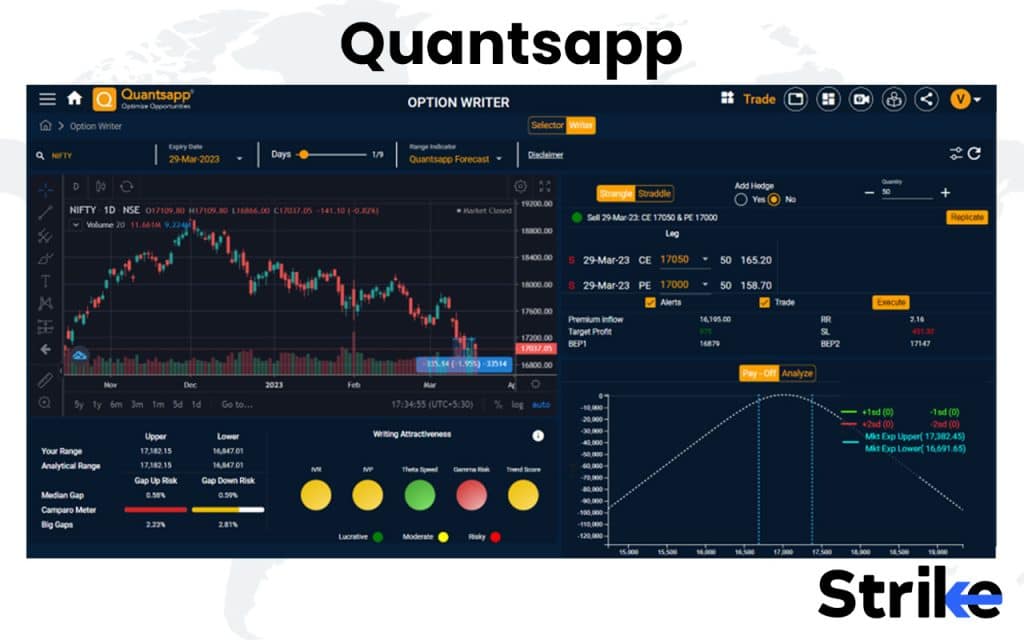
Traders use Quantsapp to track intraday OI changes, monitor PCR and IV shifts, and build or modify strategies directly from their phones. It’s particularly popular among Bank Nifty and Nifty options traders, who depend on real-time visuals and alerts during live sessions. The platform also includes built-in educational modules, making it beginner-friendly for those still learning the mechanics of options trading.
Here’s what makes Quantsapp useful for active traders
- Real-time OI analysis with strike-level depth
- Live PCR, IV, and volatility tracking
- Pre-built strategy builder with visualization
- Mobile-first design for on-the-go monitoring
- Alerts and notifications for data spikes
- Educational videos and insights within the app
Thinking about pricing? There’s a catch. Quanstapp works entirely through brokers. Users login to the app using third-party broker accounts. Hence, the pricing depends on the broker you choose.
Let’s see what users say about Quantsapp
| Platform | Rating | Summary |
|---|---|---|
| Trustpilot | 1.6 / 5 | Many users report poor support, tool issues, delayed activations. |
| Reddit (r/IndianStockMarket) | Qualitative – mixed to negative | Some say the analytics look sophisticated; others warn of subscription waste. |
| TradersUnion (review aggregate) | 3 / 5 | Moderately positive overall score but with caveats about service delivery. |
| Trading Forums | Positive | Great mobile app, limited desktop options |
Support is available via in-app chat and email, with replies typically within a few hours during market hours. The team is responsive to data and billing issues, and most common questions are covered in their FAQ section and tutorial videos.
Here’s how Quantsapp performs overall
Pros of Quantsapp
- Offers a wide set of analytics tools for options trading (open interest, order-book depth, strategy builder).
- Has a significant number of users / claimed user base for options analytics in India.
- Good learning resources: webinars, articles tied to the analytics platform.
Cons of Quantsapp
- The low rating on Trustpilot signals common user complaints: poor support, bugs, inability to access features after subscription.
- Some users say the full value is not delivered unless you are very active/trading heavily (so casual users may not benefit as much).
- Pricing and subscription transparency are unclear; there are complaints of premium plans not activating or being harder to use than marketed.
- Steep learning curve: while tools are abundant, they might be overwhelming or not intuitive for less experienced users.
Quantsapp strikes the right balance between mobility and analytics. It gives you everything you need to trade options confidently on the go , live data, strategy tools, and market education in one compact app. While it lacks the flexibility of full desktop platforms, its speed and focus make it a favorite among India’s intraday derivatives traders.
15. Stolo
Stolo is a real-time market scanner platform designed for active Indian traders. Stolo is best known for its live scanning tools, alert systems, and speed, making it a valuable addition for traders who rely on quick signals. It focuses mainly on equities and F&O within NSE.
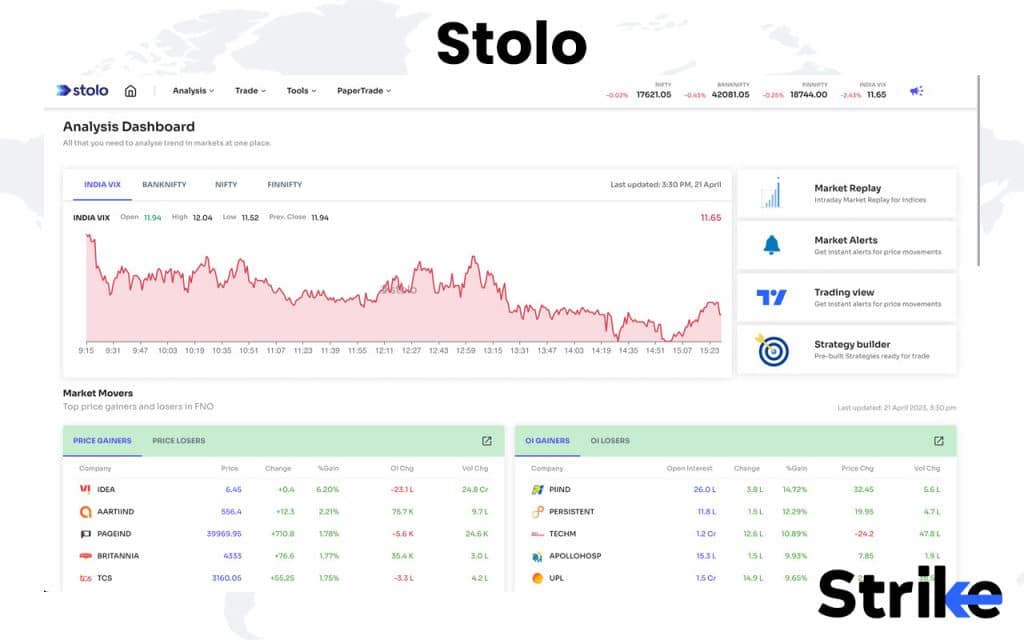
Traders use Stolo to identify breakout stocks, catch momentum setups early, and receive alerts on pre-defined conditions. Its scanning engine runs on the cloud, so you don’t need to keep a browser open for it to function. The interface is straightforward, focusing entirely on signal delivery rather than analysis depth.
Here’s why many traders prefer Stolo
- Cloud-based scanning that runs continuously
- Pre-set and custom alert triggers for breakout or momentum stocks
- Real-time updates without manual refresh
- Simple interface optimized for speed and clarity
- Works seamlessly on both desktop and mobile
- No need for complex configuration or scripting
If you’re thinking about the cost, here’s how it’s priced.
| Plan | Price (₹) | Billing Term |
|---|---|---|
| Trial Plan – Pro at a Trial Price | 299 | 7 days |
| Lite Plan – For Growing Traders | 499/month | Billed annually |
| Pro Plan – For Serious Traders | 833/month | Billed annually |
Let’s see what traders say about it.
| Platform | Rating / Score | Summary |
|---|---|---|
| Crozdesk | 50 / 100 (Stock Trading & FX category) | Indicates average performance and user trends falling |
| TrustFinance | 4.62 / 5 | Positive score, typical for marketing-oriented review repository. |
| App Store / Google Play | Mixed / moderate ratings (varies) | Users praise features but note learning curve and cost. |
| Indian Trading Forums | Positive | Clean UI, some users want deeper customization |
Support is available via chat and email, with responses usually arriving within one business day. The team is known for being quick with setup assistance and resolving scan-related issues promptly.
Here’s how Stolo performs overall.
Pros of Stolo
- Comprehensive toolkit for options traders: OI-analysis, option chains, FII/DII data, strategy builder, basket orders and broker integrations.
- Transparent pricing model (as claimed) with free tier and trial access.
- Designed for Indian F&O market, especially indices like Nifty, BankNifty, FinNifty, with deep analytics tailored for options.
- Trade-terminal functionality combined with analysis charts helps both new and seasoned options traders.
Cons of Stolo
- Higher pricing tiers than some competitors; cost may be significant for casual/non-active traders.
- Reviews indicate user satisfaction is mixed; “50/100” on Crozdesk suggests room for improvement in user experience/consistency.
- Learning curve is steep: many features, tools and integrations require time to master — might overwhelm less experienced users.
- While strong for Indian options, global market coverage and multi-asset brokerage may be limited compared to other platforms.
Stolo keeps things simple and that’s its biggest strength. If your goal is to catch breakouts and momentum moves fast, without managing complex dashboards or scripts, this platform gets the job done. It may not replace full-featured analytical tools, but as a dedicated scanner, it’s fast, focused, and incredibly dependable for intraday traders.
16. StockEdge
StockEdge is a data visualization and scanning platform created for retail investors in India. StockEdge focuses on delivering fundamental and technical data through easy-to-understand visual formats, making it suitable for both new and experienced investors. It is available on both mobile and desktop, with a clean, structured interface.
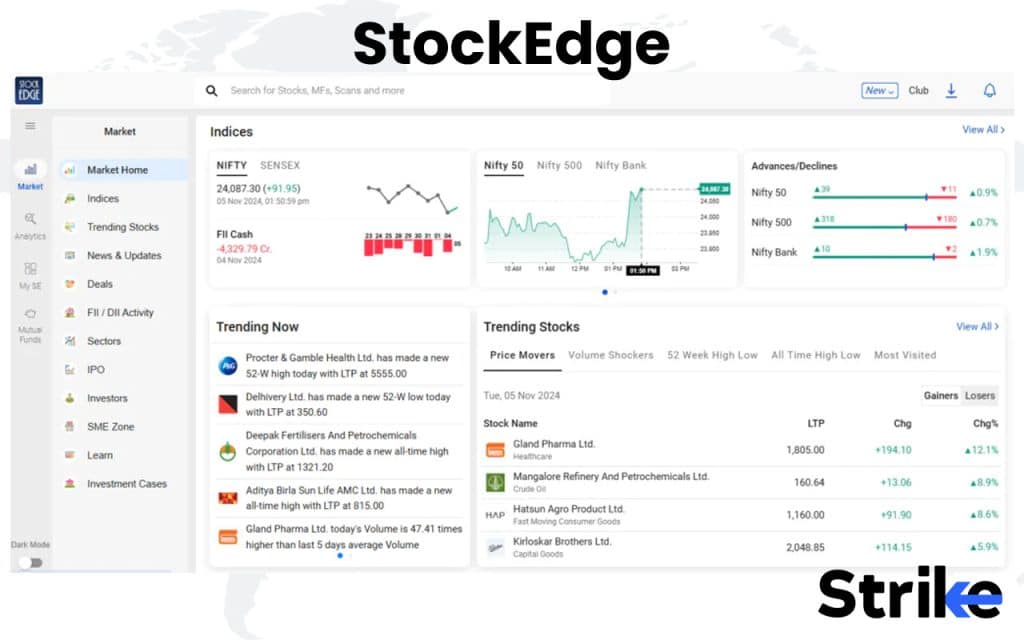
Users rely on StockEdge to analyze company fundamentals, track sector performance, and run daily scans for setups like volume spikes or price breakouts. The app also alerts users about bulk and block deals, insider trades, and earnings results, allowing investors to spot market-moving activity quickly. This blend of quantitative and event-driven insights makes it equally useful for both long-term investors and short-term traders.
Here’s why StockEdge has gained a loyal user base
- Daily scans for technical and volume-based setups
- Fundamental screening with financial ratios and peer comparison
- Alerts for bulk deals, insider transactions, and corporate announcements
- Visualization tools for trends, ownership patterns, and sector rotation
- Portfolio tracking for both retail and institutional investors
- Regular data updates and an easy, mobile-first interface
Thinking about the cost? Here’s what to expect
| Plan | Monthly Price (₹) | Description |
|---|---|---|
| Premium | ₹399 | Essential analytics for everyone — discover stocks and mutual funds with basic analytical tools. |
| Pro | ₹1499 | Advanced analytics with deeper insights, faster research workflows, and broader stock data coverage. (Most popular plan) |
| Club | ₹2499 | Includes analyst support, expert recommendations, and community discussions for active traders and investors. |
Let’s see what users are saying
| Platform | Rating | Summary |
|---|---|---|
| Trustpilot | 4.1 / 5 | Majority positive; some complaints about sales practices. |
| Techjockey | Features 4.8/5, Value 4.7/5, Ease-use 4.8/5 | Highly rated for usability & value in Indian market. |
| Qualitative mixed | Some users feel the subscription is “costly” for what they used. | |
| Trading Forums | Positive | Excellent for fundamentals, limited intraday data |
Support is offered through email and in-app chat, and responses generally arrive within 24 hours. The helpdesk is known for being helpful with subscription and data-related issues, while the knowledge section offers tutorials for new users.
Here’s how StockEdge performs overall
Pros of Stockedge
- Strong analytics for Indian stock market: fundamentals, technicals, screeners.
- Good value relative to many Indian research tools, especially for active investors.
- Well-rated by many users for ease of use and functionality in the tech-review space.
Cons of Stockedge
- Pricing may still be high for casual users; several users note that you must actively use features to get value.
- Some negative feedback about customer service or aggressive sales calls.
- Some users feel the features promised do not always deliver at the level expected.
StockEdge is a well-balanced tool for retail investors who want clarity, simplicity, and reliable data in one app. It won’t replace heavy-duty trading software, but for anyone who wants to track companies, spot setups, and stay informed on corporate actions, it’s one of the most polished and user-friendly platforms available in India today.
17. InvestarIndia
InvestarIndia is a charting and technical analysis software tailored for Indian markets. InvestarIndia is known for its real-time data, auto alerts, and integrated technical tools, which make it appealing to active traders who prefer a desktop-based solution.
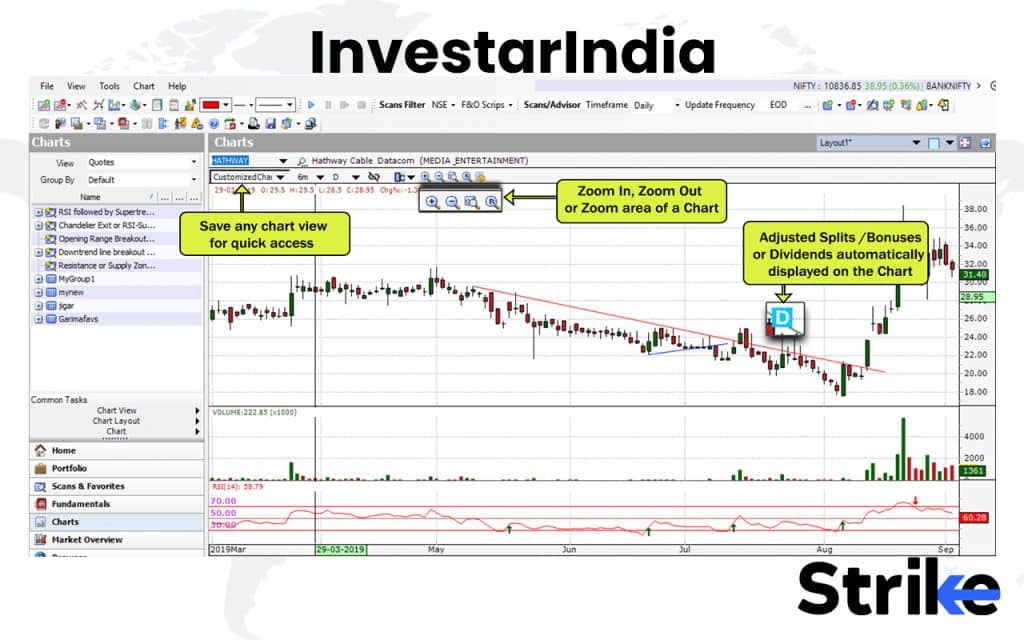
Traders use InvestarIndia to analyze price action, set automated breakout alerts, and build watchlists for different segments like equities, futures, or intraday opportunities. The software also includes limited fundamental data, allowing you to get a quick snapshot of company performance without switching tools. It’s built for traders who prefer desktop-based reliability over browser-based charting, offering smooth real-time data updates and custom alert options.
Here’s what makes InvestarIndia stand out
- Real-time charting with auto-trendline detection
- Customizable alerts for price breakouts and indicator triggers
- Multi-timeframe analysis and synchronized watchlists
- Integrated data for NSE equities, futures, and options
- Optional add-ons for backtesting and scanner tools
- Offline mode for analysis without live data feeds
If you’re curious about the pricing, here’s the breakdown
| Edition | Price (₹) | Notes |
|---|---|---|
| Lite | ₹0 onwards | Free plan with limited features; broker connectivity required for intraday updates. |
| Basic | ₹495 onwards | Entry-level version with essential tools; requires broker connectivity for intraday updates. |
| Standard | ₹995 onwards | Mid-tier version offering advanced charting and technical analysis features. |
| Pro | ₹1,345 onwards | Full-featured edition with professional-grade tools and enhanced analytics. |
Here’s what users say about it
| Platform | Rating | Summary |
|---|---|---|
| MouthShut | Mixed narrative reviews | Users cite reliable performance and low lag; some concerns about features. |
| SourceForge | 4.0 / 5 | One detailed review highlighted Auto-Support/Resistance features positively, noted chart resolution issues. |
| TradingQnA / Forum | Qualitative mixed to positive | Early users mention good features but term price “high” and support mediocre. ( |
| App Store / Play Store | 4.4 / 5 | Smooth performance, limited visual upgrades |
InvestarIndia offers support via email and phone, with response times usually within one business day. The support team is well-rated for helping with installation, data feed setup, and troubleshooting charting issues.
Here’s how InvestarIndia performs overall
Pros of InvestarIndia
- Offers a variety of editions (Lite, Basic, Standard, Pro) that let users pick a level matching their needs and budget.
- Includes technical analysis tools like multiple indicators, charting timeframes, portfolio management—useful for active investors.
- EOD (end-of-day) data base included in entry levels, which is helpful for investors focusing on swing/positional trades rather than intraday.
- Long track-record in Indian market analytics space; some users praise interface speed and focus on Indian equities.
Cons of InvestarIndia
- Review feedback suggests features may lag behind premium global platforms (for example in advanced automation or intraday scopes).
- Pricing appears relatively steep (especially older versions) for casual users—not everyone will utilise full functionality.
- Some user complaints about support responsiveness, and chart resolution or UX issues in certain versions.
- While editions exist, feature differentiation between tiers might not be clearly communicated or may require deeper research to assess value.
InvestarIndia is a solid choice for traders who prefer a traditional yet powerful desktop setup. It offers dependable technical alerts and real-time analysis at an affordable price point. While it doesn’t have the polish or flexibility of newer cloud platforms, it remains a value-packed option for traders focused on the Indian markets and medium-term strategies.
18. Tickertape
Tickertape is a popular investment screening and analysis tool for Indian markets. Tickertape is best known for its fundamental screeners, valuation metrics, and clean modern interface, making it a favorite among long-term investors and analysts.
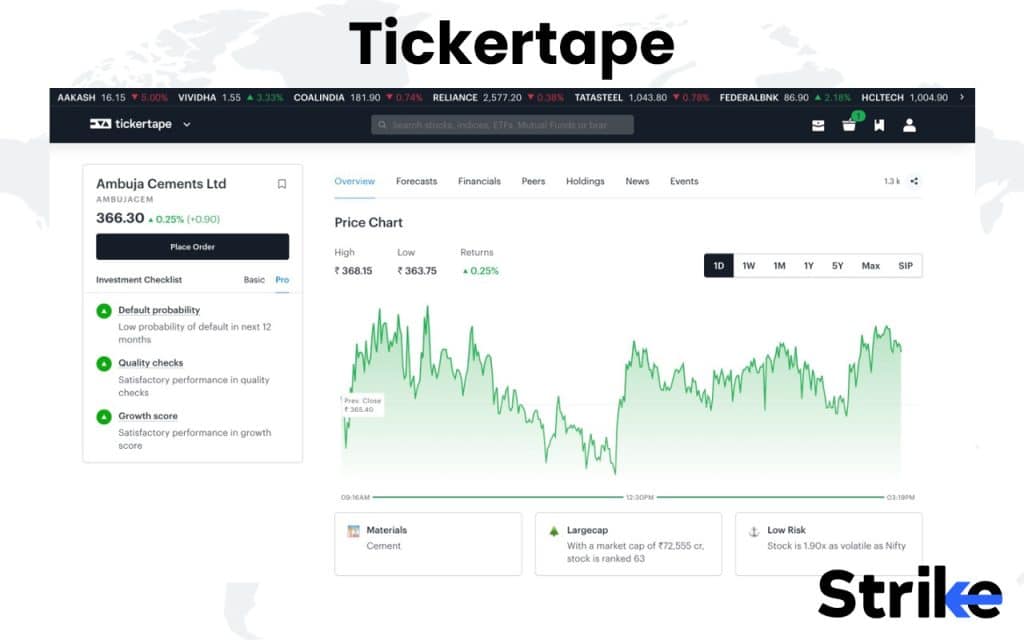
Investors use Tickertape to screen companies by specific parameters, evaluate valuation multiples, and review analyst recommendations before investing. It’s particularly helpful for long-term investors who want to assess a company’s intrinsic value and compare it to its sector peers. The platform’s visual layout makes complex data easier to interpret, even for new investors.
Here’s what makes Tickertape stand out
- Powerful stock screener with over 200 financial filters
- Analyst ratings, price targets, and forecast summaries
- Valuation metrics like PE, PB, EV/EBITDA, and ROE tracking
- Peer comparison and sector-based filtering
- Portfolio tracking with personalized insights
- Mutual fund and ETF screeners for diversified research
Wondering about cost and access?
| Plan | Price |
|---|---|
| Monthly | ₹ 299 per month |
| 3-Month Plan | ₹ 699 every 3 months (≈ ₹ 233/month) |
| 12-Month Plan | ₹ 2,399 per year (≈ ₹ 200/month) |
Let’s see what users are saying about it
| Platform | Rating | Summary |
|---|---|---|
| Trustpilot | 3.5 / 5 | Very small sample; users report search function issues. |
| Qualitative mixed | Some users praise the interface; others question whether the Pro tier is worth it. | |
| Dematdrive | 4.3 / 5 | Review mentions modern UI and data breadth; still notes cost vs benefit. |
| Indian Investment Forums | Positive | Reliable, valuation-focused, limited technicals |
Support is available via email, and responses typically arrive within 24–48 hours. The help center includes FAQs on screeners, subscriptions, and portfolio tools, so most issues can be solved without much waiting.
Here’s how Tickertape performs overall
Pros of TickerTape
- Offers a large number of filters (130+ in Pro) and screens for stocks, mutual funds, ETFs.
- Clean, modern user interface and good usability for Indian market data.
- Flexible subscription options with decent value, especially the yearly plan.
Cons of TickerTape
- Review feedback suggests that some metrics/data are inconsistent or slightly different from other sources.
- Free or lower plans have limited access to advanced filters and tools — full value requires paid plan.
- Very few independent review entries (e.g., Trustpilot only 2 reviews) make it hard to gauge broad user sentiment.
Tickertape is ideal for investors who want clear, factual insights before making decisions. It focuses on valuation depth and analytical clarity rather than trading speed or complexity. While it’s not designed for intraday traders or global coverage, it remains one of the most reliable and affordable tools for long-term Indian equity research.
19. StockCharts
StockCharts is a classic charting platform popular among technical analysts. StockCharts is best known for its traditional chart patterns, clean visuals, and reliability, making it especially suitable for traders who prefer classic TA methods over modern community features.
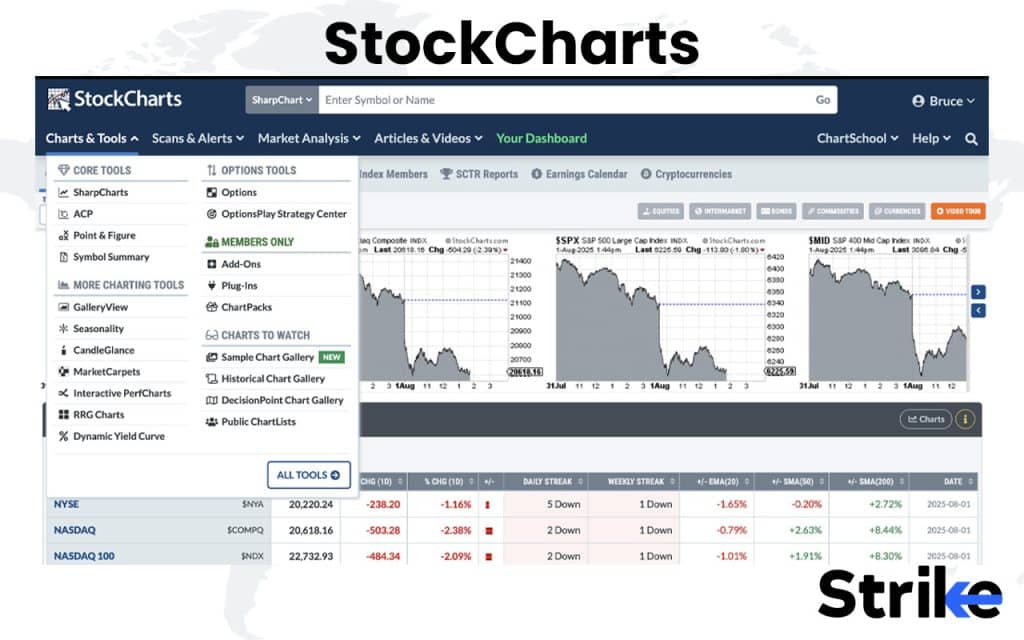
Users rely on StockCharts to analyze long-term price patterns, plot multiple indicators, and track correlations between major global indices. It’s especially useful for those who study classical chart formations like head-and-shoulders, triangles, or double tops. The interface is designed for clarity — every chart loads fast, indicators are easy to apply, and the layouts are built to make traditional TA straightforward and precise.
Here’s what makes StockCharts stand out
- Wide range of technical indicators and overlays
- Customizable chart styles like candlestick, P&F, Renko, and Kagi
- Historical data for long-term trend analysis
- Global coverage of stocks, indices, and ETFs
- User-friendly interface with minimal clutter
- Strong community education through blogs and tutorials
Wondering what it costs? Here’s the breakdown
| Plan | Price (USD/month) | Notes |
|---|---|---|
| Basic (Service Level) | $19.96/month | Entry paid tier with more features than free. |
| Extra (Service Level) | $29.95/month | Mid tier with increased capacity/features. |
| Pro (Service Level) | $49.95/month | Full-feature tier. |
Here’s what traders say about their experience
| Platform | Rating | Summary |
|---|---|---|
| Trustpilot | 1.9 / 5 | Rated “Poor”; complaints about support, billing and speed. |
| Sitejabber | 3.4 / 5 | Mixed feedback; many require intraday data but the platform focused more on longer-term charts. |
| G2 | 3.5 / 5 | One reviewer praised pricing and simplicity; another flagged data lag and support issues. |
| Trading Forums | Mixed | Stable and respected for long-term analysis |
StockCharts provides assistance through help tickets and email, with responses usually arriving within one business day. The platform’s knowledge base is extensive, and tutorials are detailed enough to help even newer traders navigate its features confidently.
Here’s how StockCharts performs overall
Pros of StockCharts
- Advanced charting capabilities with high customisation: extensive indicators, overlays, chart types.
- Strong educational content (ChartSchool) plus long term data history; good for swing traders / investors.
- Web-based platform with respectable performance for its purpose if you use it for its intended audience.
Cons of StockCharts
- Price is relatively high compared to some competitors, especially when added data plans or real-time feeds are required.
- Many users feel it is less suited for active intraday traders requiring real-time updates, broker integrations, or social features.
- Customer support and responsiveness appear to be weak in user reviews; some complaints about billing and refund policies.
- Interface and features may feel dated or less modern compared to newer platforms with slick UI and broader community/social features.
StockCharts remains one of the most dependable charting platforms for traders who follow traditional technical analysis. It’s not built for modern-day automation or multi-market execution, but if your focus is on studying trends, patterns, and indicator signals with accuracy, it’s a solid and time-tested companion.
20. iCharts
iCharts is a real-time charting platform built specifically for Indian markets. iCharts is recognized for its fast intraday data, NSE integration, and affordability, making it a go-to choice for day traders who need reliable price feeds and simple charts.
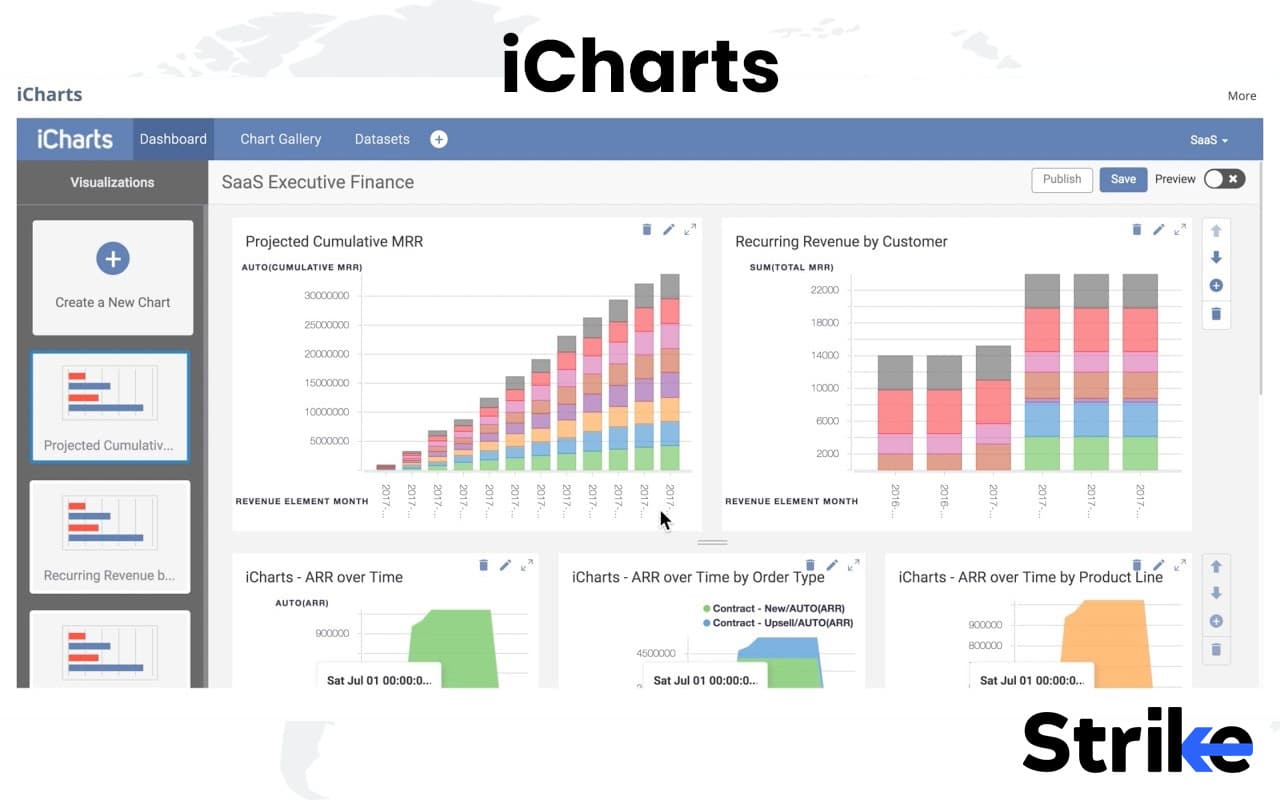
Active users choose iCharts for its speed, reliability, and NSE-focused data, making it one of the most practical tools for Indian day traders. The interface is intentionally simple — there are no flashy visuals or complex menus — so you can stay focused purely on price action. It’s not designed for deep analytics, but for those who prioritize real-time execution and quick decision-making, it does the job efficiently.
Here’s what makes iCharts useful for active traders
- Real-time intraday data for NSE equities and derivatives
- Customizable alerts for price levels and volume spikes
- Multi-chart view for tracking multiple instruments at once
- Lightweight web interface optimized for performance
- Predefined indicators for basic technical analysis
- Simple, no-frills layout ideal for fast-paced trading
If you’re considering pricing, here’s the structure
| Type | Cost |
|---|---|
| Monthly plan | ₹599 |
| Quaterly Plan | ₹1600 |
| Half yearly | ₹3000 |
| Annual | ₹5700 |
Let’s look at what traders say about iCharts
| Platform | Rating | Summary |
|---|---|---|
| ScamAdviser | “Very likely not a scam” | Website analysis finds it legitimate though owner identity is partly hidden. |
| Reddit (r/IndianStockMarket) | Qualitative – “helpful tool for F&O traders” | One post: “I think it provides an excellent overview if you want to learn option trading” |
| App/Independent review sites | Limited hard ratings found | No large user review aggregate on major review platforms in the public domain. |
Support is available through email and chat, with most responses coming within a few hours during trading sessions. The support team is known to handle data or access issues quickly, ensuring minimal downtime for traders.
Here’s how iCharts performs overall.
Pros of iCharts
- Strong focus on Indian F&O (options/futures) analytics: straddles/strangles charts, IV/HV, spread charts etc
- Affordable pricing, especially yearly plan compared to many premium tools in this niche.
- Delayed‐data tools accessible without full live‐feed cost; good for traders who don’t need real-time execution.
- Transparent disclaimers and FAQ: clear about tool categories, data delay, broker integration.
Cons of iCharts
- Data delay: Unless live broker link is used, charts have ~1 minute + processing delay for price, >3 minutes for OI.
- Limited public independent user reviews/ratings; harder to assess widespread user sentiment.
- Features may support analysis but not full execution/trading infrastructure; some users might expect seamless trade placement.
- Interface and usability may be less polished compared to global/trading‐platform giants; learning curve for new users of F&O analytics.
- Broker connectivity requirement for live tools adds dependency and potential additional cost/complexity.
iCharts is ideal for traders who value speed and clarity over complexity. It strips away unnecessary layers, focusing only on what matters during live trading- accurate data and quick execution. While it lacks the advanced analytics of premium platforms, its simplicity and NSE focus make it a go-to choice for serious intraday traders in India.
What are the Types of Trading Softwares?
There are five main types of trading softwares, each designed to address a specific stage of the trading and investing process.
1. Advanced Analytics & Technical Tools
This category focuses on in-depth technical analysis, real-time data visualization, backtesting, and strategy building. These platforms are preferred by active traders, analysts, and systematic strategy developers who rely on precise indicators, chart setups, and data models to make trading decisions.
- Strike Money is an India-focused analytics platform designed for derivatives traders. It provides open interest data, options flow tracking, sentiment indicators, Relative Rotation Graphs (RRG), and Relative Momentum Index (RMI). This combination makes it a powerful tool for tracking institutional activity and intraday market structure.
- TradingView is one of the most popular global charting platforms. It offers advanced charting tools, Pine Script for custom strategies, and an active global community where traders share their setups. It’s widely used for both Indian and international markets.
- MetaTrader (MT4/MT5) is best known in the forex world. It enables algorithmic trading using Expert Advisors (EAs), fast execution, and strategy testing, making it a strong choice for traders who want automation and low-latency execution.
- AmiBroker is geared towards quantitative traders. It allows advanced backtesting, custom strategy development using AFL scripting, and portfolio-level analysis, making it ideal for systematic approaches.
- GoCharting provides browser-based advanced charting with options flow and market profile tools, tailored for Indian traders. It bridges the gap between Indian F&O analytics and global visualization standards.
- InvestarIndia focuses on real-time technical analysis, breakout alerts, and auto-trading integration. It’s particularly popular with swing and positional traders who prefer a one-time license model over subscriptions.
- iCharts caters to intraday traders who need real-time Indian market data and fast charting. It’s lightweight, browser-based, and optimized for quick reactions during trading hours.
- StockCharts specializes in classic technical chart patterns and overlays, making it ideal for traders who rely on clean visuals and long-term trend analysis.
These platforms are best for traders who prioritize precision, strategy testing, and fast analysis, helping them make timely and data-backed trading decisions.
2. Screeners & Scanners
Screeners and scanners are used to filter stocks and instruments based on specific conditions—technical, fundamental, or both. In a market with thousands of listed instruments, these tools save time and help focus only on relevant opportunities.
- Chartink is popular among retail traders for its simple real-time stock scans based on price, volume, and indicators. It’s often used for breakout or momentum strategies.
- Screener.in is focused on fundamentals. It lets users create queries based on financial ratios, profitability, debt levels, and growth metrics, making it essential for identifying strong companies for long-term investment.
- Stolo acts as a real-time scanner, detecting breakouts, volume spikes, and indicator triggers during market hours. It’s especially useful for intraday traders who rely on quick alerts.
- Tickertape combines screening with valuation metrics and analyst ratings, allowing investors to shortlist companies using fundamental data and peer comparisons.
These tools are indispensable for idea generation and filtering. Instead of manually analyzing hundreds of charts or reports, traders and investors can quickly narrow down their watchlists to the most promising candidates.
3. Market News & Information Platforms
This category provides real-time news, corporate announcements, macroeconomic data, and expert commentary. These platforms are crucial because news often drives price action, especially during earnings seasons, policy announcements, or global events.
- Moneycontrol is India’s most widely recognized financial portal. It offers live market quotes, business news, IPO coverage, mutual fund data, and portfolio tracking, making it a one-stop destination for most retail investors.
- Investing.com focuses on global markets. It provides multi-asset data, including forex, commodities, crypto, indices, and bonds, along with a detailed economic calendar that traders use to track market-moving events.
- Economic Times Markets delivers Indian corporate news, policy updates, brokerage reports, and expert views, helping traders and investors understand the context behind price moves.
For both traders and investors, these platforms are essential for timely information. The speed and reliability of news can often determine whether a trade is profitable or missed.
4. Data & Research Platforms
Data and research platforms transform raw financial information into structured, actionable insights. They are especially valuable for fundamental analysts and long-term investors.
- Trendlyne aggregates analyst ratings, earnings data, discounted cash flow (DCF) valuations, and financial ratios in a clean and structured format. It’s often used to combine professional analyst perspectives with raw company data.
- StockEdge focuses on retail investors, offering corporate actions, sector performance, insider activity, and financial data through visual dashboards. This makes it easier for users to understand company performance without needing advanced financial expertise.
These platforms support deep research and analysis, allowing investors to make informed decisions based on structured data rather than scattered information.
5. Options Trading Platforms
India’s derivatives market is one of the most active globally, making options trading platforms essential for serious traders. These tools focus on strategy building, Greeks analysis, volatility tracking, and mobile-based analytics.
- Sensibull is designed for retail traders. It offers multi-leg strategy builders, payoff charts, live Greeks, and beginner-friendly interfaces. It’s especially useful for those learning options strategies.
- Opstra is aimed at more advanced users. It focuses on precise Greeks analysis, backtesting of strategies, and volatility tools, allowing traders to design and test complex strategies before executing them.
- Quantsapp takes a mobile-first approach, providing real-time OI and IV analytics, strategy builders, and alerts directly on smartphones. This makes it ideal for traders who need to monitor the market away from their desks.
These platforms simplify the complex world of options, enabling traders to plan, test, and execute strategies with clarity and confidence.
Key Features of Good Trading Software
There are mainly 10 key features to have while choosing a good trading software.
- A good trading platform offers real-time data and price feeds, ensuring that traders act on the most accurate and current market information without delays.
- It provides intuitive, user-friendly charting tools that allow traders to visualize trends, apply indicators, and perform technical analysis with ease.
- Fast and reliable order execution is crucial; trades should be placed instantly, even during volatile market conditions, without system lag or slippage.
- Customizable dashboards and layouts help traders organize charts, watchlists, and analysis tools to match their personal workflow.
- The software includes advanced risk management tools, such as automated stop-loss, take-profit, and trailing stop functions.
- Comprehensive analytics and reporting features enable traders to review performance, track profit/loss, and identify areas for improvement.
- A robust platform supports multi-device compatibility, allowing seamless access through desktop, mobile, or web versions without losing functionality.
- Security and data protection are top priorities, with strong encryption, two-factor authentication, and reliable data backup systems in place.
- Integration with news feeds and economic calendars helps traders stay aware of market-moving events without switching platforms.
- Good trading software offers responsive customer support and regular updates, ensuring stability, compliance, and new feature rollouts that keep pace with evolving markets.
Good trading software combines speed, accuracy, and smart tools to help traders act quickly and manage risk effectively.
Benefits of Using Trading Software
The main benefits of using trading software are efficiency, speed, and better decision-making, which are hard to achieve manually.
- The biggest benefit of trading software is instant access to real-time market data, eliminating any delay between market movement and your reaction. a critical edge for day traders and scalpers.
- Another advantage is comprehensive analysis in one place. By combining charts, screeners, price data, news, and execution tools, trading software helps reduce distractions and improve focus.
- Automation and strategy tools add structure to trading by enabling backtesting, alerts, and rule-based execution, helping remove emotional bias and maintain discipline.
- For long-term investors, portfolio tracking and research integration allow for performance monitoring, fundamental assessment, and efficient rebalancing.
Good trading software brings data, analysis, and execution together, helping traders and investors make smarter, faster, and more disciplined decisions.
Limitations of Trading Software
There are seven main limitations of trading software, of which the over-reliance on technology is the most obvious.
- Trading platforms depend heavily on stable internet connectivity and device performance, and any technical issue or server downtime can disrupt trade execution.
- The abundance of indicators and tools on modern platforms often overwhelms traders, especially beginners, leading to confusion and indecision.
- Advanced software and data subscriptions increase trading costs, which can eat into profits or discourage small traders.
- Complex platforms take time to learn, and misuse of automation or backtesting without understanding can lead to poor trading outcomes.
- Some platforms are limited to specific markets or instruments, forcing traders to use multiple systems for complete coverage.
- Online trading platforms store sensitive personal and financial data, making users vulnerable to security breaches and cyber threats.
- Excessivereliance on automated trading can detach traders from market conditions and result in poor performance during unpredictable events.
Trading software enhances efficiency and decision-making but is not without its drawbacks. A balanced approach using technology as a tool rather than a crutch helps traders avoid common pitfalls and build long-term consistency.
How to Choose the Right Trading Software
Choosing the right platform depends on aligning its strengths with your trading or investing style.
- Match with trading style: Intraday and options traders need platforms with real-time data, fast execution, and strong analytics. Long-term investors may prioritize research tools, screeners, and portfolio tracking over speed.
- Costs should be evaluated carefully, including brokerage fees, data subscriptions, and software charges. A low-cost platform that lacks features can be as harmful as an expensive tool you don’t use fully.
- Ease of use matters, especially if you’re a beginner. Overly complex interfaces can slow you down. Advanced traders may prefer more customization and technical features.
- Integration with research tools like screeners, news platforms, and analytics improves efficiency by keeping everything in one ecosystem.
Security and regulatory compliance are essential. Always choose platforms that are licensed, use encryption, and follow SEBI or relevant international regulations.
Free vs Paid Trading Softwares
Both free and paid trading softwares have clear pros and cons, and the right choice depends on your goals and budget.
| Differences | Free Trading Software | Paid Trading Software |
|---|---|---|
| What is It? | Ideal for beginners or casual investors. Offers basic charting, delayed or limited real-time data, and simple screeners. | Designed for serious traders who need speed, depth, and reliability. Includes advanced charting, real-time feeds, algo tools, and support. |
| Examples | Screener.in, Chartink (basic), TradingView Free, Moneycontrol, StockEdge Free, Investing.com, Economic Times Markets, Tickertape Free, iCharts Basic, GoCharting Free. | Strike Money, TradingView Pro, MetaTrader (via brokers), AmiBroker, Opstra, Sensibull, Quantsapp, InvestarIndia, Stolo, Trendlyne Premium. |
| Pros | No upfront cost, good for learning, basic analysis tools. | Real-time data, advanced features, better support, professional-grade analysis. |
| Cons | Limited features, slower data, fewer customization options. | Monthly or annual costs, learning curve for advanced features. |
The best approach is often starting with a free tool to understand your needs, and then upgrading to paid software once you have a clear strategy and trading style.
How to Set Up a Trading Software
Setting up trading software is a straightforward process, but doing it properly ensures smooth trading later. Here’s a step-by-step guide.
- Select the right software based on your trading style and market segment (equities, derivatives, forex, etc.).
- Create an account on the platform’s website or through your broker. Some platforms require KYC verification for full functionality.
- Download or access the platform. Some are web-based (e.g., TradingView, GoCharting), while others are desktop apps (e.g., MetaTrader, AmiBroker).
- Log in using secure credentials and enable two-factor authentication for added security.
- Set up your market data feeds. If required, subscribe to real-time data packages for exchanges like NSE, BSE, or global markets.
- Customize the interface — arrange your charts, watchlists, and screeners based on your trading workflow.
- Add indicators, alerts, or strategies that match your trading approach. This step is crucial for building efficiency.
- Test the platform in demo or paper trading mode, if available. This helps familiarize yourself with the layout and execution process without risking real money.
- Integrate with your broker if the software allows direct order execution. Check order routing settings and permissions carefully.
- Go live once you’re fully comfortable with the tools, ensuring that backup power and internet options are in place.
A proper setup ensures you’re not troubleshooting during market hours, allowing you to focus on trading rather than technology.

 21 mins