TradingView Review (Data-Backed) 2026: Features, Pros vs Cons, Pricing, Reviews, Is It Worth It?

 Author

 Editor
In this TradingView review, we will talk about features, advantages vs disadvantages, pricing, customer support & many more aspects. This TradingView review is focused on helping traders & investors choose this platform. Tradingview has so many features (both basic & advanced), it can be overwhelming for beginners to use this software.
So, in this review of TradingView, we will dive into its ideal use cases, supported instruments & brokers & whether it is worth the money.
What is TradingView?
TradingView is the charting platform that enables traders to refer to it for tracking stock price movements and assessing the fluctuations effectively to decide when to enter and exit. The platform comes with multiple tools and features, especially built-in indicators, which users can leverage to book profits or mitigate risks.
The platform is reported to have over 50 million monthly active users globally from 150+ countries, an exceptionally good figure to achieve in just 14 years, amidst competitors spread all across.
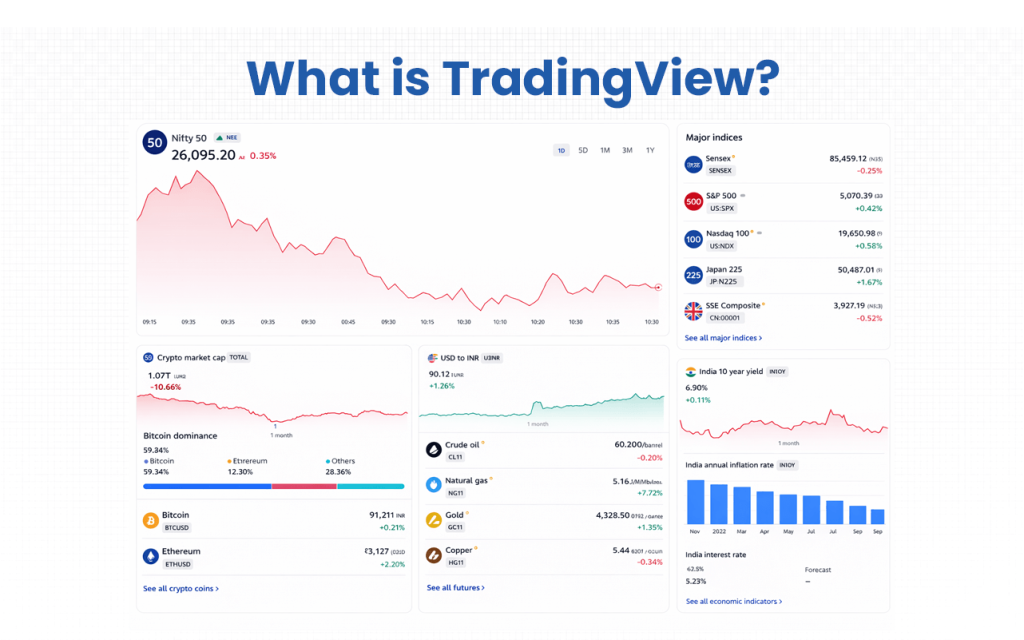
TradingView makes trading decision-making easier for traders like me. The platform is designed for both beginners and experts, as it offers both basic and advanced tools for use. Data safety is also ensured to a certain extent based on the frequency at which a user uses it.
With TradingView, I have a community of traders who make proper market analysis using technical indicators and also exchange ideas in real-time. If you are planning to use TradingView as your trading platform, the most bothersome might be their customer service, even if you are a premium member – at least it is for me.
Verdict
Overall rating – 4/5
As a trader, I have personally used and explored TradingView. I spent hours testing every feature before coming up with this review, and I will try to provide an overview of the features, pros, and cons of the platform with respect to both basic and advanced usage.
TradingView is an effective charting tool and a good fit for technical analysis. The platform keeps its news section updated for traders to know what is currently happening in the market.

However, if we check some of the reviews from the users, we will find that the customer service is the most criticized feature. Most of them call it “non-existent.”
The mobile version, though visually strong, occasionally struggles with indicator management and real-time syncing.
Also, while community insights are valuable, not all shared strategies are credible.
Key Features
The features thaṭ make TradingView the best among the rest are its charting tools, the multi-asset coverage, the social trading community, pine script customization, and cloud-based accessibility.
- Charting Tools: Traders, like us, can customize them per their requirements and generate real-time graphs for using more than 100 built-in indicators and drawing tools.
- Multi-Asset Coverage: You can track global markets across multiple segments, including crypto, stocks, indices, forex, and commodities, using one standard interface.
- Social Trading Community: The platform connects more than 50 million traders and helps share strategies, public ideas, and learn and operate in collaboration.
- Pine Script Customization: This is my favourite as I could create, test and automate my own indicators and strategies with the platform’s proprietary scripting language.
- Cloud-Based Accessibility: TradingView offers efficient access to charts and data irrespective of the type of device you use. It keeps everything synced and updated in real time.
By now, I am sure you already know how TradingView can be useful to you. And if you are still confused, we have more for you to explore.
TradingView Advantages
There are 11 significant advantages of using TradingView, which include everything from having an intuitive interface to offering real-time trading analysis features.
- User-friendly and visually appealing interface that’s easy to navigate for all skill levels.
- Over 100 built-in technical indicators and advanced drawing tools.
- Real-time market data and customizable alerts for quick decision-making.
- Reliable charting engine with minimal lag and high performance.
- Integration with popular brokers for direct trading.
- Regular updates and feature enhancements based on user feedback.
- Smooth and consistent performance across desktop, tablet, and mobile devices.
- Strong global community that encourages knowledge-sharing and strategy exchange.
- Excellent visual clarity and chart responsiveness, even with multiple indicators applied.
- Offers educational value through community posts, scripts, and shared strategies.
- Trusted by both retail and institutional traders for its reliability and innovation.
While the advantages help traders and investors make wise decisions, there are a few disadvantages that might restrict them.
TradingView Disadvantages
Despite the benefits, TradingView has 9 major flaws that put a question mark on its effectiveness.
- Many advanced tools and data feeds require a paid subscription for access.
- Real-time data for some exchanges requires additional fees.
- Limited order execution options compared to full-fledged trading terminals.
- The mobile app, while sleek, can feel restrictive for heavy charting and indicator management.
- Some community-shared ideas and scripts lack credibility or consistent quality.
- Pine Script has a learning curve for beginners unfamiliar with coding.
- Occasional syncing delays between web and mobile versions.
- Customer support response time can be slow for free users.
- Limited fundamental analysis tools compared to other professional platforms.
The disadvantages might affect the credibility of TradingView to some extent, but they cannot devalue the platform so far as its technical features are concerned.
Overall Summary
Overall Rating – 4/5
Based on the 6 main feature parameters, we compiled 2025 rating data from multiple sources to rate TradingView.
| Feature | Rating (out of 5) | Notes |
|---|---|---|
| User Interface & Ease of Use | 4.5 | Intuitive, visually appealing, beginner-friendly |
| Charting Tools & Indicators | 4.8 | 100+ built-in indicators, advanced drawing tools, Pine Script |
| Mobile & Desktop Experience | 4.0 | Smooth, occasional syncing issues on mobile |
| Community & Social Trading | 4.7 | Large, active, knowledge-sharing ecosystem |
| Customer Support | 2.5 | Slow response times, limited for free/trial users |
| Pricing & Value | 4.0 | Free plan available, premium plans offer advanced features |
TradingView Pricing Structure
TradingView’s pricing structure varies from basic to premium and even beyond that. You can choose the type of pricing based on the frequency at which you use the tool and the features you want to leverage. The more you trade, analyze and customize, the higher the tier you’ll likely need.
| Plan | Monthly Price* | Key Included Features |
|---|---|---|
| Basic | $0 (free) | Entry-level access — one chart per tab, basic indicators, limited alerts. |
| Essential | $12.95/mo (billed annually) | 2 charts per tab, 5 indicators per chart, 20 price alerts, ad-free experience. |
| Plus | $28.29/mo (billed annually) | 4 charts per tab, 10 indicators per chart, 100 price alerts, and more parallel connections. |
| Premium | $56.49/mo (billed annually) | 8 charts per tab, 25 indicators per chart, 400 price alerts, and expanded real-time data options. |
| Ultimate | $199.95/mo (billed annually) | 16 charts per tab, 50 indicators per chart, 1,000 alerts, top-tier access for power users. |
Who is TradingView for?
TradingView is designed for day and swing traders, beginners, as well as those who value community insights.
- Ideal for day and swing traders: Those who rely on technical analysis will appreciate TradingView’s advanced charting tools and real-time flexibility.
- Suitable for beginners (with patience): While the layout and options may feel overwhelming at first, the free version is a strong starting place, and one can upgrade as they grow.
- Best for traders who value community insights: With a large ecosystem of shared ideas and scripts, traders who like learning from peers will get extra value.
TradingView is less recommended for pure fundamental investors and those who are not good with complex algorithmic/back-testing heavy strategies.
TradingView Customer Support Concerns
The customer support concerns received fall under three main categories: response time, technical errors, and payment management.
- Slow or unresponsive support channels, with some users describing the assistance as inefficient or ineffective.
- Technical problems are sometimes left unresolved, and users report instances where support staff appear to shift blame rather than provide solutions.
- Subscription and payment management can be frustrating, with complaints about unexpected charges, difficulties canceling subscriptions, and challenges in managing accounts.
One of the users, Roy Reyes, on Trustpilot wrote:
“I was trying out their platform, so I enrolled in their trial to be able to interact with other traders. However, apparently, they don’t allow trial accounts to comment on the ‘discussions’ section, nor create ‘ideas’. I tried contacting customer support, but they don’t allow trial accounts to contact support. What is the point of a trial if I can’t use basic features? I think I’ll try out other platforms because this did not allow me to try out their product before I pay full price.”
TradingView, if it emphasizes customer service features and improves them, could enhance the overall user experience.
To contact the TradingView team, you can visit their support page and choose from the knowledge base, chat support, and support requests to get your queries resolved.
What are TradingView’s Review Ratings from Review Sites?
| Platform | Rating | Review Summary |
|---|---|---|
| Trustpilot | 1.6/5 (1,100+ reviews) | Users frequently report poor customer service, with issues like slow responses and unresolved technical problems. |
| G2 | 4.5/5 (80+ reviews) | Highly praised for its user-friendly interface, real-time data, and customizable charts. |
| TrustScore | 3.5/5 (14 reviews) | Mixed feedback, with some users expressing satisfaction and others highlighting areas for improvement. |
| Trustpilot (TradingView Link) | 4.2/5 (14 reviews) | Generally positive reviews, though the sample size is smaller. |
What are the Core Features of TradingView?
There are six broadly classified core features of TradingView.
Advanced Charting & Drawing Tools
TradingView offers access to hundreds of built-in indicators and strategies, plus over 110 smart drawing tools for detailed technical analysis.
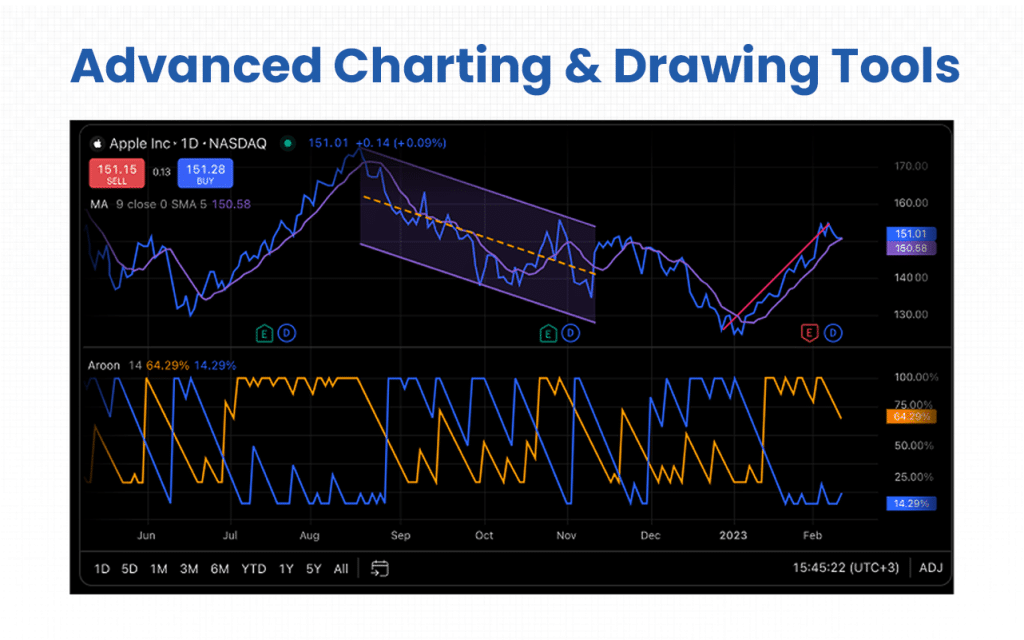
- More than 400 built-in indicators
- Over 100,000 public indicators
- More than 110 smart drawing tools
- Volume profile indicators
- Candlestick patterns recognition
- Multiple time frame analysis
- Efficient auto chart patterns
Historical Pricing Data
I have loved this feature as it helps unfold historical pricing data. As a result, traders have an opportunity to review the markets at their own pace and resolution before making any trading decisions.
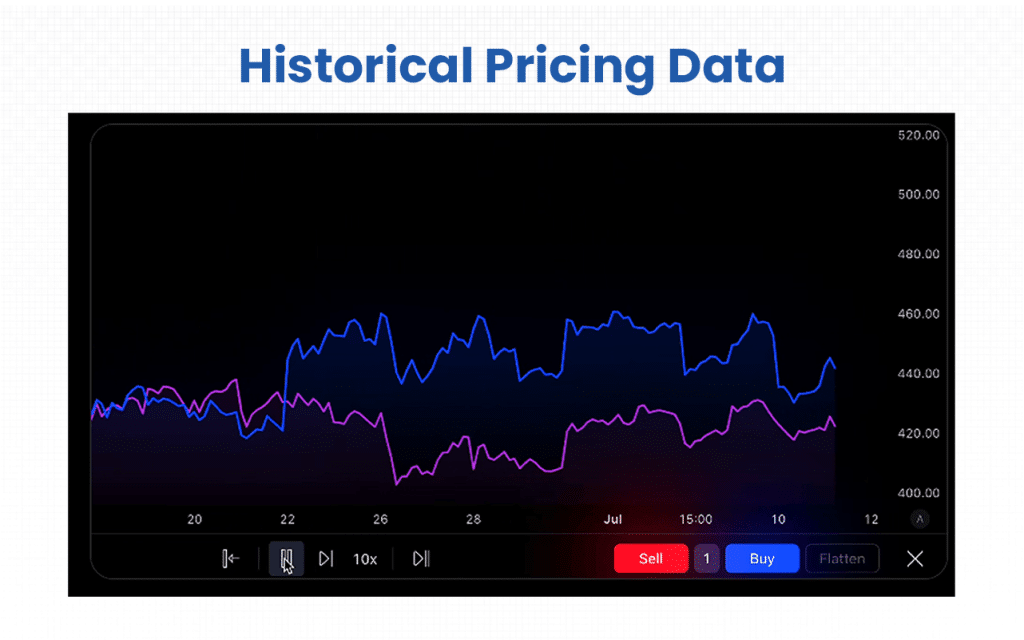
- Simulated trading on past data
- 9 replay speeds
- Autoplay with step-by-step instructions
- Drawing or creating objects and indicators to help with replay analysis
- Synchronized replay of multiple charts
- Deep historical data insights every minute or second as required
- Set update intervals per need
Four Seasons In One Smart Chart
TradingView gives traders, like me, a chance to study the market patterns over the years at a glance and allows them to track any spot price movement, thereby helping them detect the annual trends and time their trades accordingly with confidence.
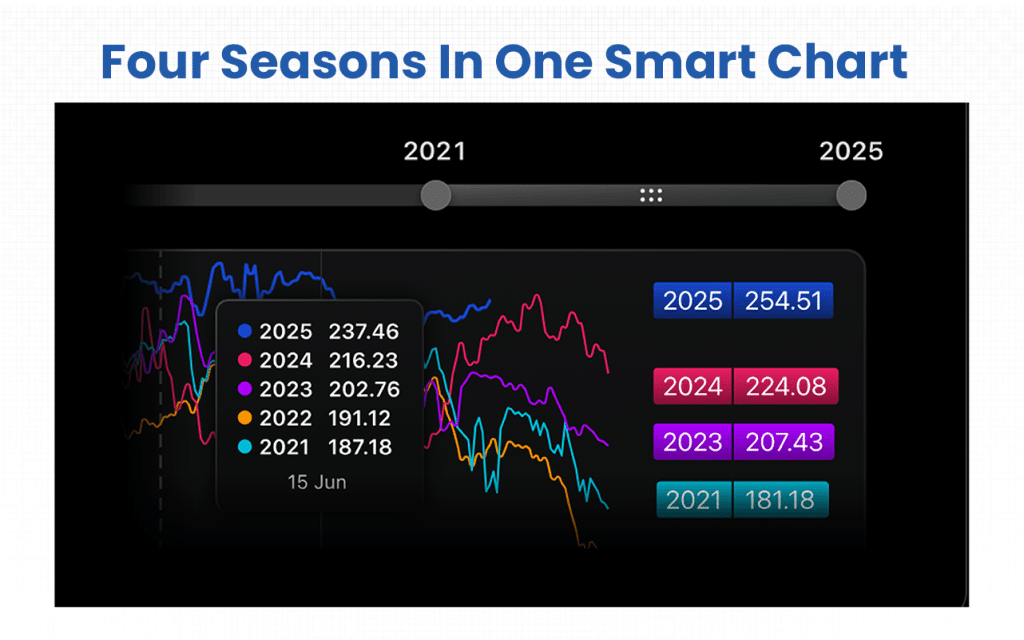
- Analyze index movements
- Compare patterns for four consecutive years
- Helps detect repeating trends
- Enables analysis on an annual basis
Must-Have Alerts
Trading alerts on the platform are easy to use and cloud-based. They run on any device and can be powered by Tradingview’s scripting language, Pine Script.
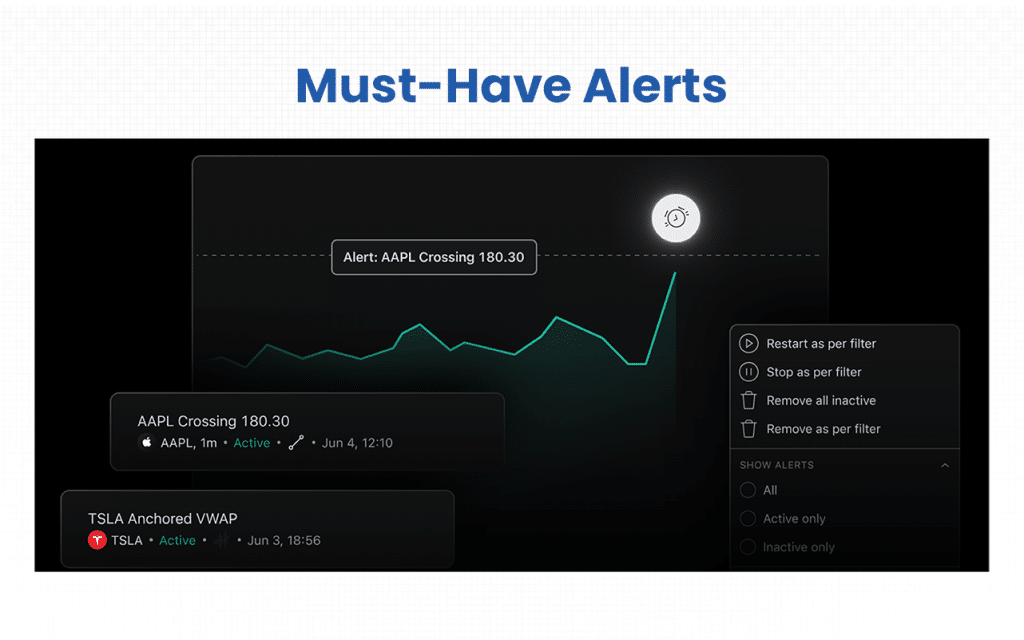
- Ultra-precise
- Flexible price alerts
- Alerts on drawing tools
- Custom Pine Script alters
- Any-devoice or platform alert – emails, browsers, apps, etc.
Watchlists Alert
One powerful alert can cover hundreds of symbols in your watchlist. This alert keeps tracking all symbols simultaneously and generates notifications when the specified conditions, as set by you, are met for any of them.
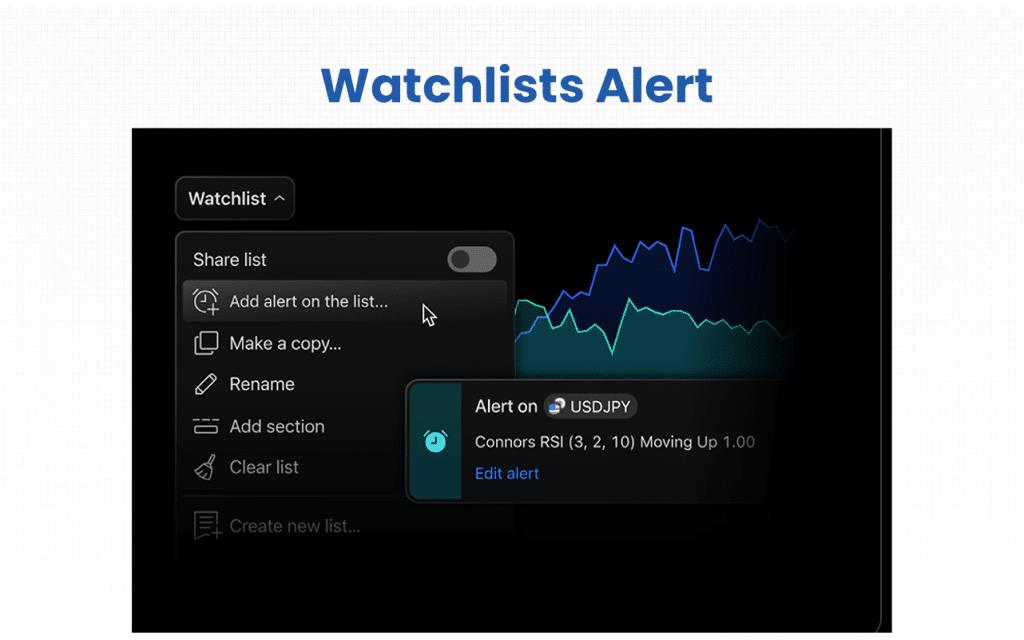
- Tracks a range of assets simultaneously
- Saves time as it studies multiple symbols at a time
- No special operators are used
- Still functions if you add symbols after creating alerts.
- If a symbol is removed, the alert doesn’t work
Comprehensive Financial Analysis
Keeps a set of fundamental data for all major stock exchanges, thereby guiding traders and helping them identify the right time for making the right decisions.
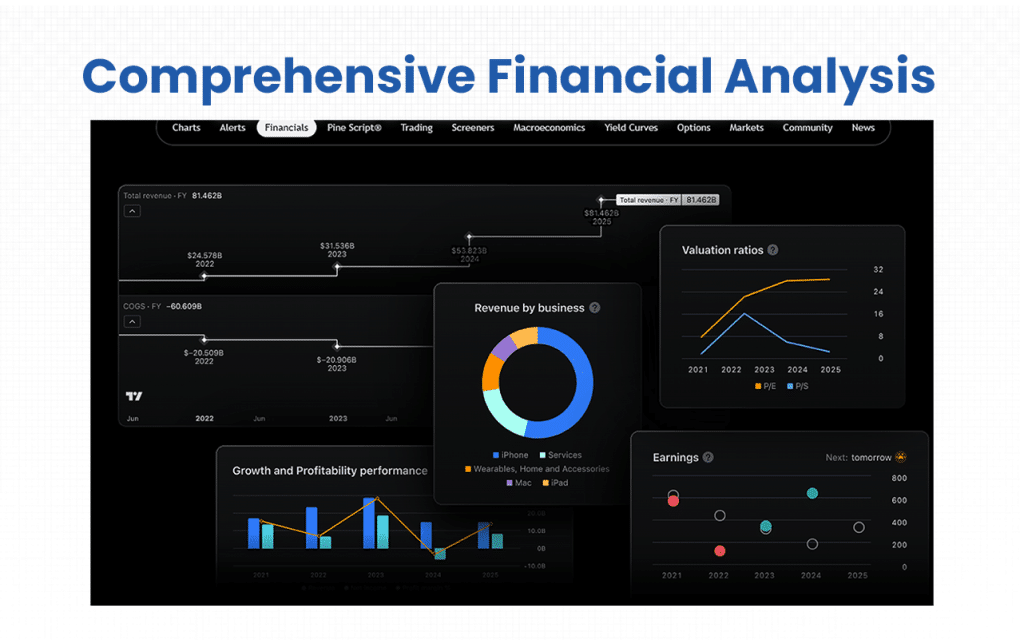
- 100+ fundamental metrics
- Financial statements
- Valuation analysis
- Historical data
- Worldwide coverage
The core features make TradingView one of the best for traders who like to make well-informed and wiser trading decisions based on varied interpretations.
Supported Markets and Assets on TradingView
Supported Markets (India-Specific)
- NSE & BSE coverage: Live charts and data from India’s major stock exchanges: National Stock Exchange (NSE) and Bombay Stock Exchange (BSE).
- Indian Indices: Tracks benchmark indices such as Nifty 50, Sensex, Bank Nifty, and more.
- Indian Stocks & ETFs: Access to a broad range of Indian equities, ETFs, and sectoral indices.
- Global Market Connectivity: Alongside Indian data, users can monitor markets from the U.S., Europe, and Asia for cross-market analysis.

Supported Assets
- Equities: Full charting and analysis tools for Indian and global listed companies.
- Cryptocurrencies: Real-time data from leading crypto exchanges covering major and alt coins.
- Forex: Support for global currency pairs, including INR crosses.
- Commodities: Gold, crude oil, natural gas, and agricultural commodities tracking.
- Indices & Bonds: Worldwide index data and bond yields integrated into charting tools.
Broker Integration and Trading Execution of TradingView
Here are some of the brokers that can be integrated with TradingView for direct trading execution (availability may vary by region and account type):
- Interactive Brokers: They offer global market access and are listed among the supported brokers.
- Fyers Securities: The broker integration is for the India-based users who deal in equity/futures trading.
- Alice Blue: This integration helps users trade equities, funds, futures and bonds directly from the chart interface.
- Motilal Oswal Financial Services: It is listed among brokers you can connect for trading via TradingView.
- Paytm Money: It is also cited as a supported broker for chart-to-trade via TradingView in India.
- Share.Market: The integration appears on TradingView’s broker list for equities/futures trading.
- Dhan: This India-based broker integrated with TradingView allows direct trading of stocks, futures, commodities and options from the Trading Panel.
TradingView’s User Interface & Learning Curve
TradingView’s user interface is designed to be friendly and accessible to all, including beginners. The features that make the platform easy to use include its intuitive layout, customizable workspaces, and mobile and desktop compatibility.
- A clean and organized interface has a top toolbar for chart settings, a left sidebar for drawing tools, and a right sidebar for watchlists and alerts, making navigation easier.
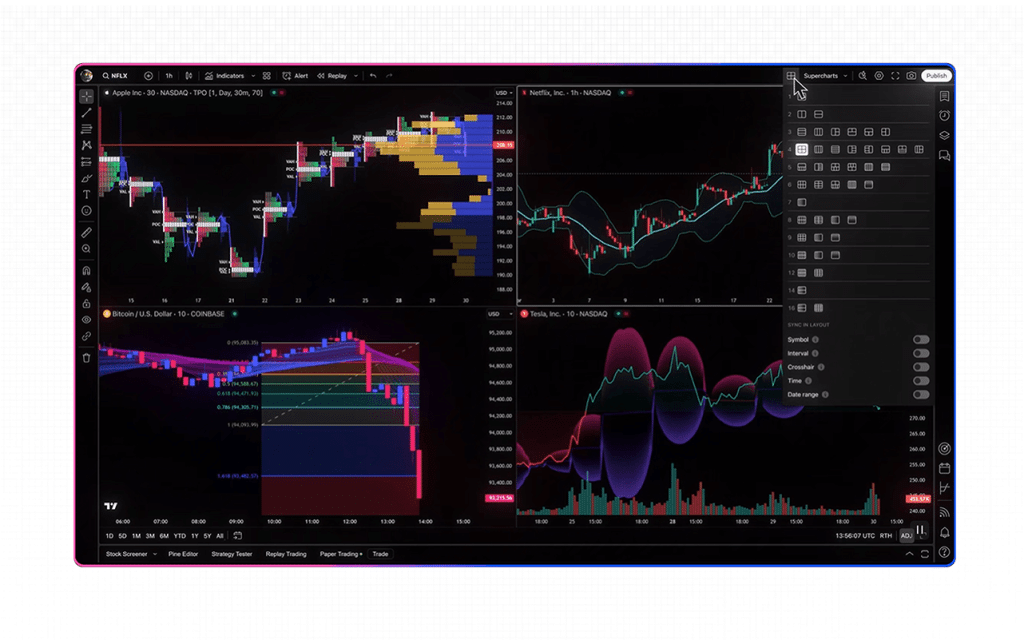
- Users can personalize their layout by saving chart templates, adjusting themes, and setting up multi-chart views.
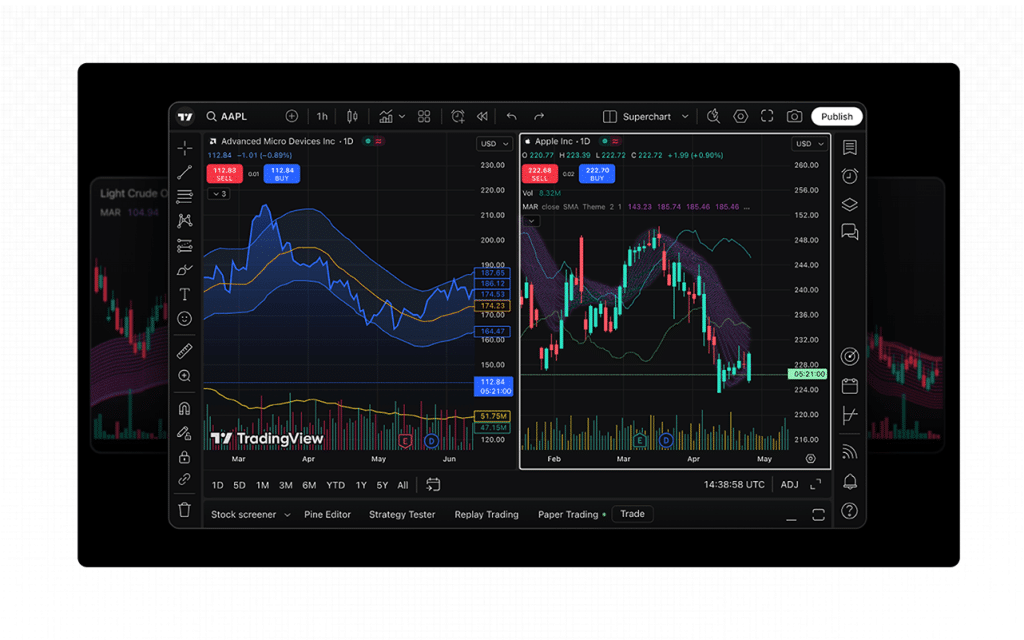
- TradingView offers applications for both mobile and desktop, ensuring a consistent experience across devices.
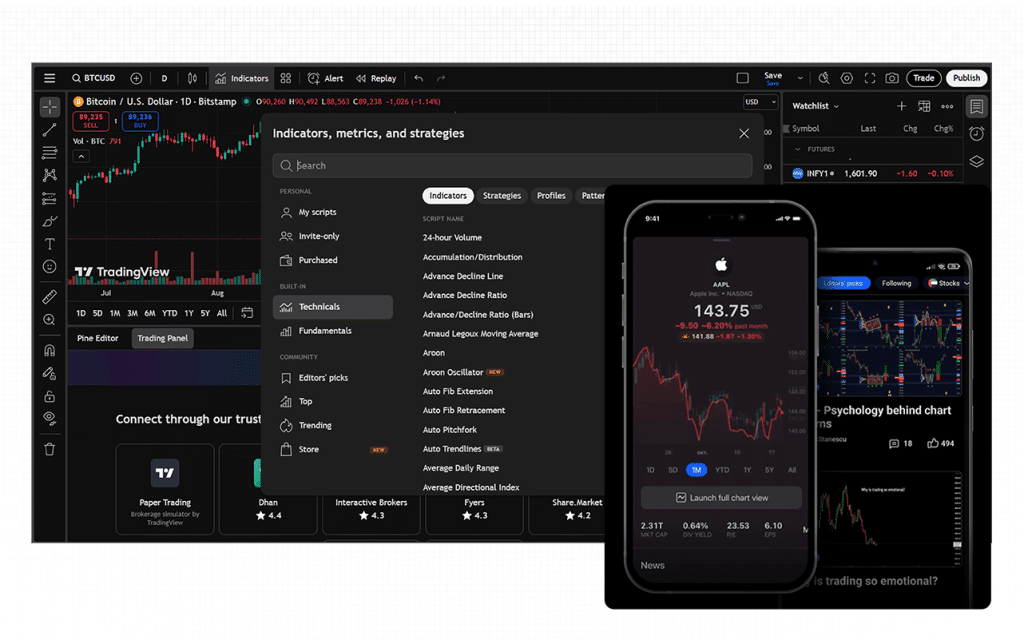
To ensure users of all skill and expertise levels can easily use the platform, TradingView offers both beginner-friendly resources and advanced features for experienced traders.
With TradingView, I have personally learned a lot using the tutorials, guides, and community forum it offers to help new users get started. For more experienced users, TradingView offers advanced charting tools, scripting capabilities, and integration with brokers.
TradingView Company Details
- Company Type: Private
- Headquarters: 470 Olde Worthington Rd, Suite 200, Westerville, OH 43082, United States
- Year Founded: 2011
- CEO: Oleg Mukhanov
- Number of Employees: 501-1,000
- Number of Users: Over 100 million users globally
- Company Description: TradingView is a powerful, cloud-based charting and social trading platform that enables traders and investors to analyze financial markets, track real-time data, and share trading ideas. The platform supports multiple asset classes like stocks, forex, crypto, and commodities. It combines professional-grade charting tools with an active global community, making it a go-to hub for both beginners and experienced traders seeking insightful, data-driven decision-making.
Top TradingView Alternatives
Are you looking for more than just standard charts? From India-specific analytics to institutional-grade algo trading, these platforms provide the specialized tools that TradingView currently lacks.
| Platform | What It Offers Beyond TradingView | Ideal For |
|---|---|---|
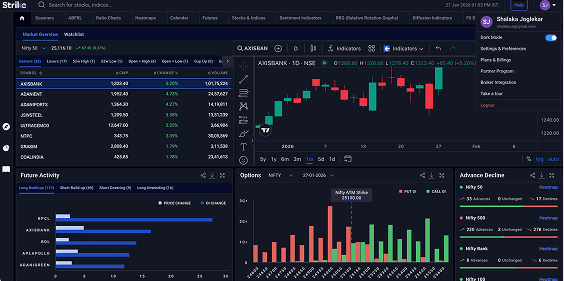
| Strike Money | • Deep India-specific analytics, which TradingView lacks. • Real-time data tuned for Indian equities, F&O, and options. • Heat maps, sentiment tracking, and strategy back-testing for local markets.• Designed around Indian trading psychology and regulatory structure. | Best for Indian traders who want advanced insights, faster local data, and actionable analytics that TradingView doesn’t customize for India. |
| NinjaTrader | • Powerful algorithmic and high-frequency trading capabilities. • Built-in back-testing tools and automated trade execution engines. • More customizable for developers and quant traders. | Ideal for professional and futures traders who need algo-driven tools, but less practical for Indian equities. |
| Koyfin | • Comprehensive fundamental, macroeconomic, and cross-asset data visualizations. • Superior financial statement and valuation dashboards. • Integrates global data, not just charts. | Great for long-term investors and analysts, it offers data depth that TradingView’s charts can’t match. |
| Sensibull | • A complete options strategy builder with payoff charts and strategy comparison, as highlighted in our Sensibull review. • Real-time integration with Indian brokers for live option Greeks, IV, and OI data. • Options-focused education and strategy tools. | Perfect for options traders in India. TradingView doesn’t provide dedicated options strategy support. |
Is Strike Money the Best Alternative to TradingView?
Yes, Strike Money is the best alternative to TradingView. Let us compare the features of both to check how Strike Money makes the best option if not TradingView.
| Feature | Strike Money | TradingView |
|---|---|---|
| Market Focus | Indian equities, F&O, options | Global markets (stocks, crypto, forex, commodities) |
| Options Analysis | Advanced (Greeks, IV, payoff graphs) | Limited |
| Technical Tools | 30+ unique scanners, sentiment & diffusion indicators | Extensive charting tools |
| Fundamental Analysis | P/E ratio, dividend yield, profit margins | Basic financial data |
| Scanners & Screeners | Advanced stock scanners and filters | Available, but less tailored for Indian markets |
| Community Support | Active Telegram/Discord groups, 24×7 support | Large community, but less India-focused |
| Pricing | Starts from ₹650/month | Free with premium plans up to $199.95/month |
Is TradingView Worth It?
TradingView is completely worth it. From my experience as a solo trader, TradingView is worth every penny of its subscription. Beyond the advanced charting tools, technical indicators, and customization options, what really stands out to me is the community, comprising over 60 million users, including top institutional contributors. I’ve found it incredibly valuable to exchange ideas, learn new strategies, and gain real-time insights from other traders around the world.
While the subscription costs can vary, for me, the true value isn’t just in the software itself, but in the combination of powerful tools, real-time data, educational resources, and the supportive trading community.
FAQs about TradingView
Is TradingView Free to Use?
Yes, TradingView has a basic plan that is free to use. It is a solid starting point for individuals new to trading or those who engage in occasional trading activities. It offers essential tools to get acquainted with the platform. However, as trading needs become more advanced, exploring the paid plans may provide enhanced features and capabilities to support more complex trading strategies.
Is TradingView Safe and Secure?
Yes, TradingView is safe and secure. The platform comes with robust security measures to protect your data and account, but user vigilance is essential. Starting from two-factor authentication to the secure password feature, TradingView has it all. The platform employs Transport Layer Security (TLS) to encrypt data transmitted between your device and their servers, safeguarding sensitive information during transmission. In addition, it also retains personal data for a period of one year for security purposes, in accordance with TradingView’s privacy policy.
Can a Beginner Use TradingView?
Yes, a beginner can use TradingView, though it comes with a learning curve. The platform’s clean and intuitive interface, free Basic plan, and paper trading feature make it easy to start without financial risk. New users can also benefit from tutorials, community-shared ideas, and educational resources. While advanced tools and multi-chart layouts may seem overwhelming at first, starting with basic charts and gradually exploring more features allows beginners to grow into the platform at their own pace.
Is There a Mobile App for TradingView?
Yes, TradingView offers a mobile app for both iOS and Android devices, enabling traders to access charts, monitor markets, and manage portfolios on the go. The TradingView mobile app is a powerful tool for traders seeking flexibility and real-time access to market data. By downloading the official app and practising good security hygiene, you can enhance your trading experience while on the move.
Is the TradingView Interface Customizable?
Yes, the TradingView interface is customizable and allows users to tailor charts, layouts, and indicators to their preferences. You can switch chart types and timeframes, adjust colors and themes, save indicator templates, display multiple charts in a layout, and enable or disable specific UI elements. Advanced users and developers can even use APIs to create custom themes, override chart elements, and synchronize settings across charts, making it suitable for both casual traders and professionals seeking a personalized trading environment.
![15 Investing.com Alternatives [Free+Paid] You Should Use in 2026](https://www.strike.money/wp-content/uploads/2026/04/Investing.com-Alternatives-768x482.jpg)
 38 mins
![15 TradeStation Alternatives [Free+Paid] You Should Use in 2026](https://www.strike.money/wp-content/uploads/2026/04/TradeStation-Alternatives-768x482.jpg)
![15 Chartink Alternatives [Free+Paid] You Should Use in 2026](https://www.strike.money/wp-content/uploads/2026/04/Chartlink-Alternatives-768x482.jpg)