TradeStation Review (Data-Backed) 2026: Features, Pros vs Cons, Pricing, Reviews, Is It Worth It?

 Author

 Editor
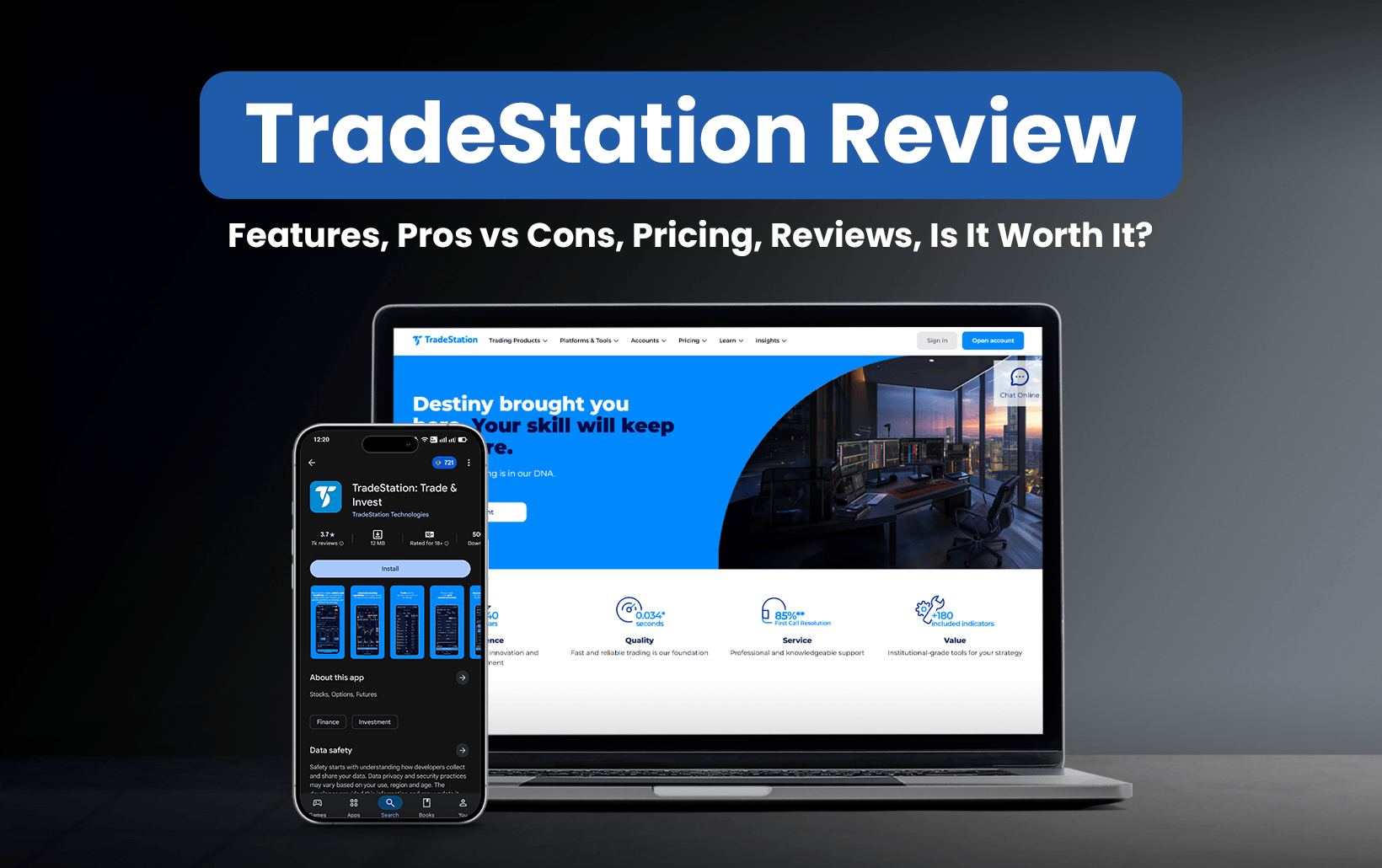
This TradeStation review has been created for traders/investors who are struggling to find a broker to help them crack the best trading deals. In this TradeStation review, I will discuss the features, advantages, disadvantages, pricing structure, and reviews covered on other reputable sites.
The plus of this TradeStation review is that it is not only a comprehensive view of what the other review sites have to say, but also the real experience.
I have used the desktop version of this stockbroker platform myself and tested it to the best possible extent to come up with an honest review for my fellow traders. Along with the features, I will also share a few use cases to give you an idea of what might work for you and what falls short of your expectations.
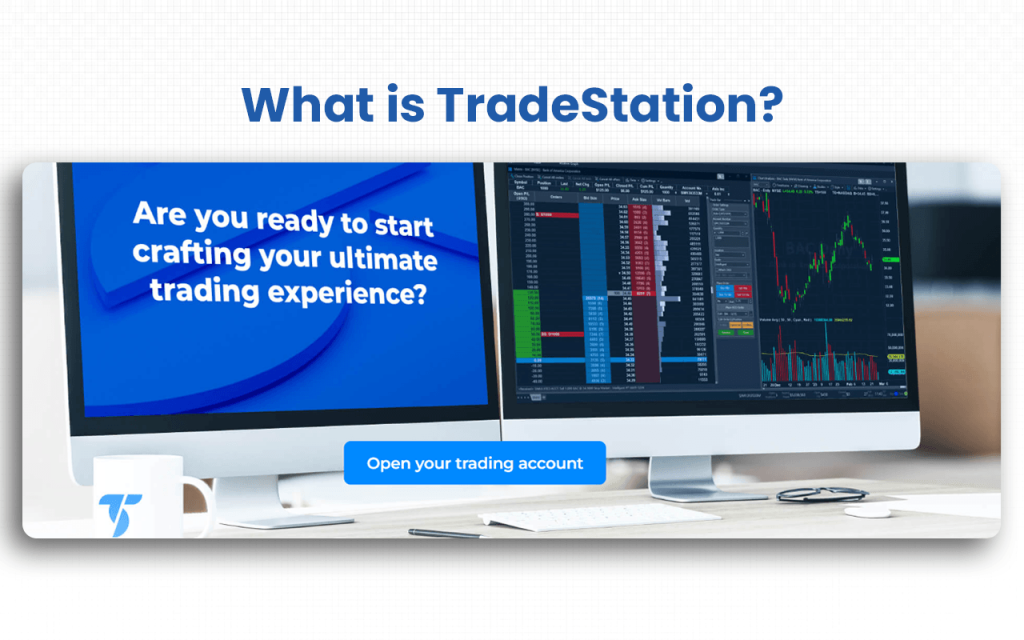
What is TradeStation?
TradeStation is a commission-free US veteran stockbroker platform that has been designed for self-directed traders, and it makes available to them the basic to advanced tools they might require to trade in different asset classes. With 150K+ active brokerage accounts and platform reliability with proven 99.9% uptime in 2025, TradeStation’s user base of active traders is increasing at a rapid pace. The platform has also received the Broker of the Year award by TradingView multiple times.
What makes TradeStation unique is the backtesting feature that it offers, which other platforms either do not offer or, if they do, it doesn’t work efficiently.
With this electronic stockbroking platform, traders/investors get different interfaces to get informed and take trades. While it offers a desktop version for advanced traders, its mobile app and web-based application allow traders to take trades even on the go.
Again, traders always look for a lenient pricing structure when they are hunting for a broker. TradeStation lives up to the pricing expectations of the people as well. On the platform, you can check real-time data, get access to advanced charting tools, enjoy automated trading strategies, and customize this automation using the platform’s proprietary script, EasyLanguage.
Personally, I think TradeStation serves the high-volume traders the best with its sophisticated trading technology. But it seems to disappoint investors and traders like me with less sophisticated trading objectives.
Verdict
Overall Rating – 4.5/5
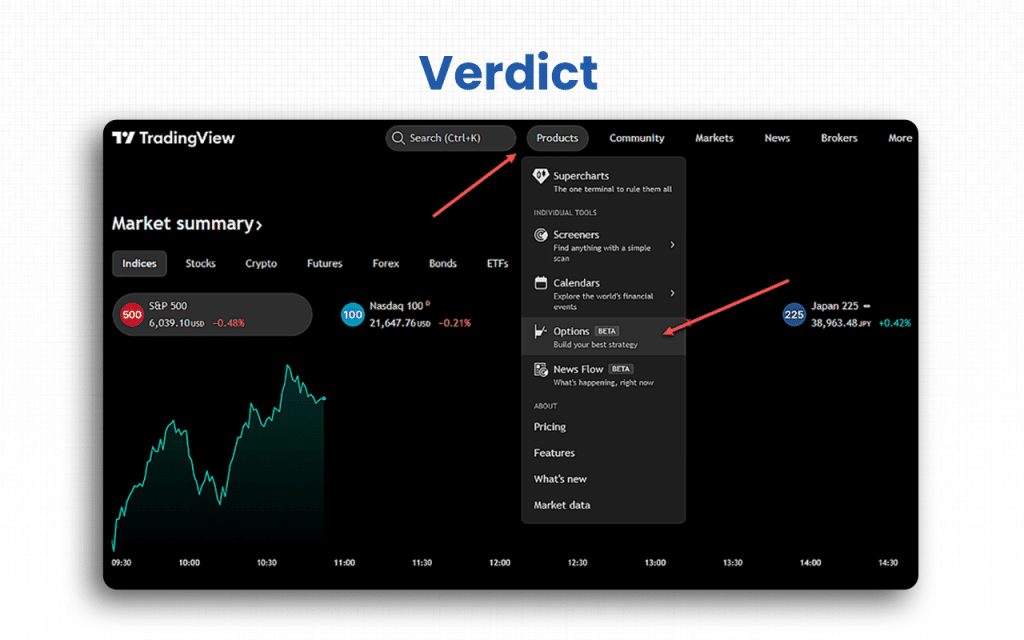
When I was exploring each feature and function, I found TradeStation better than many brokerage platforms out there. You know what felt the best to me – it’s collaboration with TradingView. Yes, signing up with TradeStation will allow you to take options trades directly from TradingView. It launched this feature in January 2025.
Isn’t this great? And maybe one of the major reasons to choose TradeStation over other alternatives.
I am basically a day trader, and I found this platform well and good. The access to real-time information and charting tools helped me a lot. My scalper friends also find it useful. So, for quick trades, you can undoubtedly choose it.
Installing and setting up a TradeStation account is quite feasible. Hence, even if you aren’t sound with technology, you can still opt for this platform. The platform is user-friendly. So far as the customer support service is concerned, the reviews are mixed. I never faced any issues with it myself, though.
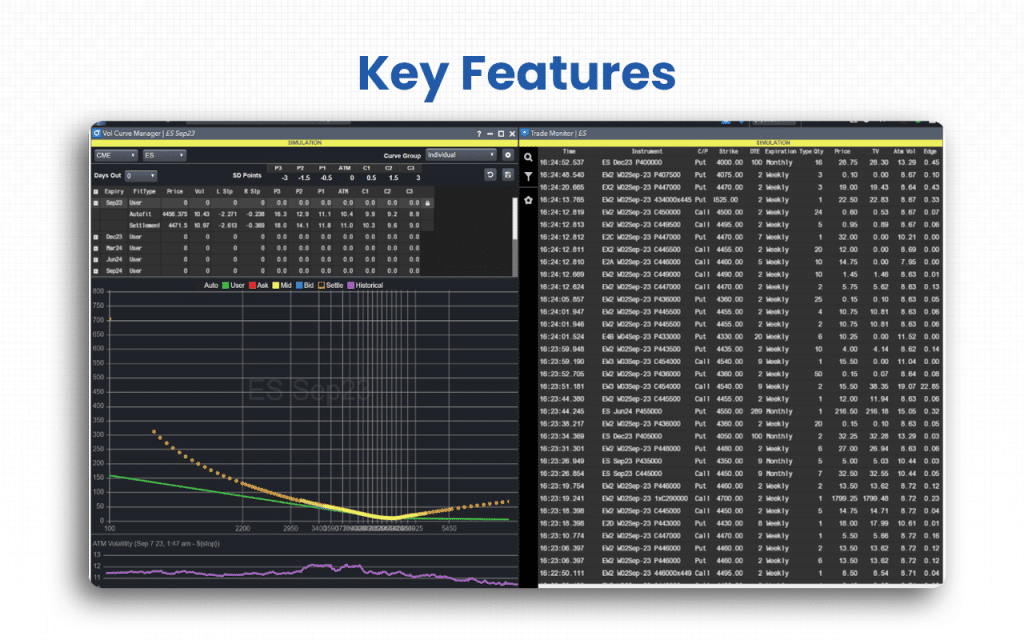
Key Features
There are seven quick features to look at that will give you an overall idea of why you can opt for TradeStation as your trading partner.
- High-quality execution: TradeStation serves as a single brokerage platform where we can connect directly with multiple market centers dealing in stocks, options, and futures. When we sign up on a brokerage platform, the question that haunts us is whether the platform will have the expected speed of trade execution. Sometimes, we buy and sell in a blink – at least, I do. In that situation, even a slight delay can affect my profits. I am sure there are many out there who do the same. TradeStation, for traders like us, is the best choice as it allows superfast execution for any trade we take.
- Huge database: I have personally tried many electronic brokerage platforms to trade on, but one unique feature that none of them can beat TradeStation at is the backtesting opportunities that it offers. It offers a huge database, which allows traders like us to study and interpret large historical data and patterns to assess current and future market possibilities.
- Personalized trade: TradeStation brings to you the best interface choices to trade in, thereby giving you a chance to trade it your way. As a trader, you can choose the platform that best suits your needs. For example, if you are comfortable taking trades on desktops, you may do it or choose their web and mobile applications.
- Customized experience: TradeStation enables traders like us to build our own indicators and also allows customization of other features, to ensure we come up with unique strategies to take the best trades in the best way possible. In short, the traders and investors on this platform have a chance to build an ideal workspace with unique and more customized options.
- Clean layout: I am quite lazy when it comes to navigating through a website. But when I used TradeStation, I loved the layout as it is clean, simple, and user-friendly. To be honest, it is the best for lazy traders like me.
- Sophisticated trading technology: While this could be seen as a restriction to many, TradeStation’s sophisticated trading technology offers tools and direct market access to the premium members who trade complex strategies, like volatility smiles, iron butterflies, etc. The technologically excellent features make this platform excel where other alternatives don’t.
- Wide range of assets: Like many other trading or brokerage platforms, TradeStation also deals in multiple assets and offers traders a wide array of choices on which asset to choose to invest. From stocks and ETFs to OTC stocks and options on futures to mutual funds (with broker assistance to transact) and futures, TradeStation offers it all to us.
TradeStation also used to offer cryptocurrency until January 2024, but quit the market after regulatory issues with the US Securities and Exchange Commission (SEC). Its TradeStation Global platform supports Forex trading for non-US clientele, but not for US citizens.
TradeStation Advantages
The six significant advantages of TradeStation include faster trade execution, advanced trading tools, efficient backtesting features, controlled order routing, and easy-to-use language for customizing trading algorithms.
- The trade execution speed is significant. You can buy and sell in a blink without hassle.
- TradeStation offers advanced trading tools and customized trading options.
- It was the first broker that came up with backtesting features, and it continues to be chosen for it.
- TradeStation is a commission-free broker for those who give up order routing control to the platform.
- It has an easy-to-use language, EasyLanguage, to customize trading algorithms and create their automated strategies.
- It allows traders and investors to trade and invest directly through TradingView.
TradeStation Disadvantages
The four challenges that TradeStation users might face include being intimidating for amateur users, no support for cryptos and forex trading, banking services not available, and being relatively expensive.
- Overwhelming for novice/passive traders due to the platform’s focus on high-volume traders.
- TradeStations does not support cryptocurrency trading, and it also restricts forex trading to non-US traders.
- TradeStation, like many portals, does not offer banking services, but it pays annual interest worth 0.15% on unused cash in the account if it exceeds $100,000.
- Though it is a zero-commission platform for controlled order routing, TradeStation charges are relatively high, but it does not charge any inactivity fee.
Overall Summary
Overall Rating: 4.5 / 5
TradeStation stands out as a powerful, data-driven trading platform ideal for active and professional traders. It combines advanced charting, automation, and fast execution with robust reliability, though it may feel complex for beginners or passive investors.
| Feature | Rating (out of 5) | Notes |
|---|---|---|
| Ease of Use | 4.0 | Intuitive web and mobile versions, though the desktop app has a steeper learning curve. |
| Trading Tools & Technology | 4.8 | Exceptional backtesting, automation (EasyLanguage), and high-speed execution. |
| Pricing & Fees | 4.2 | Commission-free for U.S. stocks and ETFs; moderate futures and options fees. |
| Customization | 4.7 | Highly flexible workspace with personalized indicators, charts, and scripts. |
| Platform Performance | 4.9 | 99.9% uptime with seamless trade execution and multi-platform access. |
| Customer Support | 3.8 | Mixed feedback—some report slow responses during peak hours. |
| Security & Regulation | 4.9 | SEC, FINRA, and CFTC are regulated with SIPC protection and strong encryption. |
| Learning Resources | 4.5 | Comprehensive Learn Center with tutorials, guides, and simulation tools. |
| Value for Money | 4.6 | Excellent for active traders seeking institutional-grade features at a fair cost. |
TradeStation Pricing Structure
| Plan | Monthly Price* | Details |
|---|---|---|
| TS Select (Retail-Brokerage Plan) | $0 (no base monthly subscription) | $0 commissions on U.S. stocks & ETFs for most trades.Options: ~$0.60 per contract, typical.Futures: ~$1.50 per contract, per side (for standard futures) and ~$0.50 for micro-contracts.No minimum deposit for standard account (though margin accounts require a min).Platform access (desktop/web/mobile) included.Note: Inactivity fee applies if you don’t meet certain activity or balance thresholds (see Service Fees). |
| TradeStation Analytics / Platform-Only Subscription | From ~$99/month (for non-professional users) | Access to the platform tools (desktop/web) even without a brokerage account (or for users who only want software).Professional-grade tools, charting, and strategy back-testing.· Not a full “brokerage account” plan in the same sense; separate from the core brokerage trading fee plan. |
| Service / Miscellaneous Fee Structures | — | Margin interest rates: e.g., roughly ~12.00% for balances under $50,000, ~11.00% for $50k–$499k.Minimum for margin account: $2,000 required to open/maintain margin/short-stock positions.Service/incident fees (account inactivity $10/month, outgoing transfer $125, options exercise/assignment fees, etc.).Futures margin requirements: vary by contract; e.g., intraday margin at ~10% of contract value quoted. |
Who is TradeStation for?
TradeStation is designed for active traders, seasoned investors, and analysts who leverage advanced tools to build strategies and customize trading algorithms.
- Active traders: I have been a frequent trader, and I think it serves the purpose of any active trader well. Traders like me often look for low-commission brokers with fast execution features and advanced tools, which TradeStation is best at providing.
- Systematic traders: If you want complete control over the algorithms, build your own and test them by deploying custom strategies developed using the EasyLanguage script of the platform.
- F&O experts: Traders who focus on derivatives markets look for direct market access, live data viewing, and flexible margin requirements. TradeStation offers all these.
- Technical analysts: Besides frequent traders, TradeStation is also for mature traders who depend on indicators and backtesting features. TradeStation enables them to have their customized setups, including personalized charting options, so that they can view the market and movements from their point of view.
- Institutional investors: TradeStation is not only for retail investors but also for institutional users who want to enjoy tailored pricing, advanced data integration, and complete platform support.
You must note that TradeStation, with its sophisticated trading technology, might not be fit for amateur or casual traders, passive investors or anyone who expects their portfolio to be managed. Plus, users from the ineligible regions might face strict restrictions while trading through TradeStation.
TradeStation Customer Support Concerns
TradeStation’s customer support reviews are mixed. While some say it is good, some still have grievances. While I have never faced any issue, I have gone through reviews that point towards some of the obvious concerns.
- A few users found that the executives from the customer support service lack product knowledge.
- Some users faced slow or delayed responses when the market is busy.
- Some of them complain about the support quality and issue resolution.
- There are reports of accounts being terminated or trades being blocked with minimal notice or reasoning from support.
One of the users, thejudge84, on TradingView wrote:
“Platform is great and user-friendly, but the customer service is awful. I called in yesterday to get help, and they just told me to look up the information on YouTube…”
To connect with the TradeStation team, you can visit their support page. They have different contact details for different purposes, so you can directly reach out to the person in concern.
What are TradeStation’s Review Ratings from Review Sites?
| Platform | Rating | Review Summary |
|---|---|---|
| Trustpilot (tradestation.com) | ~4.6 / 5 stars based on ~1,000 reviews. | Many users praise the platform’s speed, advanced tools, and reliability.Strong execution, customization, and professional feel.Complaints about fees, withdrawal/transfer processes, and occasional support issues. |
| Trustpilot (tradestation-international.com) | ~3.1 / 5 stars (very limited number of reviews) | Fewer reviews and more mixed feedback—this appears specific to the “International” version of the platform, with criticisms around region support, pricing, or account setup. |
| BrokerChooser | 4.2 / 5 stars (based on 600+ criteria) | Highlights that TradeStation is strong for power users but may be complex for casual traders.Recognises advanced capabilities but flags usability/fee concerns. |
| InvestingTips360 (mobile app) | ~4.35 / 5 stars for the mobile app version (according to their summary) | The mobile app generally gets good marks for usability and features, though some commentary suggests the Android version lags behind iOS. |
What are the Core Features of TradeStation?
The core features of TradeStation can be classified into three categories: Strategy development and testing, trading tools and execution, and platform and support.
Develop, Test and Deploy Strategy
With the opportunity to develop personalized strategies for customized trading, seasoned traders and investors can interpret complex trades and take them at the right time. TradeStation, as their electronic broker, not only offers advanced tools and technology, but also access to a huge database, using which they can read the past trends and predict current and future market movements.
- EasyLanguage: TradeStation offers its proprietary scripting language, EasyLanguage, for mature traders and investors so that they can easily customize their complex strategies and automated trading systems.
- Strategy Builder: This is a tool that helps traders build trading strategies.
- Backtesting features: With efficient backtesting features, traders can test their strategies against past data and trends. TradeStation offers a huge database to its users.
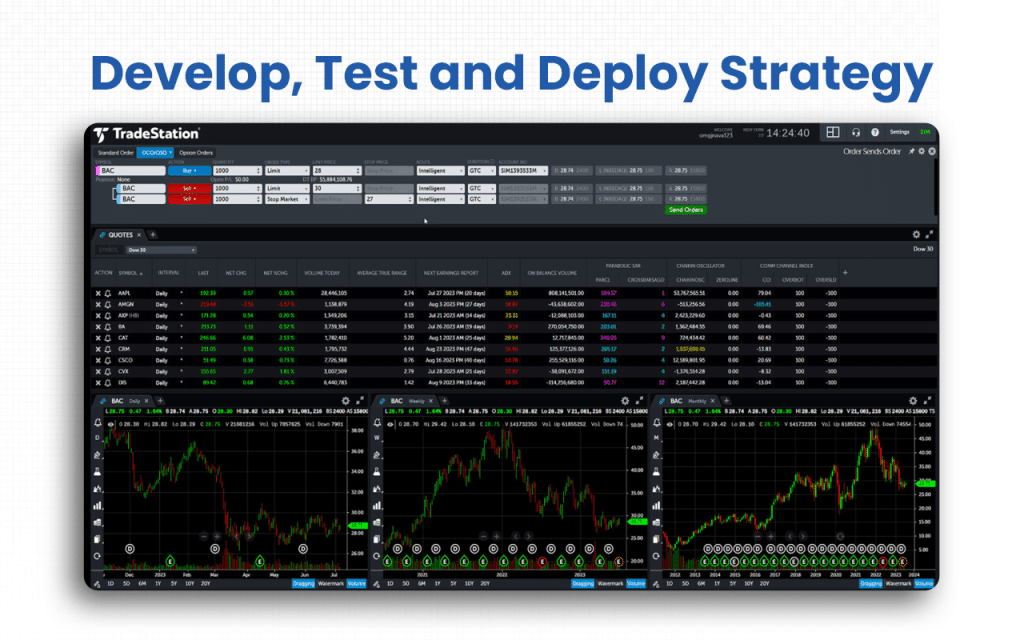
- Walk-forward testing: This feature offers an even more advanced backtesting version to users so that they can test their strategies against the trends over time.
- Parameter optimization: The platform also offers opportunities to optimize strategy parameters based on changing requirements.
Access Advanced Tools For Trade Execution
I have really been impressed with the execution speed of the platform, and I recommend anyone who wants faster trade execution to come to TradeStation. The platform has many features, including advanced charting, automated execution, etc., which help it speed up the entire process.
- Market scanning: TradeStation comes with tools like RadarScreen and Scanner that help traders find relevant opportunities amongst the thousands available at a particular point in time.
- Automated execution: Traders, on this platform, define criteria while customizing their trades. Based on the criteria, the trades automatically get executed.

- Order management: TradeStation might not allow portfolio management, but it does help with placing and managing multiple orders simultaneously through features like one-cancels-other (OCO).
- Advanced charting tools: Traders and investors can customize charts and take trades directly from the chart.
- Real-time data: TradeStation offers traders access to the most recent data from the market, allowing for more efficient analysis before taking trades.
Get Multiple Platforms and Robust Support
Not everyone is comfortable working on every platform or interface. And that’s the problem TradeStation solves quite efficiently. It offers multi-platform access to traders, a user-friendly interface, API access, and multiple third-party integration opportunities.
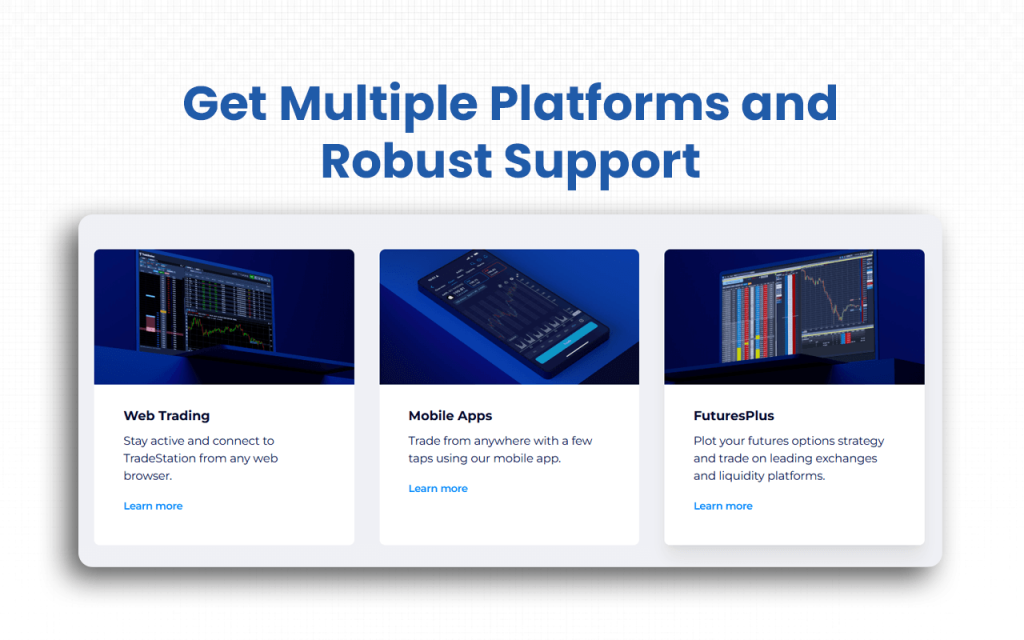
- Supports multiple platforms: With TradeStation, you will get multiple platforms to choose from to work and trade. They offer a desktop application, along with a web and mobile application, to users.
- Allows interface customization: No matter which platform you choose, TradeStation allows you to personalize your interface based on how you want it to look.
- Offers integrations: TradeStation comes with API integration facilities, which allow traders to integrate it with other platforms. The broker, through its TradingApp store, helps traders to add tools and consider add-ons to their platform.
The above features must have been enough to tell you how TradeStation surpasses all alternatives when it comes to both convenience and advanced technological inclusions.
Supported Markets and Assets on TradeStation
Supported Markets
- While TradeStation primarily serves U.S. markets (e.g., U.S. stocks, ETFs, futures, options) via its main platform, Indian investors should verify whether local regulatory approval, currency conversion, tax implications and international brokerage rules apply.
- Indian users may access U.S. and global equity markets (depending on the account type and local provisions) rather than purely domestic Indian exchanges like the National Stock Exchange of India (NSE) or the Bombay Stock Exchange (BSE) via TradeStation unless explicitly supported.
- TradeStation does not list India-specific domestic exchange access as part of its standard product descriptions, so Indian users should check the feasibility.
Supported Assets
- Equity (Stocks & ETFs): Access to U.S. stocks & ETFs is confirmed.
- Options: Advanced options trading is supported (on stocks/ETFs/futures) in the U.S. market.
- Futures: Futures contracts (including micro-futures) are supported.
- Forex: The broker allows Forex trading only to non-US traders.
- Other instruments: Includes ETFs, possibly indexes, and advanced derivatives via the platform’s multi-asset capability.
Broker Integration and Trading Execution of TradeStation
TradeStation, as a broker, offers a range of integrations with external trading platforms and tools, enabling greater flexibility for traders who use custom analytics, charting, or algorithmic systems.
- TradeStation has an official integration with MultiCharts, allowing TradeStation brokerage customers to execute trades via MultiCharts’ advanced charting/backtesting environment.
- It also integrates with TradingView. TradeStation customers can use TradingView charts and alerts, and send orders through TradeStation’s execution infrastructure.
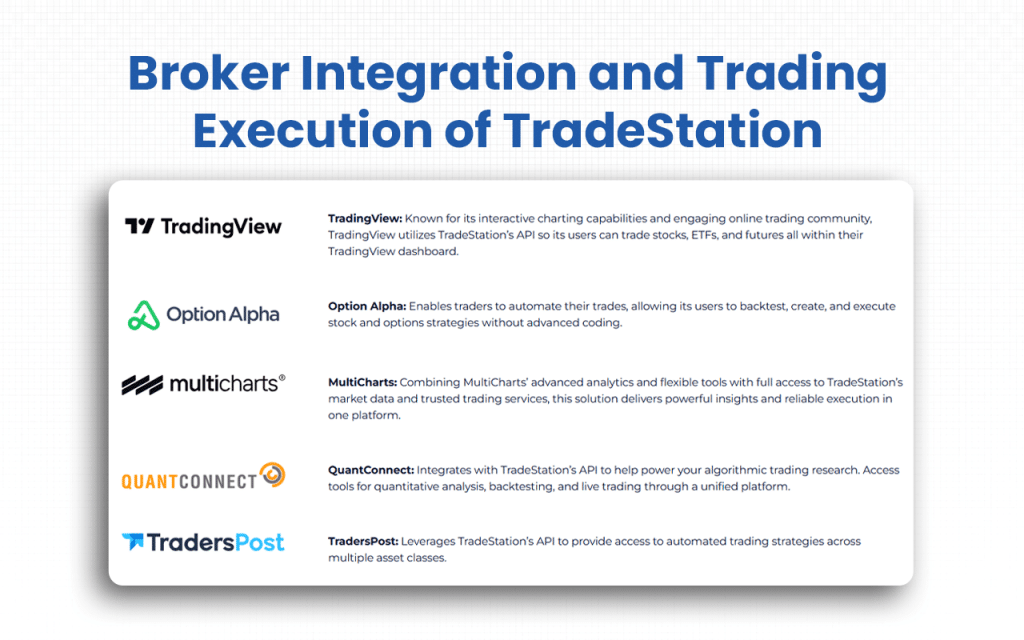
- TradeStation supports algorithmic access via APIs and has a collaboration with QuantConnect, enabling strategy development and automated execution across equities, options and futures.
- The latest integration is with TipRanks. This collaboration has helped traders and investors access research and studies published by TipRanks directly, guiding them in buying and selling assets.
Trading Execution Framework
TradeStation’s execution system supports multiple asset classes and is built to provide direct market access through electronic systems, which is beneficial for speed, reliability and automation.
- The online services and the firm’s trading desks are connected to electronic equities, equity and index options, futures and forex market centers, which ensures faster trade execution.
- For futures in particular, the large majority of trades are executed via electronic futures exchanges (rather than exclusively pit-traded), enabling automation and direct routing.
TradeStation not only supports manual click-trades, but also automated trades facilitated via its integration with API or external platforms.
TradeStation’s User Interface & Learning Curve
TradeStation provides multiple platform options – a full desktop application, a web-based trading platform, mobile apps for on-the-go access, and FuturesPlus.
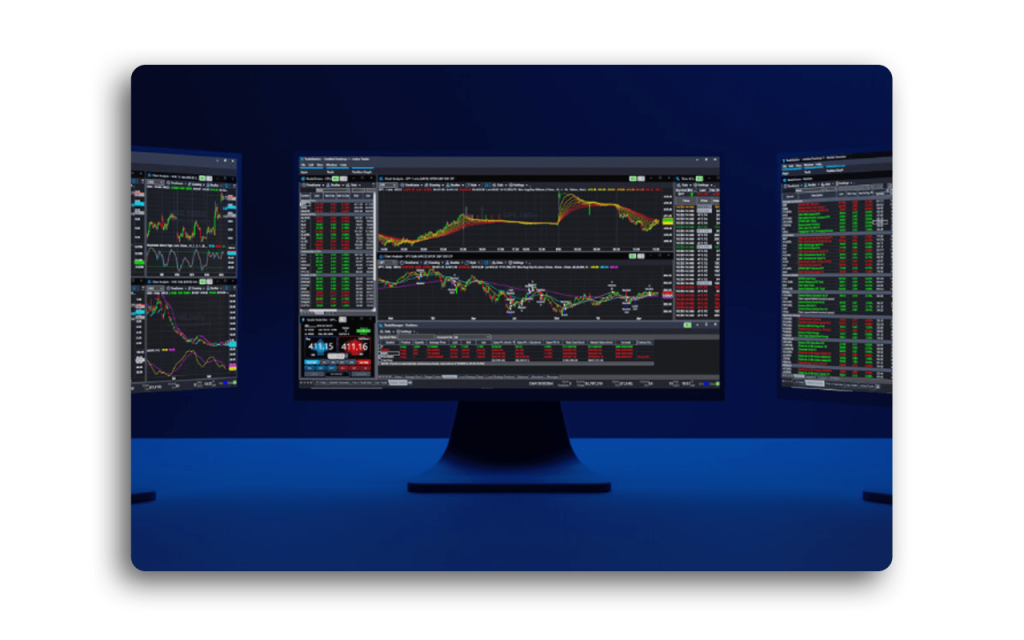
- The desktop version is rich in features: advanced charting, back-testing, multi-monitor support, highly customizable dashboards and order-entry tools.
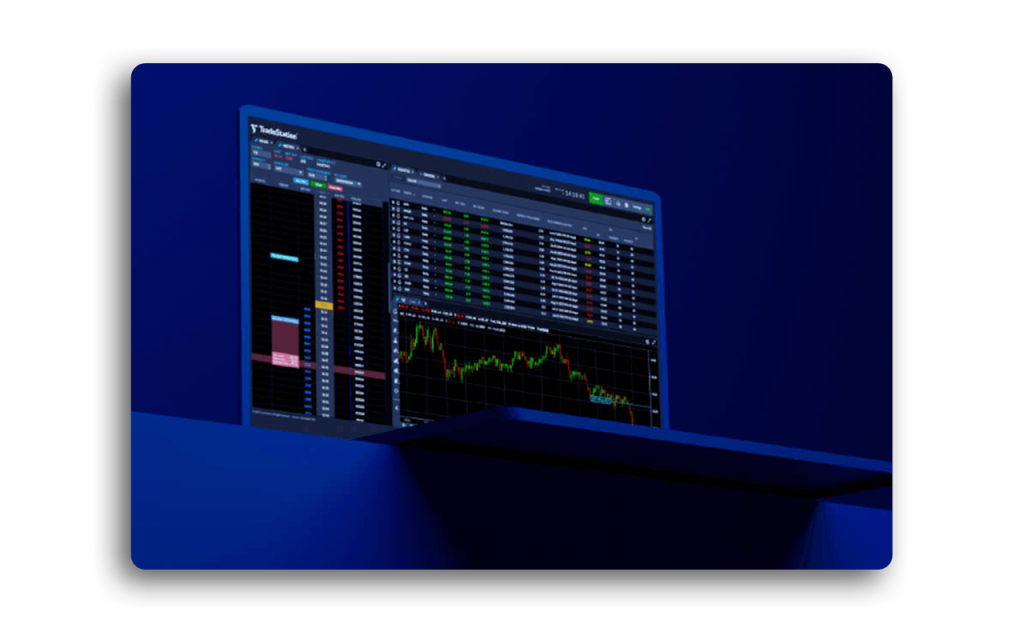
- The web version emphasizes accessibility: no installation required, browser-based, with real-time data, market-depth views and powerful charting.
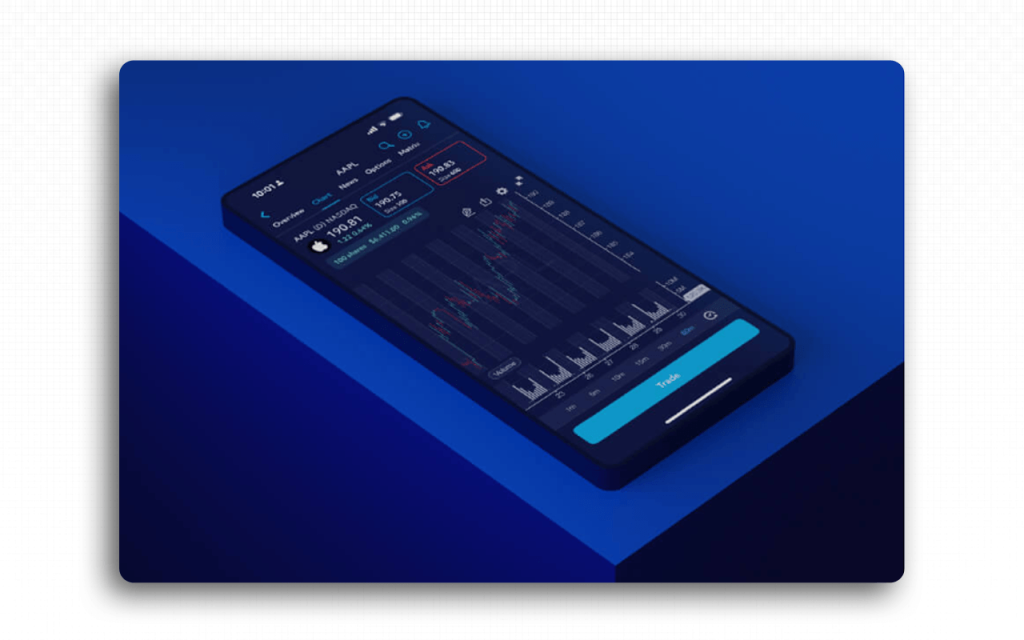
- Mobile app supports trading and many of the analytics tools, including institutional-grade tools, on your mobile phone.
- FuturesPlus is a special feature that allows traders and investors to have a clear-cut view of the futures options strategies. They can send RFQs directly from analysis tools and manage risk on any platform that you may use, be it your desks or mobiles.
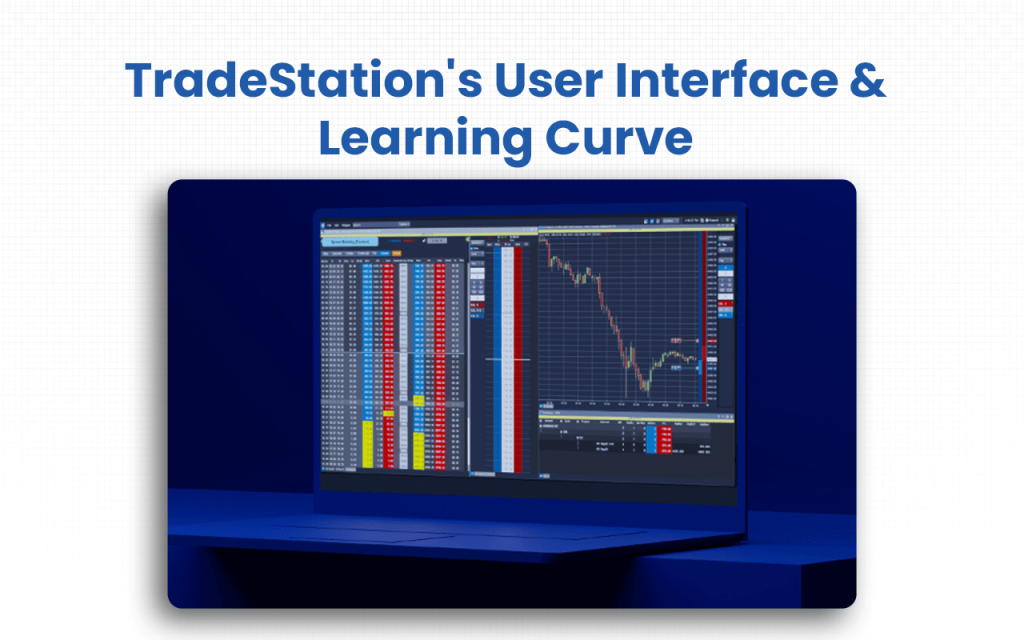
TradeStation comes with a complete learning center with resources, including tutorials, like getting started guides, market basics, and platform tutorials. I have benefited a lot from the guides and tutorials that it has to offer. I am sure you, too, will learn a lot if you’re willing to invest time learning it, especially its scripting/custom-dashboard capabilities.
TradeStation Company Details
- Company Type: Private
- Headquarters: Plantation, Florida, United States
- Year Founded: 1982
- CEO: John Bartleman
- Number of Employees: 1,390 (approx.)
- Number of Users: Not publicly disclosed
- Company Description: TradeStation is an electronic stockbroker that keeps in mind the convenience of the users first. As a result, it has made available its desktop version, along with a web and mobile app model for the traders and investors. It offers a zero-commission structure as well for those who allow it to control their order routing. It has been in the industry for a relatively longer time. It hence incorporates everything that users might need from real-time data access to advanced charting tools and customization through a unique scripting language.
Top TradeStation Alternatives
Are you looking for more than what TradeStation has to offer? From modern, user-friendly interfaces to superior data integration and advanced charting, the platforms below provide the specialized tools that help you gain an edge in today’s volatile markets.
| Platform | What It Offers Beyond TradeStation | Ideal For |
|---|---|---|
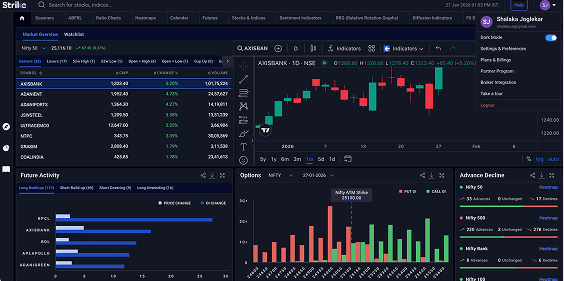
| Strike Money | India-focused analytics platform offering advanced tools like heat maps, RRG (Relative Rotation Graphs), and options data visualizations.Combines technical, fundamental, and sentiment analysis on one platform, unlike TradeStation’s primarily execution-driven setup.Simplified, intuitive UI tailored for Indian market dynamics and data sources.Cloud-based, requires no installation, and includes pre-built strategies for NIFTY, BANKNIFTY, and F&O traders. | Active Indian traders, data-driven investors, and analysts seeking localized insights and user-friendly analytics beyond brokerage execution. |
| TradingView | • Excellent global charting with Pine Script automation and social trading features, as noted in our TradingView review. • Seamless multi-broker connectivity and powerful alert system. • Lacks deep integration with Indian market data and options analytics compared to Strike. | Traders and analysts seeking global charting, scripting, and idea sharing, not necessarily India-focused. |
| Interactive Brokers Platform (IBKR) | Comprehensive global access to stocks, ETFs, options, futures, and forex.Institutional-grade execution, research tools, and API access.Better for cross-border portfolios, but complex for retail traders and not localized for Indian exchanges. | Global investors and professional traders managing multi-asset, international portfolios. |
| NinjaTrader | Offers highly customizable chart trading, strategy backtesting, and simulation tools.Strong futures trading environment beyond TradeStation’s scope.Requires a U.S. futures account; not ideal for Indian retail traders. | Advanced or algorithmic futures traders focused on automation and execution precision. |
| Optuma | Professional-grade analytics platform with deep technical analysis, scripting, and institutional backtesting.Exceeds TradeStation’s charting depth but lacks brokerage integration and live Indian data feeds.Geared toward professional research teams rather than casual traders. | Institutional analysts, portfolio managers, and technical researchers who need advanced data modeling tools. |
Is Strike Money the Best Alternative to TradeStation?
Yes, Strike Money is the best alternative to TradeStation, especially for the users who invest in the Indian market.
| Feature | Strike Money | TradeStation |
|---|---|---|
| Core Focus | Indian-market analytics: scanners for Indian stocks/F&O, heat-maps, sentiment, fundamental & technical methods for Indian equities. | Global brokerage platform: stocks, ETFs, options, futures, primarily US & international markets. |
| Supported Markets | Indian stocks, options, and futures with Indian-specific tools and insights. | US stocks & ETFs commission-free, options/futures, global equities/futures for international accounts. |
| Analytics & Tools | Strong emphasis on analytics for the Indian market (OI insights, sentiment, fundamental and technical combined), which many domestic users value. | Advanced tools: back-testing, full automation (via EasyLanguage), desktop/web/mobile platforms. |
| Learning Curve | Tailored for Indian users; likely more intuitive for local context, though still requires some learning. | Powerful but steeper learning curve; more complex UI and features to master. |
| Price / Subscription | Freemium model with premium subscription (e.g., access to full analytics) – pricing around Indian-market rates. | Commission-free on stocks/ETFs; service fees for certain features; margin rates apply; some data fees. |
| Execution / Brokerage | Primarily an analytics tool – execution likely via a separate broker. Focus is on research/insights rather than full brokerage. | Full brokerage + execution platform built-in: you can trade directly through TradeStation. |
| Ideal User | Traders/investors focused on the Indian market who want strong local analytics and insight. | Advanced traders (especially US/international) who need full brokerage access and execution across multiple asset classes. |
Is TradeStation Worth It?
Absolutely worth it.
As a frequent trader, I found this veteran trading broker amazing. There is hardly anything that you will not find on this platform that it does not provide. From real-time access and backtesting features for traders to use for making well-informed trading decisions to advanced scripting options for mature users to frame their own customized strategies for automated execution, TradeStation has it all.
If you want to invest in cryptos, TradeStation is not for you. If you are a non-US citizen, you may go for Forex trading, but you will have to drop the idea.
If you are ready to give up your order routing control, TradeStation will charge no commission from you.
While customer support from some is a great help, for some, it is terrible and not available when needed. So, I guess, it would depend on how busy the market is when you are asking for assistance.
Overall, the platform is a good try for seasoned traders/investors, especially for high-volume traders, who are the primary focus of TradeStation.
FAQs about TradeStation
Is TradeStation Free to Use?
Yes, TradeStation can be used for free, but with certain conditions. You can open an account and trade U.S. stocks and ETFs with $0 commissions under their TS Select pricing plan. However, you may still incur other costs such as market-data fees, exchange/regulatory fees, inactivity fees, margin interest and commissions for options/futures.
Is TradeStation Safe and Secure?
Yes, TradeStation is safe and secure to use. It follows strict U.S. regulatory standards and uses strong security protocols to protect users.
- It is regulated by the U.S. SEC, FINRA, and CFTC and ensures transparent and compliant operations.
- It is a member of SIPC and offers investor protection up to $500,000 (including $250,000 for cash).
- Client funds are segregated from company funds to prevent misuse.
- Uses encryption, two-factor authentication (2FA), and real-time monitoring to safeguard accounts.
- While platform security is strong, users should still maintain personal cybersecurity practices.
Can a Beginner Use TradeStation?
Yes, a beginner can use TradeStation, but it may feel overwhelming at first. The platform is built primarily for active and advanced traders, offering complex tools like strategy backtesting, advanced charting, and automated trading.
However, beginners can still start with TradeStation’s simplified web and mobile platforms, access educational resources through the TradeStation Learn Center, and even practice with a simulated trading account to build confidence before trading live.
Is There a Mobile App for TradeStation?
Yes, there is a mobile app for TradeStation for both iOS and Android. It allows users to trade stocks, ETFs, options and futures on the go.
The app features advanced charting, real-time alerts, account management and a paper-trading simulation mode for testing strategies.
Is the TradeStation Interface Customizable?
Yes, the interface of TradeStation is highly customizable. For example, it gives you an opportunity to create, dock, float, rename or delete custom toolbars and rearrange buttons. You can customize chart studies and strategies (inputs, colors, scaling, intra-bar updates) to suit your trading style. The desktop workspace supports multiple windows, monitor setups, and saving/restoring layouts for convenience.
![15 Investing.com Alternatives [Free+Paid] You Should Use in 2026](https://www.strike.money/wp-content/uploads/2026/04/Investing.com-Alternatives-768x482.jpg)
 38 mins
![15 TradeStation Alternatives [Free+Paid] You Should Use in 2026](https://www.strike.money/wp-content/uploads/2026/04/TradeStation-Alternatives-768x482.jpg)
![15 Chartink Alternatives [Free+Paid] You Should Use in 2026](https://www.strike.money/wp-content/uploads/2026/04/Chartlink-Alternatives-768x482.jpg)