15 TradeStation Alternatives [Free+Paid] You Should Use in 2026


 Author

 Editor
![15 TradeStation Alternatives [Free+Paid] You Should Use in 2026](https://www.strike.money/wp-content/uploads/2026/04/TradeStation-Alternatives-640x400.jpg)
TradeStation alternatives are searched for when traders and investors wish to use features that the platform doesn’t offer. With TradeStation alternatives, they come to know about the platforms that they can refer to when TradeStation falls short of something they need.
In this TradeStation alternatives article, we will discuss each and every aspect of the listed alternatives and mention what they are best for. By the end of the article, you will know if you should stick to TradeStation or switch to the mentioned alternatives.
Our Experience with TradeStation Alternatives
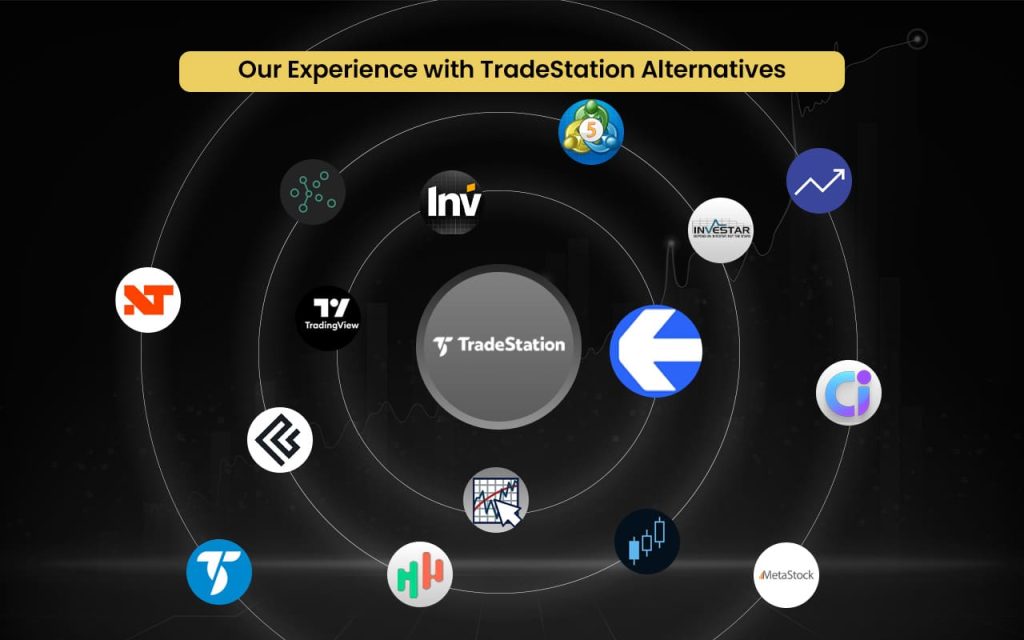
- Strike Money – Best for advanced trading insights and investment research.
- Interactive Brokers (IBKR) – Best for powerful global brokerage and trading platforms.
- Charles Schwab (thinkorswim) – Best for advanced options and technical analysis tools.
- Fidelity Investments – Best for full-service investing, retirement, and brokerage services.
- TrendSpider – Best for automated charting and market research platform.
- Webull – Best for commission-free stocks, options, and ETF trading.
- NinjaTrader – Best for a futures-focused active trading platform.
- TradingView – Best for an interactive financial charting and analysis network.
- QuantConnect – Best for a cloud algorithmic strategy development platform.
- MultiCharts – Best for professional technical analysis and trade execution software.
- Sierra Chart – Best for a high-performance real-time charting platform.
- Build Alpha – Best for automated strategy building and testing software.
- UltraAlgo – Best for an automated trading signal generation tool.
- Ultimate Charting – Best for advanced AI-powered trading insights.
- JigSaw Trading – Best for professional market depth and order flow tools.
Best TradeStation Alternatives with Detailed Comparison
| Platform Name | Features Missing in TradeStation | Pricing | Review (Market Perception) |
| Strike Money | Trade execution and broker access | ₹649 per month (India-focused plans) | Powerful insights, research focus |
| Interactive Brokers (TWS) | Easier scripting and strategy creation | Brokerage cost per share or per contract basis | Powerful but complex |
| Charles Schwab (thinkorswim) | Full automation and strategy coding | Free for Charles Schwab clients | Excellent for options |
| Fidelity Investments | Futures trading and automation | Varied online commissions, margin rates, and fees | Trusted, research-focused |
| TrendSpider | Trade execution and brokerage | Advanced – $72.76 per monthEnhanced – $61 per monthPremium – $49.14 per monthStandard – $41.58 per month | Strong automated analysis |
| Webull | Advanced automation and backtesting | Different fee and charges for different financial instruments. | Popular with retail traders |
| NinjaTrader | Multi-asset coverage | Free – $0 plus commissionMonthly – $99 plus commission per monthLifetime – $1,499 plus commission (one-time payment) | Best for futures |
| TradingView | Native strategy execution | Essential – ₹995 per month (when billed annually)Plus – ₹1,995 per month (when billed annually)Premium – ₹3,995 per monthUltimate – ₹17,333 per month | Industry-standard charting |
| QuantConnect | Manual trading interface | Researcher – $60 per monthTeam – $120 per user per monthTrading Firm – $336 per user per monthInstitution – $1,080 per user per month | Preferred by quants |
| MultiCharts | Built-in brokerage services | Free – $0 per monthStandard– $99 per monthAdvanced – $149 per month | Professional trader favorite |
| Sierra Chart | Beginner-friendly UI | Base Standard – $26 per month Base Sierra Chart with Advanced Features – $36 per monthIntegrated Standard – $36 per monthIntegrated Sierra Chart with Advanced Features – $46 per monthSierra Chart with Advanced Features and Market by Order – $56 per month | Extremely fast and reliable |
| Build Alpha | Live trading execution | $1500 lifetime license | Strong strategy builder |
| UltraAlgo | Backtesting and execution | Pro license – $14.95 per monthExtra Data SubscriptionNYSE ($2/month) NASDAQ ($2/month) OTC ($2/month) | Simple signal-based tool |
| Ultimate Charting | Direct broker integration | Basic (6 months)– ₹3,00,000 per month Gold (6 months) – ₹6,50,000 per monthPlatinum (12 months) – ₹10,00,000 per month | AI-driven insights |
| JigSaw Trading | Multi-asset trading support | Independent – $579 (one-time payment)Professional – $879 (one-time payment)Institutional – $1,979 (one-time payment) | Order-flow specialists |
Now that you know the names of the alternatives to TradeStation, it’s time to explore the features they have.
Strike Money
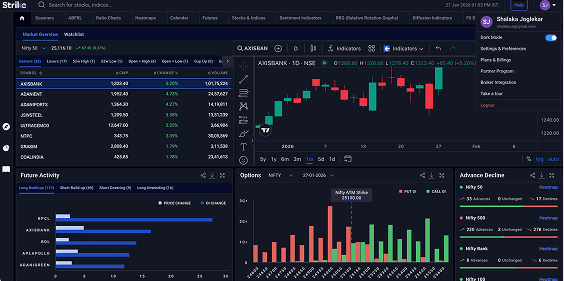
Strike Money is an all-in-one stock market analysis platform designed to help traders and investors make smarter decisions with real-time insights, advanced charting, proprietary scanners, and technical indicators like heatmaps and relative rotation graphs.
Strike Money was founded on June 15, 2023, in Mumbai, India, and was developed by a team led by veteran market strategist Rohit Srivastava, bringing decades of experience to simplify complex stock analysis for retail and professional traders alike. The platform combines trend analysis, sentiment measures, and fundamentals into a single intuitive dashboard so users can spot opportunities without manual data overload.
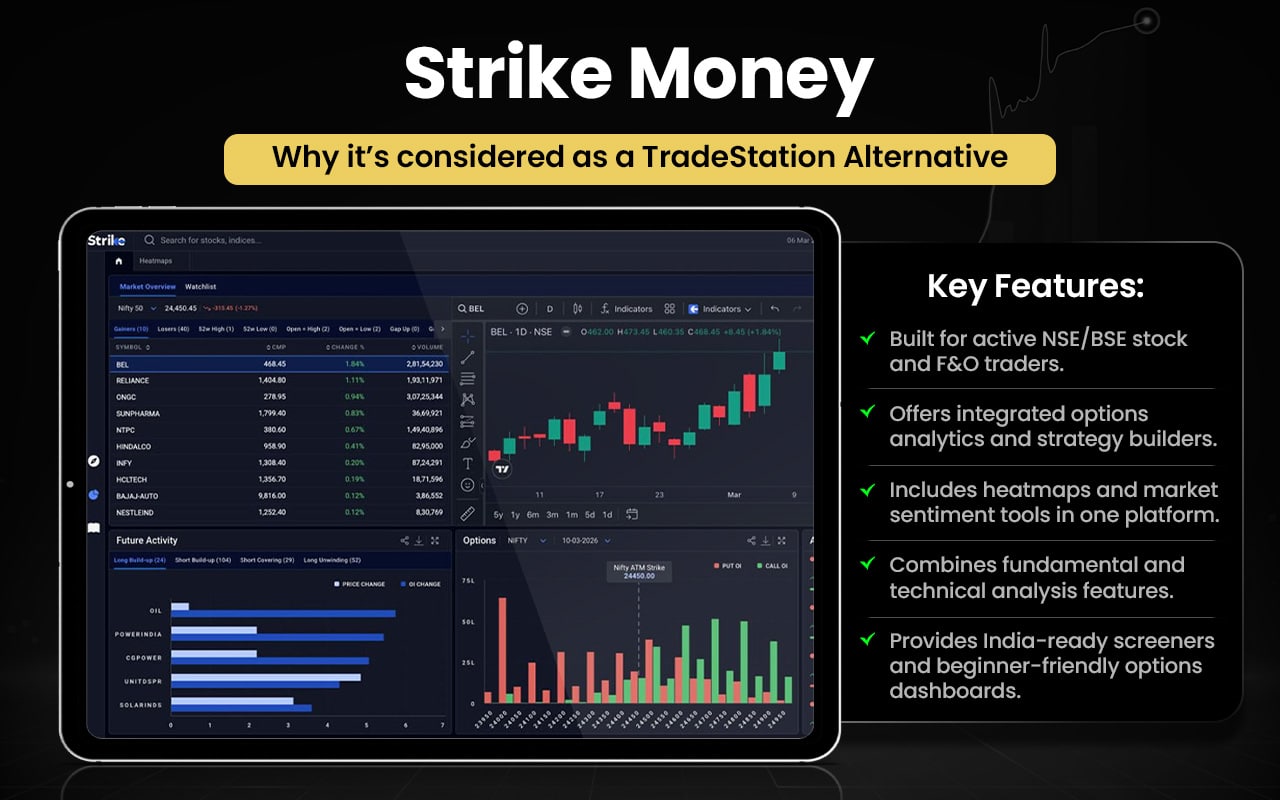
Let us check how Strike Money can be better than TradeStation.
| Area | Strike Money | TradeStation |
| Core Focus | Indian stock market analytics and scans | Professional global trading and brokerage services |
| Execution | No built-in broker execution (analysis only) | Direct broker execution for stocks, options, futures |
| Market Support | Indian equities, futures & options tools | US & international stocks, options, futures; broader asset coverage |
| Ease of Use | User-friendly with intuitive UI | Powerful but steeper learning curve |
| Automation | Focus on scans and indicators | Full strategy backtesting & Algo scripting (EasyLanguage) |
| Advanced Tools | Heatmaps, sentiment, RRG, scanners | Deep historical data, custom indicators, coding tools |
| Target Audience | Traders/investors needing Indian market analysis | Active & professional traders seeking execution & automation |
Switch to Strike Money if you
- Need powerful market scanners
- Use heatmaps for fast insights
- Track market sentiment visually
- Rely on Relative Rotation Graphs (RRG)
- Analyze Indian F&O and OI data
- Prefer simple, insight-first dashboards
Stick to TradeStation if you
- Need direct trade execution
- Build automated trading strategies
- Code with EasyLanguage
- Run backtests and simulations
- Trade multiple global asset classes
- Use advanced order types
Reviews highlight Strike Money’s clean, user-friendly design and strong visual tools that simplify complex market data. It supports technical, fundamental, and derivatives analysis, making it useful for active traders and investors seeking integrated, insight-driven decision-making rather than execution-focused trading.
Interactive Brokers (IBKR)
Interactive Brokers (IBKR) is a global electronic brokerage firm offering automated trade execution and custody of stocks, options, futures, forex, bonds, and more across 170+ markets in 29 currencies, all from one unified platform. It serves individual investors, hedge funds, advisors, and institutions with low-cost execution, advanced trading tools, portfolio analysis, research, and risk management capabilities. IBKR provides professional-grade desktop, web, mobile, and API trading interfaces.
The company traces its origins back to 1977, founded by Thomas Peterffy, and began brokerage operations in 1993. Over the decades, it has grown into one of the world’s largest electronic brokers, known for technology and automation, catering to clients in over 200 countries.
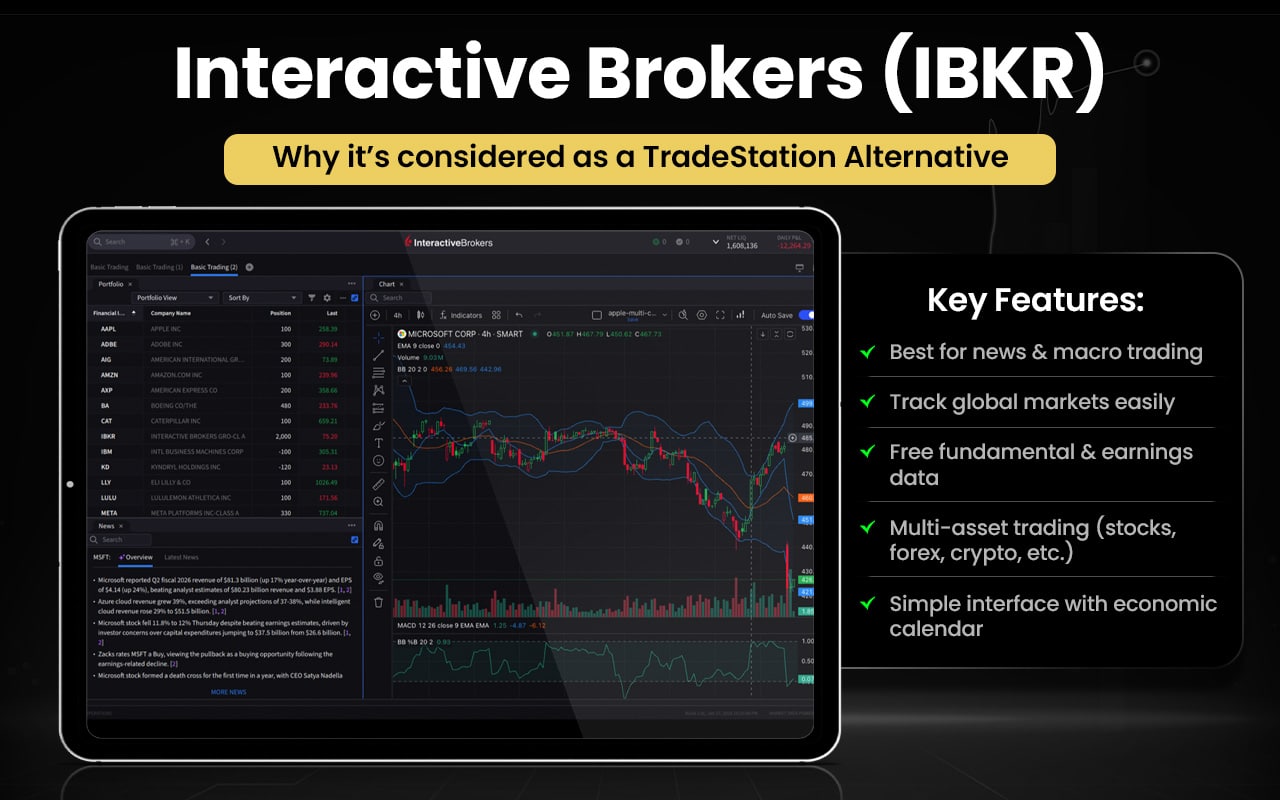
Let us see how Interactive Brokers is better than TradeStation.
| Area | Interactive Brokers (IBKR) | TradeStation |
| Market Access | 170+ global markets | Primarily U.S. markets |
| Asset Classes | Stocks, options, futures, forex, bonds | Stocks, options, futures |
| Order Routing | Smart global order routing | Strong U.S. execution |
| Pricing Model | Low, scalable commissions | Simpler, higher tiers |
| Margin Rates | Generally lower | Relatively higher |
| Mobile Platform | Advanced, feature-rich | Good but limited |
| Research & Data | Broad global research | Technical-focused tools |
| Best Suited For | Global, multi-asset traders | U.S.-centric active traders |
Switch to Interactive Brokers if you
- Trade global markets across multiple countries
- Need forex, bonds, metals, and global ETFs
- Want multi-currency accounts
- Use smart order routing for best pricing
- Need lower margin rates
- Rely on APIs for advanced automation
- Prefer institution-grade risk tools
Stick to TradeStation if you
- Focus mainly on U.S. markets
- Build strategies using EasyLanguage
- Need deep backtesting and optimization
- Trade stocks, options, and futures actively
- Use advanced charting and indicators
- Want integrated brokerage and strategy tools
The platform is powerful and cost-efficient, offering broad global market access, strong execution, and advanced trading tools suited to serious traders and investors. Users appreciate low fees and multi-asset support. However, many highlight a steep learning curve, complex interface, and occasional issues with onboarding, navigation, or fund transfers.
Charles Schwab (thinkorswim)
Charles Schwab (thinkorswim) is a professional trading platform suite offered by Charles Schwab that provides powerful tools for self-directed traders to analyze, test, and execute trades in stocks, ETFs, options, futures, and forex. The suite includes desktop, web, and mobile versions, all with advanced charting, technical indicators, customization, and a simulated trading environment called paperMoney® for strategy testing.
Schwab continually updates thinkorswim based on user feedback and integrates extensive educational content and real-time insights. Thinkorswim was originally developed as an independent trading platform in 1999 and later became part of TD Ameritrade in 2020. This acquisition brought thinkorswim into Schwab’s ecosystem, strengthening Schwab’s active trading and advanced analytics offering.
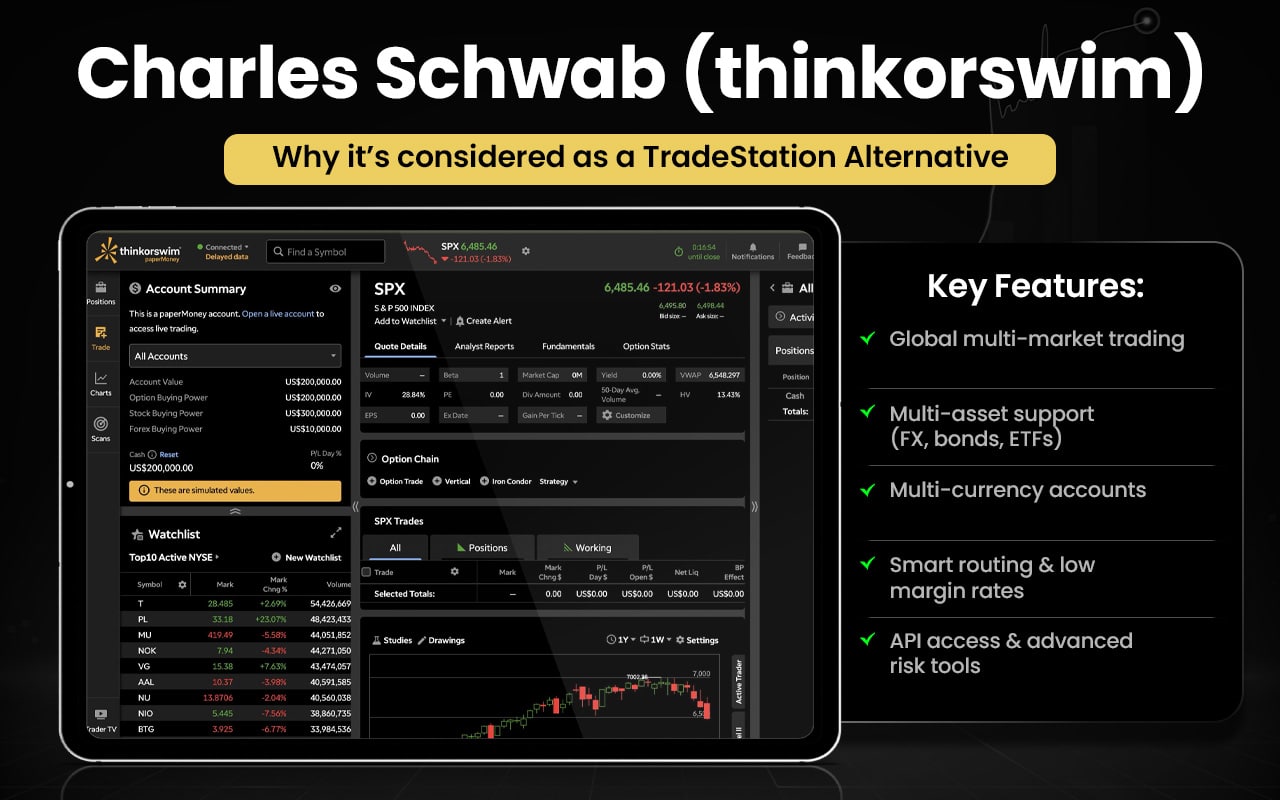
Let us check how Thinkorswim is better than TradeStation.
| Area | Charles Schwab (thinkorswim) | TradeStation |
| Ease of Use | More intuitive and accessible for traders | More complex, steeper learning curve |
| Educational Tools | Extensive built-in education and insights | Strong education but less interactive |
| Charting & Indicators | Hundreds of technical indicators available | Powerful but fewer built-in indicators |
| Paper Trading | Full simulated trading with paperMoney® | Simulator available, less beginner-friendly |
| Platform Versions | Desktop, web, and mobile versions with sync | Desktop-centric with mobile support |
| Community & Support | Large active user community and support | Good support, smaller community |
| Visual Tools | Highly visual interface and tools | More technical and data-dense UI |
Switch to Charles Schwab (thinkorswim) if you
- Want a more intuitive, beginner-friendly UI
- Value built-in educational content and market insights
- Use paperMoney® simulated trading often
- Prefer rich visual charting with many indicators
- Trade primarily U.S. stocks, options, and ETFs
- Appreciate an active community and support resources
Stick to TradeStation if you
- Need powerful scripting and automation tools
- Rely on custom strategy backtesting and optimization
- Want full control over complex orders
- Trade a wide range of asset classes with deep tools
- Prefer advanced technical customization
- Are a professional or algorithmic trader with complex requirements
Many traders find the platform confusing and difficult to use, with an unintuitive interface and steep learning curve. Several users report frequent technical problems, including crashes, maintenance delays, and issues placing or tracking trades, which can affect real trading. Complaints also mention login problems, slow fund availability, and order execution frustrations. Some users say it worked better before recent changes and that support responses are inconsistent or unhelpful
Fidelity Investments
Fidelity Investments is a diversified financial services company headquartered in Boston, Massachusetts, offering investment management, brokerage services, retirement planning, mutual funds, ETFs, and wealth management to millions of individuals and institutions. Its mission focuses on helping clients achieve financial goals through personalized advice, innovative tools, and broad investment choices.
The firm was founded in 1946 by Edward C. Johnson II as Fidelity Management & Research to serve the Fidelity Fund. It pioneered direct mutual fund services, 401(k) products, online trading, and expanded into retirement and brokerage services. Fidelity remains privately held, led by the Johnson family, and continually evolves its offerings, including digital assets and zero-fee funds, to meet modern investor needs.
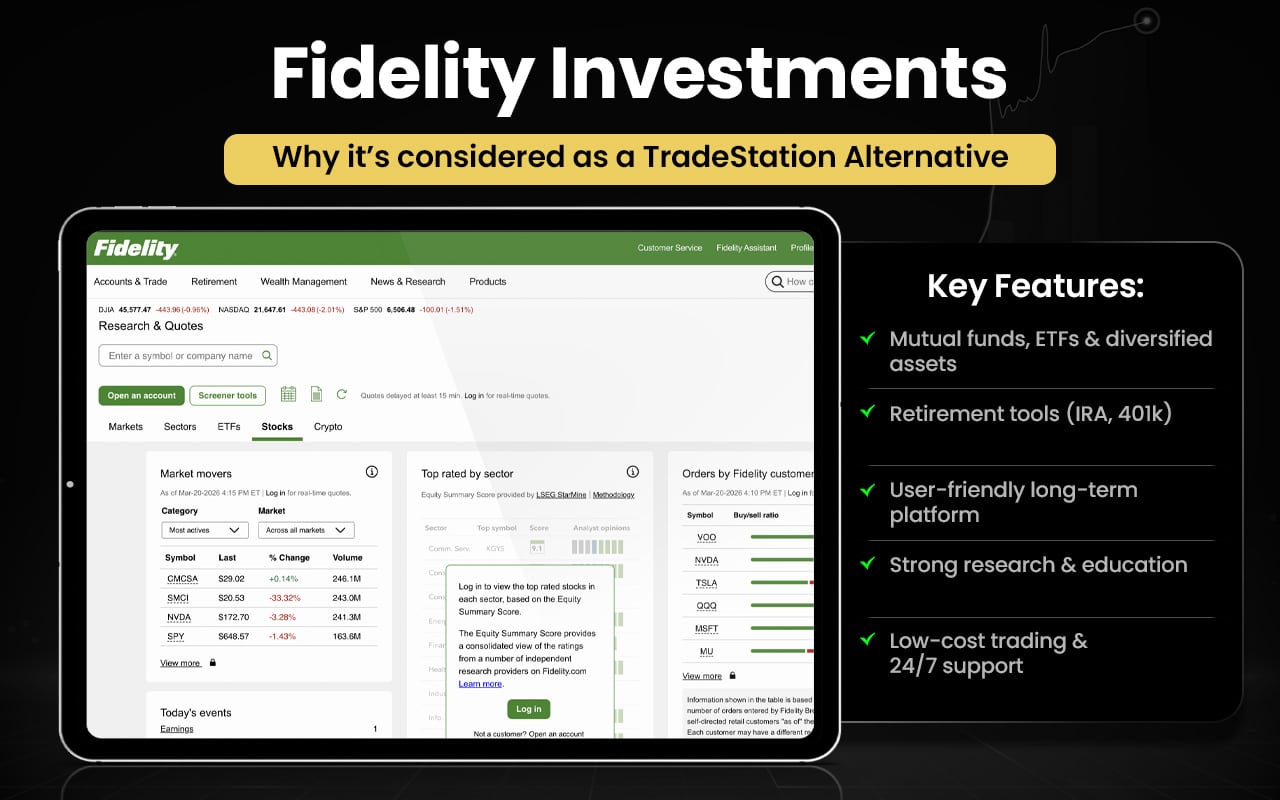
Let us see how Fidelity Investments is better than TradeStation.
| Area | Fidelity Investments | TradeStation |
| User Focus | Retail investors and long‑term planners | Active and professional traders |
| Trading Tools | Strong research and education | Advanced technical and strategy tools |
| Assets | Broad mutual funds, ETFs, retirement | Stocks, options, futures |
| Fees | $0 stocks/ETFs, simple pricing | $0 stocks/ETFs, potential activity fees |
| Retirement Services | Extensive IRA, 401(k) planning | Limited retirement focus |
| Ease of Use | Intuitive for beginners | Steeper learning curve |
| Support | 24/7 support + branches | Trader‑oriented support |
Switch to Fidelity Investments if you
- Need extensive mutual funds and ETFs beyond stocks/options
- Want retirement planning tools like IRA and 401(k) management
- Prefer a user-friendly, intuitive platform for long-term investing
- Rely on in-depth research, reports, and educational resources
- Value 24/7 customer support and branch access
- Seek low-cost or zero-commission trading for U.S. stocks and ETFs
Stick to TradeStation if you
- Trade actively with stocks, options, and futures
- Build custom strategies and automated trading using EasyLanguage
- Need advanced charting and technical tools
- Focus on backtesting and optimization for active trading
- Require direct broker execution with professional features
- Prefer a platform tailored for active or algorithmic traders
Fidelity Investments is praised for its broad investment choices, robust research tools, and strong order execution, making it appealing to a wide range of investors from beginners to active traders. The platform’s mobile and desktop tools are considered versatile, though some advanced features and trading tools may feel dated. Fidelity also excels in retirement planning and banking integration, adding value beyond basic trading.
TrendSpider
TrendSpider is an all‑in‑one automated market research and technical analysis platform designed to help traders and investors identify opportunities, analyze assets, and refine trading strategies using advanced tools like automated pattern recognition, multi‑timeframe charting, scanners, alerts, and AI‑powered assistants.
The platform supports real‑time data across stocks, crypto, and forex, and offers strategy backtesting with decades of historical market data, all without requiring coding skills. The company was founded in 2016 by traders and developers aiming to reduce manual chart work and improve trading efficiency through automation. Over time, it has evolved into a comprehensive technical analysis platform with a focus on automation, innovation, and trader productivity
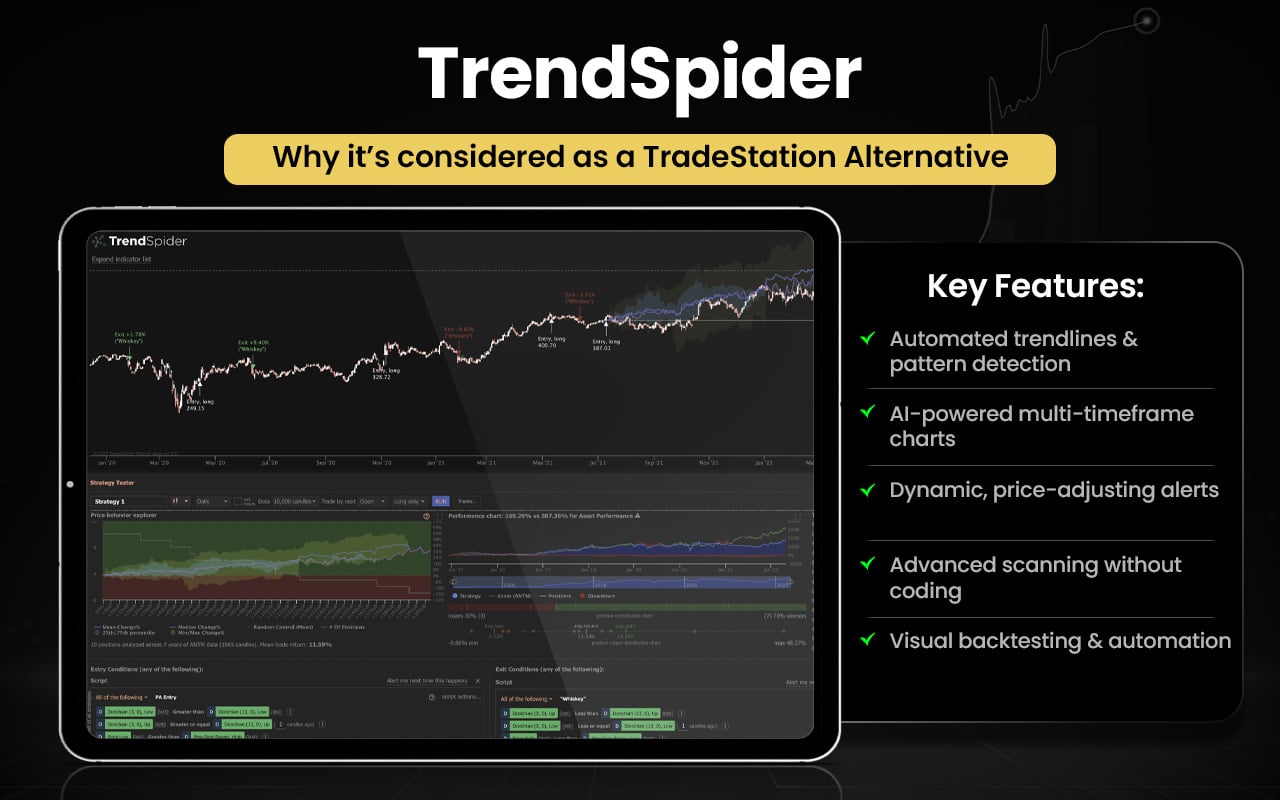
Let us now see how TrendSpider is better than TradeStation in certain aspects.
| Area | TrendSpider | TradeStation |
| Automated Analysis | Auto‑detects trendlines, patterns, support/resistance | Manual drawing and scripting required |
| Trendline & Pattern Recognition | AI‑powered automatic detection | No built‑in automated pattern tools |
| Multi‑Timeframe Charts | View multiple timeframes on one chart easily | Separate charts required |
| Smart Alerts | Dynamic alerts that adapt to price changes | Alerts available, not as dynamic |
| Technical Scanning | Advanced built‑in scanners with filters | Scanners exist, but less automation |
| Backtesting | Built‑in visual backtesting without coding | Backtesting via EasyLanguage code |
| Ease of Analysis | Reduces manual work with automation | Powerful but more manual setup |
Switch to TrendSpider if you
- Want automated trendline and pattern detection
- Use AI-powered multi-timeframe charting
- Need dynamic alerts that adjust with price
- Prefer advanced technical scanning without coding
- Like visual backtesting built into charts
- Seek automation to reduce manual analysis
Stick to TradeStation if you
- Need direct broker execution and order placement
- Rely on custom strategy coding and automation
- Want deep market data across assets
- Require professional-grade order types
- Prefer full trading + strategy integration
- Use EasyLanguage for custom indicators and systems
TrendSpider users overwhelmingly report a positive experience, praising the platform’s advanced tools, automated scanning, strong charting features, and helpful customer support. Many highlight quick, knowledgeable responses from support staff and the value of one‑on‑one training. Customers say TrendSpider works well for both beginners and experienced traders, though some note a learning curve due to its depth.
Webull
Webull is a technology-driven online brokerage and trading platform that enables commission-free trading of stocks, ETFs, options, futures, and cryptocurrencies through intuitive mobile and desktop apps. It offers real-time quotes, customizable charts, watchlists, screening tools, and educational resources designed for both new and experienced self-directed investors.
Founded in 2016 by Wang Anquan, Webull launched its U.S. trading services in 2018, quickly gaining popularity as a low-cost alternative to traditional brokers. Headquartered in St. Petersburg, Florida, the company has expanded into multiple global markets and continues to grow its user base and product offerings, including extended‑hours trading and international operations.
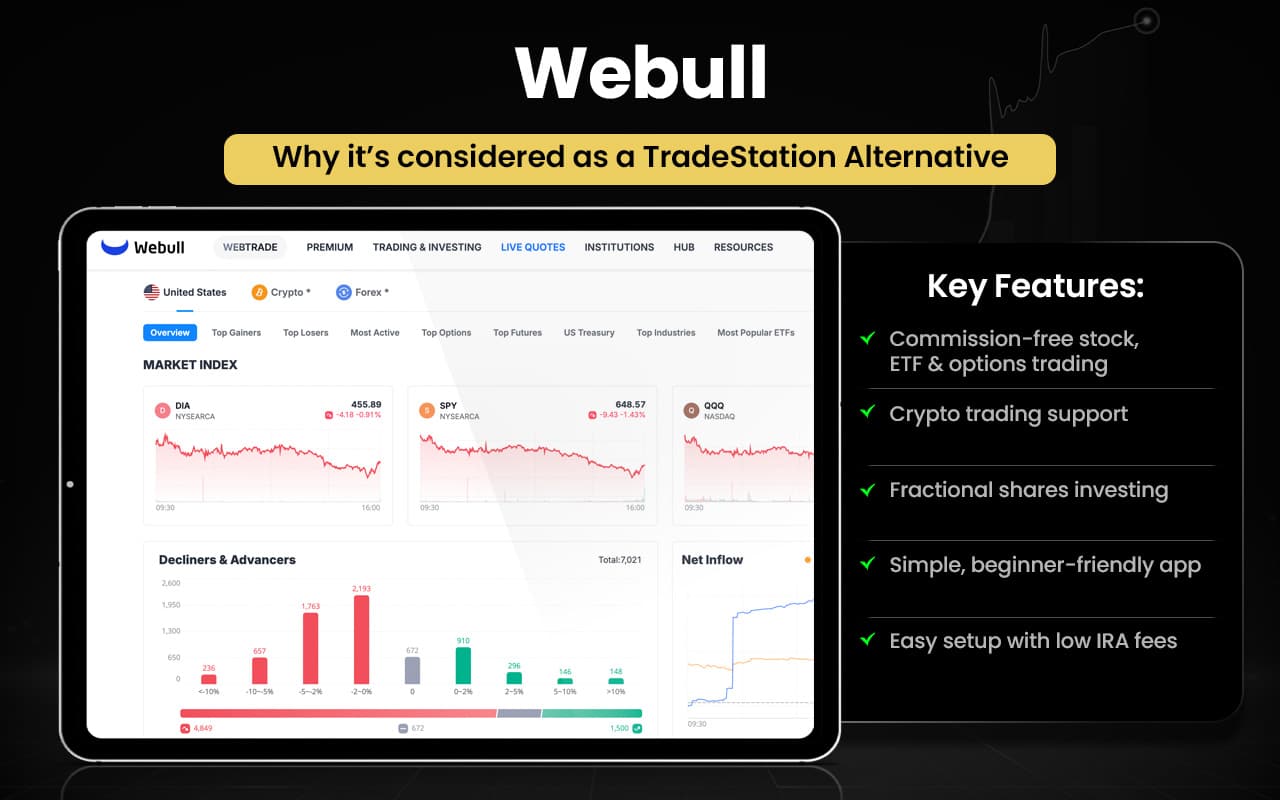
Let us now see how Webull can be better than TradeStation in certain aspects.
| Area | Webull | TradeStation |
| Commission & Fees | $0 stock/ETF & $0 options contracts, low margin rates | $0 stock/ETF, options fees per contract |
| Asset Support | Crypto trading with many coins | No crypto trading available |
| Fractional Shares | Supports fractional shares | Does not support fractional shares |
| Mobile & Web Tools | Highly intuitive mobile/platform experience | Powerful tools but more complex |
| Learning & Education | Broader, interactive beginner resources | Focused on advanced trading tools |
| IRA Fees | No annual or closure IRA fees | IRA annual and closure fees apply |
| User Experience | Easier for new/intermediate traders | Better for advanced customization |
Switch to Webull if you
- Want commission‑free stock, ETF, and options trading
- Need crypto trading support alongside other assets
- Use fractional shares for diversified investing
- Prefer a simple, intuitive mobile and web app
- Are a beginner or casual trader learning markets
- Want lower IRA fees and easy account setup
Stick to TradeStation if you
- Trade professionally with advanced tools
- Rely on custom scripting and automated strategies
- Use complex order types and deep backtesting
- Need pro‑level charting and analytic capabilities
- Focus on futures and options with precision
- Value professional‑grade execution and platform depth
Webull is seen as a user-friendly, commission-free trading platform with a clean design, solid mobile and desktop interfaces, paper trading, fractional shares, and options trading, making it appealing to beginners and intermediate traders. Users appreciate easy navigation and essential tools, but note limited in-depth research and educational content. Some reviews mention customer service challenges and slower support, and serious traders may find advanced analytical features lacking compared to professional platforms.
NinjaTrader
NinjaTrader is a futures-focused trading platform and brokerage offering advanced charting, real-time data, customizable strategies, simulation/backtesting, and multi-device access via desktop, web, and mobile. It caters to active traders looking for powerful tools and extensive customization, including support for third-party add-ons and automated strategies using its C#-based NinjaScript framework. Its services also include brokerage support for trading futures, forex, and derivatives with competitive commissions and margin pricing.
Founded in 2003 by Raymond Deux, NinjaTrader originally provided charting and analysis software and later expanded into full brokerage services. It added advanced features over time, including the NinjaScript development environment, and grew into a popular platform with a global user base. In 2025, it was acquired by cryptocurrency exchange Kraken, which enhanced its institutional backing and growth potential.
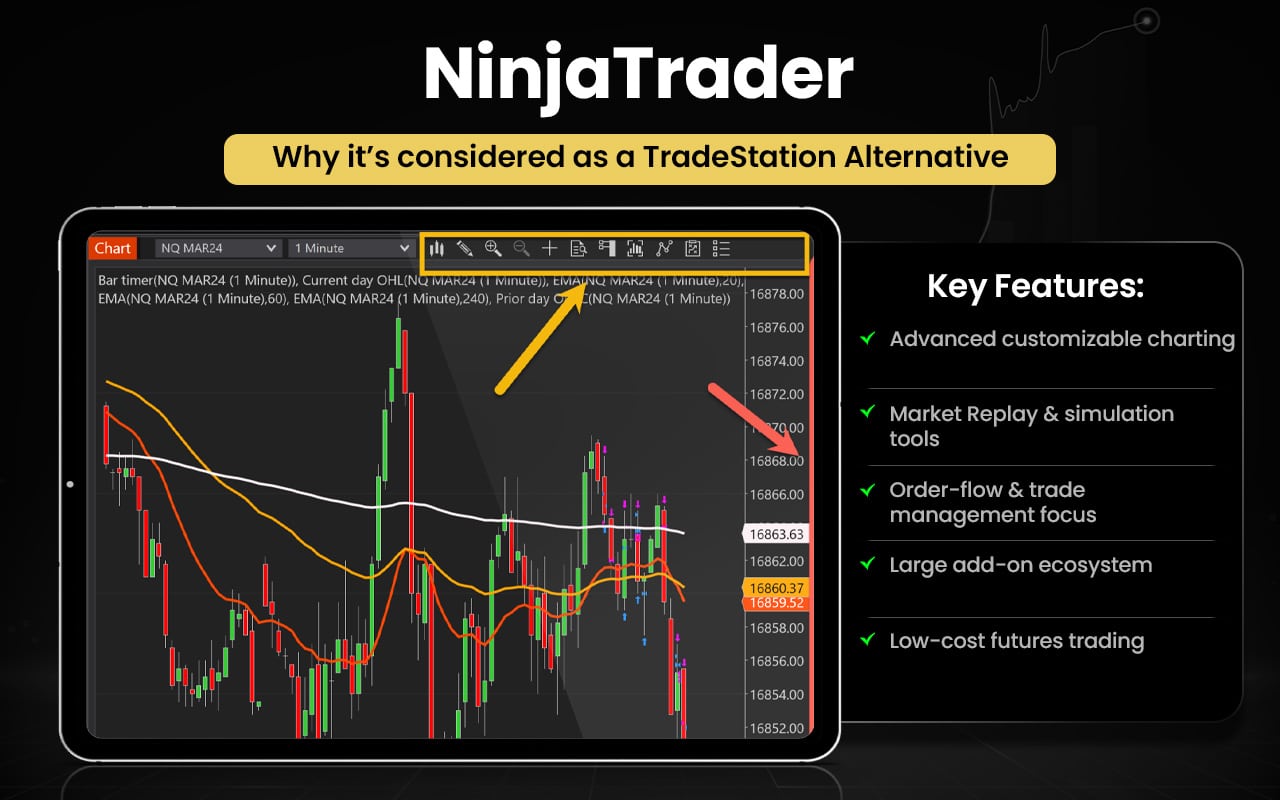
Let us now check how NinjaTrader could be better than TradeStation.
| Area | NinjaTrader | TradeStation |
| Charting Flexibility | Highly customizable charts & drawing tools | Strong charting but less modular flexibility |
| Market Replay | Built-in Market Replay for past session simulation | No native market replay feature |
| Order Flow & Analysis | Advanced order-flow emphasis and trade management | Focus on general market tools |
| Futures Cost Efficiency | Generally low commissions & margin rates for futures | Competitive but often higher on some trades |
| Third-Party Add-Ons | Large ecosystem of plugins and extensions | Less extensive third-party marketplace |
| Workspace Customization | Modular windows and layout freedom | Integrated, less modular design |
| Simulation Tools | Realistic simulation with replay and testing tools | Standard simulation without replay |
Switch to NinjaTrader if you
- Want advanced chart customization with modular layouts
- Benefit from Market Replay to replay past sessions
- Focus heavily on order-flow and trade management tools
- Prefer a large third-party add-on ecosystem
- Need low-cost futures trading with competitive pricing
- Use realistic simulation/testing tools often
Stick to TradeStation if you
- Seek built-in brokerage execution across stocks, options, futures
- Depend on EasyLanguage scripting and automation
- Use deep integrated data and research tools
- Trade multiple asset classes beyond futures
- Want all-in-one desktop/web/mobile platforms
- Prefer professional-grade strategy optimization
User reviews show many traders appreciate helpful and professional customer support, often highlighting specific staff members for patience and clear explanations. Several users praise the platform’s powerful tools for futures trading and find it effective once configured. However, some reviewers report negative experiences with platform stability, execution issues, and interface usability, and a few mention problems with payments or user experience complexities.
TradingView
TradingView is a cloud-based financial charting and market analysis platform used by millions of traders and investors worldwide to study prices, identify trends, and share ideas. It offers interactive charts, advanced technical indicators, multiple chart types, watchlists, and scripting via its proprietary Pine Script language, allowing users to create custom indicators and strategies. The platform also features a social network component where users publish and discuss trading insights.
TradingView was founded in 2011 by Stan Bokov, Denis Globa, and Constantin Ivanov to make professional-grade charting accessible online without heavy software. It gained early traction through accelerator programs and funding rounds, expanded its tools and broker integrations over time, and has grown into a global leader in financial analysis platforms with a vast user community.
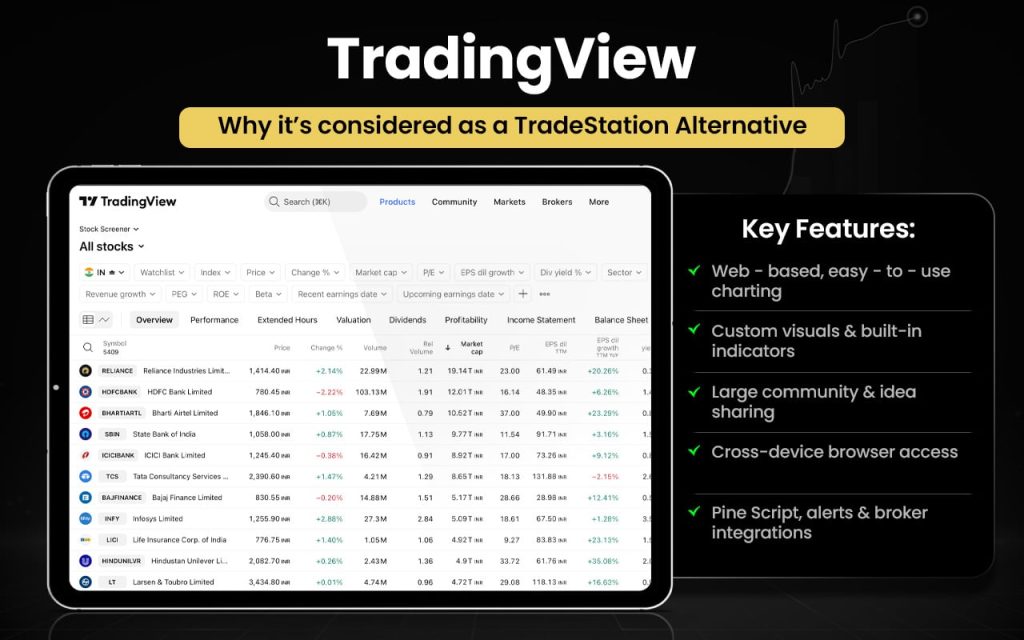
Let us check how TradingView can be better than TradeStation in certain aspects.
| Area | TradingView | TradeStation |
| Charting & Visualization | Highly intuitive, customizable charts with a large indicator library | Powerful but more complex charting tools |
| User Interface | Web-based, easy to use across devices | Desktop-focused, steeper learning curve |
| Community & Social Features | Active trader community and idea sharing | Less social interaction |
| Accessibility | Accessible via browser without installation | Requires platform downloads for full features |
| Broker Integration Flexibility | Connects with multiple brokers for trade execution | Native brokerage execution only |
| Alerts & Custom Scripts | Easy alerts and Pine Script for custom tools | Scripting via EasyLanguage with steeper learning |
Switch to TradingView if you
- Prefer web-based, easy-to-use charting without installations
- Want highly customizable visuals and many built-in indicators
- Value a large community and idea sharing
- Use browser access across devices seamlessly
- Need flexible broker integrations for execution
- Like easy custom scripting (Pine Script) and alert setups
Stick to TradeStation if you
- Need integrated broker execution and order routing
- Rely on professional trading with advanced order types
- Want deep backtesting and automation tools
- Use custom strategy creation (EasyLanguage)
- Trade multi-asset classes at institutional scales
- Prefer desktop-centric power and reliability
Though the technicalities are often appreciated, many users seem frustrated with customer service, often citing long waits, unhelpful AI chatbots, and difficulty reaching real support. Users report billing and subscription problems, including unexpected charges, trouble canceling plans, and slow or non-existent refunds. Some describe the platform as becoming slower or less intuitive over time, with interface or feature changes that users find frustrating.
QuantConnect
QuantConnect is a cloud-based, open-source algorithmic trading platform for research, backtesting, and live trading across equities, futures, options, FX, and cryptocurrencies. It gives users access to large financial datasets, computational infrastructure, and development tools so they can build, test, and deploy quantitative strategies using languages like Python and C#. The platform’s core engine, LEAN, is open-source and used for both local and cloud trading workflows.
Founded in 2011 by Jared Broad, QuantConnect became an incorporated company in 2013 and open-sourced LEAN in 2015. It has grown into a widely adopted quant ecosystem with a global user base, extensive backtesting capabilities, and integrations to multiple brokerages, supporting both individual researchers and institutional quants.
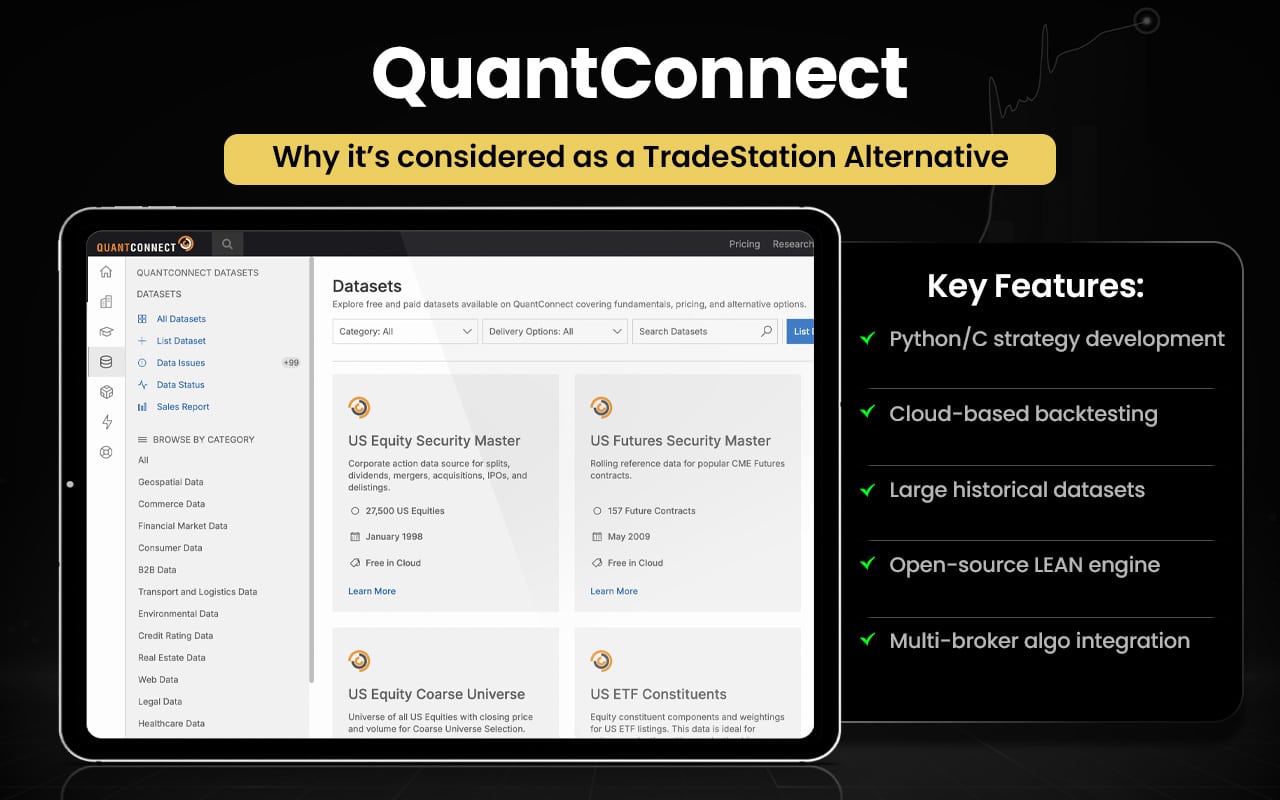
Let us now see how QuantConnect can be better than TradeStation.
| Area | QuantConnect | TradeStation |
| Algorithm Development | Python & C# cloud-based strategy coding | EasyLanguage scripting only |
| Backtesting Scale | Massive cloud computing and data access | Local/backtest focused |
| Data Access | Large built-in datasets for many assets | Data depends on subscriptions |
| Open-Source Engine | Uses open LEAN framework | Proprietary platform |
| Multi-Broker Integration | Integrates with multiple brokers | Primarily internal brokerage |
| Quant Community | Strong open community and libraries | Smaller scripting community |
| Research Workflow | Notebook & version control support | Standard code editor |
Switch to QuantConnect if you
- Want Python or C# strategy development (not just EasyLanguage)
- Need cloud-based backtesting with scalable compute
- Use large built-in historical datasets for research
- Prefer an open-source engine (LEAN) for customization
- Integrate your algos with multiple brokerages
- Build and test quantitative/algorithmic models at scale
Stick to TradeStation if you
- Need native broker execution and order routing
- Prefer EasyLanguage scripting for custom indicators/strategies
- Trade stocks, options, and futures directly
- Use advanced technical charting tools
- Want backtesting integrated with your trading account
- Seek a full, all-in-one trade and analysis platform
Users are generally found praising the platform for its powerful algorithm development, extensive backtesting tools, and cloud infrastructure that make strategy research and live deployment easier. Many find it comprehensive and flexible for Python/C# coding with good community support and broker integrations. However, some users report bugs, occasional instability, and documentation issues, and a few find the environment challenging or costly to use.
MultiCharts
MultiCharts is a professional electronic trading and analysis platform designed for advanced charting, strategy development, backtesting, and automated execution across multiple asset classes, including stocks, futures, forex, and cryptocurrencies. It supports various market data feeds and broker integrations, giving traders flexibility in choosing data sources and execution partners. MultiCharts uses PowerLanguage, a scripting language similar to EasyLanguage, for creating custom indicators and automated trading systems. It also offers real-time market scanning, portfolio backtesting, optimization tools, and a highly customizable interface.
The platform’s roots trace back to the mid-2000s, and it has evolved with regular updates, earning industry awards and building a strong following among professional and technical traders. MultiCharts is known for balancing powerful analysis features with broad broker compatibility and automation support.
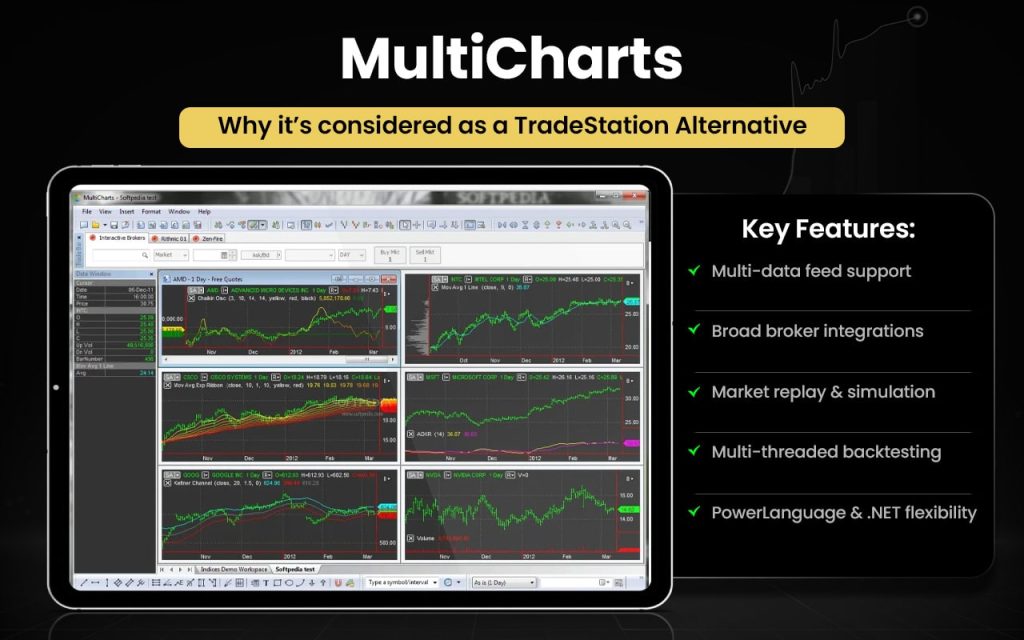
Let us now check how MultiCharts is better than TradeStation in certain aspects.
| Area | MultiCharts | TradeStation |
| Data Feed Flexibility | Supports multiple data providers simultaneously | Limited to internal or specific partner feeds |
| Broker Integrations | Works with multiple brokers directly | Primarily linked to its own brokerage services |
| Market Replay | Built-in market replay feature for historical visualization | No comparable native replay feature |
| Customization & Modularity | Highly customizable layouts & API scripting options | Integrated but less modular layout system |
| Backtesting Tools | Advanced multi-threaded backtesting with portfolio optimization | Strong backtesting but more conventional setup |
| Programming Support | EasyLanguage-compatible PowerLanguage + .NET support | EasyLanguage only |
| Indicator Libraries | Robust built-in and third-party indicators | Extensive but tied mostly to its ecosystem |
Switch to MultiCharts if you
- Need multiple data feeds simultaneously, not just one source
- Want broader broker integration options for execution
- Use market replay tools for historical simulation
- Prefer advanced multi-threaded backtesting and optimization
- Want PowerLanguage and .NET support for more coding flexibility
- Like highly customizable workspaces and modular layouts
Stick to TradeStation if you
- Want built-in brokerage execution and order routing in one platform
- Rely on EasyLanguage scripting with deep platform integration
- Prefer professional trading infrastructure focused on delivery
- Trade stocks, options, and futures actively with advanced tools
- Use integrated data and research from a single vendor
- Appreciate robust automated trading and strategy testing
A small number of users do praise the platform’s stability and support, but the majority describe frustrations with performance and service. User reviews for MultiCharts are mostly negative, with many traders reporting poor usability, slow backtesting, and confusing operation. Several users say the platform is difficult to learn and overly complicated, and that backtesting can take excessively long.
Sierra Chart
Sierra Chart is a professional desktop financial market trading and charting platform used for real‑time and historical charting, technical analysis, and manual or automated trading across stocks, futures, forex, indexes, and options. It connects to multiple exchanges and supports advanced tools like depth‑of‑market and custom indicators.
Founded in 1996, Sierra Chart has been continuously developed as high‑performance, customizable software for active traders and institutions, with its own data services and broad broker connectivity. It emphasizes speed, stability, and flexibility, and remains popular among professional traders for detailed market analysis.
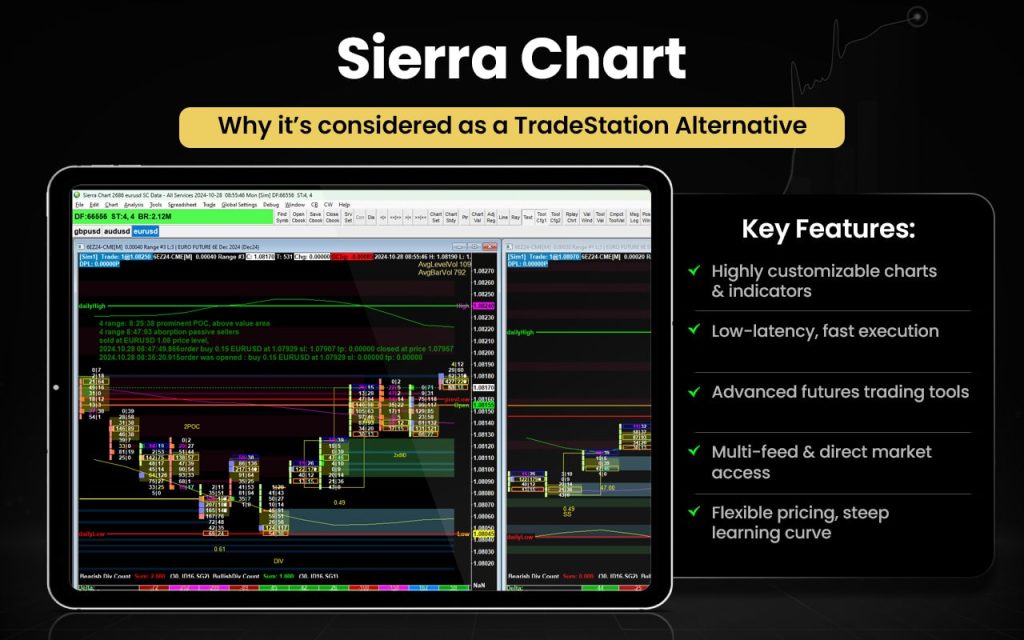
Let us now check how Sierra Chart can be better than TradeStation in certain aspects.
| Area | Sierra Chart | TradeStation |
| Customization | Highly customizable indicators and layouts. | Customization via EasyLanguage only. |
| Performance | Fast, lightweight, low-latency execution. | Good performance but heavier on resources. |
| Market Data | Multiple data feed options, direct market access. | Mostly tied to TradeStation’s ecosystem. |
| Cost | Lower monthly fees; flexible data costs. | Higher fees; extra for data & features. |
| Learning Curve | Steep, powerful once mastered. | Easier for beginners. |
| Audience | Professional traders, futures specialists. | Active traders, broad market access. |
Switch to Sierra Chart if you:
- Want highly customizable charts and indicators.
- Need low-latency, fast execution for active trading.
- Trade futures or complex instruments with advanced tools.
- Require multiple data feeds and direct market access.
- Prefer flexible cost control over subscriptions and data.
- Are comfortable with a steeper learning curve for more power.
Stick to TradeStation if you:
- Prefer a user-friendly interface for quicker setup.
- Want integrated brokerage services in one platform.
- Trade stocks, ETFs, and multiple asset types easily.
- Rely on pre-built indicators and strategies with less coding.
- Value a broader support ecosystem and beginner-friendly resources.
Sierra Chart is praised as a powerful, high-performance trading platform with extensive customization and advanced tools for serious traders. Users value its speed, flexibility, and robust technical capabilities. However, many find the interface outdated and complex, with a steep learning curve. Feedback on customer support is mixed, and some note occasional software glitches or confusing billing. The platform, however, is found suitable for experienced traders but can be challenging for beginners.
Build Alpha
Build Alpha is an algorithmic trading strategy development platform that helps traders create, test, and validate systematic strategies without writing code. It uses genetic programming and advanced analytics to explore thousands of entry and exit rule combinations and identify robust trading systems based on user-selected performance goals.
The software includes stress‑testing tools like Monte Carlo and variance analysis and can generate tradeable code for major platforms. Founded by David Bergstrom in Boca Raton, Florida, it serves professional traders, money managers, and institutional users seeking automated strategy discovery and validation.
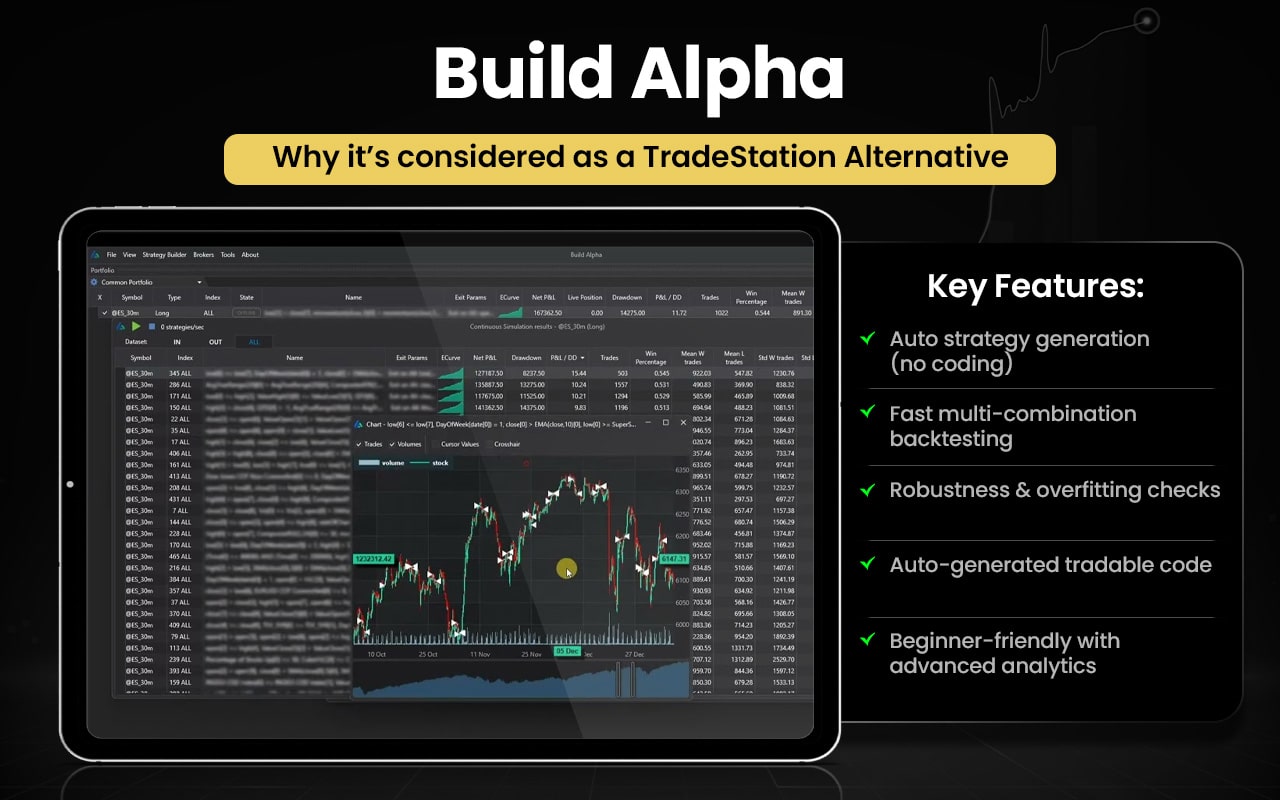
Let us now see how Build Alpha can be better than TradeStation in certain aspects.
| Area | Build Alpha | TradeStation |
| Strategy Creation | Generates thousands of strategies without coding using genetic algorithms. | Requires manual coding in EasyLanguage for custom strategies. |
| Backtesting Speed | Tests many combinations very fast in one run. | Backtests strategies one at a time. |
| Robustness Testing | Built‑in advanced stress and validation tests to reduce overfitting. | Standard backtest and optimization tools. |
| Code Output | Auto‑generates tradable code for multiple platforms including TradeStation. | No automatic strategy code generation. |
| Ease of Use | Point‑and‑click interface, good for non‑coders. | Powerful but needs learning EasyLanguage and platform tools. |
Switch to Build Alpha if you:
- Want to generate thousands of strategies automatically without coding.
- Need fast, multi-combination backtesting for efficiency.
- Prefer robustness testing to reduce overfitting.
- Want auto-generated tradable code for multiple platforms.
- Are a non-coder or beginner in algorithmic trading.
- Value advanced analytics and stress testing in one platform.
Stick to TradeStation if you:
- Prefer manual coding with EasyLanguage for full control.
- Need integrated brokerage and execution in one platform.
- Trade stocks, ETFs, options, and futures regularly.
- Rely on pre-built indicators and charting tools.
- Want a mature platform with strong community support.
Build Alpha is regarded as a powerful, user-friendly algorithmic trading tool that quickly generates, tests, and validates strategies without coding. Users appreciate its fast performance, robust stress-testing, and auto-generated tradable code for multiple platforms. Learning resources and support are helpful. Some complain about hardware requirements and desktop licensing limits. Overall, the platform is valued for efficiency, reliability, and confidence-building in discovering and refining trading strategies, especially for non-coders.
UltraAlgo
UltraAlgo is a fintech algorithmic trading platform that delivers real‑time buy and short signals, market scanning, and optimization tools for stocks, ETFs, options, forex, and crypto. It uses a combination of 15 technical indicators and genetic algorithms to identify profitable patterns, simplify backtesting, and help users optimize strategies. The platform also offers portfolio allocation tools and integrates with multiple brokers for execution.
Founded in 2020 in the United States, UltraAlgo was created to make advanced algorithmic trading tools more accessible to retail and active traders seeking data‑driven insights and automated trading workflows.
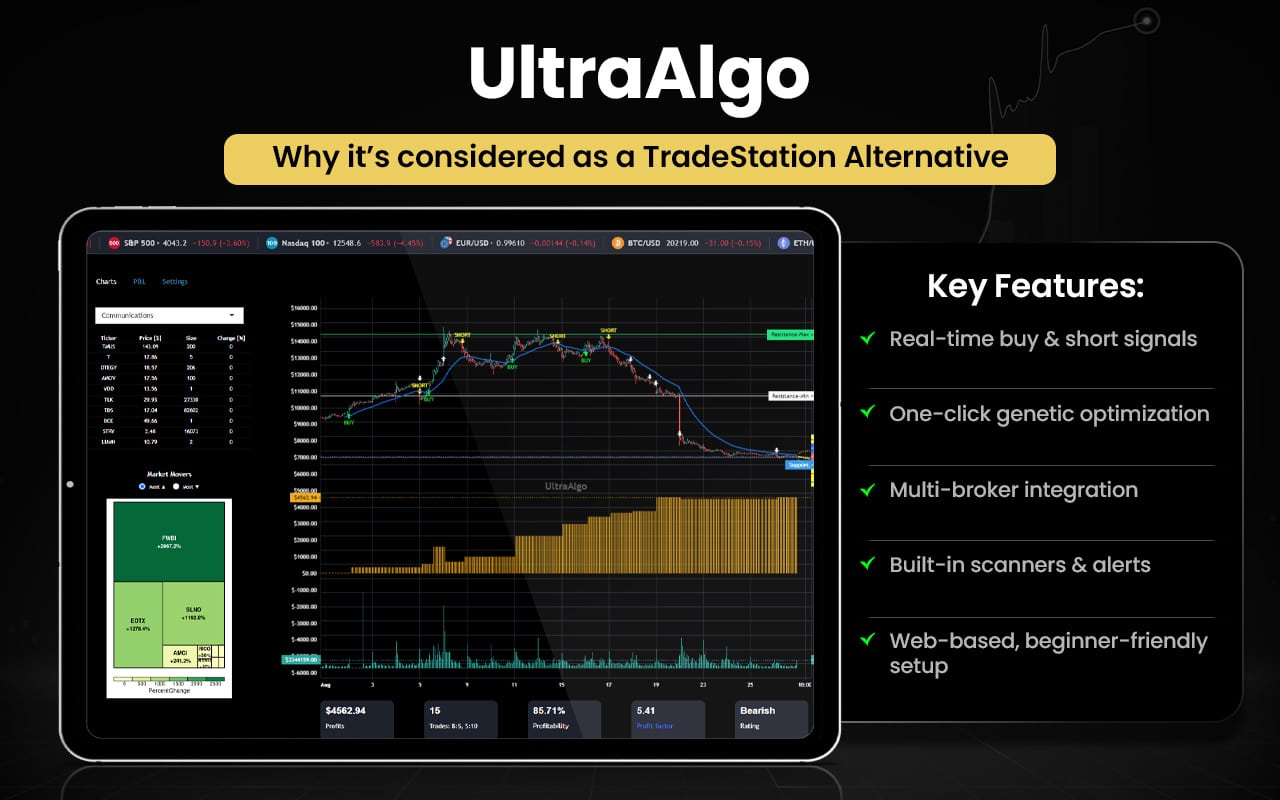
Let us check how UltraAlgo serves to be better than TradeStation in some aspects.
| Area | UltraAlgo | TradeStation |
| Signals | Real-time buy/short alerts with optimized patterns. | Requires scripts; no built-in optimized alerts. |
| Optimization | One-click genetic optimizer for strategies. | Manual setup needed; slower optimization. |
| Broker Support | Works with multiple brokers easily. | Mainly its own brokerage; limited multi-broker focus. |
| Market Scanning | Built-in scanner with alerts across tickers. | Scanner available but less focused on alerts. |
| Setup | Web-based; quick and easy to start. | Desktop; steeper learning curve. |
Switch to UltraAlgo if you:
- Want real-time buy and short signals ready to use.
- Prefer one-click genetic optimization for strategy discovery.
- Need multi-broker integration for execution.
- Value built-in market scanners and alerts.
- Seek fast setup with web-based access, no heavy installation.
- Are a non-coder or beginner in algorithmic trading.
Stick to TradeStation if you:
- Want full control via EasyLanguage coding.
- Use integrated brokerage and execution in one platform.
- Trade stocks, ETFs, options, and futures regularly.
- Rely on advanced charting and pre-built indicators.
- Prefer a mature platform with strong community support.
While some users find the platform’s signals and indicators helpful and accurate, noting that the algorithm can provide clear entries and aid decision‑making for certain tickers, others report poor onboarding experiences, difficulty reaching customer support, and concerns about trial refunds or claimed features not being available. The feedback reflects a mix of satisfaction and frustration, with praise for signal usefulness tempered by complaints about support responsiveness and clarity of advertised integrations.
Ultimate Charting
Ultimate Charting Software is an advanced online charting and trading analysis platform developed by Market Traders Institute (MTI). It provides traders with real‑time market data, customizable technical indicators, backtesting, automated trading tools, strategy builders, risk management, portfolio management, alerts, and broker integration to support multi‑asset trading and analysis.
The software was originally created as MTI’s flagship charting platform, gaining a substantial user base since its launch and helping traders streamline decision‑making with powerful analytical tools. Although its original version has evolved over time, the Ultimate Charting brand remains known for comprehensive charting features designed to assist both beginners and experienced market participants in analyzing financial markets and spotting trade opportunities.
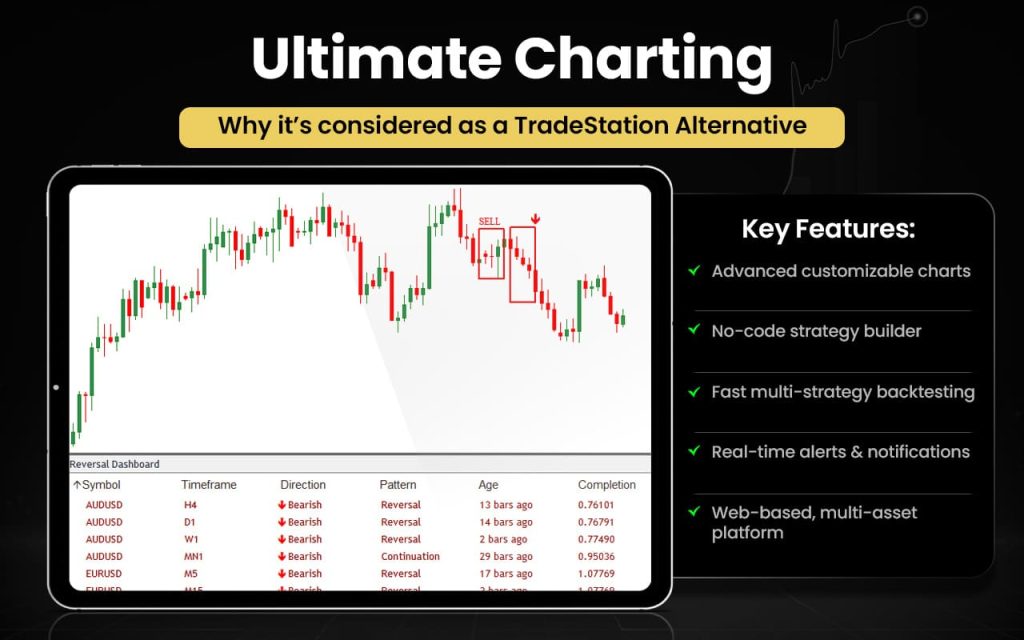
Let us now check how Ultimate Charting could be better than TradeStation.
| Area | Ultimate Charting | TradeStation |
| Charting | Advanced, customizable charts with multiple indicators. | Strong charts but less pre-built templates. |
| Strategy Tools | Built-in strategy builder and automated trading tools. | Requires EasyLanguage coding for custom strategies. |
| Backtesting | Quick backtesting with detailed results. | Backtests one strategy at a time; slower. |
| Alerts | Real-time alerts and notifications. | Alerts available but less intuitive setup. |
| Ease of Use | Web-based, beginner-friendly interface. | Desktop platform; steeper learning curve. |
| Market Coverage | Multi-asset support with broker integration. | Multi-asset, mainly focused on its own brokerage. |
Switch to Ultimate Charting if you:
- Want advanced, customizable charts with multiple indicators.
- Prefer a built-in strategy builder without coding.
- Need fast backtesting across multiple strategies.
- Value real-time alerts and notifications.
- Like a web-based, beginner-friendly interface.
- Require multi-asset support and broker integration.
Stick to TradeStation if you:
- Want full control via EasyLanguage coding.
- Rely on integrated brokerage and execution in one platform.
- Trade stocks, ETFs, options, and futures regularly.
- Need advanced charting with extensive historical data.
- Prefer a mature platform with strong community support.
Users generally describe Ultimate Charting as easy to use and helpful for market analysis, with features like auto Fibonacci, smart trend lines, alerts, templates, and pattern tools, praised for simplifying chart work and spotting setups. Some traders say it noticeably aids decision‑making and improves their trading workflow. A few users mention minor issues like occasional interface quirks and price concerns, but most feedback reflects satisfaction with its charting capabilities and practicality, especially for regular analysis tasks and pattern recognition.
JigSaw Trading
Jigsaw Trading is a day trading software and education provider focused on order flow and market depth tools that help traders see real‑time buyer/seller interactions and make informed decisions. Its flagship product, daytradr™, offers a depth‑of‑market (DOM) price ladder, reconstructed tape, auction vista charts, alerts, and trade analytics, along with a trade journal platform for performance review.
Founded around 2010–2011 by Peter Davies, Jigsaw has built a niche in order flow trading tools and training for futures and equities traders worldwide. The company also delivers order flow education and analytics to help traders learn professional techniques.
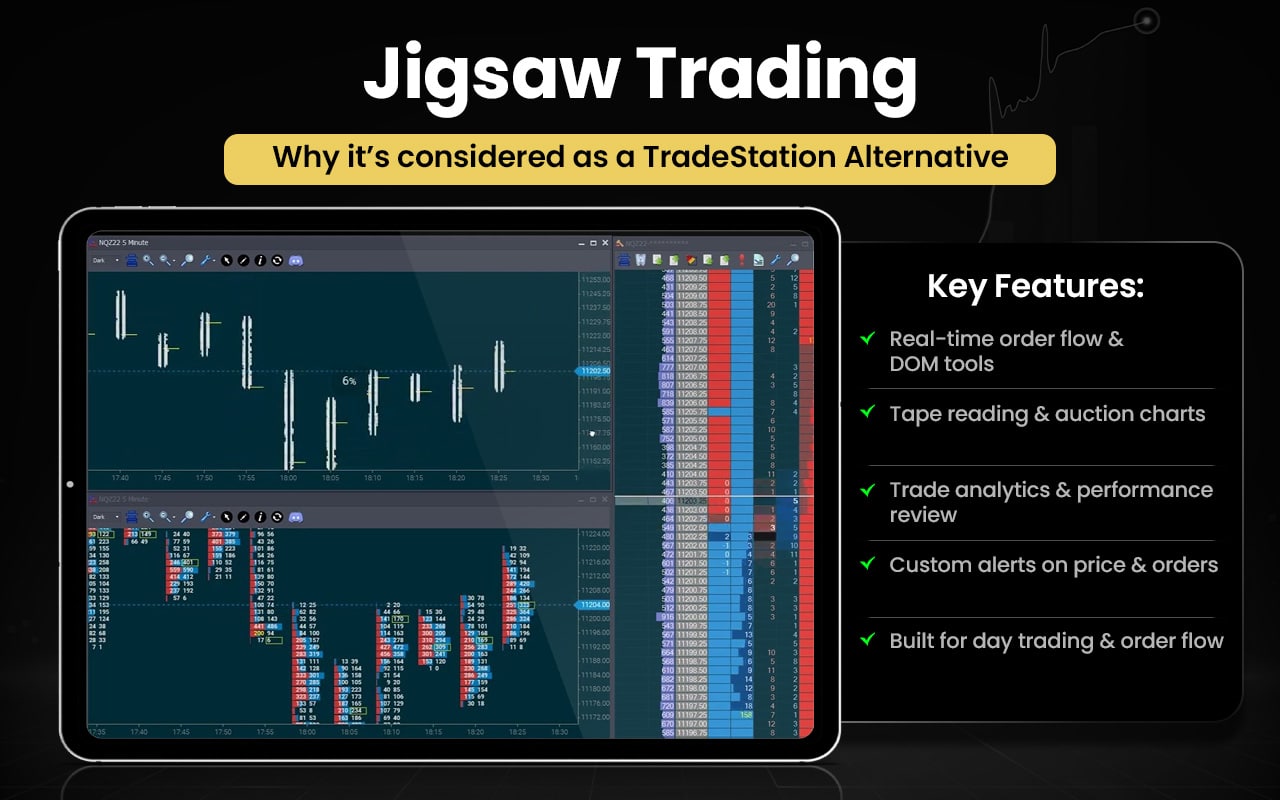
Let us now see how Jigsaw Trading is better than TradeStation.
| Area | Jigsaw Trading | TradeStation |
| Order Flow Tools | Real-time DOM, reconstructed tape, auction charts. | Standard charts; less focused on order flow. |
| Trade Analytics | Built-in trade journal and performance review. | Basic trade tracking; external tools needed. |
| Alerts | Custom alerts on order flow and price levels. | Alerts available but less specialized. |
| Market Depth | Advanced depth-of-market visualization. | Depth charts exist but not as detailed. |
| Ease of Use | Intuitive interface for order flow trading. | Desktop platform; learning curve steeper. |
| Target Users | Day traders and order flow specialists. | Active traders and investors across multiple assets. |
Switch to Jigsaw Trading if you:
- Want real-time order flow and DOM tools.
- Need reconstructed tape and auction charts for precision trading.
- Prefer built-in trade analytics and performance review.
- Value custom alerts on price levels and order activity.
- Focus on day trading or order flow strategies.
- Want a specialized interface for professional order flow analysis.
Stick to TradeStation if you:
- Want full control via EasyLanguage coding.
- Rely on integrated brokerage and execution in one platform.
- Trade stocks, ETFs, options, and futures regularly.
- Need advanced charting with multiple indicators.
- Prefer a mature platform with strong community support.
Jigsaw Trading is praised for its powerful order flow tools, intuitive DOM interface, and helpful educational resources. Users value the real-time insights and personalized support, which aid trading decisions and skill development. Some note minor issues with policies, but overall it is seen as reliable and valuable for serious traders.
What are the Free Alternatives to TradeStation?
The free alternatives to TradeStation are Interactive Brokers, Thinkorswim, Fidelity Investments, Webull, TradingView, NinjaTrader, and QuantConnect.
- Interactive Brokers (IBKR) – Free trading platform included with a funded brokerage account; platform software has no separate charge.
- Charles Schwab (thinkorswim) – Full trading platform available at no extra software cost for Schwab clients.
- Fidelity Investments – Free platform access with a brokerage account.
- Webull – Free trading app with no platform subscription fee.
- TradingView – Free tier available with basic charts and tools (paid tiers optional).
- NinjaTrader – Offers a free desktop platform with charting, backtesting, and simulation tools (though live data/brokerage access may require an account).
- QuantConnect – Freemium quant platform with free backtesting and strategy development capabilities.
These free alternatives provide robust trading and analysis tools, making them practical options for traders seeking powerful platforms without the cost of TradeStation.
What are the Paid Alternatives to TradeStation?
The paid alternatives to TradeStation include Strike Money, TrendSpider, MultiCharts, Sierra Chart, Build Alpha, UltraAlgo, Ultimate Charting, and Jigsaw Trading.
- Strike Money: Offers proprietary market scanners, heatmaps, and sentiment tools for deep multi‑market analysis.
- TrendSpider: Provides AI‑driven automated technical analysis and dynamic alerts across timeframes.
- MultiCharts: Delivers high‑precision backtesting and automated trading with PowerLanguage.
- Sierra Chart: Gives professional‑grade low‑latency charting and custom study support.
- Build Alpha: Enables automated strategy generation and robustness testing without coding.
- UltraAlgo: Supplies real‑time optimized buy/short signals and market scanners.
- Ultimate Charting: Combines advanced customizable charts with fast strategy tools and alerts.
- Jigsaw Trading: Focuses on order flow and depth‑of‑market tools for real‑time trading insight.
These paid alternatives provide specialized tools and automation that give traders a professional edge beyond standard platform features.
TradeStation Alternatives with EasyLanguage
TradeStation alternatives with EasyLanguage or similar features include MultiCharts, Charles Schwab (thinkorswim), NinjaTrader, TradingView, and Sierra Chart.
- MultiCharts: PowerLanguage / EasyLanguage compatible – supports TradeStation scripts
- Charles Schwab (thinkorswim): thinkScript – for studies and strategies
- NinjaTrader: NinjaScript – C# based for indicators and automation
- TradingView: Pine Script – for indicators and trading strategies
- Sierra Chart: ACSIL (Advanced Custom Study Interface and Language) – C++ based
These are the platforms from your list that allow custom coding for indicators, strategies, or automation.
TradeStation Alternatives with Backtesting
TradeStation alternatives with backtesting include TrendSpider, NinjaTrader, TradingView, QuantConnect, MultiCharts, Sierra Chart, Build Alpha, and Ultimate Charting.
- TrendSpider – Built‑in strategy backtesting and alerts.
- NinjaTrader – Strategy backtesting & optimization tools.
- TradingView – Backtesting via Pine Script strategies.
- QuantConnect – Cloud backtesting with Python/C#.
- MultiCharts – Advanced backtesting with portfolio support.
- Sierra Chart – Backtesting and study testing via ACSIL.
- Build Alpha – Automated backtesting across many rule sets.
- Ultimate Charting – Backtesting tools for strategies.
These platforms with backtesting provide traders the ability to test and refine strategies using historical data, enhancing confidence and performance before live trading.
TradeStation Alternatives for Stock Traders
TradeStation alternatives for stock traders include Interactive Brokers, thinkorswim, Fidelity Investments, Webull, TrendSpider, NinjaTrader, TradingView, QuantConnect, MultiCharts, Sierra Chart, Build Alpha, and Ultimate Charting.
- Interactive Brokers (IBKR) – Institutional‑grade execution and research for stocks.
- Charles Schwab (thinkorswim) – Powerful stock charts, options, and analysis tools.
- Fidelity Investments – Full‑featured stock trading with research and tools.
- Webull – Commission‑free stock trading with charts and technical tools.
- TrendSpider – Advanced technical analysis and automated pattern detection for stocks.
- NinjaTrader – Supports stocks (though strongest in futures/forex).
- TradingView – Excellent stock charting, community scripts, and scanners.
- QuantConnect – Algorithmic stock strategy development and backtesting.
- MultiCharts – Backtesting and automated stock strategies (via supported brokers).
- Sierra Chart – Pro charting and market data for stocks.
- Build Alpha – Automated strategy generation that can be applied to stocks.
- Ultimate Charting – Stock chart tools and strategy features.
These alternatives offer varying levels of stock market support, from free trading and charting to advanced algorithmic tools, giving stock traders multiple options beyond TradeStation.
TradeStation Alternatives for Forex Traders
TradeStation alternatives for forex traders are Interactive Brokers, NinjaTrader, TradingView, MultiCharts, Sierra Chart, QuantConnect, TrendSpider, BuildAlpha, and Ultimate Charting.
- Interactive Brokers (IBKR) – Offers true forex trading with competitive spreads and deep liquidity.
- NinjaTrader – Supports forex trading via connected brokers (e.g., FXCM, OANDA).
- TradingView – Excellent forex charting, community indicators, and alerts (execution via brokers).
- MultiCharts – Lets you trade and backtest forex with supported brokers.
- Sierra Chart – Provides forex data and trading with multiple data feeds.
- QuantConnect – Enables forex algorithmic strategy development and backtesting.
- TrendSpider – Offers forex charting and technical analysis tools (no native execution).
- Build Alpha – Can generate & backtest forex strategies (export to brokers).
- Ultimate Charting – Includes forex chart tools and alerts.
These alternatives may provide actual forex execution or forex charting and strategy tools. You can pick based on whether you want trading, analysis, or automated strategy development.
TradeStation Alternatives for Crypto Traders
TradeStation alternatives for crypto traders include Interactive Brokers, Webull, TradingView, QuantConnect, TrendSpider, and Ultimate Charting.
- Interactive Brokers (IBKR) – Offers spot cryptocurrency trading (e.g., Bitcoin, Ethereum) through its brokerage platform.
- Webull – Supports cryptocurrency trading (Bitcoin, Ethereum, and more) alongside stocks and other assets.
- TradingView – Provides crypto charting and analysis tools for many digital assets (execution via connected brokers/exchanges).
- QuantConnect – Supports crypto strategy backtesting and execution via brokers/exchanges in its multi‑asset framework.
- TrendSpider – Includes crypto charts and technical tools for analysis.
- Ultimate Charting – Offers crypto charting and alerts as part of its multi‑asset tools.
These alternatives offer crypto traders real‑time access and tools beyond what standard stock/futures platforms alone provide.
TradeStation Alternatives for Futures Traders
TradeStation alternatives for future traders include Interactive Brokers, thinkorswim, TrendSpider, NinjaTrader, TradingView, QuantConnect, MultiCharts, Sierra Chart, Build Alpha, and Ultimate Charting.
- Interactive Brokers (IBKR): Trade futures globally with low-cost execution.
- Charles Schwab (thinkorswim): Supports futures with charts and paper trading.
- TrendSpider: Futures charting and technical analysis (broker needed to trade).
- NinjaTrader: Designed for futures; supports automation and custom indicators.
- TradingView: Futures charts, alerts, and strategy testing; broker integration.
- QuantConnect: Algorithmic futures strategy backtesting and execution.
- MultiCharts: Trade, backtest, and automate futures strategies.
- Sierra Chart: Pro charting and trading with multiple futures feeds.
- Build Alpha: Generate and backtest futures strategies.
- Ultimate Charting: Futures charting and alerts for analysis.
These platforms offer futures trading, charting, and strategy tools, giving traders the ability to analyze, test, and execute trades beyond TradeStation’s standard setup.
TradeStation Alternatives for Options Traders
TradeStation alternatives for options traders Strike Money, Interactive Brokers, thinkorswim, Fidelity Investments, Webull, TrendSpider, TradingView, and QuantConnect.
- Strike Money – Offers real‑time option chain, multi‑leg strategy builder, payoff charts, Greeks analysis, filters, and backtesting tools for options decision‑making.
- Interactive Brokers (IBKR) – Professional options execution, spreads, Greeks, volatility, and risk tools.
- Charles Schwab (thinkorswim) – Advanced options analytics, strategy roller, Greeks, risk/reward analysis, and paper trading.
- Fidelity Investments – Options trading support with strategy tools and research.
- Webull – Basic options trading, spreads, and Greeks.
- TrendSpider – Options charting & analysis (execution via broker).
- TradingView – Options charts & scanning with scriptable indicators (trade execution via brokers).
- QuantConnect – Backtesting options strategies via code; broker integrations support live trading.
These alternatives are the best options for traders needing options analytics, strategy tools, and/or execution.
Why You Should Look for TradeStation Alternatives?
You should look for TradeStation alternatives for traders who want more flexibility, lower costs, specialized tools, or easier usability.
High Subscription Costs
TradeStation’s paid plans and data fees can be expensive. Platforms like Webull, Interactive Brokers (IBKR), and TradingView offer free or low-cost alternatives for stock, forex, and crypto trading. Strike Money provides cost-effective access to advanced market analytics without heavy subscription fees.
Limited Automation for Beginners
Automating strategies on TradeStation may require EasyLanguage coding. Alternatives like TrendSpider and Build Alpha provide no-code AI and automated strategy generation, while MultiCharts supports EasyLanguage for smoother transition.
Complex Interface for New Traders
TradeStation can be overwhelming. Platforms like Webull, Strike Money, and TradingView have more intuitive interfaces with easy charting, alerts, and dashboards.
Insufficient Real-Time Analytics
Traders needing advanced scanning, alerts, and market signals may find TradeStation lacking. Strike Money, UltraAlgo, and TrendSpider offer real-time signals, heatmaps, and AI-powered scans to identify trading opportunities faster.
Limited Crypto & Alternative Markets
TradeStation has some crypto support but is limited. Webull, TradingView, and IBKR support full crypto trading, while Strike Money provides analytics across stocks, options, futures, and crypto in one platform.
Backtesting and Strategy Flexibility
TradeStation requires coding for custom backtesting. Platforms like MultiCharts, NinjaTrader, Build Alpha, and QuantConnect allow robust backtesting with less friction and more asset coverage.
Niche Trading Tools
For order flow, DOM, or professional futures analytics, TradeStation may not be enough. Jigsaw Trading, Sierra Chart, and Ultimate Charting provide specialized tools for these strategies.
Choosing the right TradeStation alternative lets you match your trading style with better pricing, smarter analytics, and more specialized tools, helping you trade more efficiently and confidently.
What Features Should a Good TradeStation Alternative Have?
The features that a good TradeStation alternative should have are everything that TradeStation offers, along with things that the platform does not offer.
- Flexible or low-cost pricing to suit different trader needs
- Advanced and customizable charting tools
- Built-in backtesting and strategy testing
- Real-time signals, alerts, and scanners
- Easy-to-use interface for faster decision-making
- Support for multiple asset classes like stocks, options, futures, forex, and crypto
- Seamless broker integration for trade execution
- Both coding and no-code strategy development options
- Professional analytics, such as order flow, risk, and performance tracking
These features help ensure a comprehensive, flexible, and powerful trading experience beyond TradeStation.
What is the Best Alternative to TradeStation?
Strike Money is the best alternative to TradeStation for its advanced real-time analytics, market heatmaps, sentiment data, options tools, and intuitive dashboard.
| Feature | TradeStation | Strike Money | Advantages of Strike Money over TradeStation |
| Market Analytics | Standard | Advanced | Deeper analytics and trend tools. |
| Options Tools | Available (basic execution) | Extensive | Strike Money has a more robust options chain, Greeks & payoff views. |
| Scanners & Screeners | Limited | Advanced | Better filters and custom scanners. |
| Heatmaps | Not available | Available | Visual market breadth for quick insights. |
| Sentiment Indicators | Not available | Available | Helps gauge market mood. |
| Futures Analytics | Basic | Available | Strike Money includes futures trend tools. |
| Ease of Use | Moderate | Easy | Simpler, more intuitive for all traders. |
| Local Market Focus | Global | Localized | Tailored insights for specific markets (e.g., Indian stocks/F&O). |
| Dashboard Customization | Limited | High | Customizable views and dashboards. |

 5 mins