


![15 GoCharting Alternatives [Free+Paid] You Should Use in 2026](https://www.strike.money/wp-content/uploads/2026/04/GoCharting-Alternatives-768x482.jpg)


GoCharting alternatives are meant for those who find the platform falling short of the required features. GoCharting alternatives either offer everything that GoCharting has or much more than that. If you are here to explore what other options you have if you are not satisfied with GoCharting, you have come to the right place.
This GoCharting alternatives list not only mentions the names of the platforms that you can consider, but also the features and strengths they have to offer. Along with that, you will also be able to explore their pricing structure and the feedback that customers have about them.
Our Experience with GoCharting Alternatives
Though GoCharting offers advanced charting tools for traders, it might not live up to the expectations of every trader who comes in. For them are the GoCharting alternatives mentioned below, with a specific focus on what they are best for.
- Strike Money: Best for Indian Stock Market Analysis with Advance Charts & Scanners
- TradingView: Best For Multi-Market Charting And Social Analysis
- NinjaTrader: Best For Futures Trading And Advanced Backtesting
- ChartBolt: Best For Simple Technical Charts for Beginners
- TrendSpider: Best For Automated Technical Analysis And Backtesting
- Bookmap: Best For Order Flow And Market Depth Visualization
- Overcharts: Best For Custom Technical Indicators And Scripting
- Multicharts: Best For Professional Backtesting With Broker Connectivity
- cTrader: Best For ECN Forex Trading Advanced Charts
- StockCharts: Best For Technical Analysis And Custom Charting
- Sierra Chart: Best For Institutional-Grade Futures And Order Flow
- ChartInk: Best For Indian Stock Screening Pattern Detection
- Ultimate Charting Software: Best For Comprehensive Multi-Asset Technical Analysis
- Forex Tester Online (FTO): Best For Forex Strategy Backtesting Simulation
- Medved Trader: Best For Real-Time Market Data Trading
Best GoCharting Alternatives with Detailed Comparison
| Platform Name | Features Missing in GoCharting | Pricing (Approx.) | Review (Market Perception) |
| Strike Money | Indian‑market scanners, sentiment tools not available in GoCharting | ₹649 per month (India-focused plans) | Good for Indian F&O & sentiment analysis; niche but growing |
| TradingView | Large script community, Pine Script editor, social ideas | Essential – ₹995 per month (when billed annually)Plus – ₹1,995 per month (when billed annually)Premium – ₹3,995 per monthUltimate – ₹17,333 per month | Industry standard; versatile and widely trusted |
| NinjaTrader | Extensive algo/strategy backtesting and advanced order tools | Free – $0 plus commissionMonthly – $99 plus commission per monthLifetime – $1,499 plus commission (one-time payment) | Favored for futures & backtesting; steeper learning curve |
| ChartBolt | Less advanced than GoCharting; simple charts only | Basic – $90 per yearStandard – $290 per yearAdvanced – $990 per year | Basic charting for beginners; limited professional features |
| TrendSpider | AI pattern detection & automation not in base GoCharting | Advanced – $72.76 per monthEnhanced – $61 per monthPremium – $49.14 per monthStandard – $41.58 per month | Great automation; pricey for casual traders |
| Bookmap | Deep order‑book heatmap & liquidity insights | Digital – Free (when paid annually)Digital Plus– $16 per month (when paid annually)Global – $39 per month (when paid annually)Global Plus – $79 per month (when paid annually) | Excellent for order flow and scalping |
| Overcharts | Custom layer/drawing scripting not in GoCharting | Free – No platform free, 30-day trialAll Inclusive – $29.95 per month (when paid annually)2 Data Feeds – $24.95 per month (when paid annually) | Niche but powerful custom technical tools |
| Multicharts | Desktop multi‑broker backtesting support | Free – $0 per monthStandard– $99 per monthAdvanced – $149 per month | Excellent professional backtesting engine |
| cTrader | ECN forex execution & advanced forex tools | Varied price for varied products | Strong forex/CFD focus; less multi‑asset than GoCharting |
| StockCharts | Advanced customizable chart galleries, focused TA | Basic – $19.95 per month Extra – $29.95 per monthPRO – $49.95 per month | Very good for traditional TA; less real‑time analytics |
| Sierra Chart | Institutional‑grade market replay/footprint charts | Base Standard – $26 per month Base Sierra Chart with Advanced Features – $36 per monthIntegrated Standard – $36 per monthIntegrated Sierra Chart with Advanced Features – $46 per monthSierra Chart with Advanced Features and Market by Order – $56 per month | Deep features; steep learning curve |
| ChartInk | India‑centric stock screening rules & alerts | Monthly – ₹780 koyfinYearly – ₹8,500 | Best for Indian stock screening; charting secondary |
| Ultimate Charting Software | Educational modules & integrated analysis tools | Basic (6 months)– ₹3,00,000 per month Gold (6 months) – ₹6,50,000 per monthPlatinum (12 months) – ₹10,00,000 per month | Comes with teaching tools; good all‑in‑one suite |
| Forex Tester Online (FTO) | Historical strategy backtesting (GoCharting doesn’t specialize) | Pro Monthly – ₹999 per monthStarter Yearly – ₹233.25 per month (when billed annually)Pro Yearly – ₹349.92 per month (when billed annually) Starter Lifetime – ₹4199 one-timePro Lifetime – ₹4999 one-time | Excellent for Forex/Crypto strategy testing |
| Medved Trader | Real‑time workspace alerts and tick tracking | Premium Monthly – $24.99Premium Annual – $239.99 | Good for live tracking; less focused on order flow |
Based on the list created above, let us have a look at each of the GoCharting alternatives in detail.
Strike Money
Strike Money is a real-time stock analysis platform with 30+ unique scanners and 40,000+ active users. It helps traders find high-potential stocks, analyze trends and patterns, and make data-based decisions.
Founded on June 15, 2023, Strike Money runs on the principles of its founder Rohit Srivastava, who incorporated his knowledge and skills in building stock market analysis tools to help traders analyze the market trends and patterns. The platform is built for short-term traders, long-term investors, and F&O traders. With 7-day free trial, it allows its users to try the features and check if they serve their purpose.
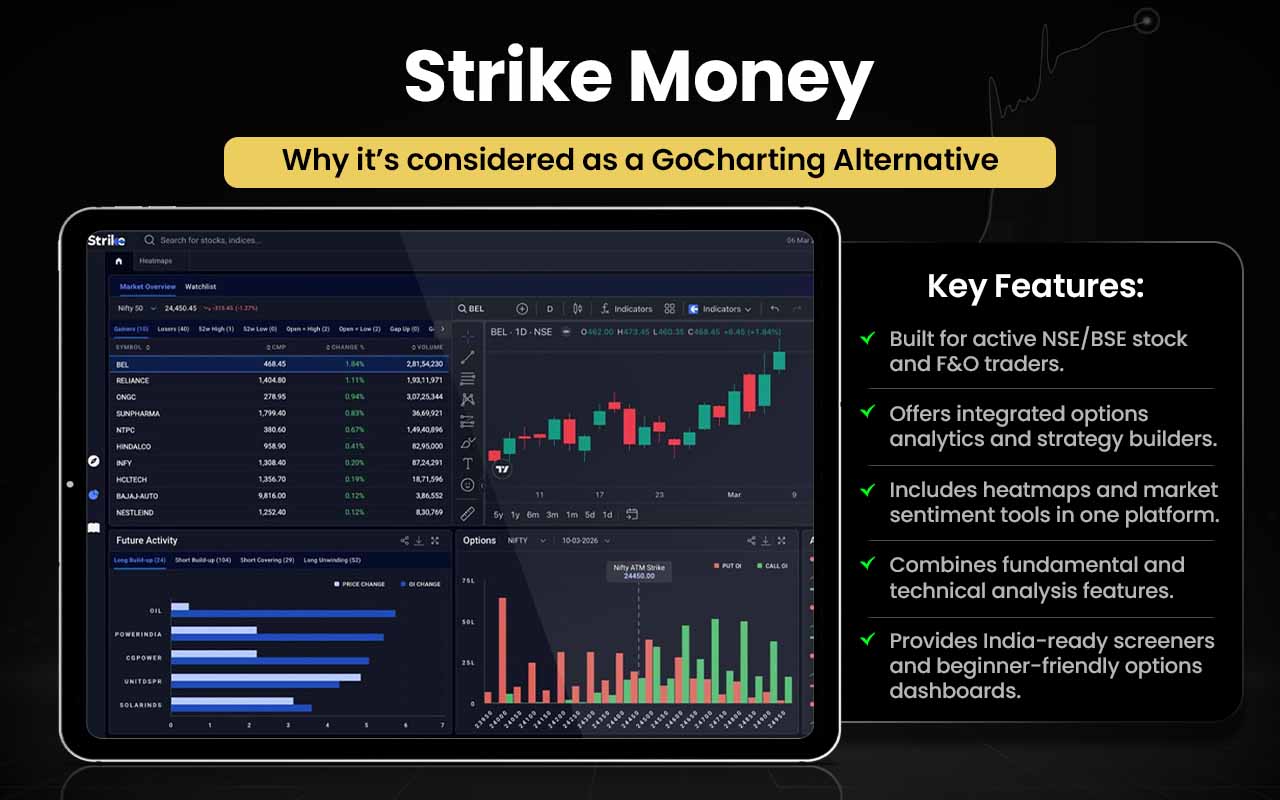
Let’s see how Strike Money can prove better than GoCharting.
| Area | Strike Money | GoCharting |
| Core Focus | Stock & options analysis platform | Advanced charting & orderflow |
| Market Coverage | India-focused (stocks & F&O) | Global multi-asset |
| Stock Screening | Built-in scanners & heatmaps | Limited screening tools |
| Sentiment Tools | Sentiment indicators, RRG | Not a core feature |
| Fundamental Data | Ratios, valuations, peers | Mostly technical |
| Options Analysis | OI-based option insights | Advanced options desk |
| Charting Depth | Basic technical charts | Professional-grade charts |
| Orderflow & DOM | Not available | Strong orderflow & DOM |
| Trade Execution | Analysis only | Broker-integrated trading |
| Best Suited For | Indian traders & investors | Active & orderflow traders |
Strike Money is for you if you:
- Trade or invest mainly in Indian stocks & F&O
- Rely on stock screeners, heatmaps, and sector views
- Want sentiment, RRG, and fundamental insights
- Prefer analysis over execution
- Want an easy, investor-friendly interface
Stick to GoCharting if you:
- Need advanced charting and orderflow tools
- Actively use DOM, market profile, and volume tools
- Trade multiple global asset classes
- Want direct broker-based trade execution
- Prefer professional, trader-centric workflows
Strike Money’s Rohit Momentum Indicator, developed by the founder and CEO, helps users identify stocks with strong momentum. The platform has received the Quality Choice Award and the Happiest Users Award, proving the worth of Strike Money.
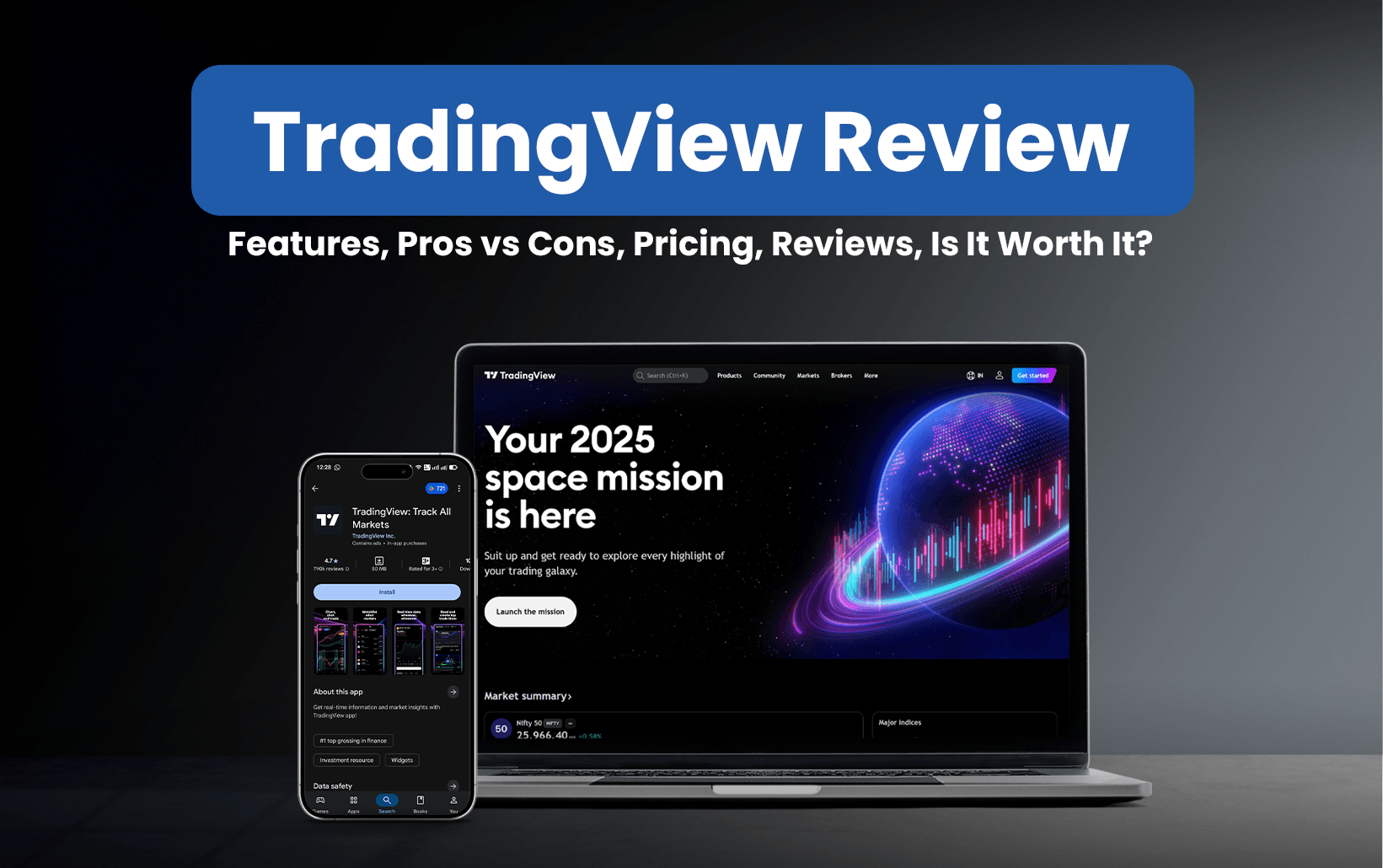
TradingView
TradingView is a charting and social networking platform that is designed for traders and investors, allowing them to identify opportunities across global markets. The platform encourages research and hard work in assessing the market and calculating risks to further their data-driven decision-making.
With over 100 million users from across the globe, TradingView has become the first preference of anyone looking for one-stop trading and investing solutions. With up to 16 charts per screen, the platform allows users to have a look at different market movements simultaneously, thereby enabling them to assess the trends and patterns better, taking all market perspectives into account.
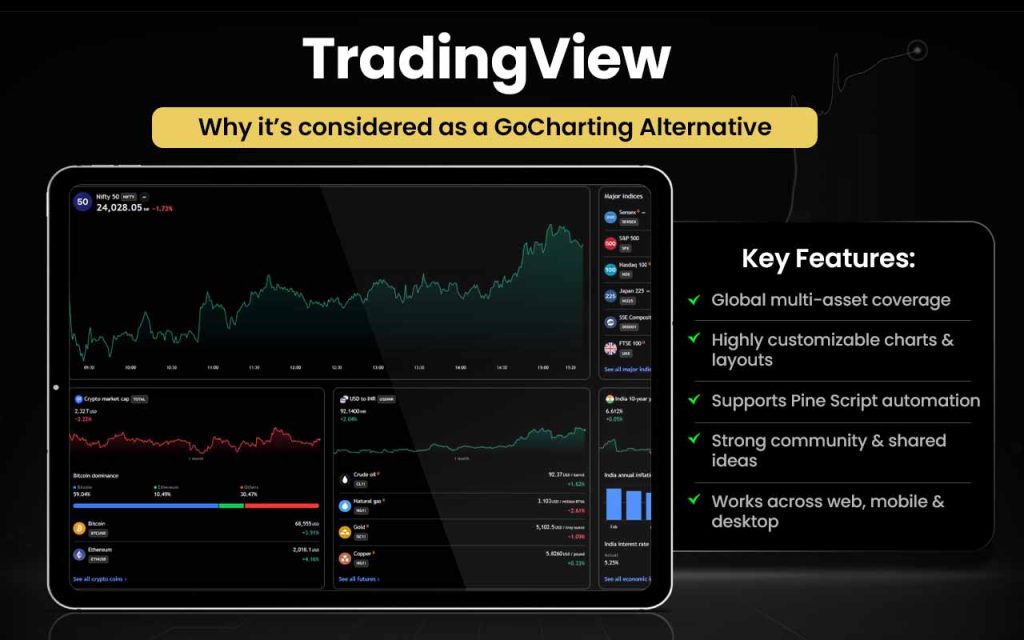
Let us see how TradingView can be better than GoCharting.
| Area | TradingView | GoCharting |
| Market Coverage | Global multi-asset markets | Multi-asset, feed-dependent |
| Charting | Highly flexible, multi-chart layouts | Advanced charts + orderflow |
| Scripting | Pine Script + strategy tester | Lipi Script |
| Community | Huge social & script community | Limited community |
| Alerts | Advanced multi-condition alerts | Standard alerts |
| Backtesting | Built-in strategy testing | Limited emphasis |
| Platform Access | Web, desktop, mobile apps | Web-based platform |
| Core Strength | Universal charting & analysis | Orderflow & DOM tools |
TradingView is for you if you:
- Want global multi-asset market coverage
- Need highly customizable charts & layouts
- Use Pine Script for indicators and strategies
- Value a large trader community and shared ideas
- Want advanced alerts and scanners
- Prefer cross-device apps (web, mobile, desktop)
Stick to GoCharting if you:
- Rely on order flow and footprint charts
- Trade using DOM (Depth of Market)
- Need volume profile and market profile
- Want execution directly from charts
- Focus on price–volume microstructure analysis
Covering a myriad of financial instruments, TradingView is preferred by traders from all niches, including the crypto market. With 400+ pre-built indicators and strategies, the platform offers the best tools to assess the markets effectively and thereby help traders make wiser and well-informed trading decisions.
NinjaTrader
NinjaTrader is a professional trading platform and brokerage ecosystem designed primarily for active futures traders. It offers advanced charting, real-time market data, strategy development, backtesting, trade simulation, and automated trading through its proprietary NinjaScript framework.
NinjaTrader was founded in 2003 in the United States by Raymond Deux, initially as a charting and analytics software provider for retail traders. Over time, the company expanded into brokerage and clearing services, strengthening its position in the futures trading space. Available across desktop, web, and mobile, NinjaTrader is known for its performance-focused tools, customizable indicators, and tight integration between analysis and execution, making it popular among serious and professional traders.
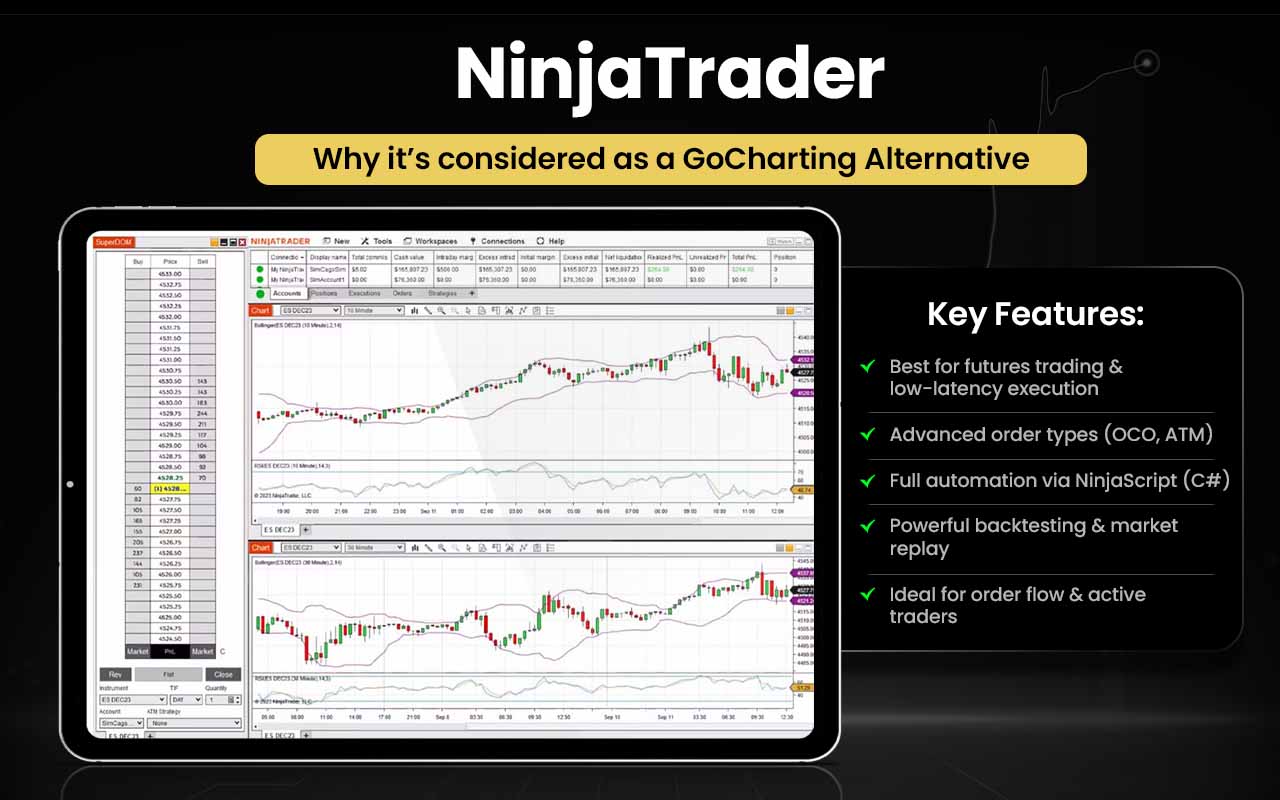
Let’s see the aspects in which NinjaTrader overshadows GoCharting.
| Area | NinjaTrader | GoCharting |
| Core Focus | Futures trading & execution | Orderflow charting |
| Trade Execution | Built-in live & simulated trading | Trading via charts |
| Automation | Strategy building & automation | Limited automation |
| Customization | Custom indicators & add-ons | Prebuilt orderflow tools |
| Market Tools | Charts, DOM, strategies | Footprint, delta, profiles |
| Learning | Strong education & support | Documentation-led |
| Platform Type | Desktop, web, mobile | Web-based only |
NinjaTrader is for you if you:
- Trade futures markets actively and want professional tools.
- Want charting plus live trading all in one platform.
- Value simulated trading & strategy testing before real money.
- Like customization, add-ons, and external indicators.
- Need desktop, web, and mobile access across devices.
Stick to GoCharting if you:
- Focus on deep orderflow and footprint analysis for precise reads.
- Want cluster, delta, imbalance & market profile tools built in.
- Trade using DOM and time & sales data in your decision-making.
- Prefer web-based analytics without installing software.
- Need advanced scanners like Power Trades Scanner in real time.
In 2024–2025, NinjaTrader entered a new phase of growth after being acquired by Kraken, while continuing to operate independently and focus on advancing professional-grade trading technology.
ChartBolt
ChartBolt is an algorithmic trading software that comes with 10 different analysis software tools, which users can use in one package for TradingView. The system is aimed at helping traders and investors identify better entry and exit points across various markets, including stocks, forex, crypto, indices, futures, and CFDs, enhancing decision-making as part of a broader trading strategy.
With the release of a 10-tool package and free trial offering, it caters to both day traders and long-term investors. It packages multiple indicators, such as movement signals, scalp levels, auto trend line robots, momentum oscillators, and long/short signals, into one system and complements them with automated alerts and 24/7 technical support.
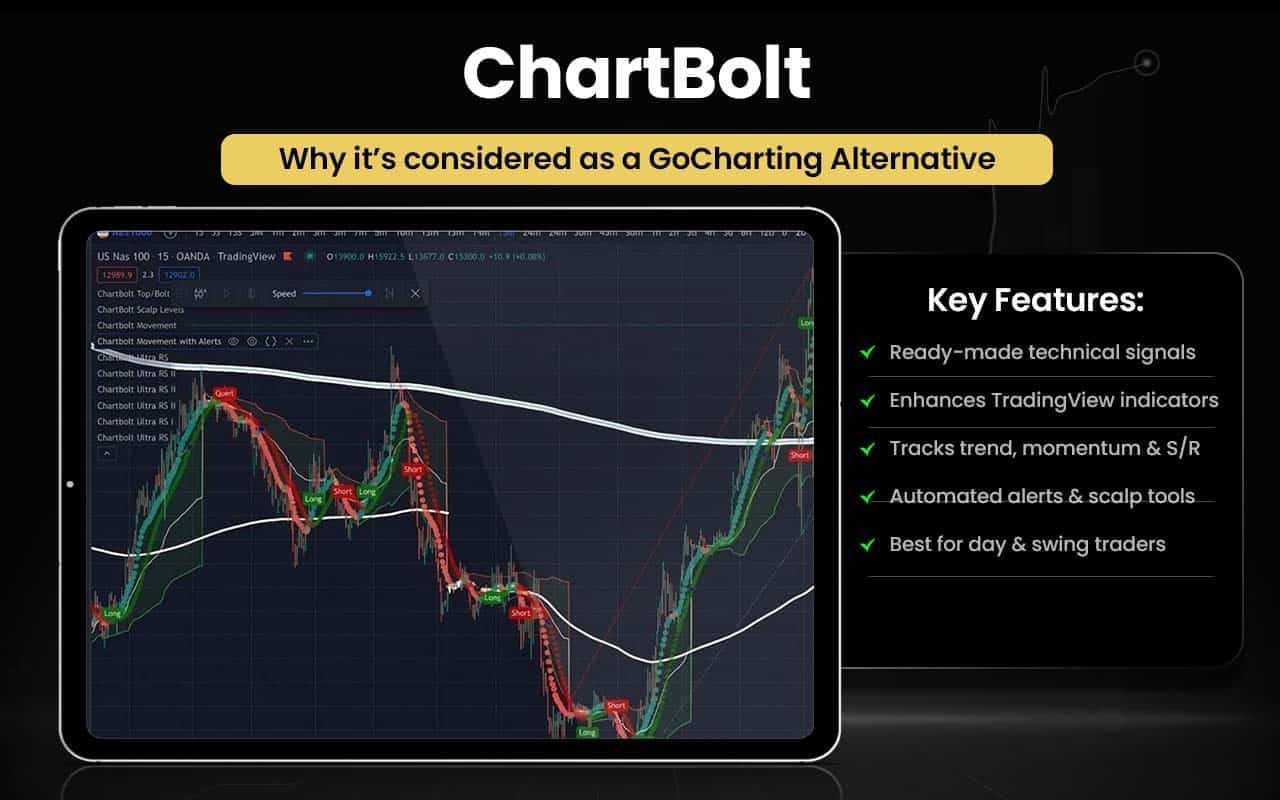
Let’s see in what aspects ChartBolt feels better than GoCharting:
| Area | ChartBolt | GoCharting |
| Core Purpose | Suite of technical indicators for TradingView | Orderflow and market profile analytics platform |
| Signal Generation | Provides trend, momentum, long/short signals | Focuses on volume, footprint, delta analysis |
| Chart Integration | Works with TradingView charts | Built-in native charting with advanced tools |
| Market Tools | Auto-trend lines & oscillators | Footprint, imbalance, DOM and profiles |
| Alerts | Automated alarms on signals | Alerts are less emphasized (charting focus) |
| Ease of Use | Easy signal overlays on TradingView | More professional trading analytics |
| Target Users | Traders want indicator-based decisions | Traders needing deep orderflow insights |
ChartBolt is for you if you:
- Want ready-made technical signals on your charts.
- Use TradingView and want enhanced indicators.
- Need trend, momentum & support/resistance signals.
- Like automated alerts and scalp level tools.
- Are a day trader or swing trader looking for entry/exit guidance.
Stick to GoCharting if you:
- Require deep orderflow and market microstructure tools.
- Rely on Footprint, imbalance, delta & volume profile analysis.
- Want DOM (Depth of Market) and power trade signals.
- Trade across multiple asset types with advanced charts.
- Need execution-oriented analytics, not just signals.
ChartBolt has been actively marketed since at least early 2022, with continuous updates and expanded subscription options, including monthly, quarterly, yearly, and lifetime plans.
TrendSpider
TrendSpider is an analytics platform that helps with technical and fundamental analyses, serving the needs of both traders and investors simultaneously. From helping users identify trading opportunities to generating their own predictive AI trading signals, the platform has become an all-in-one solution to all trading problems that one might have.
TrendSpider is a platform for traders by the traders. Daniel Ushman and Ruslan “Rus” Lagutin founded the platform in 2016 after witnessing back-to-back inefficiencies of the platforms around and unreliable results they generated. Through TrendSpider, they built a platform that offers all trading tools that traders might require for wiser decision-making.
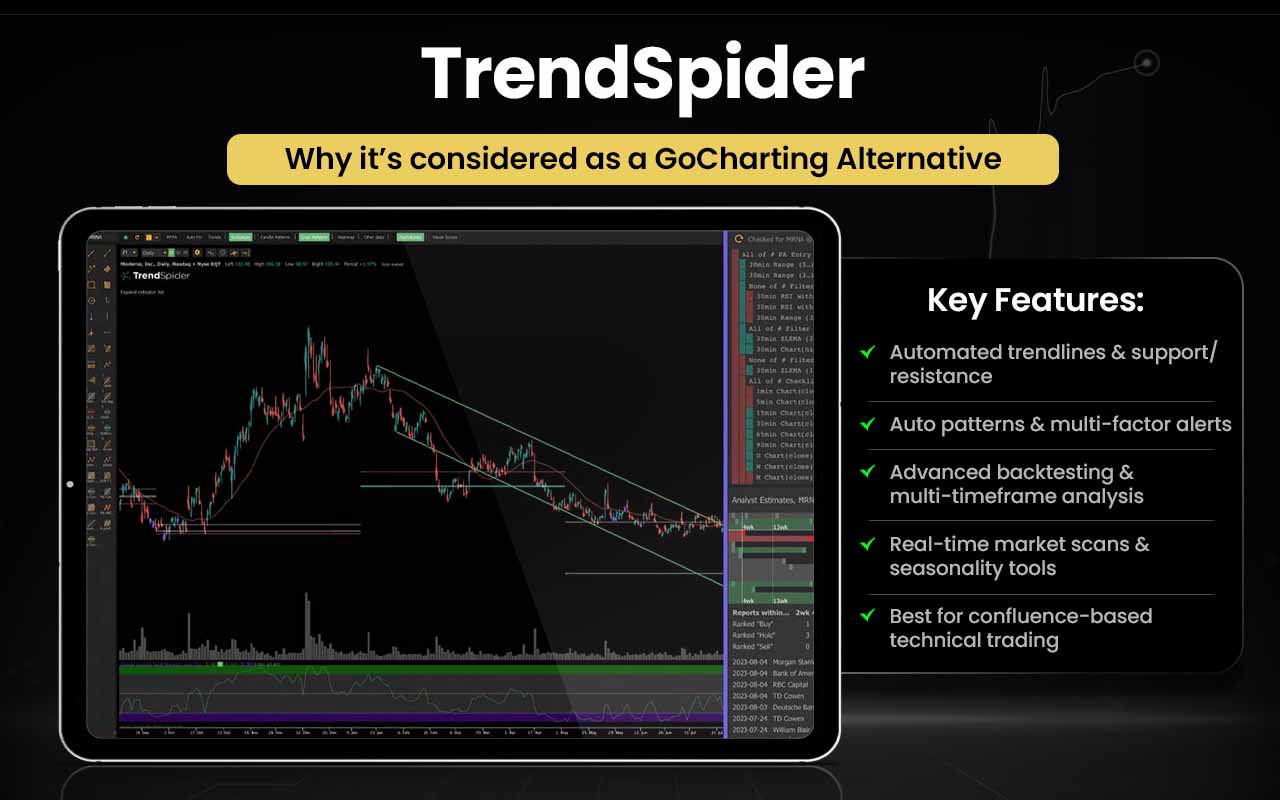
Let us now explore how TrendSpider is better than GoCharting in certain aspects:
| Area | TrendSpider | GoCharting |
| Core Focus | All-in-one technical & predictive analysis platform | Orderflow & market depth charting toolset |
| Charting & Analysis | Automated chart patterns, multi-factor analysis, and trendlines | Footprint, Imbalance, Volume Profile, Market Profile |
| Strategy Tools | Strategy tester/backtesting & AI models | Basic studies; orderflow analytics only |
| Alerts & Automation | Dynamic alerts & automation bots | Custom orderflow setup/settings |
| AI & Smart Tools | AI Sidekick & predictive signals | No AI assistant shown |
| Idea Generation | Smart scanners and idea discovery | Power Trades Scanner for volume events |
TrendSpider is for you if you:
- Want automated technical analysis and pattern detection across markets.
- Rely on AI tools like Sidekick to analyze charts and data.
- Build, backtest, and refine custom trading strategies without coding.
- Like dynamic multi-factor alerts and automation to time trades.
- Enjoy real-time market scanning and idea generation.
Stick to GoCharting if you:
- Need deep orderflow and market microstructure tools.
- Use cluster/footprint charts and DOM for execution analysis.
- Want Power Trades Scanner for live volume spikes.
- Focus on volume profile, TPO/market profile, and bid-ask analysis.
- Prefer web-based orderflow analytics with broker integration.
Access to 50-year historical data, creation of predictive AI without any code requirement, and developing live trading bots are key strengths that drive traders toward the platform.
Bookmap
Bookmap is a real-time market data visualization and trading platform that gives traders an unprecedented view of market liquidity and order flow. Instead of relying solely on traditional candlestick charts, Bookmap displays the limit order book, trades, and depth of market (DOM) using a dynamic heatmap that shows where orders are resting and how they change over time. This allows traders to see hidden liquidity, large orders, absorption/exhaustion, and momentum shifts with millisecond-level updates, helping inform more precise trading decisions.
Bookmap, as a product, evolved in the 2010s under the leadership of founder and CEO Tsachi Galanos, bringing sophisticated order flow tools to a wider audience. The platform was developed as an innovative trading tool focused on visualizing market microstructure and was offered by Bookmap Ltd, a technology firm based in Cyprus that specializes in advanced trading analytics and data visualization.
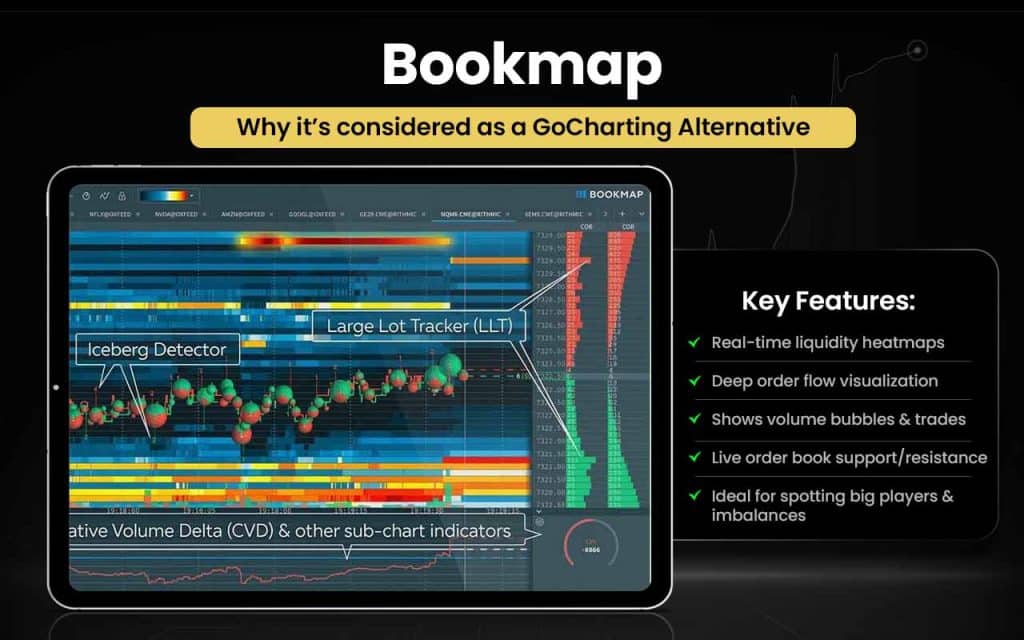
Let us now look into the areas where Bookmap seems better than GoCharting.
| Area | Bookmap | GoCharting |
| Orderflow Visualization | Real-time heatmap of liquidity & order book | Cluster/footprint & imbalance charts |
| Market Depth Detail | Shows depth over time & liquidity shifts | DOM + orderbook view with filters |
| Data Speed & Display | High-frame real-time market flow | Real-time analytics with DOM integration |
| Advanced Tools | Iceberg detection, large lot tracker, volume dots | Delta, VWAP bands, imbalance & profile tools |
| Trade Insight | Easy view of hidden liquidity & big players | Strong orderflow indicators & scanning |
| Customization | Custom indicators & API integrations | Custom layouts & multi-chart views |
Bookmap is for you if you:
- Want real-time liquidity heatmaps showing limit order depth.
- Need true order flow insight beyond candlesticks.
- Want to see volume bubbles and executed trades visually.
- Analyze support/resistance via live order book behavior.
- Plan to spot hidden orders, imbalances, and large participants.
Stick to GoCharting if you:
- Need comprehensive orderflow analytics, including footprint & cluster charts.
- Want market profile, volume profile, and imbalance tools.
- Use Depth of Market (DOM), orderbook, time & sales for trading.
- Want an all-in-one web platform with multi-asset charts and studies.
- Rely on proprietary orderflow indicators (Power Trades, Delta tools).
In recent years, the platform has continued to expand globally and integrate with major brokers and data feeds to support traders across futures, stocks, and cryptocurrencies.
Overcharts
Overcharts is a professional technical analysis and trading platform designed for traders who want advanced charting, orderflow, and execution tools all in one place. It supports multiple data feeds and broker connections, powerful chart types, Volume Profile, TPO Profile, Volume Ladder (footprint), Market Depth Map, and DOM trading, allowing users to analyze markets across stocks, futures, forex, commodities and more with high performance and depth.
The project was started by Mauro Frasson, who leads the development team behind Overcharts, driven by a mission to build a fast, intuitive, and professional trading environment designed by traders for traders. The platform also includes simulator tools and market replay features to practice and refine strategies in a risk-free environment.
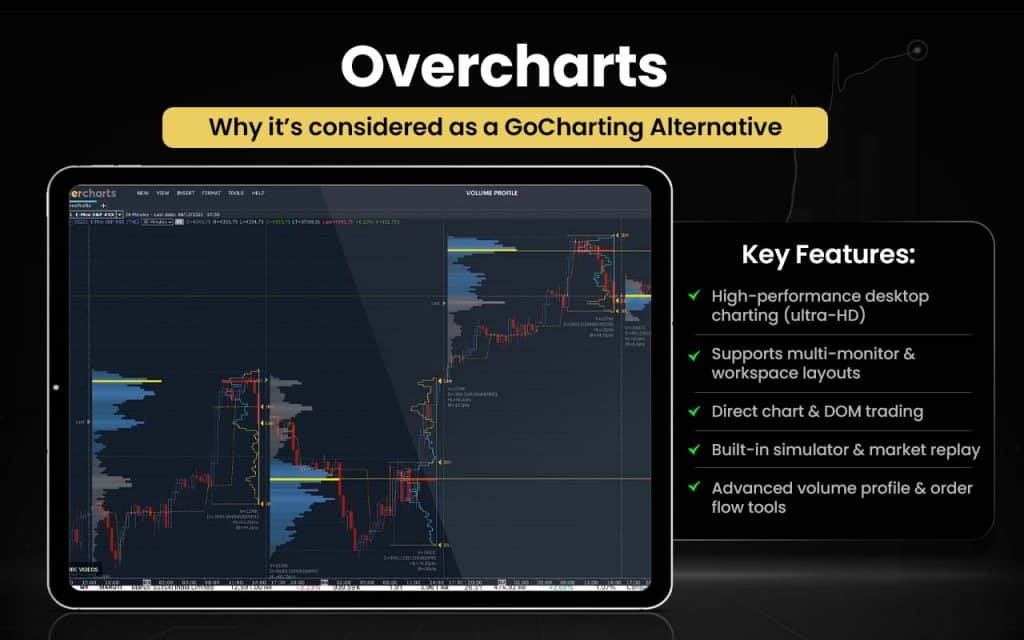
Let us now explore areas where Overcharts become better than GoCharting.
| Area | Overcharts | GoCharting |
| Platform Type | Desktop trading & analysis suite with multi-broker support | Web-based orderflow & charting platform with DOM/Orderbook |
| Market Depth Visualization | Real-time Market Depth Map, heatmap & orderflow tools built in | Orderflow via Cluster/Footprint charts, imbalance, etc. |
| Charting Power | Ultra-HD charts, many chart types, multiple workspaces | Advanced charts plus orderflow overlays |
| Workspace Flexibility | Multi-monitor workspaces, linked panels | Multi-chart views in the web interface |
| Simulator & Replay | Built-in market replay & simulator tools | Web charts; simulation not highlighted |
| Broker/Data Feed Setup | Multiple simultaneous brokers & feeds per instrument | Broker/data integration with DOM trading |
| Indicator Tools | Volume Profile, TPO, Volume Ladder, VWAP, Delta, more | Orderflow suite: profiles, DOM, Power Trades Scanner |
Overcharts is for you if you:
- Want high-performance desktop charting with ultra-HD visuals.
- Need multiple workspaces and multi-monitor layouts.
- Trade directly from charts and DOM with multiple brokers/data feeds.
- Use the built-in simulator and market replay for strategy refinement.
- Value advanced technical tools like Volume Profile, TPO, Volume Ladder, and Market Depth Map.
Stick to GoCharting if you:
- Want deep web-based orderflow analytics like cluster/footprint and imbalance charts.
- Rely on volume profile, market profile (TPO), VWAP, delta, and Power Trades Scanner.
- Trade across Stocks, Futures, Options, Forex, and Crypto with integrated charts.
- Prefer web access without installing desktop software.
- Want orderflow tools plus trading execution and dynamic indicators in a browser UI.
The platform emphasizes innovation and continuous improvement, aiming to provide a rich yet accessible user experience while supporting deep market analysis and connected trade execution.
Multicharts
MultiCharts is a professional electronic trading and charting platform used by individual and institutional traders to analyze financial markets, execute trades, and develop automated strategies. It offers advanced charting tools, high-definition visualizations, extensive built-in indicators and strategies, real-time market scanning, one-click trading directly from charts and DOM, and powerful backtesting and optimization features.
Founded in 1999 by Dennis Globa and early collaborators, it marked the development of a trading solution to improve on existing software limitations and better integrate real-time and historical market data. The platform supports multiple brokers and data feeds and is compatible with EasyLanguage (TradeStation’s scripting language), allowing traders to customize and automate their trading systems.
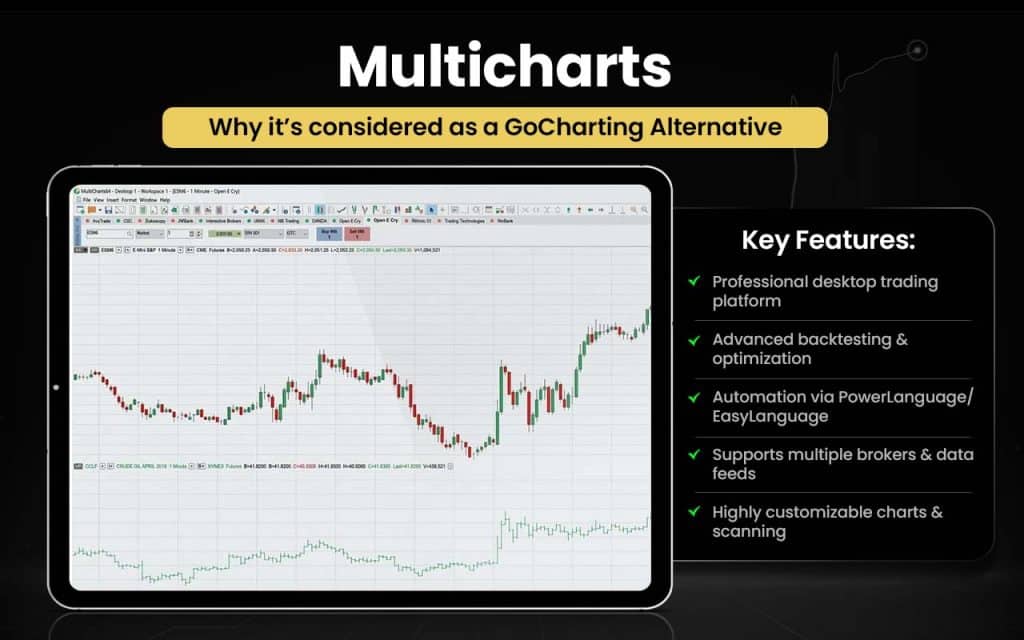
Let us check out the aspects in which MultiCharts will be better than GoCharting.
| Area | MultiCharts | GoCharting |
| Platform Type | Professional desktop trading & analysis software with broker/data integration | Web-based orderflow & charting analytics platform |
| Backtesting & Simulation | Advanced strategy backtesting, optimization and replay | Backtest via bar replay (limited) |
| Algorithmic Trading | Auto trading & strategy automation with PowerLanguage | Scripting for alerts/analysis only |
| Broker / Data Feeds | Supports multiple brokers & data feeds in one platform | Broker connections but web focused |
| Charting Power | High-custom charting with powerful visuals/data handling | Rich chart types plus orderflow overlays |
| Technical Tools | Market scanner plus portfolio tools | Orderflow, footprint, clusters & profiles |
MultiCharts is for you if you:
- Want professional desktop trading software with deep analysis and execution tools.
- Need advanced strategy backtesting and optimization on historical data.
- Build or automate trading systems using PowerLanguage/EasyLanguage scripting.
- Trade across multiple brokers and data feeds from one platform.
- Value highly customizable charting and multi-symbol scanning tools.
Stick to GoCharting if you:
- Focus on web-based orderflow and market microstructure analysis.
- Rely on cluster/footprint charts, imbalance and delta tools for trading decisions.
- Want Depth of Market (DOM), orderbook and time & sales all in one place.
- Trade multiple asset classes (stocks, futures, options, forex, crypto) online.
- Prefer an all-in-one web platform without installing desktop software.
Initially evolving from a charting enhancement, the platform grew into a full trading system built around flexibility and choice, with development beginning in earnest around the mid-2000s and expanding globally with representatives in multiple regions.
cTrader
cTrader is a modern multi-asset trading platform built for retail and professional traders to access forex, CFDs, cryptocurrencies, and other markets with an emphasis on transparency, direct market access, and execution speed. It offers a full suite of tools, including advanced charting, multiple order types, Depth-of-Market (DOM) views, algorithmic trading (cBots), copy trading, and mobile/web support, making it a flexible choice for both manual and automated trading.
cTrader was created by Spotware Systems Ltd., a financial technology company founded in 2010 by Andrey Pavlov and Ilya Holeu in Limassol, Cyprus, with a Traders First philosophy at its core, focusing on fair, transparent trading without dealing desk interference.
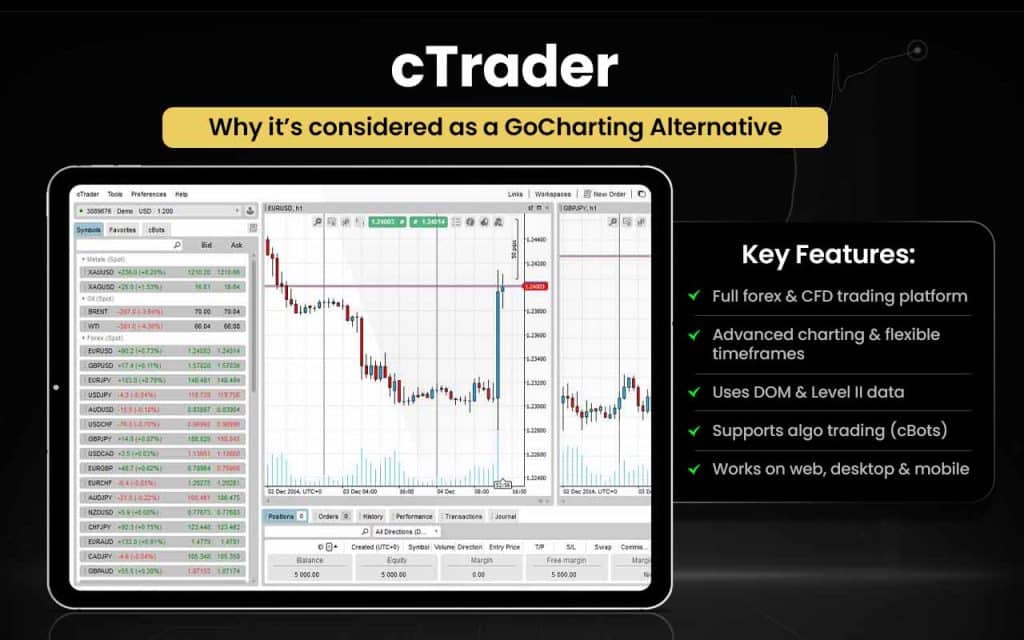
Let us see how cTrader can prove better than GoCharting in certain areas.
| Area | cTrader | GoCharting |
| Core Focus | Multi-asset trading platform with execution & analytics | Web-based orderflow & chart analytics |
| Trading Execution | Built-in live trading with advanced order types | Trade execution via DOM but analytics-centric |
| Algo & Automation | cTrader Store with cBots, indicators & plugins | Alerts & basic scripting only |
| Charting Tools | Multiple chart types & 70+ built-in indicators | Advanced charts with orderflow overlays |
| Platform Access | Web, desktop, mobile support | Web-based analytics |
| Community Ecosystem | cTrader Store marketplace for algos/indicators | No official marketplace |
| Asset Coverage | Forex, CFDs, crypto, indices | Multi-asset orderflow charts |
cTrader is for you if you:
- Want a full trading platform with live execution across forex, CFDs, and more.
- Value advanced charting with many indicators and flexible timeframes.
- Use Depth of Market (DOM) and Level II pricing for liquidity insight.
- Enjoy algorithmic trading (cBots) and an integrated marketplace for indicators and bots.
- Want platforms across web, desktop, and mobile with cloud sync.
Stick to GoCharting if you:
- Need deep orderflow and microstructure analytics like footprint/cluster, delta, and imbalance charts.
- Rely on Volume Profile, Market Profile (TPO), and VWAP tools for trading decisions.
- Use Power Trades Scanner to spot large volume executions in real time.
- Want web-based charting plus orderflow and DOM in one platform without desktop install.
- Focus on analytical signals and execution insights, not just execution alone.
The first version of cTrader was launched in 2011, introducing ECN/STP execution and Level II market depth to retail traders, and it has since grown into a full trading ecosystem with features such as algorithmic trading (originally cAlgo, now cTrader Automate), copy trading, and an integrated store for tools and bots.
StockCharts
StockCharts is a web-based financial charting and technical analysis platform that helps traders and investors visualize market data and make better decisions. The platform offers advanced chart types, a wide array of technical indicators, powerful scanning tools, alerts, and customizable layouts all accessible via a web browser.
StockCharts was founded in 1999 by Chip Anderson, a former Microsoft developer who worked on early versions of Windows. His vision was to use technology to simplify complex financial data and make technical analysis accessible to a broad audience. The platform serves both active traders and long-term investors with tools to track price movements, analyze trends, and explore historical data across global markets.
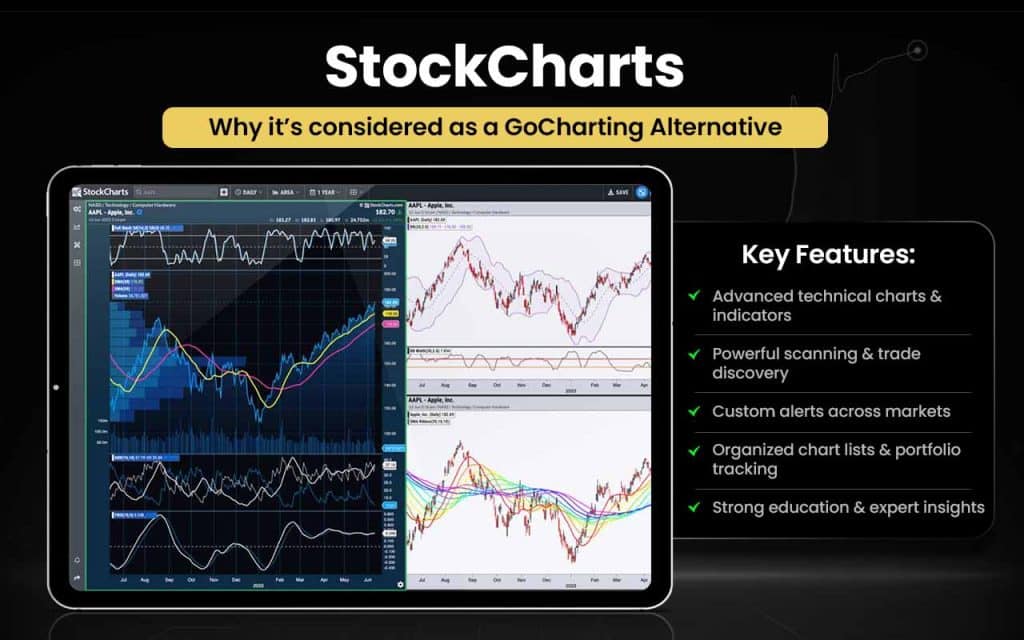
Let’s see how StockCharts is better than GoCharting in certain aspects.
| Area | StockCharts | GoCharting |
| Charting Focus | Award-winning technical charts with many indicators and overlays. | Advanced orderflow & market microstructure charts. |
| Market Scanning | Powerful scanning tools to find stocks fitting technical criteria. | Orderflow tools focus on volume/imbalance but not traditional scans. |
| Alerts | Custom technical alerts via email, SMS & web. | Alerts tied to orderflow settings/scanners. ([turn1search15]) |
| Portfolio Tools | ChartLists, Dashboard & portfolio tracking. | Charting + analytics; portfolio features less emphasized. |
| Educational Resources | ChartSchool & expert commentary included. | Focused on analytics tools; learning resources not central. |
| Access | Web-based interactive charts across devices. | Web-based orderflow & DOM trading features. |
StockCharts is for you if you:
- Want advanced technical charts with many indicators and overlays.
- Use powerful scanning tools to find trade or investment opportunities.
- Need custom alerts (price, indicator combinations) across markets.
- Enjoy portfolio tracking and organized chart lists.
- Value educational resources and expert commentary to learn TA.
Stick to GoCharting if you:
- Need deep orderflow and market microstructure tools like Cluster/Footprint, Imbalance, Delta, and Market Profile.
- Use Depth of Market (DOM) and Time & Sales for trade timing.
- Want volume profile and customized VWAP lines built into your analysis.
- Require orderbook and Power Trades Scanner for execution insights.
- Prefer web-based advanced analytics and chart trading without software install.
Over more than two decades, StockCharts has grown into a leading charting platform with millions of users worldwide, continuously expanding its tools and educational resources, such as ChartSchool and StockCharts TV, to support informed investing.
Sierra Chart
Sierra Chart is a professional desktop trading and charting platform used for real-time and historical market analysis across futures, stocks, forex, indexes, options, and cryptocurrencies. It provides powerful charting, technical studies, market depth, and order execution tools, supporting manual, automated, and simulated trading.
Sierra Chart has been in business since 1996, developing and supporting comprehensive trading and market analysis software for financial markets. The platform is engineered for high performance, stability, and deep analytics, including direct connections to real-time exchange data feeds and customizable studies for advanced market analysis.
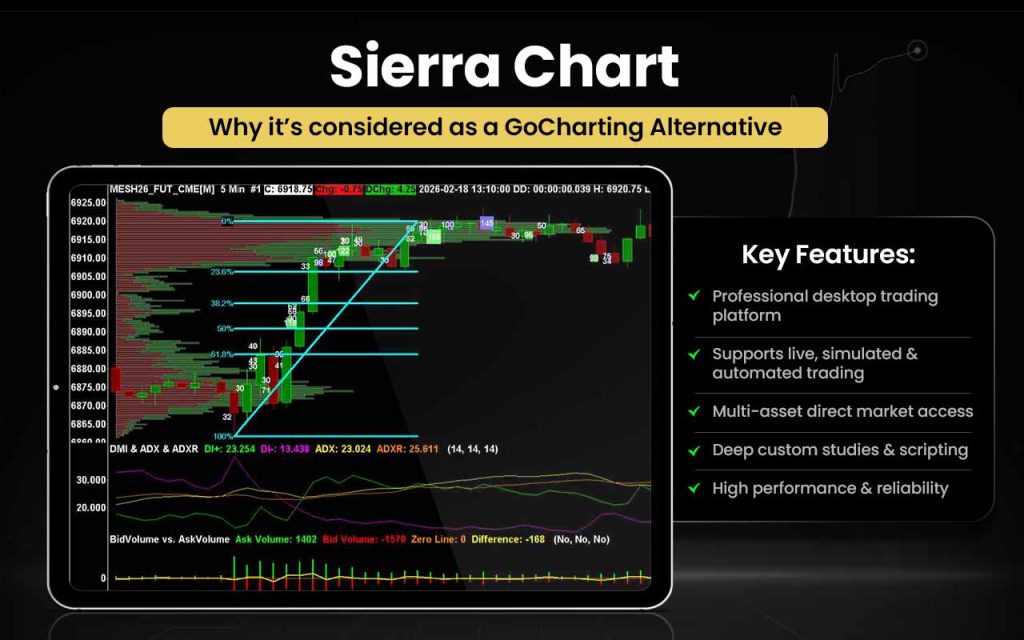
Let us check how Sierra Chart can be better than GoCharting in certain aspects.
| Area | Sierra Chart | GoCharting |
| Platform Type | Professional desktop trading & analysis software with direct data/trading connections | Web-based charting & orderflow analytics platform |
| Data & Connectivity | Direct real-time exchange data feeds plus historical data for stocks, futures, forex, crypto | Web charts with real-time tick data and market depth options |
| Orderflow Tools | ChartDOM + market depth history & advanced order analytics | Footprint/cluster, imbalance, delta tools + depth panels |
| Trading Support | Full live, simulated & automated trading from charts | In-chart trade placement plus DOM; primarily analytics focus |
| Customization | Create custom studies, indicators & systems with ACSIL & scripting | Custom indicators & layouts in web interface |
| Platform Performance | Fast, native desktop app for heavy data & execution work | Browser-based accessibility everywhere |
Sierra Chart is for you if you:
- Want a professional desktop platform with real-time and historical market analysis.
- Need live, simulated, and automated trading from one powerful software.
- Trade multiple markets (stocks, futures, forex, crypto, options) with direct exchange data.
- Want custom studies and indicators with deep scripting and flexibility.
- Value high performance, stability, and professional connectivity to data and brokers.
Stick to GoCharting if you:
- Need advanced web-based orderflow analytics like cluster/footprint, imbalance, delta, and volume profiles.
- Rely on Depth of Market (DOM) and Power Trades Scanner for execution insights.
- Want multi-asset charts with in-browser trade placement and interactive tools.
- Prefer no desktop install and easy access across devices via browser.
- Need orderbook and time & sales alongside footprint and cluster charts.
Sierra Chart has evolved into a robust platform with real-time and historical data support, advanced trading DOM, flexible chart types, and extensive connectivity to data/trading services. Its long-standing presence and continual development have made it a trusted tool for professional traders seeking high-quality analytics and execution capability.
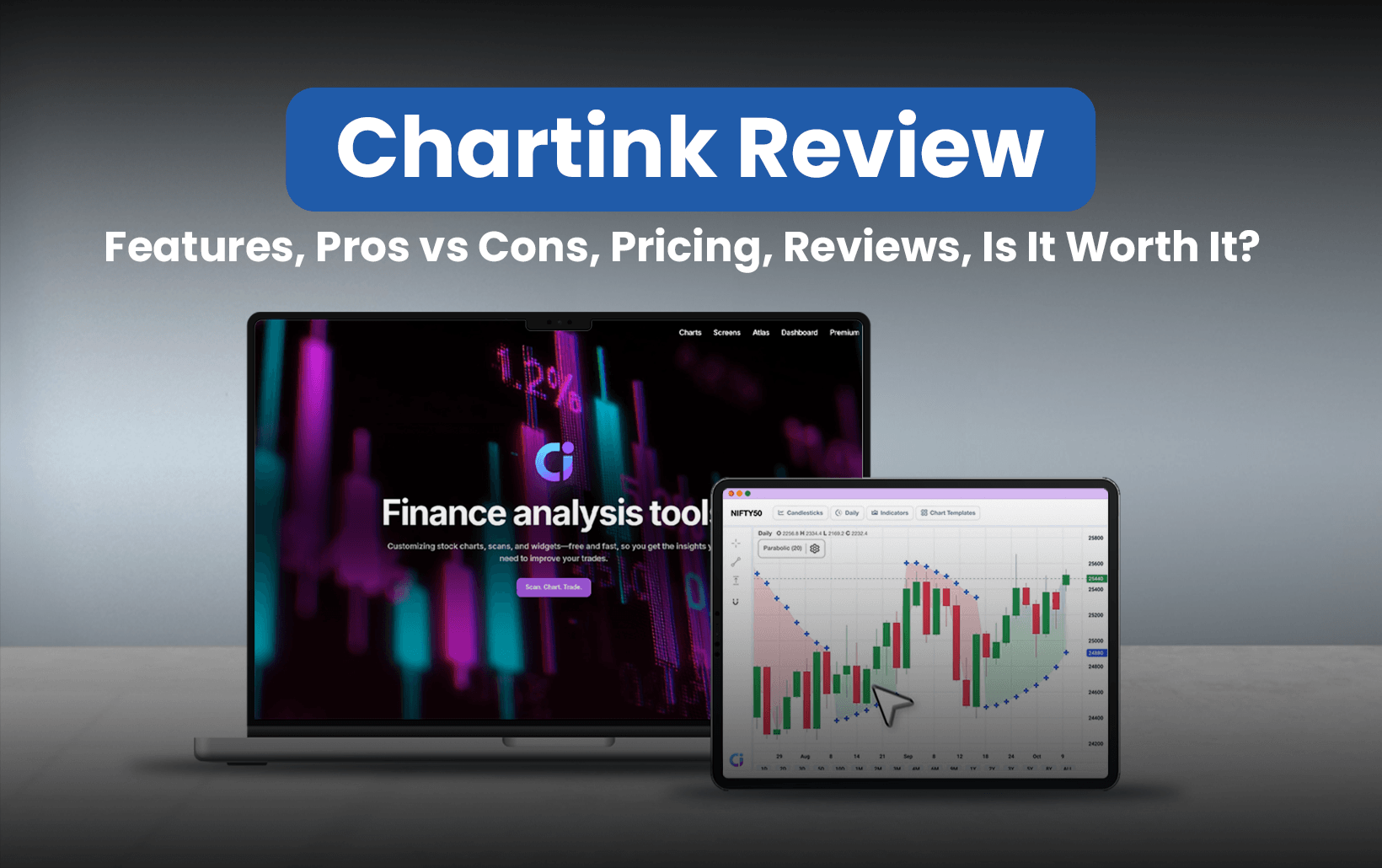
ChartInk
ChartInk is a web-based stock screener and technical analysis platform widely used by traders, especially in the Indian markets. It helps them filter and analyze stocks using customizable scans, charts, and watchlists. It provides tools such as candlestick and point-and-figure charts, custom stock screeners, intraday charting, watchlists, and access to historical price data going back decades, along with premium alerts and scan features.
The ChartInk.com domain was registered in March 2010, and the platform has been active for over a decade, building a strong online presence as a scanning and charting resource for Indian equities. Users can build scans based on a combination of technical and fundamental conditions without coding, making it flexible for both beginners and experienced traders.
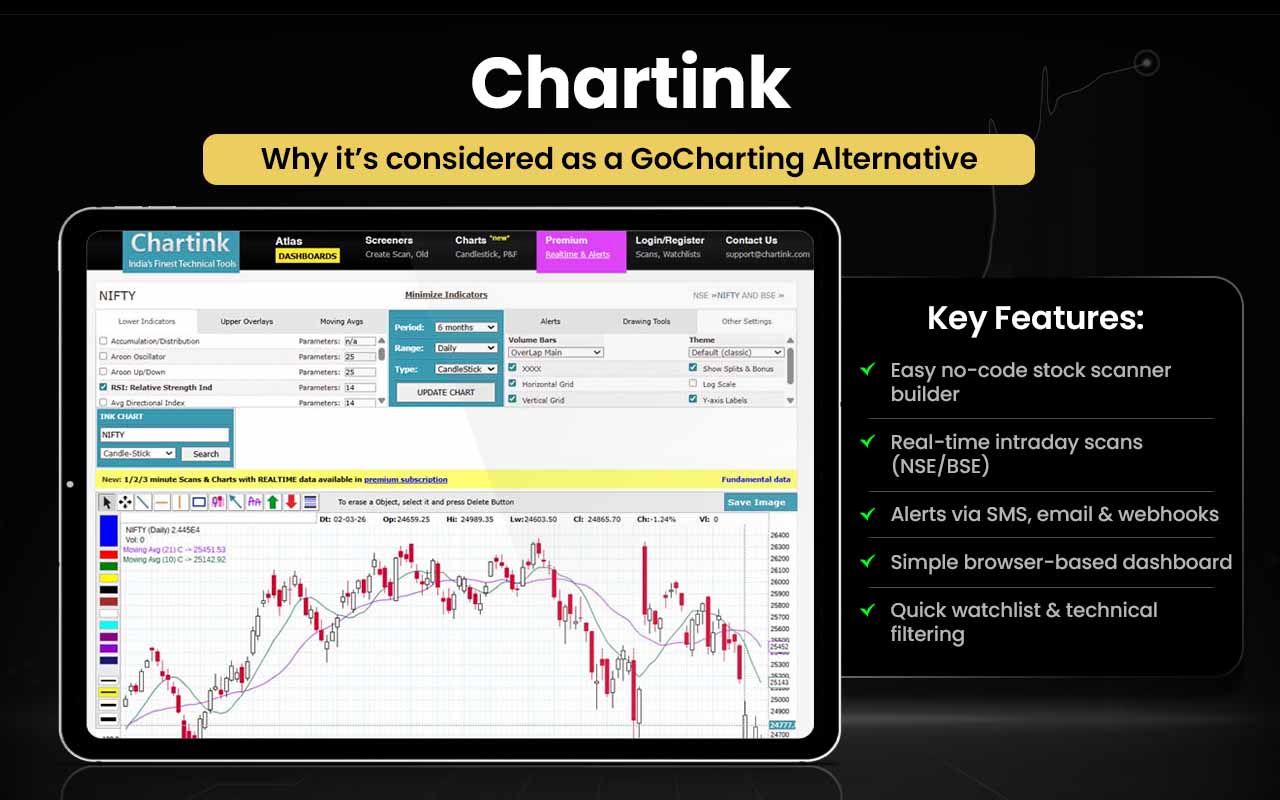
Here’s how ChartInk becomes better than GoCharting for users in certain ways.
| Area | ChartInk | GoCharting |
| Core Focus | Stock screener and charts for technical filters | Orderflow & advanced market analytics |
| Stock Filtering | Custom scans using RSI, MACD, breakouts, fundamentals | Not a dedicated scanner; analytics focused |
| Use Case | Quickly find stocks meeting criteria | Deep orderflow & footprint charting |
| Ease of Setup | Simple browser screener, no install | Browser charts with advanced tools |
| Alerts (Premium) | Alerts on scanned conditions (SMS/email/webhooks) | Alerts tied to chart/orderflow setup |
| Market Focus | Strong for Indian NSE/BSE stocks | Multi-asset orderflow globally |
| Best for | Shortlisting trades based on conditions | Interpreting volume flow & liquidity |
ChartInk is for you if you:
- Want to build custom stock scanners with drop-down conditions (no coding).
- Focus on real-time intraday scans for breakouts, volume, RSI, moving averages in Indian markets.
- Like alert options for scans (SMS/email/webhooks on premium).
- Need simple browser-based screener and dashboard views.
- Want watchlist scanning & quick technical filters for NSE/BSE stocks.
Stick to GoCharting if you:
- Need deep orderflow analysis like cluster/footprint charts, imbalance, and delta.
- Trade using Depth of Market (DOM) and orderbook tools for execution insight.
- Use volume & market profile (TPO), VWAP bands, and Power Trades Scanner.
- Want advanced web-based chart analytics plus execution in one platform.
- Analyze buyer/seller balance and liquidity in real time.
Its long-standing operation, large user base, and continuous feature development, including customizable filters and alert capabilities, reflect years of iterative growth focused on delivering powerful screening tools for the retail trading community.
Ultimate Charting Software
Ultimate Charting Software is an advanced technical analysis and trading platform developed by the Market Traders Institute (MTI) to support traders across multiple asset classes. It offers interactive charts, customizable indicators, strategy creation, backtesting, alerts, paper trading, and broker connectivity, allowing users to analyze markets, test ideas, and manage trades within a single environment.
The platform was introduced by MTI, a well-known trading education and software provider, as part of its effort to combine learning with practical market tools.
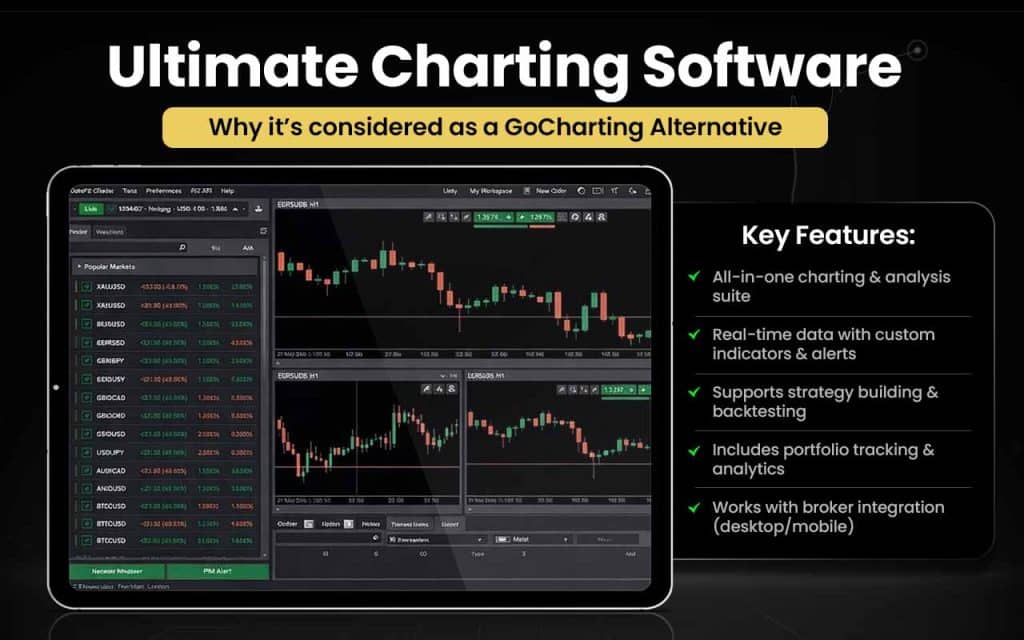
Let us check how Ultimate Charting Software is better than GoCharting in certain aspects.
| Area | Ultimate Charting Software | GoCharting |
| Core Focus | Full technical analysis, plus charting, plus strategy tools | Orderflow & market depth analytics |
| Analysis Tools | 95+ indicators + proprietary tools (ABCD, Auto-Fibonacci) | Cluster/footprint, imbalance, delta, TPO, profiles |
| Charting | Multi-timeframe and custom workspaces | Web charts with orderflow layers |
| Alerts & Signals | Price alerts inside software & email | Alerts tied to orderflow conditions |
| Asset Feeds | Thousands of stock & forex feeds | Multiple asset charts online |
| Execution Tools | Live trading via MetaTrader 4 (MT4) | In-chart market orders & DOM |
| User Type | Traders who need all-in-one charting + tools | Traders who need deep orderflow insight |
Ultimate Charting Software is for you if you:
- Want an all-in-one trading & analysis suite with charts, indicators, and scanners.
- Need real-time data and customizable technical tools (indicators, alerts).
- Plan to build and backtest trading strategies and simulate trades.
- Want portfolio management plus performance analytics in one place.
- Prefer a desktop or mobile-assisted platform with broker integration.
Stick to GoCharting if you:
- Need deep orderflow and market microstructure tools like cluster/footprint, imbalance, and delta analysis.
- Rely on Volume Profile & Market Profile (TPO) analysis for trade decisions.
- Use Power Trades Scanner to spot large trade executions in real time.
- Want DOM (Depth of Market), orderbook & time & sales integrated into your charts.
- Prefer browser-based access without installing desktop software.
Ultimate Charting Software became recognized for bundling analysis, automation, and simulation features together. MTI later phased out active development of the software as it shifted focus toward newer technologies, though the platform remains a notable part of its product legacy.
Forex Tester Online (FTO)
Forex Tester Online (FTO) is a web-based advanced backtesting and trading simulation platform that lets traders test, refine, and optimize trading strategies using historical market data across a wide range of assets, including forex, stocks, commodities, indices, ETFs, and cryptocurrencies. It provides multi-chart analysis, tick-level accuracy, automated testing, project collaboration, personalized analytics, and realistic simulation of spreads, swaps, and commissions to mirror live trading conditions.
Forex Tester Online has been trusted by over 250,000 traders worldwide since 2010, indicating more than a decade of continuous development and adoption in the backtesting and trading education space. Traders can also import their own trade history, build mixed portfolios, and use smart navigation tools to uncover technical setups faster.
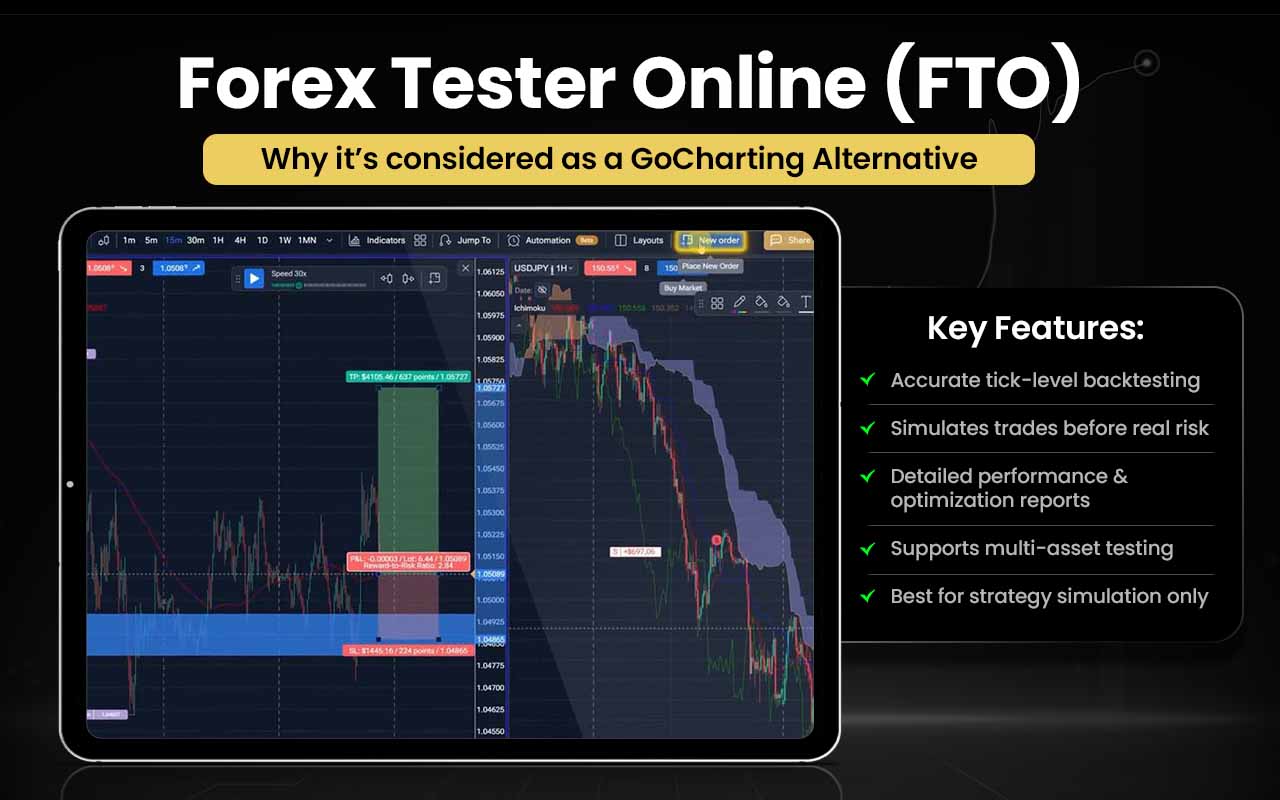
Let us check the advantages of Forex Tester Online over GoCharting.
| Area | Forex Tester Online (FTO) | GoCharting |
| Core Purpose | Backtesting & simulation of strategies with tick-level accuracy | Orderflow & market depth analytics for live chart analysis |
| Historical Analysis | Tick-level backtesting with multi-chart sync | Real-time footprint & volume profile charts |
| Strategy Testing | Test manual and algo strategies across markets | Focused on live market analytics |
| Simulation Tools | Simulate trading scenarios & stress-test strategies | No dedicated backtesting simulation suite |
| Data Depth | Decades of historical data (many assets) | Orderflow data for current markets |
| Insight Type | Performance metrics & optimization feedback | Real-time buyer/seller imbalance and liquidity levels |
Forex Tester Online is for you if you:
- Want accurate strategy backtesting with historical tick-level data.
- Need to simulate trades and test ideas before risking real money.
- Prefer performance metrics and optimization reports after testing.
- Trade forex, stocks, commodities, crypto, indices and want unified testing.
- Want a dedicated backtesting/simulation platform rather than live analytics.
Stick to GoCharting if you:
- Need deep real-time orderflow analytics like footprint/cluster charts.
- Use Depth of Market (DOM) and live liquidity tools for execution.
- Analyze volume profiles, imbalance, delta and Power Trades Scanner live.
- Want web-based charts and analytics without installing software.
- Focus on market microstructure and execution insights rather than purely testing strategies.
The platform’s longevity and growing user base reflect its focus on helping traders move beyond guesswork to systematic strategy testing and confidence-building through structured historical analysis and simulation.
Medved Trader
Medved Trader is a full-featured trading and charting platform designed for active traders who want real-time market tracking, customizable charts, technical indicators, alerts, scanning, and direct trading from charts or DOM displays. It supports integration with multiple brokers and data sources, allowing users to monitor portfolios, execute trades visually, and analyze price action with advanced tools like candle-pattern detection, option chains, paintbars, and customizable alerts.
The platform also includes integrated market news and depth-of-market trading, all built into a Windows-based application. It has been available for many years and is actively updated, with features such as multi-broker connectivity and advanced scanning added over time.
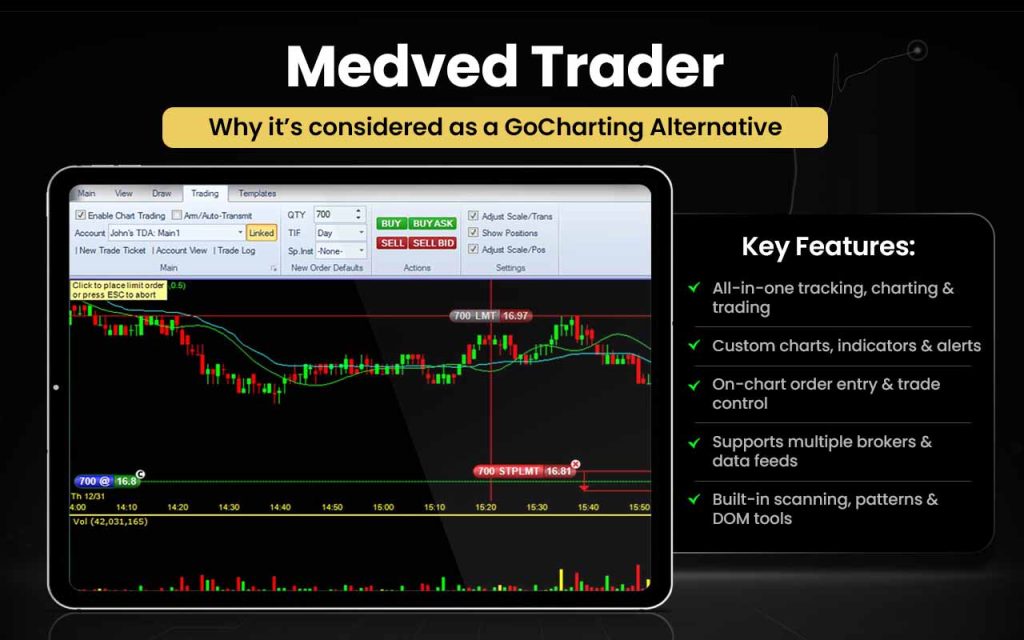
Let’s see how Medved Trader can be better than GoCharting.
| Area | Medved Trader | GoCharting |
| Core Purpose | Charting plus trading platform with real-time market tracking | Web-based orderflow & chart analytics ([turn0search0]) |
| Charting & Indicators | Fully customizable charts with many indicators & annotations | Advanced charts with orderflow layers (footprint, delta, profiles) ([turn0search9]) |
| Trade Execution | On-chart trading & DOM execution across brokers | Trading via DOM but analytics focused ([turn0search9]) |
| Alerts & Scanning | Full alerts system & real-time custom scanning | Alerts tied to orderflow setup/scanners ([turn0search9]) |
| Market News | Integrated real-time news feed | Not a core feature |
| Multi-Broker Support | Support for multiple broker accounts & data feeds | Broker integration via web platform |
Medved Trader is for you if you:
- Want real-time market tracking, charts, and trading together in one platform.
- Prefer customizable charts with many indicators and alerts for active trading.
- Like on-chart order entry and trade management (drag and drop trades).
- Want multiple broker and data source support in a single interface.
- Need built-in scanning, pattern detection, option chains, and DOM trading.
Stick to GoCharting if you:
- Need deep orderflow analysis like cluster/footprint and delta indicators.
- Rely on Volume Profile, Market Profile (TPO), and Power Trades Scanner for signals.
- Want Depth of Market (DOM) and Orderbook tools for liquidity insight.
- Prefer web-based access with no desktop install required.
- Want orderflow plus built-in trading and advanced chart layers in the browser.
Medved Trader was launched as a modern successor to earlier charting and trading tools developed in the retail trading space (notably continuing the spirit of products like QuoteTracker) by a team focused on delivering a fast, intuitive interface for active traders.
What are the Free Alternatives to GoCharting?
The free alternatives to GoCharting are Yahoo Finance, StockCharts, TradingView, ChartInk and cTrader.
- Yahoo Finance: Free market data, basic interactive charts
- StockCharts (free tier): Free technical charts and simple scans
- TradingView (free plan): Free multi-asset charts with basic indicators
- ChartInk: Free stock screener and custom filters
- cTrader: Free platform access and live charts
The above platforms offer only specific features free of cost. Whether you need a premium subscription will depend on which features you want to access.
What are the Paid Alternatives of GoCharting?
The paid alternatives to GoCharting are Strike Money, NinjaTrader, TrendSpider, Bookmap, Overcharts, Multicharts, StockCharts (paid version), Ultimate Charting Software, Forex Tester Online, and Medved Trader.
- Strike Money – Paid plans with pro analytics & heatmaps
- NinjaTrader – Paid add-ons and brokerage integration
- TrendSpider – Subscription for automated TA & AI tools
- Bookmap – Paid orderflow heatmaps & liquidity tools
- Overcharts – Paid advanced charts and multi-broker features
- MultiCharts – Paid desktop trading & backtesting suite
- StockCharts (Paid) – Paid advanced scanning and alert tools
- Ultimate Charting Software – Paid all-in-one analysis suite
- Forex Tester Online (FTO) – Paid strategy backtesting platform
- Medved Trader (Premium features) – Paid data/scanner/trading add-ons
When you opt for the paid version, you finally get access to advanced features with better and more instant real-time data.
GoCharting Alternatives with Lipi Script
GoCharting alternatives with Lipi Script include any platform with their unique scripting language – TradingView, NinjaTrader, MultiCharts, cTrader, and Sierra Chart.
- TradingView – Pine Script for custom indicators and strategies
- NinjaTrader – NinjaScript (C#) for advanced automation
- MultiCharts – PowerLanguage, EasyLanguage for style scripting
- cTrader – C# for cBots & indicators
- Sierra Chart – ACSIL (C++) for deep custom studies
GoCharting Alternatives with Backtesting
GoCharting alternatives with backtesting include TradingView, NinjaTrader, MultiCharts, TrendSpider, and Forex Tester online (FTO).
- TradingView – Strategy tester for Pine Script strategies
- NinjaTrader – Advanced backtesting & optimization tools
- MultiCharts – Professional strategy backtesting & optimization
- TrendSpider – Automated pattern & strategy testing
- Forex Tester Online (FTO) – Dedicated backtesting and simulation
With backtesting features, traders get access to historical data, which helps them identify patterns and make well-informed decisions.
GoCharting Alternatives for Stock Traders
GoCharting alternatives for stock traders include TradingView, StockCharts, ChartInk, TrendSpider, MultiCharts, NinjaTrader, cTrader, Sierra Chart, and Medved Trader.
- TradingView is a popular alternative to GoCharting for stock traders who want powerful charting, a wide range of indicators, and community-driven trade ideas.
- StockCharts suits traders who rely on classic technical analysis, structured scans, and educational charting tools.
- ChartInk is ideal for stock traders focused on Indian markets who need fast, customizable stock screening and alerts.
- TrendSpider works well for traders who prefer automated technical analysis and strategy validation without manual drawing.
- MultiCharts is designed for systematic stock traders who require professional backtesting and strategy execution.
- NinjaTrader appeals to active traders who combine advanced charting with order execution and strategy testing.
- cTrader is a good choice for traders looking for free access to a robust trading platform with charting and execution features.
- Sierra Chart is best suited for advanced traders who need deep market analysis, replay tools, and customization.
- Medved Trader fits traders who want real-time scanning, alerts, and on-chart trading in a desktop environment.
The above platforms can help you access features that make assessing the market easier for further decision-making.
GoCharting Alternatives for Forex Traders
GoCharting alternatives for forex traders include TradingView, cTrader, TrendSpider, Bookmap, and Forex Tester Online.
- TradingView – Provides versatile charts, indicators, and alerts to analyze Forex trends effectively.
- cTrader – Offers advanced Forex charts and Depth of Market tools for precise trade timing.
- TrendSpider – Automates trendline detection and alerts, helping traders identify Forex patterns faster.
- Bookmap – Visualizes order flow and liquidity to make smarter Forex entries and exits.
- Forex Tester Online – Allows backtesting of Forex strategies on historical data before live trading.
These GoCharting alternatives equip Forex traders with the right tools to analyze, strategize, and execute trades more effectively.
GoCharting Alternatives for Crypto Traders
GoCharting alternatives for crypto traders are TradingView and Bookmap.
- TradingView – Powerful multi‑exchange crypto charts with extensive indicators and alerts.
- Bookmap – Order flow and liquidity heatmaps tailored to crypto markets.
These alternatives give crypto traders flexible charting, market insights, and tools to analyze and execute trades across exchanges.
GoCharting Alternatives for Futures Traders
GoCharting alternatives for futures traders are TradingView, NinjaTrader, Bookmap, and TrendSpider.
- TradingView – Offers interactive futures charts with hundreds of indicators and alerts.
- NinjaTrader – Provides advanced charting, automated strategies, and direct futures execution tools.
- Bookmap – Visualizes real‑time order flow and liquidity heatmaps for futures markets.
- TrendSpider – Automates trend detection and pattern analysis on futures charts.
The platforms help futures traders with enhanced charting, analysis, and execution capabilities tailored to different trading styles and needs.
GoCharting Alternatives for Options Traders
GoCharting alternatives for options traders include NinjaTrader and TradingView.
- NinjaTrader – Advanced charting engine with custom indicator support that can be used for visualizing options market data.
- TradingView – Flexible charting with options chains and overlays to visually compare strike performance across expiries.
These platforms provide options traders with enhanced analytics, strategy tools, and execution features tailored to evaluating chains, Greeks, and risk more effectively than basic charting alone.
Why You Should Look for GoCharting Alternatives?
You should look for GoCharting alternatives when you want better backtesting engines, more improved scripting language, lenient charges for advanced features, portability, and integrated interface.
Limited advanced backtesting
GoCharting focuses mainly on real-time charting and analysis, but its strategy backtesting capabilities are not as deep or flexible as specialist backtesting tools. Forex Tester Online and NinjaTrader can be the alternative in this case with advanced backtesting engines that let you test and refine strategies on historical data.
Feature limitations in scripting
Its scripting language (Lipi Script) has restrictions. It lacks support for advanced chart types, external data sources, complex data structures, alerts on custom indicators, and some advanced orderflow scripting. You can use TradingView with Pine Script and a large community-built indicator ecosystem as an alternative here.
Paid subscriptions for key features
The free tier is limited; premium data and advanced tools require paid plans to unlock full functionality. TradingView (free tier), broker-provided charts, and Strike Money can be used for access to predefined strategies, scanners, and analytics without full charting subscriptions.
Web-only with limited mobile support
There’s no dedicated mobile app; the browser experience can feel less smooth on phones, and heavy features like DOM or orderflow charts may lag without a strong connection. NinjaTrader can be used for smoother, resource-heavy analysis.
Integration & ecosystem gaps
GoCharting can have limited integration with other tools and broker platforms compared with more established ecosystems, and users sometimes report performance or UI glitches. You can use cTrader for broader broker connectivity and execution workflows.
GoCharting alternatives allow traders to overcome its limitations by combining stronger backtesting, richer analytics, smoother performance, and better integrations
What Features Should a Good GoCharting Alternative Have?
The features that a good GoCharting alternative should have include everything from having an advanced harting tools to better scripting language to pricing flexibility.
- Advanced charting tools – Multiple chart types, timeframes, and drawing tools for detailed technical analysis.
- Reliable real-time data – Accurate and low-latency market data across supported assets.
- Powerful indicators & studies – A wide range of built-in indicators with customization options.
- Scripting & customization – Support for custom indicators, strategies, or alerts.
- Backtesting & replay – Ability to test strategies on historical data before going live.
- Alerts & notifications – Price-, indicator-, or condition-based alerts to track opportunities.
- Performance & stability – Smooth performance during high-volume or volatile market sessions.
- Cross-asset support – Coverage for equities, futures, options, forex, or crypto as needed.
- Integrations & execution – Broker connectivity or compatibility with other trading tools.
- Pricing flexibility – Free or freemium plans with enough features to evaluate the platform properly.
A strong GoCharting alternative should balance powerful analysis tools, reliable performance, and flexibility, helping traders research, test, and act on market opportunities more efficiently.
What is the Best Alternative to GoCharting?
Strike Money is the best alternative to GoCharting, especially for traders focused on insights and decision-making rather than pure charting.
| Feature | GoCharting | Strike Money | Why Strike Money Is Better |
| Core Focus | Advanced charting | Strategy-driven market analytics | Shifts focus from drawing charts to finding tradable opportunities |
| Trading Strategies | User-created only | Built-in, predefined strategies | Saves time and reduces manual setup |
| Market Scanners | Limited | Advanced scanners & filters | Quickly identifies high-probability setups |
| Backtesting & Validation | Basic | Strategy performance insights | Helps evaluate strategies before applying them |
| Learning Curve | Steep for non-technical users | Beginner-friendly dashboards | Easier for traders who want clarity over complexity |
| Decision Support | Manual interpretation | Data-driven signals & visuals | Reduces guesswork in trade planning |
| Setup Time | High (indicators, layouts) | Low (ready-to-use dashboards) | Faster analysis with minimal configuration |
| Use Case Fit | Chart-centric traders | Strategy & analytics-focused traders | Better aligned with outcome-oriented trading |
| Value for Cost | Features locked behind plans | More insights without heavy charting costs | Better ROI for non-chart-heavy users |

 Previous Article


No Comments Yet.