15 iCharts Alternatives [Free+Paid] You Should Use in 2026


 Author

 Editor
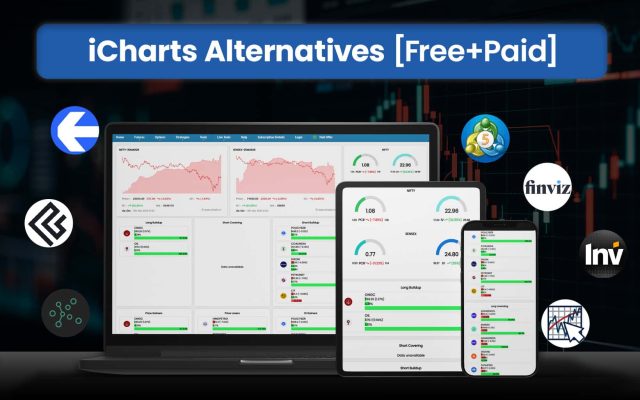
iCharts alternatives are looked for when users find the platform running short of the features they require. The iCharts alternatives list here will not only name the best ones to choose in place of iCharts, but also discuss the features and traits that make them better than it.
The iCharts alternatives here not only offer things that the platform provides, but also many things in addition to make users’ trading journeys smoother. By the end of this alternatives guide, you will know if you should stick to iCharts or switch to a better option.
Our Experience with iCharts Alternatives
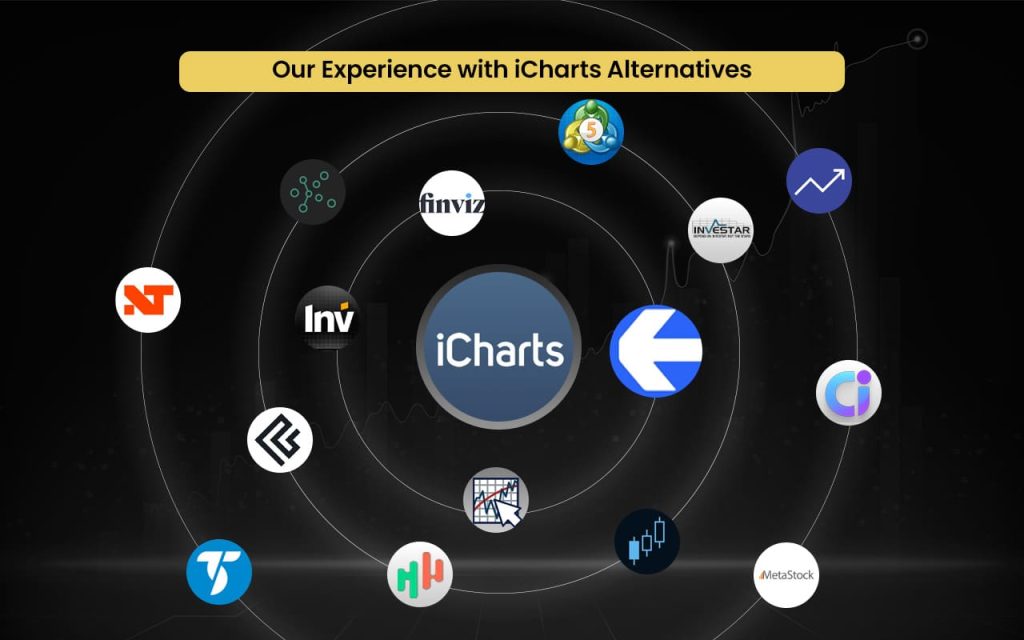
- Strike Money — Best For Options Chain And Strategy Analytics
- Sensibull — Best For Guided Options Trading And Strategy Execution *
- Opstra (Definedge) — Best For Institutional-Grade Options Backtesting Tools *
- Quantsapp — Best For Real-Time Options Flow And Smart Analytics *
- Stolo — Best For Unified Trading Workspace And Insights Dashboard *
- Thinkorswim — Best For Broker-Integrated Professional Trading Terminal
- MetaTrader 5 — Best For Algorithmic Trading And Multi-Broker Access
- TradeStation — Best For System Trading And Strategy Automation
- Investar — Best for Indian Market Backtesting
- StockCharts — Best For Market Breadth And Long-Term Chart Analysis
- TradingView — Best For Global Community Charts And Script Library
- GoCharting — Best For Order Flow, Footprint, And Volume Analysis
- TradingTick — Best For Institutional-Style Market Visualization Tools *
- Koyfin — Best For Macro, Fundamental, And Cross-Asset Analysis
- TrendSpider — Best For AI-Powered Pattern Detection And Automation
Best iCharts Alternatives with Detailed Comparison
| Platform Name | Features Missing in iCharts | Pricing | Review (Market Perception) |
| Strike Money | Advanced options analytics, strategy tools | ₹649 per month (India-focused plans) | Strong for options traders; growing adoption |
| Sensibull | Strategy builder, Greeks, payoff analysis | Free – ₹0Pro – ₹392/month (when billed annually) | Very popular among Indian options traders |
| Opstra (Definedge) | Options backtesting, volatility analytics | Basic Plan: ₹0 ( limited features access).Monthly Plan: ₹1,300 + GST.6-Month Plan: ₹6,000 + GSTAnnual Plan: ₹11,000 + GST | Advanced tool; steep learning curve |
| Quantsapp | OI analytics, buildup tracking | Pro – ₹1350/month (when billed annually)Pro+ – ₹2500/month (when billed annually) | Good analytics; mixed support feedback |
| Stolo | F&O analytics, execution integration | Trial Pro Plan – ₹299 for 7 daysMonthly Pro Plan – ₹999/monthAnnual Pro Plan – ₹833/month | Appreciated for data depth |
| Thinkorswim | Broker-integrated advanced options & futures trading terminal | Free for Charles Schwab clients | Professional-grade; widely respected |
| MetaTrader 5 | Multi-asset trading, algo trading (EAs), broker connectivity | Free to use through brokers | Global standard for retail trading |
| TradeStation | Strategy automation, system backtesting, direct execution | Lite – ₹0Basic – ₹495 onwardsStandard – ₹995 onwards | Strong for active & system traders |
| Investar | Advanced Indian market scanners & EOD analysis | Lite – ₹0Basic – ₹495 onwardsStandard – ₹995 onwardsPRO – ₹1345 onwards | Known in India for technical scanning |
| StockCharts | Market breadth indicators, long-term technical tools | Basic – $19.95 per month Extra – $29.95 per monthPRO – $49.95 per month | Trusted by long-term chartists |
| TradingView | Superior charting, Pine Script indicators | Essential – ₹995 per month (when billed annually)Plus – ₹1,995 per month (when billed annually)Premium – ₹3,995 per monthUltimate – ₹17,333 per month | Market leader in charting |
| GoCharting | Advanced flow & visual charting | Free – ₹0India Lite – ₹504 onwardsNSE India Premium – ₹1260 onwards | Good value for active traders |
| TradingTick | Visual market analytics | Not explicitly listed | Niche trader-focused platform |
| Koyfin | Macro + fundamental analytics | Free – $0 per month (limited feature access)Plus – $39 per monthPremium – $79 per monthAdvisor Core – $209 per monthAdvisor Pro – $299 per month | Strong macro & research tool |
| TrendSpider | Automated technical analysis, AI tools | Advanced – $72.76 per monthEnhanced – $61 per monthPremium – $49.14 per monthStandard – $41.58 per month | Known for automation & smart charts |
Now that the names of the iCharts alternatives have been mentioned, it’s time to explore more details about each of them.
Strike Money
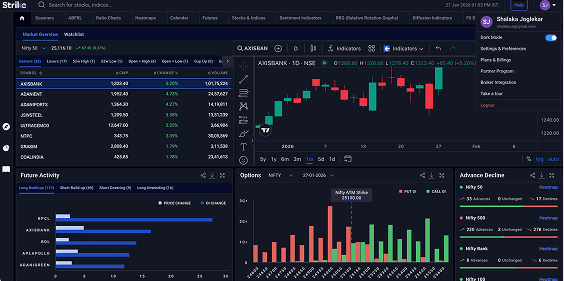
Strike Money is an all-in-one stock market analysis tool that helps traders identify high-potential stocks and option setups using powerful scanners, heatmaps, relative rotation graphs (RRG), sentiment indicators, futures & options analytics, and diffusion indicators, all in real-time with customizable dashboards. It supports both short-term trading and long-term investing with technical and fundamental tools.
Strike was founded on 15 June 2023 in Mumbai, India, by market strategist Rohit Srivastava and his team. The platform aims to simplify complex market data and provide actionable insights to investors of all levels, backed by proprietary indicators and a user-friendly interface designed to elevate trading decisions.
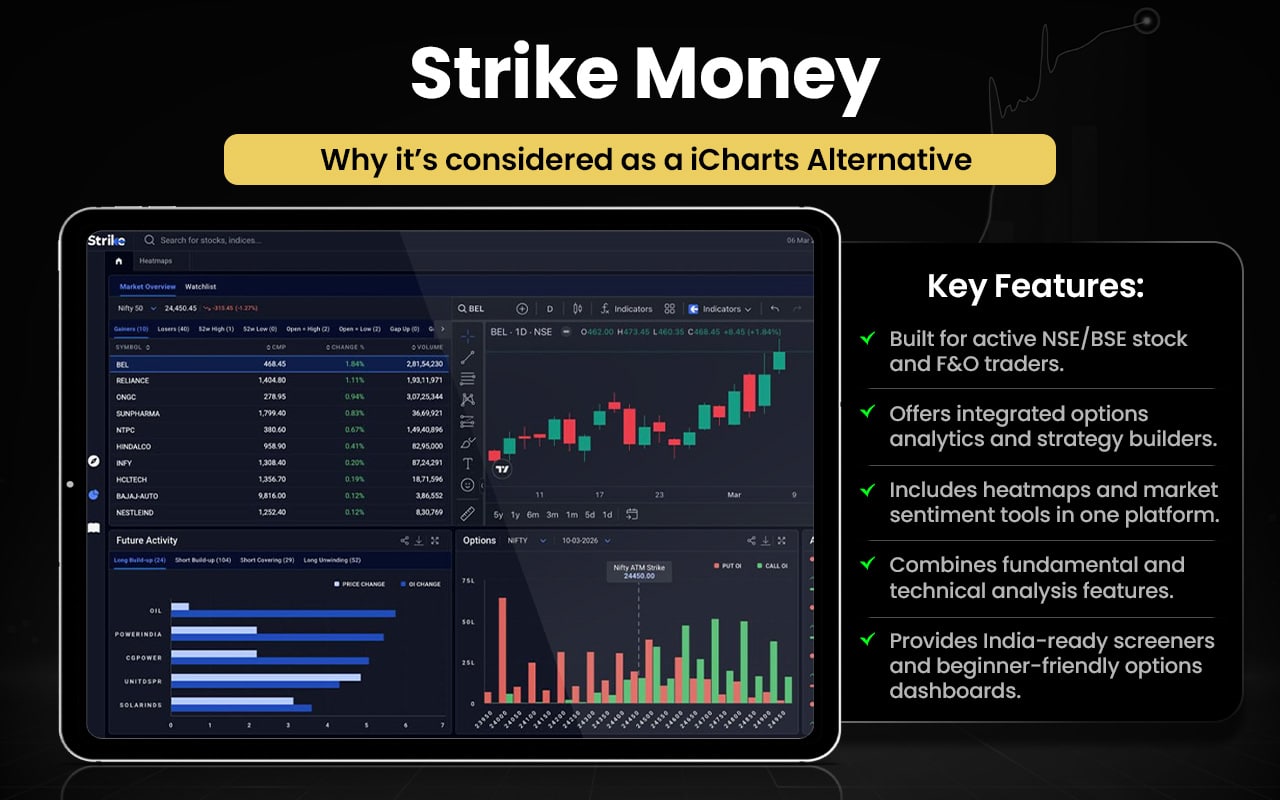
As we have come across the features of Strike Money in brief, let us compare them with the features of iCharts to get a better view on which might serve your need the best.
| Feature Area | Strike Money | iCharts |
| Market Coverage | Indian stocks, indices, F&O, options and sentiment heatmaps | Indian equities, derivatives, option chains and custom charts |
| Data Analysis Tools | Scanners, heatmaps, RRG momentum, sentiment, diffusion, ratio charts | Technical chart tools (straddle/strangle charts, spreads, IV/OI charts) |
| Real-Time Data | Real-time/near-real-time with deep market indicators | Real-time if linked with broker; delayed data for basic plans |
| Options Analytics | Option chain, OI insights, strategy tools | Option chain + IV analytics, but fewer Greeks/strategy tools |
| Charting Capabilities | Provides price trend charts with indicators | Interactive chart creation with various chart types |
| Technical Indicators | Proprietary scanners & trend tools | Standard technical indicators + advanced spread/derivative charts |
| Customization & Visualization | Heatmap and RRG visual dashboards | Customizable chart views and plugin sharing |
| Ease Of Use | Designed for traders with intuitive dashboards | Focused on charting; learning curve for advanced tools |
Switch to Strike Money if you:
- Want visual heatmaps for market breadth
- Use relative rotation graphs (RRG) for sector momentum
- Need market sentiment and diffusion indicators
- Prefer built-in market scanners for trade ideas
- Want combined F&O and options analytics in one view
- Need ratio and sentiment charts beyond price data
- Like dashboard-style analytics for quick market insights
Stick to iCharts if you:
- Prefer detailed, interactive technical charting tools
- Use custom derivatives charts like spreads and straddles
- Rely on IV and open interest overlays in charts
- Want advanced chart drawing and indicator options
- Need chart-centered analytics with plugin support
- Focus primarily on deep price and pattern analysis
Users often commend its intuitive interface, powerful analytics, and useful market tools for trading. However, some report issues with customer support, occasional delays or problems with data features, and frustrations when accessing certain functions — leading to varied sentiment overall.
Sensibull
Sensibull is an Indian options-focused trading platform that helps traders build, analyse, and execute strategies using tools like a strategy builder, option chain with Greeks and IV, open-interest charts, multi-strike analytics, FII/DII data, screeners, live options charts and watchlists. It also offers draft portfolios and practice trades for learning and planning. Charts and visual data are powered by third-party charting systems.
Founded in 2017, Sensibull quickly became one of India’s largest options trading platforms, integrating with major brokers like Zerodha, Upstox, Angel One and ICICI Direct. It is SEBI-registered and used by hundreds of thousands of traders, with a mission to make options trading more intuitive and accessible, backed by continuous feature development and market analysis resources.
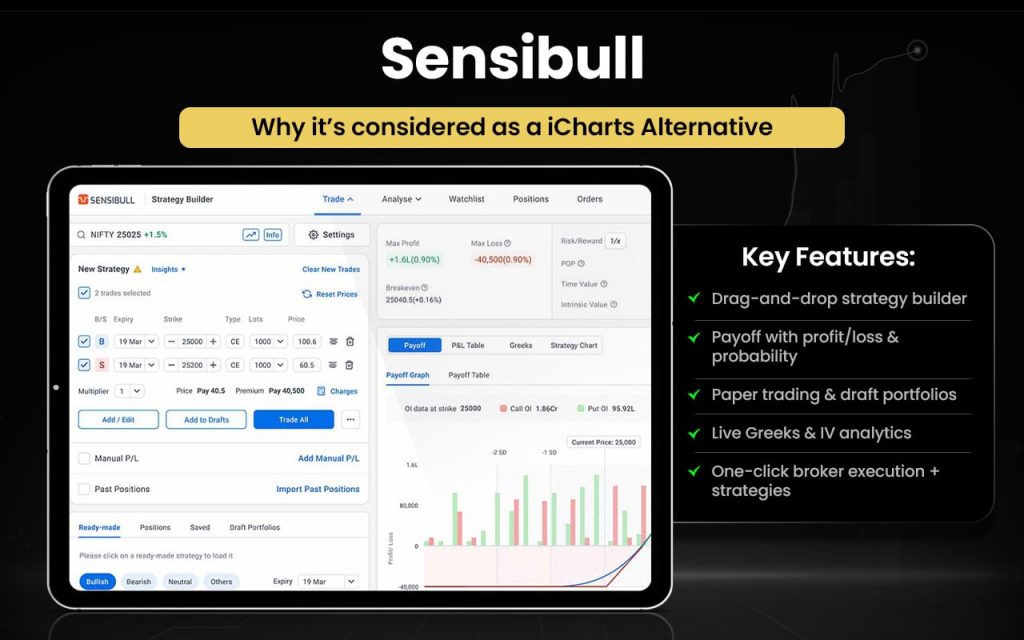
Let us quickly have a look at the comparison between Sensibull and iCharts.
| Feature Area | Sensibull | iCharts |
| Core Focus | Options strategy builder, position analysis | Technical charting & derivatives visualization |
| Options Strategy Tools | Drag-and-drop strategy builder, payoff diagrams | Option charts, but limited strategy builder |
| Open Interest & Greeks Data | Live OI, Greeks, IV; radar analysis | Greek/IV charts available on charts |
| Paper Trading / Practice Trades | Yes — practice & draft portfolios | No paper trading |
| Execution & Broker Integration | Direct trade via brokers | Trading links via broker integration |
| Real-Time Market Data | Live chain & alerts | Real-time for premium, delayed otherwise |
| Charting Capability | Uses integrated charts (TradingView) | Provides own technical charts & indicators |
| Risk/Profit Analysis Tools | Max loss/profit & probability tools | Backtesting & spread/straddle charts |
| Educational Resources | Tutorials & resources | No dedicated educational suite |
Switch to Sensibull if you:
- Want a drag-and-drop options strategy builder
- Need payoff diagrams with max profit and loss
- Prefer probability of profit calculations
- Want paper trading and draft portfolios
- Need live Greeks and IV analytics in one view
- Prefer broker-integrated one-click execution
- Want pre-built options strategies and trade ideas
- Value beginner-friendly options guidance
Stick to iCharts if you:
- Prefer deep technical chart customization
- Use straddle, strangle, and spread charts
- Rely heavily on IV and OI chart overlays
- Focus on chart-driven derivatives analysis
- Want flexible indicator-based technical studies
- Prefer lightweight, chart-first interface
- Need detailed visual derivatives tracking
Users generally appreciate the platform’s user-friendly interface and helpful options-trading tools, noting that it aids in planning and understanding strategies. However, performance issues, occasional UI changes, slow data updates, and missing mobile backtesting features are common complaints, with some reviews pointing to inaccurate profit/loss data and stability issues on the app.
Opstra (Definedge)
Opstra (Definedge) is an advanced options analytics platform designed for traders in the Indian F&O markets. It offers a powerful strategy builder to create and analyse multi-leg option strategies with real-time payoff charts. Key features include detailed option chains with Greeks, open interest analysis, volatility skew and surface tools, historical backtesting and simulation, futures analytics, heatmaps, and separate dashboards for intraday and positional traders.
Opstra is developed by Definedge, a financial market analytics firm focused on trader-centric tools. Built as part of Definedge’s broader trading ecosystem, it was created to deliver structured, data-driven options analysis and integrate seamlessly with brokerage execution for active derivatives traders.
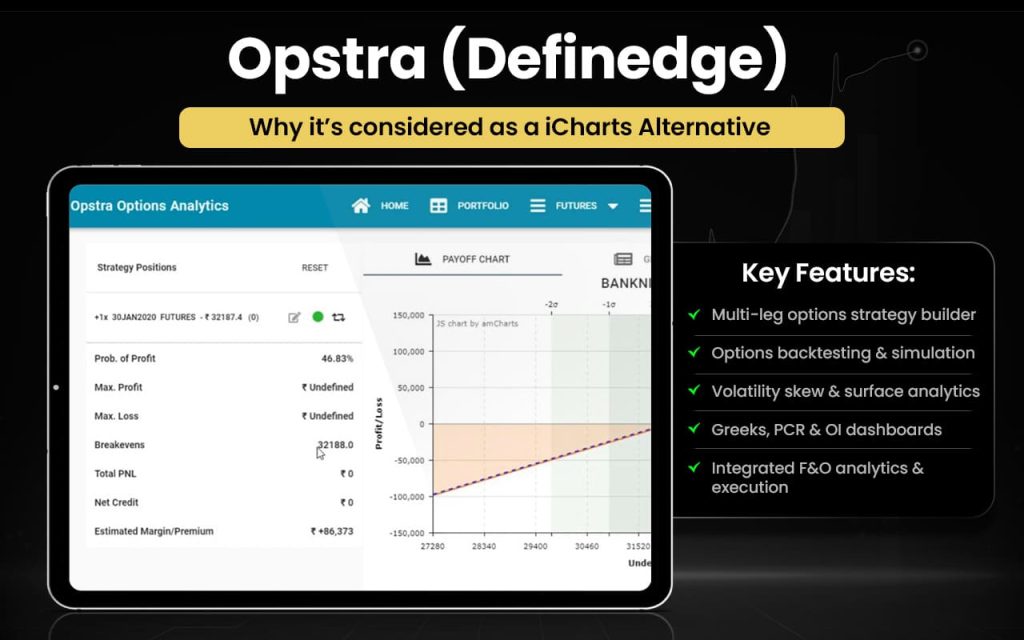
Let us now compare the features of both Opstra and iCharts to see how one can be better than the other in certain aspects.
| Feature Area | Opstra (Definedge) | iCharts |
| Core Focus | Options & F&O analytics with strategy builder, backtesting & simulation | Technical charting and price/derivatives visualization tools |
| Strategy Building | Robust multi-leg options strategy builder with payoff and simulation | No dedicated strategy builder; focus is on charting |
| Backtesting & Simulation | Yes — options backtester & simulator (PRO) | Basic historical charts; no dedicated options backtesting |
| Open Interest & Greeks | Detailed OI dashboards, Put/Call ratio, Greeks, volatility skew & surface | OI and IV overlays on charts but limited dashboards |
| Futures & Sector Tools | Futures buildup, heatmaps & sector tracking | Focused mainly on charting indicators and technical studies |
| Charting | Intraday and EOD charts for futures & options (PRO) | Dedicated interactive charting with multiple formats & indicators |
| Real-Time Data | Real-time price updates with integrations (PRO) | Real-time data available on premium plans |
| Execution / Integration | Trade execution via integrated Demat account | Broker integrations to execute trades but not tied to a single broker |
| User Experience | Data-rich terminal with advanced analytics | Chart-first, simpler interface focused on visual analysis |
Switch to Opstra if you:
- Want a dedicated multi-leg options strategy builder
- Need options backtesting and trade simulation tools
- Prefer volatility skew and surface analytics
- Want detailed Greeks and PCR dashboards
- Need futures buildup and OI analytics panels
- Prefer structured F&O dashboards over chart-only views
- Want integrated execution within the ecosystem
Stick to iCharts if you:
- Prefer advanced interactive technical charting
- Use straddle, strangle, and spread charts
- Rely on IV and OI overlays on price charts
- Focus on indicator-based trading setups
- Want flexible chart customization options
- Prefer a lighter, chart-first interface
- Need visual derivatives tracking on charts
Some traders note that it offers useful options strategy creation and analytics tools, but many complain about app instability, freezing and login issues, with occasional performance glitches on mobile. Others express concern over data handling and privacy or find the app experience unreliable for trading analysis.
Quantsapp
Quantsapp is a comprehensive options trading analytics platform that helps traders analyse, build, backtest, optimise and manage options trades using real-time Greeks, open interest, order book analytics, strategy payoff visualisation, custom alerts, multi-broker connectivity, and a wide suite of analytics tools designed for data-driven decision-making in derivatives markets. It also provides charts, positional and intraday analytics, educational webinars, and a large library of learning content to support both beginner and advanced traders.
Founded in 2017 and based in Mumbai, Quantsapp was created by a team of market veterans aiming to democratise sophisticated options analytics for retail traders by offering institutional-level tools at accessible pricing, backed by ongoing research and innovation in the derivatives trading space.
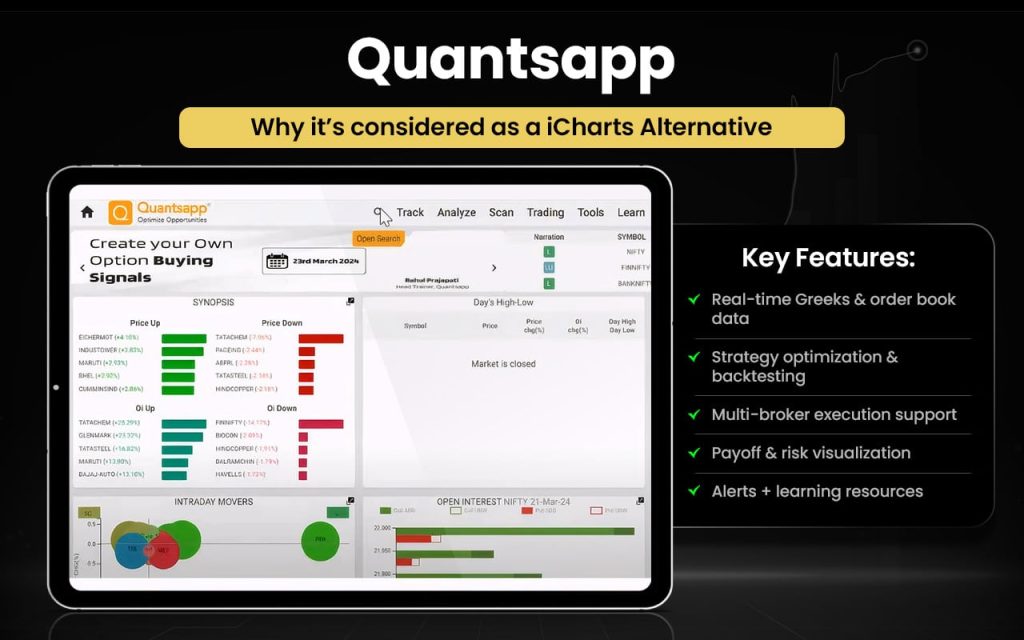
Now that we are aware of the features of Quantsapp, we must compare them with iCharts features to check the areas in which they surpass each other.
| Feature Area | QuantsApp | iCharts |
| Core Focus | Advanced options & F&O analytics, deep order book tools | Technical and derivatives charting platform |
| Options Strategy Tools | Strategy builder, optimizer, payoff & Greeks | Option chain with IV & Greek overlays, straddle/strangle charts |
| Backtesting & Simulation | Backtest and optimize option strategies | Historical options/data backtesting on chart data |
| Real-Time Analytics | Real-time Greeks, OI and order book analytics | Data updates with slight delay (~1–1.5 min) unless premium/broker connected |
| Charting & Visualization | Charts include single, strategy, Greek charts | Interactive price, options, spread & strangle charts |
| Order & Trade Analytics | Deep order book & trade analytics tools | Focus on chart visualisation, not order book depth |
| Learning & Resources | Webinars & educational content | Limited learning resources; mainly chart tools |
| Ease of Execution | Trade analytics plus multi-broker linking | Charting with broker link for trade execution |
Switch to QuantsApp if you:
- Need real-time Greeks and order book analytics
- Want deep options strategy optimization and backtesting
- Use multi-broker connectivity for execution
- Prefer advanced payoff and risk visualisation
- Like educational webinars and learning content
- Want built-in alerts based on option metrics
Stick to iCharts if you:
- Prefer interactive technical charting tools
- Use spread, straddle, and strangle charts
- Rely on customizable chart overlays
- Want clean visual derivatives charts
- Focus primarily on price and pattern analysis
- Prefer a chart-first, simplified interface
Users give strongly mixed feedback on the platform. Many reviewers claim the tools are unhelpful, buggy or hard to use, and some express frustration with poor customer support, technical issues and unfulfilled paid features. However, a few users also praise the analytics and trading capabilities, noting it can be useful for options analysis when it works. Overall experiences vary widely among traders.
Stolo
Stolo is an all-in-one Indian options trading platform designed to help traders analyse, execute, and review trades with precision. It offers live options chain data, open interest (OI) analysis, FII/DII insights, multi-layout charting, strategy builder, trading terminals, order analysis, scalping tools, and advanced analytics, all accessible from a single interface tailored for Nifty, BankNifty, and other F&O instruments. Stolo also integrates TradingView charts, broker connectivity, trade journals, calculators, and power tools to support a complete trading workflow.
Stolo was created to bridge fragmented tools in the Indian options trading ecosystem, driven by a goal to simplify and unify market analysis, trade execution, and post-trade review for retail traders. Its name reflects a focus on disciplined trading and risk management, helping users think beyond stop losses and trade more confidently.
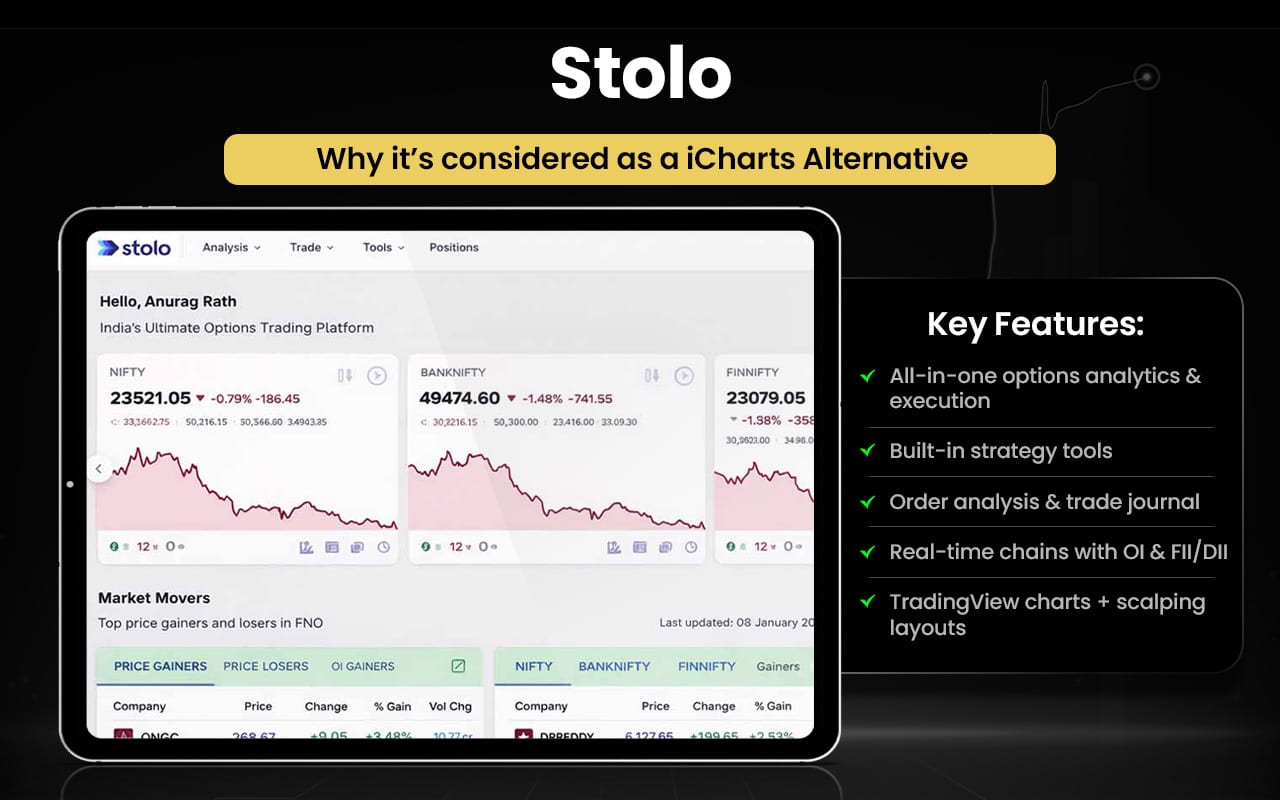
Let us now check how the features of both Stolo and iCharts can surpass each other in certain aspects.
| Feature Area | Stolo | iCharts |
| Core Focus | All-in-one options trading and analysis platform | Technical charting and options data analytics |
| Live Market Data | Real-time option chain, OI, FII/DII data | Near real-time or delayed depending on plan/broker |
| Options Analytics | Open interest trends, Greeks, PCR, multi-strike OI charts | OI change, straddle/strangle charts, cumulative OI |
| Strategy Builder | Built-in strategy builder with payoff and risk metrics | Strategy creation not core focus |
| Trading Terminals | One-window trading terminal with basket orders | Broker integration for execution but not native terminal |
| Order & Performance Tools | Order analysis, trade journal, scalping tools | Focus on chart views and analytics |
| Charting | TradingView charts integrated | Advanced charting for options/futures |
| Broker Integration | Supports direct broker connections for trade execution | Connects with brokers to enable real-time tools |
Switch to Stolo if you:
- Want one interface for options analytics and execution
- Prefer built-in strategy building tools
- Need detailed order analysis and trade journals
- Use real-time option chains with OI and FII/DII insights
- Want integrated TradingView charts with broker linking
- Prefer scalping tools and multi-layout dashboards
Stick to iCharts if you:
- Prefer advanced, interactive technical charting
- Rely on straddle, strangle, and spread charts
- Use customizable chart overlays for derivatives
- Focus on deep price and pattern analysis
- Want clean visual derivatives tracking tools
- Prefer a chart-first analytical experience
Many traders describe it as easy to use, real-time and helpful for options analysis, with useful features like live open interest data, paper trading and strategy tools. Some appreciate the UI and how it simplifies options decision-making. However, a small number of reviewers mention issues such as bugs, interface problems or lack of support, indicating that not all experiences are uniformly smooth.
Thinkorswim
Thinkorswim is a professional-grade trading platform offering highly customizable charting, advanced screening, real-time analytics, and strategy tools across stocks, options, futures, ETFs and forex. It features deep customization of layouts, hundreds of technical indicators, powerful scan tools like Stock Hacker and watchlists, “what-if” trade simulations, volatility analyses, and a built-in paper trading simulator called paperMoney®. The platform also includes thinkScript®, a scripting language to build, test and automate custom studies and strategies.
Originally launched in 1999 by Tom Sosnoff and Scott Sheridan as an options-focused brokerage platform, thinkorswim was acquired by TD Ameritrade in 2009 and became one of the industry’s most sophisticated retail trading tools. After TD Ameritrade’s acquisition by Charles Schwab, thinkorswim was integrated into Schwab’s trading suite, continuing its evolution as a top choice for active and professional traders.
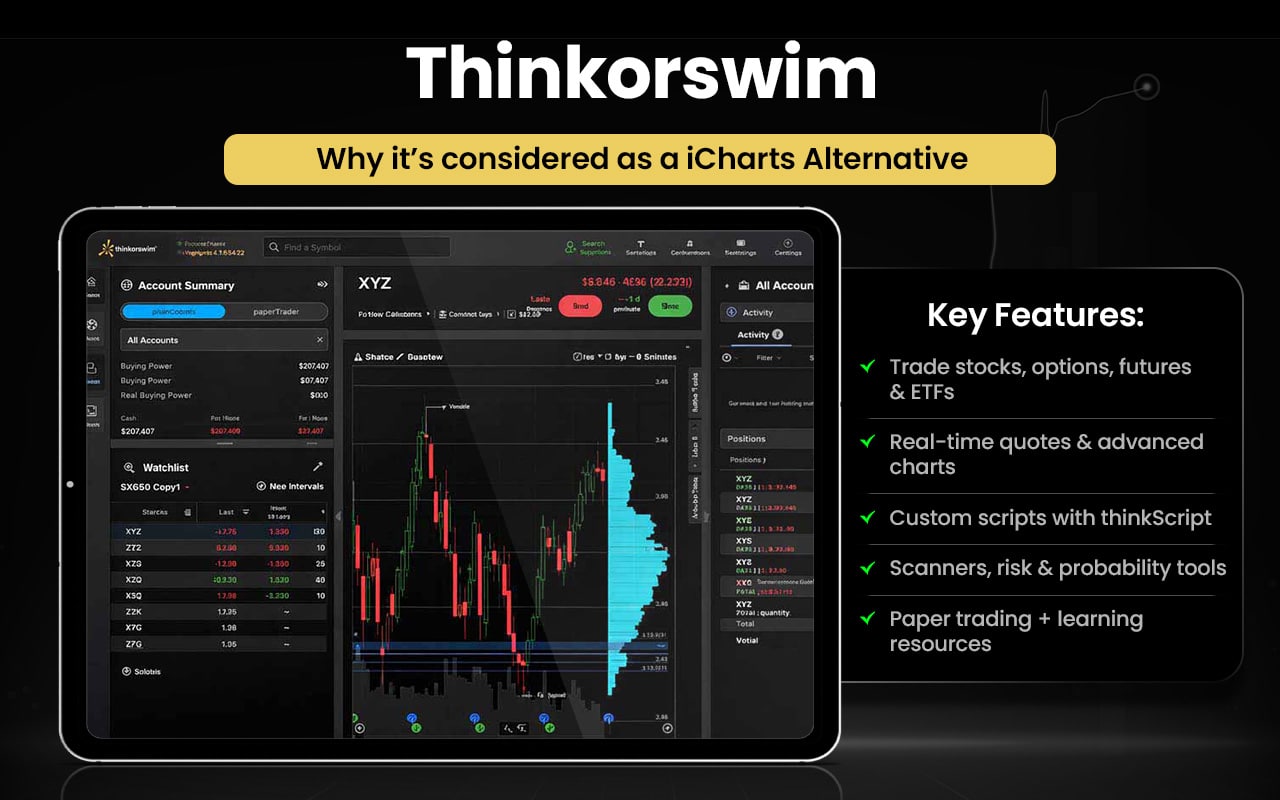
Now that we have discussed the features of Thinkorswim in brief, it’s time to compare them with iCharts feature to check the areas in which the one surpasses the other.
| Feature | thinkorswim | iCharts |
| Type | Full trading and analysis platform | Charting and analytics tool |
| Trading | Supports stocks, options, futures, ETFs | No direct trading |
| Real-Time Data | Streaming quotes | Mostly delayed unless premium |
| Charts | Advanced, multi-timeframe | Basic to mid-level, multi-timeframe |
| Indicators | 400+ indicators with custom scripting | Popular indicators only |
| Customization | Custom studies and alerts with thinkScript | Limited chart settings only |
| Analysis Tools | Scanners, risk analysis, probability lab | Minimal, mainly chart-focused |
| Alerts | Price and condition alerts | Basic alerts only |
| Simulation | PaperMoney simulator | None |
| Education | Tutorials, webinars | Few resources |
| Audience | Active and advanced traders | Traders needing charts only |
| Cost | Free with Schwab/TD Ameritrade account | Subscription-based |
Switch to thinkorswim if you:
- Trade stocks, options, futures, or ETFs
- Need real-time streaming quotes
- Use advanced charting with hundreds of indicators
- Create custom studies and scripts with thinkScript
- Run scanners, risk analysis, or probability lab tools
- Set alerts based on price, conditions, or custom studies
- Practice with the PaperMoney simulator
- Access integrated tutorials, webinars, and educational resources
Stick to iCharts if you:
- Prefer simple and easy-to-use chart visualization
- Work with multi-timeframe charts (intraday, daily, weekly, monthly)
- Rely on popular technical indicators for quick analysis
- Want browser-based access with minimal setup
- Need a lightweight platform without complex features
- Focus on Indian market data and NSE integration
User feedback on the thinkorswim platform is largely negative, with many users reporting a confusing and unintuitive interface, frequent technical glitches, slow performance, account access problems, and issues with order execution. A significant portion of reviewers also describe delays in withdrawals and poor customer support experiences, though a small number still appreciate its capabilities.
MetaTrader 5
MetaTrader 5 is a powerful multi‑asset online trading platform that lets users trade Forex, stocks, and futures with advanced tools for market analysis, algorithmic trading, trading signals, and integrated services like the MetaTrader Market and Virtual Hosting (VPS). It supports flexible trading systems including netting and hedging, multiple order types, customizable charts, technical and fundamental analysis, strategy testing, and mobile and web access.
MetaTrader 5 was officially released in 2010 by MetaQuotes as the next generation platform after MetaTrader 4. It expanded beyond Forex to support a wider range of global markets and included enhanced analytical and automated trading features, quickly gaining adoption among traders and brokers worldwide.
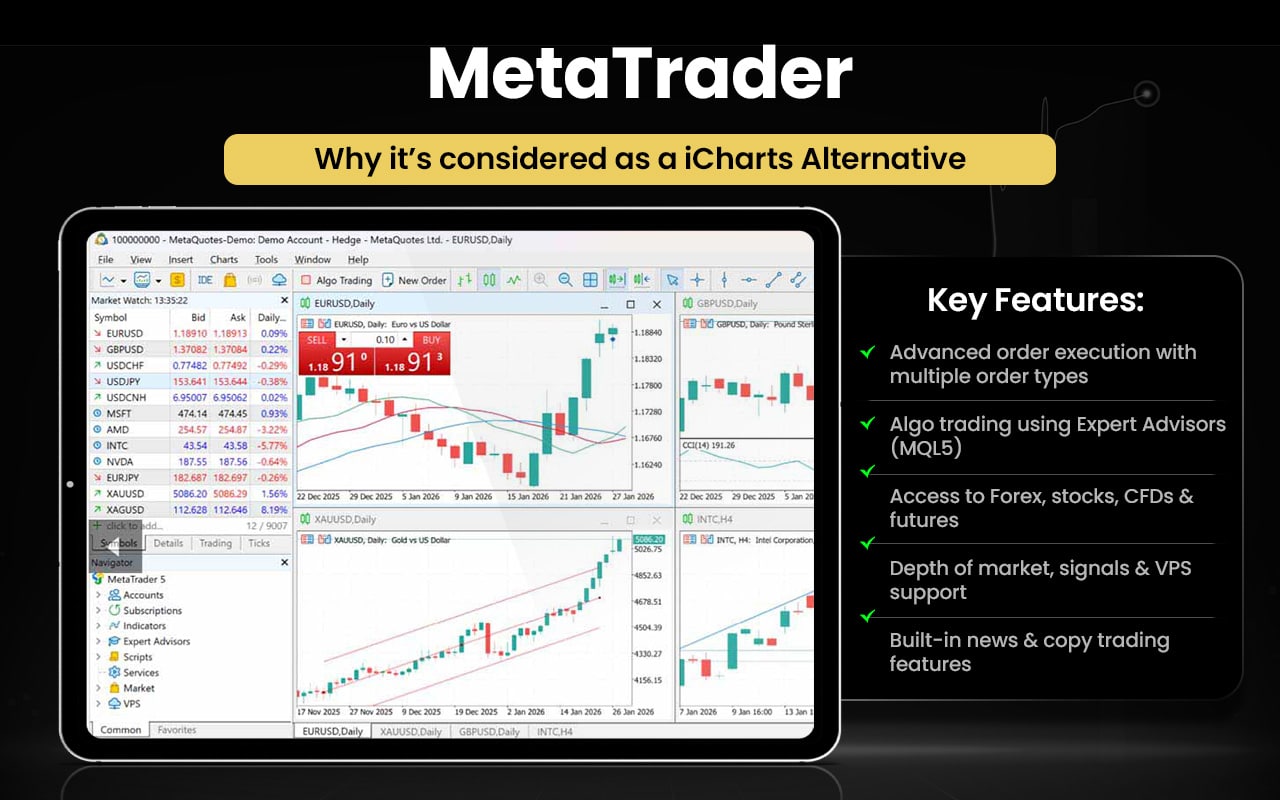
Now let us compare between the features of both MetaTrader and iCharts and understand which is better for your trading objectives.
| Aspect | MetaTrader 5 | iCharts |
| Purpose | Full trading and analysis platform. | Charting and market analysis only. |
| Charts & Indicators | 21 timeframes, multiple chart types, many tools. | Customizable charts, 30+ indicators. |
| Trading | Live trades, multiple order types. | No trading, charts only. |
| Automation | Algorithmic trading via MQL5. | None. |
| Market Data | Real-time data, news, signals, VPS. | Real-time/delayed data, alerts. |
| Markets | Forex, stocks, CFDs, futures. | Mainly Indian NSE markets. |
Switch to MetaTrader 5 if you:
- Need live trade execution with multiple order types
- Want algorithmic trading via Expert Advisors (MQL5)
- Require access to global markets: Forex, stocks, CFDs, futures
- Want depth of market, trading signals, and VPS hosting
- Need integrated news and copy trading features
Stick to iCharts if you:
- Focus on real-time and delayed NSE market data
- Need customizable charts with 30+ indicators
- Want easy pattern recognition and alerts
- Prefer a lightweight, user-friendly interface
- Concentrate on Indian equities and derivatives analysis
Most reviewers report negative experiences, with frequent complaints about withdrawal delays, unresponsive support, and difficulty accessing funds after investing. Many also note technical issues like freezing, missing data, and poor alerts, leading to frustration and financial stress. A few mention receiving external help to recover funds, but overall feedback is heavily critical.
TradeStation
TradeStation is an advanced multi‑asset online trading and brokerage platform that empowers users to trade stocks, ETFs, options, and futures with direct market access and real‑time data. It offers professional‑grade tools, including customizable dashboards, advanced charting, strategy backtesting and simulation, algorithmic trading, API integration, and mobile/web access for trading on the go. Traders can also build and test strategies before live execution.
TradeStation’s history began when the company was founded in 1982 as a software developer focused on tools for designing and automating trading strategies. Over the decades, it evolved into a full online brokerage and sophisticated trading platform, continuously adding features to support active traders and investors across markets.
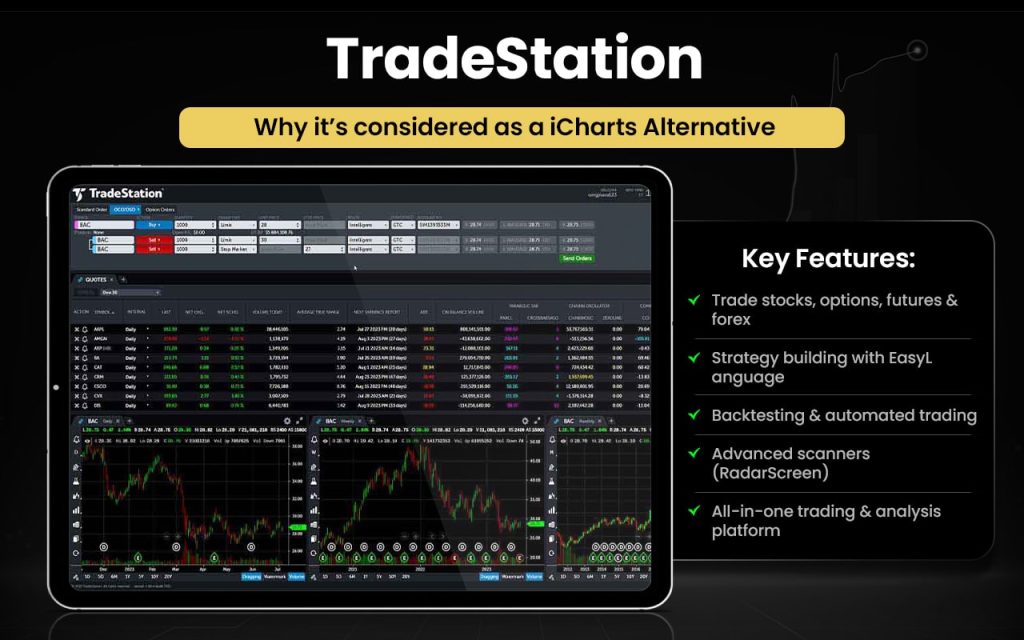
Let us now quickly check how TradeStation and iCharts can be better than each other in certain areas.
| Feature / Aspect | TradeStation | iCharts |
| Purpose | Full trading and analysis platform. | Charting and market analysis only. |
| Trading | Live trades: stocks, options, futures, forex. | No trading; charts only. |
| Charts & Indicators | Multiple chart types, customizable indicators. | Intraday charts, 30+ indicators. |
| Strategy & Automation | Back-testing and automated strategies via EasyLanguage. | No automation or back-testing. |
| Market Scanning | RadarScreen, Hot Lists, scanners. | None. |
| Markets | Global multi-asset markets. | Primarily Indian NSE markets. |
Switch to TradeStation if you:
- Need live trade execution for stocks, options, futures, and forex
- Want strategy development, back-testing, and automated trading via EasyLanguage
- Require advanced market scanning tools like RadarScreen and Hot Lists
- Seek access to global multi-asset markets
- Prefer integrated analysis, trading, and account management in one platform
Stick to iCharts if you:
- Focus on Indian NSE market data
- Need customizable intraday charts with 30+ indicators
- Want easy pattern recognition and alerts
- Prefer a lightweight, user-friendly interface for quick analysis
- Concentrate solely on charting and technical market insights
Most users praise the platform’s powerful and customizable trading tools, fast execution, intuitive interface, and scripting for custom strategies. Many also value its educational resources and professional capabilities. However, some customers report slow or unhelpful support, issues withdrawing funds, and occasional stability or service frustrations, showing mixed experiences overall.
Investar
Investar is an integrated Indian stock market analysis software for technical analysis, fundamental analysis and portfolio management. It offers auto‑updating scanners, 65+ technical indicators, 30+ drawing tools, automatic support/resistance, trendlines, supply/demand zones, buy/sell signals, pop‑up and sound alerts, and multi‑exchange (NSE, BSE, NSE F&O, MCX, NCDEX) charting for both short‑ and long‑term trading ideas. It also combines technical and fundamental analysis in one interface.
Investar began as a market software focused on charting and scanning for Indian markets and expanded into multiple editions (Lite, Standard, Pro) with advanced features like custom scanners, multi‑timeframe scans, and query languages for professional traders. Over time it added capabilities such as harmonic patterns and real‑time data support for futures and options.
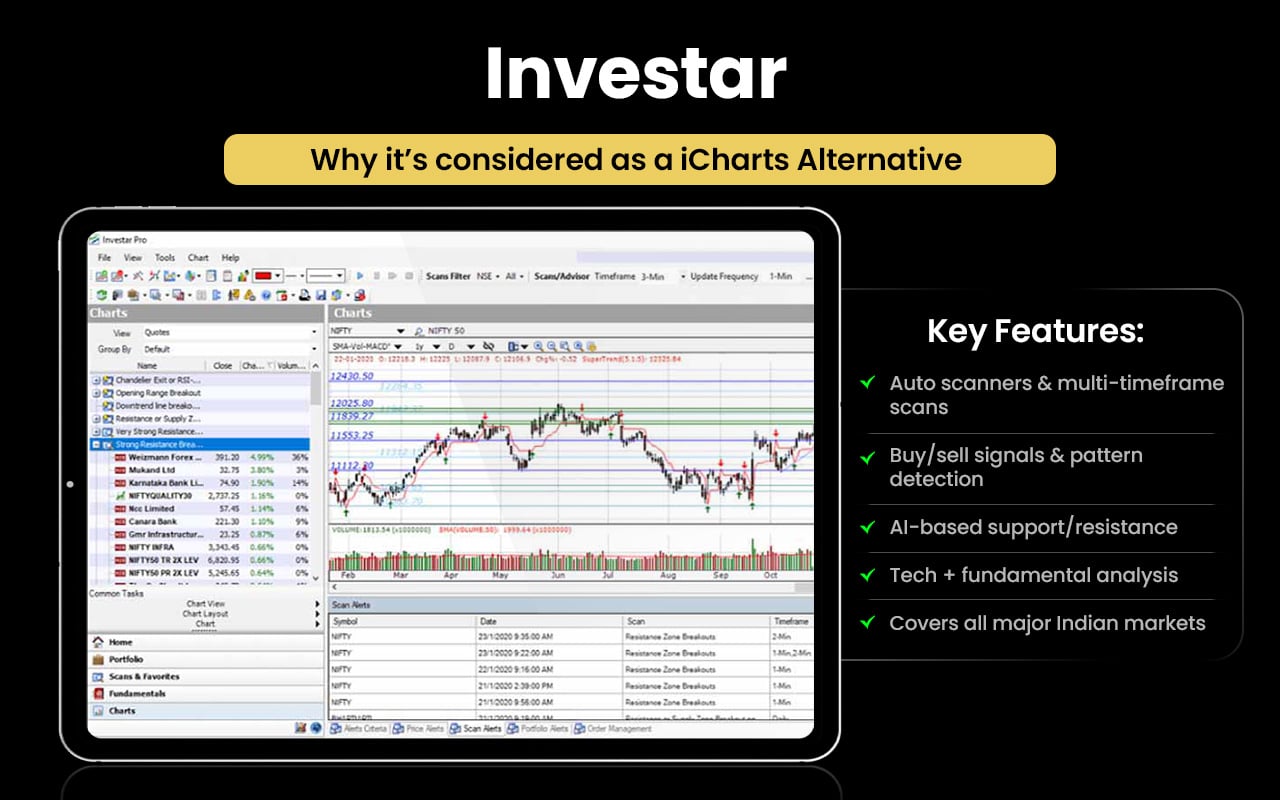
| Aspect | Investar (InvestarIndia) | iCharts |
| Purpose | Full technical & fundamental analysis platform with scanners. | Charting and technical analysis tool. |
| Indicators & Tools | 65+ indicators, 30+ drawing tools, auto S/R, trendlines, supply/demand zones. | 30+ technical indicators, trendlines, support/resistance lines. |
| Auto Analysis | Auto buy/sell signals, pattern detection, AI zones. | Manual chart tools; no automatic signals. |
| Scans & Alerts | Auto‑updating scanners, multi‑timeframe scans, alerts. | No built‑in scanner alerts. |
| Market Focus | Indian markets (NSE, BSE, F&O, MCX, NCDEX). | Indian markets charting. |
| Ease of Use | More advanced with integrated analytics. | Simple, visually focused charts. |
Switch to Investar if you:
- Need auto‑updating scanners and multi‑timeframe scans
- Want automated buy/sell signals and pattern detection
- Use advanced indicators, drawing tools, and AI‑based support/resistance zones
- Require integrated technical and fundamental analysis
- Trade across NSE, BSE, F&O, MCX, and NCDEX markets
Stick to iCharts if you:
- Prefer simple, lightweight charting
- Focus on visual technical analysis without automation
- Need customizable charts with 30+ indicators
- Want easy trendlines, support/resistance, and alerts
- Concentrate mainly on Indian equities and derivatives analysis
Most customers praise Investar’s analysis tools and signals, calling them useful for technical decisions and portfolio management. However, several users complain about data accuracy issues, chart lag, and delayed customer support during critical moments, making reliability a concern. Some find pricing steep and features overwhelming, though basic trend analysis remains helpful.
StockCharts
StockCharts is a web‑based financial charting and analysis platform offering advanced tools for market visualization and technical research. It provides customizable charts (candlesticks, point & figure, RRG, seasonality, PerfCharts), custom scans and alerts, portfolio monitoring with ChartLists, expert market commentary, and access on multiple devices. Users can save charts, annotations, and run scans on thousands of symbols.
StockCharts was founded in 1999 by Chip Anderson to help investors better visualize financial data and make smarter trading decisions. Over more than two decades, it has grown into an industry‑leading charting platform used globally, continually adding tools like the Advanced Charting Platform, mobile access, and expanded data coverage.
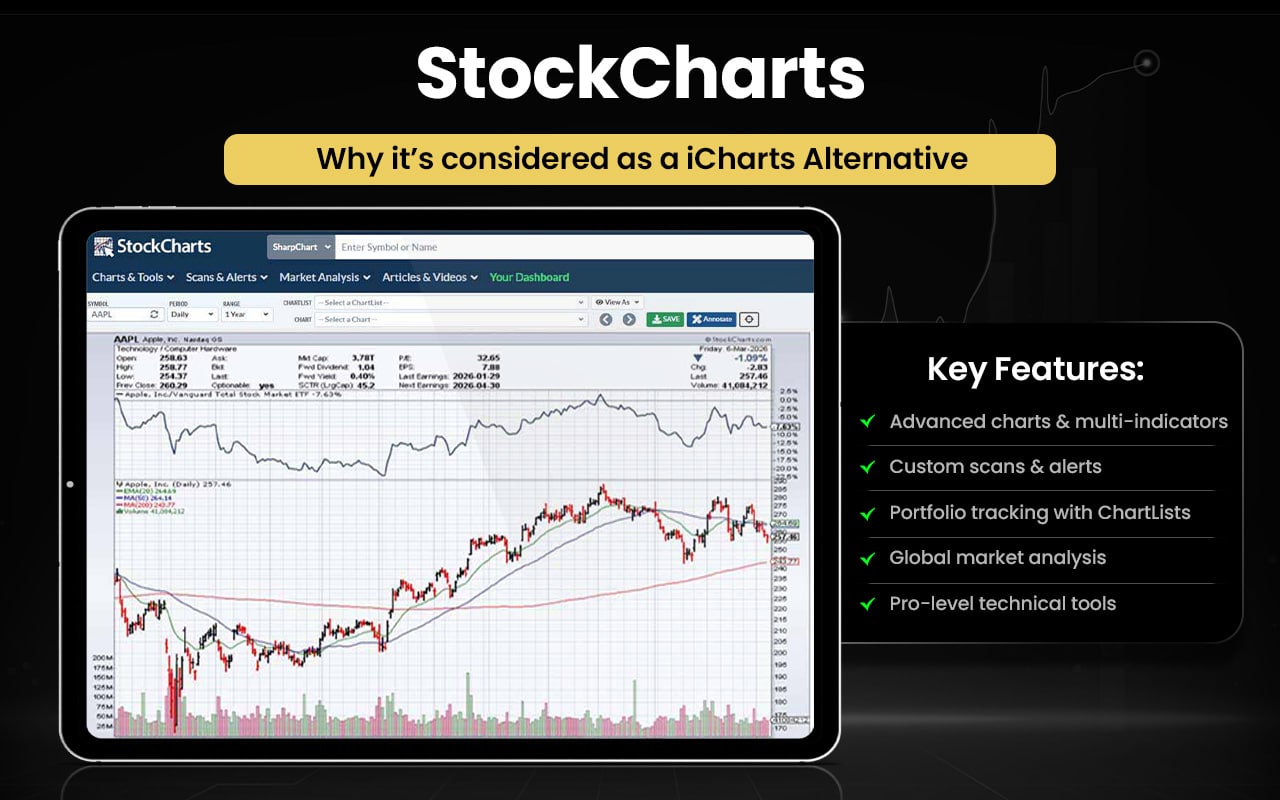
Now, let us have a quick look at the comparison between StockCharts and iCharts.
| Aspect | StockCharts | iCharts |
| Core Function | Advanced financial charting and technical analysis tools. | Web‑based charting and visualization for market data. |
| Charts & Indicators | Dozens of chart types, multi‑indicator support, customizable layouts. | Intraday and longer‑term charts, 30+ indicators, various styles. |
| Scanning & Alerts | Custom technical scans and alerts across markets. | Alerts and notifications, but more basic. |
| Portfolio Tools | ChartLists and portfolio monitoring. | Focus mainly on chart visualization. |
| Market Coverage | US, Canada, UK, India data, multiple asset classes. | Mainly Indian markets data. |
| User Level | Professional and investor‑grade analysis. | Simpler visual charting and basic analytics. |
Switch to StockCharts if you:
- Need advanced chart types and multi‑indicator layouts
- Want custom technical scans and alert systems
- Require portfolio monitoring with ChartLists
- Analyze multiple global markets and asset classes
- Seek professional-grade tools for in-depth technical analysis
Stick to iCharts if you:
- Prefer simple, lightweight charting
- Focus mainly on Indian market data
- Need 30+ indicators for quick analysis
- Want easy-to-read visual charts with trendlines and support/resistance
- Prefer a fast, user-friendly interface for straightforward market insights
Most users say the charting tools are solid and useful for technical analysis, praising speed and usability. However, many others complain about poor customer support, billing problems, and outdated features, with several users frustrated by a lack of refunds, bad service, or difficulty using trials, reflecting a mixed experience overall.
TradingView
TradingView is a powerful web‑based financial charting, analysis, and trading platform used by millions of traders worldwide. It offers advanced and customizable charts with 400+ built‑in indicators, 110+ drawing tools, multi‑chart layouts, real‑time alerts, screeners, heatmaps, economic calendars, fundamental data overlays, and broker integration for direct trading from charts. It also features Pine Script®, a scripting language for custom indicators and strategy development.
TradingView was founded in 2011 and has grown from a simple charting site into a comprehensive global platform used for market research, strategy testing, and community‑based idea sharing, with extensive tools for both beginners and professionals.
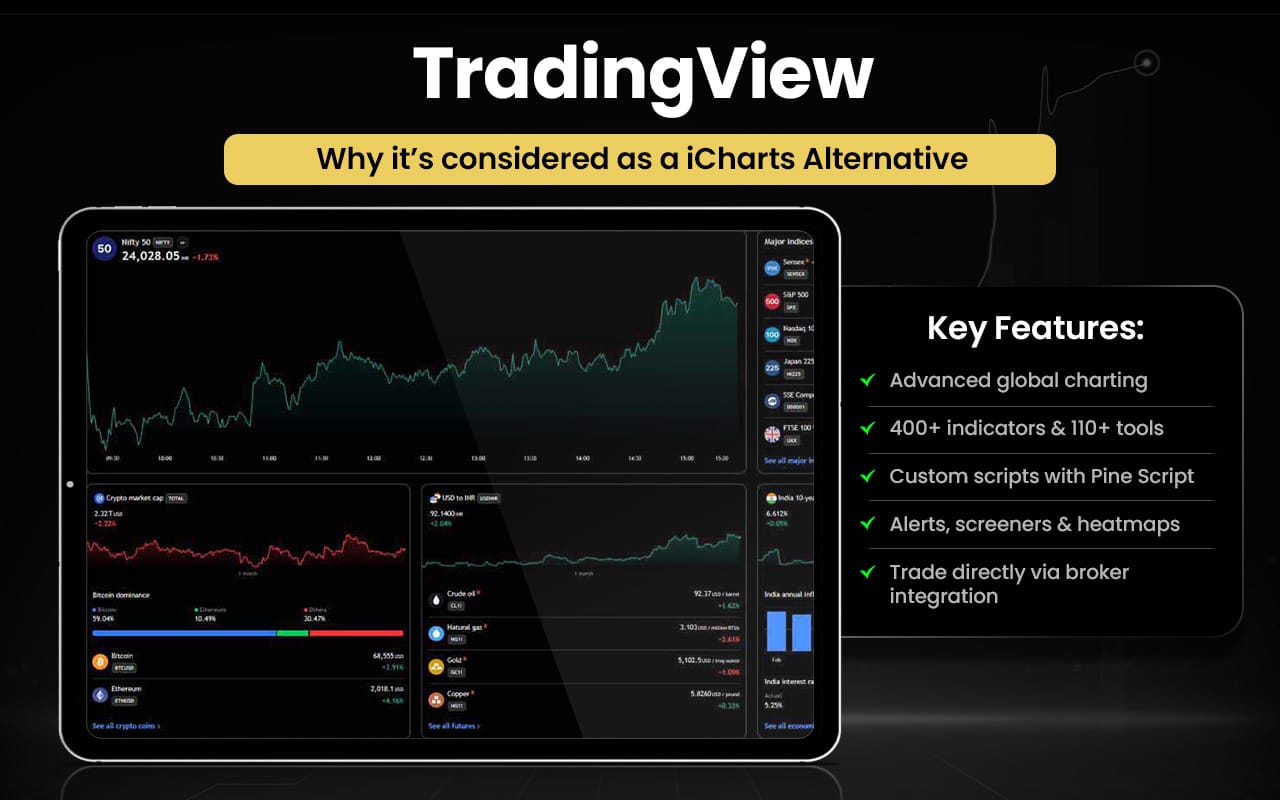
Let us now quickly compare TradingView and iCharts to see which serves to be a better choice per your trading objective.
| Aspect | TradingView | iCharts |
| Purpose | Advanced global charting, analysis, trading integration. | Charting and technical visuals for Indian markets. |
| Charts & Indicators | 400+ built‑in indicators, 110+ drawing tools, many chart types. | 30+ indicators with intraday & duration charts. |
| Custom Scripts | Custom scripting via Pine Script®. | No built‑in scripting support. |
| Alerts & Scans | Powerful alerts, screeners, heatmaps across assets. | Basic alerts; limited scanning. |
| Trading Tools | Broker integration, trade from charts, paper trading. | No direct trading. |
| Market Coverage | Global markets and asset classes. | Mainly Indian market focus. |
Switch to TradingView if you:
- Need advanced global charting with multiple chart types
- Want 400+ built-in indicators and 110+ drawing tools
- Use custom scripting via Pine Script® for strategies and indicators
- Require alerts, screeners, and heatmaps across assets
- Prefer broker integration and trading directly from charts
Stick to iCharts if you:
- Focus mainly on Indian NSE market data
- Need lightweight, easy-to-use charts
- Want 30+ indicators for quick analysis
- Prefer simple trendlines, support/resistance, and alerts
- Require fast visualization without complex features
Most users acknowledge the charting tools and features work well, but many express strong frustration with poor customer service, confusing billing, and subscription issues. Complaints include unwanted charges, lack of human support, slow responses, and features becoming restricted behind paywalls, leaving a sense of dissatisfaction and unmet expectations.
GoCharting
GoCharting is a modern web‑based market charting and trading analytics platform offering advanced tools for technical and order‑flow analysis. It provides multi‑chart layouts, watchlists, real‑time alerts, over 100 technical indicators, and dozens of customizable drawing tools for deep market insights. Traders can view order book depth, time & sales, volume profiles, and options desk analytics, and connect brokers to trade directly from charts. It also includes scripting support via Lipi Script to build custom indicators and strategies.
GoCharting has evolved into a comprehensive analytics platform used by traders globally. It integrates multiple chart types (e.g., Renko, Kagi, Footprint), advanced order‑flow tools, and broker connectivity into one interface, aiming to support both technical research and execution workflows online without installation.
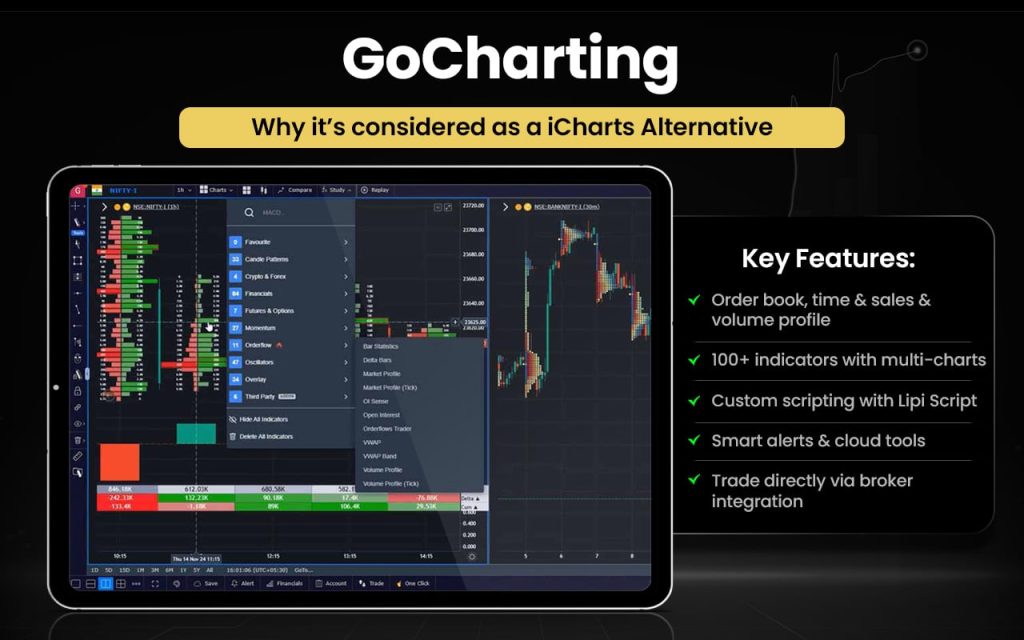
Let us now quickly compare the features of GoCharting and iCharts to check which serves the respective user purposes better.
| Aspect | GoCharting | iCharts |
| Purpose | Advanced web‑based charting and market analytics with order flow and broker integration. | Web charting and technical visualization for Indian markets. |
| Charts & Indicators | 100+ indicators, custom layouts, multi‑chart views. | 30+ technical indicators, multiple durations. |
| Advanced Tools | Order book depth, time & sales, volume profiles, order flow analytics. | Basic charting analysis; limited advanced tools. |
| Customization & Scripts | Scripting with custom indicator/strategy creation (Lipi Script). | No scripting support. |
| Alerts & Scanning | Smart alerts, watchlists, cloud templates. | Basic alerts; simpler chart focus. |
| Broker Integration | Direct trading via broker APIs. | No native trading execution. |
Switch to GoCharting if you:
- Need order book depth, time & sales, and volume profile analysis
- Want advanced multi‑chart layouts and over 100 technical indicators
- Use custom scripting for indicators and strategies (Lipi Script)
- Require smart alerts, watchlists, and cloud‑based templates
- Prefer broker integration for trading directly from charts
Stick to iCharts if you:
- Focus mainly on Indian NSE market data
- Need lightweight, simple charting tools
- Want 30+ indicators for quick technical analysis
- Prefer easy trendlines, support/resistance, and alerts
- Seek fast, user-friendly visualization without complex features
Most users praise the charting and analytics capabilities and find the platform fast and feature‑rich. However, many complain about poor customer service, slow or missing support, and chart/data issues, including incorrect displays and lag. A number of users also report refund problems and execution frustrations, leading to a mixed experience.
TradingTick
TradingTick is an online market analytics platform designed to help traders with options and tick‑by‑tick analysis by offering real‑time Indian market data, historical charts, option chains, open interest charts, and backtesting tools for futures and options. It provides intraday and expiry‑day charts, OI visualization, and tools to study volatility and price movements for indices like Nifty, Bank Nifty, FinNifty, and Sensex.
The platform traces its roots to 2018 as a India‑based company focused on technical analytics for derivatives trading and building tools that simplify market research, historical trend analysis, and strategy validation for traders of all levels.
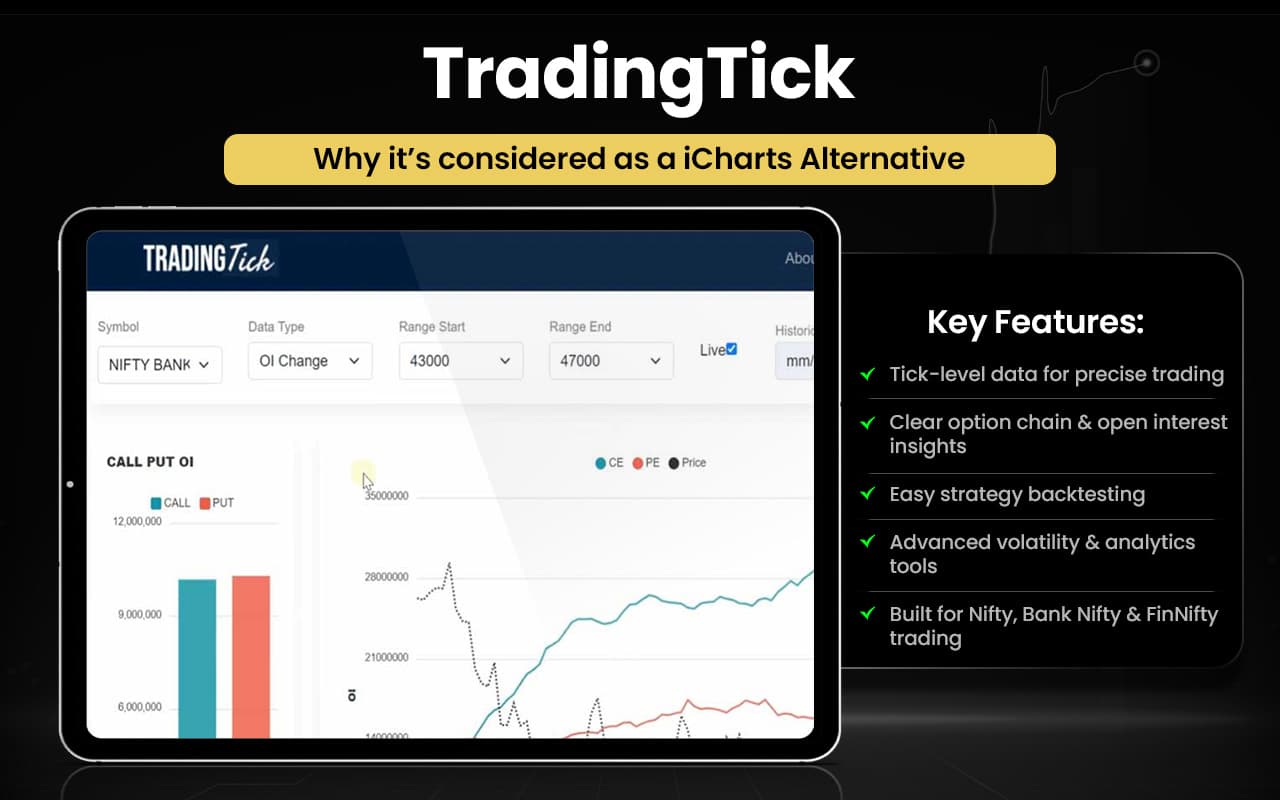
Let us check the comparison between the features of TradingTick and iCharts to quickly understand what serves our need better.
| Aspect | TradingTick | iCharts |
| Purpose | Market analytics with tick‑level, OI, and backtesting tools for Indian markets. | Technical charting and visualization for Indian equities and derivatives. |
| Data & Charts | Real‑time market data and historical charts. | Intraday & duration charts with 30+ indicators. |
| Option Analytics | Open interest charts and option chain analysis. | Focus on price/indicator charts; no dedicated OI analytics. |
| Backtesting | Backtesting tools for strategies using historical data. | Not a built‑in backtesting feature. |
| Tools & Alerts | Interactive tools, volatility calculators, alerts. | Basic chart alerts and indicators. |
Switch to TradingTick if you:
- Need tick‑by‑tick market data and historical charts
- Want open interest and option chain analysis
- Use backtesting tools for strategies
- Require volatility calculators and advanced analytics
- Focus on Indian derivatives like Nifty, Bank Nifty, and FinNifty
Stick to iCharts if you:
- Prefer simple, lightweight charting tools
- Need 30+ indicators for quick technical analysis
- Want easy-to-read intraday and duration charts
- Prefer basic trendlines, support/resistance, and alerts
- Focus mainly on Indian equities and straightforward visualization
Users report TradingTick being unavailable or unreliable, forcing traders to seek alternatives for options analysis, option chains, and historical OI tools. The downtime and lack of dependable tick‑level features frustrate users, prompting suggestions of other platforms with similar analytics and stronger uptime or data reliability.
Koyfin
Koyfin is a modern investment research platform that lets investors and advisors access live market data, analyze portfolios, and create insights with customizable dashboards and tools. It offers powerful features such as advanced graphing, financial analysis, an equity screener that can scan over 100 000 global securities with thousands of filters, macro dashboards for big‑picture views, and a fully customizable interface that adapts to your workflow.
Founded to break the mold of conventional financial tools, Koyfin was built by investors, for investors, with the mission to equip every investor with high‑quality data and decision support tools regardless of portfolio size. Its platform brings data on stocks, ETFs, currencies, commodities, news, and more into one place.
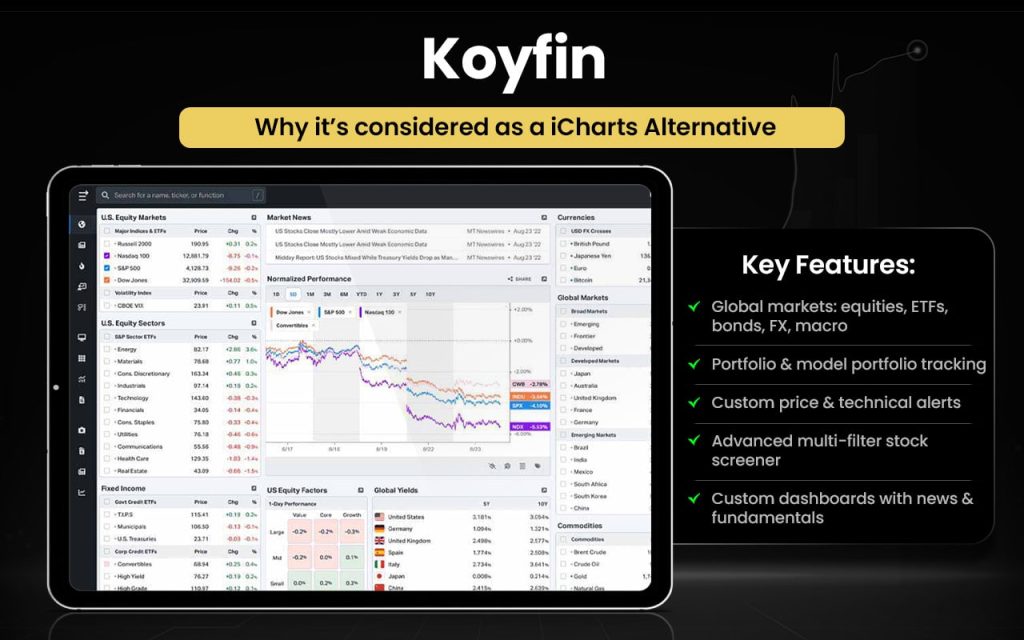
Let us check how the features of both Koyfin and iCharts surpass each other in certain areas.
| Aspect | Koyfin | iCharts |
| Primary Use | Investment research, market data & portfolio analysis. | Technical charting and market charts. |
| Data Coverage | Global markets: equities, ETFs, bonds, FX, macro & news. | Focused on intraday & periodic price charts. |
| Charting Tools | Advanced customizable graphs with indicators & comparison. | Multiple chart types & timeframes with ~30 indicators. |
| Portfolio & Reports | Model portfolios, client reports, alerts & dashboards. | No built‑in portfolio or report tools. (Chart‑focused) |
| Screening / Filters | Equity screener with many filters. | Limited to chart analysis rather than screening. |
| Alerts & Notifications | Custom alerts on price/technical events. | Not core focus (chart platform). |
| Customization | Custom dashboards & watchlists. | Chart appearance & indicators customizable. |
Switch to Koyfin if you:
- Need global market coverage: equities, ETFs, bonds, FX, and macro data.
- Want portfolio management and model portfolios.
- Require custom alerts for price or technical events.
- Use an advanced equity screener with multiple filters.
- Prefer custom dashboards and client reports.
- Seek news and fundamental data integrated in one platform.
Stick to iCharts if you:
- Focus mainly on technical charting.
- Need multiple chart types and timeframes.
- Want 30+ indicators for technical analysis.
- Prefer a lightweight, chart-focused interface without extra portfolio tools.
- Use charts primarily for intraday or periodic price tracking.
Users generally praise Koyfin’s intuitive interface, ease of use, and powerful data access that speeds up research and portfolio work, with many noting it offers excellent value and customization. Some feedback mentions limitations like not enough advanced technical indicators, occasional data gaps, and a learning curve for new users.
TrendSpider
TrendSpider is an all‑in‑one market research and trading platform built for traders to analyze markets and time trades faster using automation and advanced tools. It offers automated charting, idea generation, strategy creation and backtesting without coding, AI model training, dynamic alerts and trading bots, and custom indicator building, all in one interface.
The company was founded to streamline technical analysis and trading workflows by automating routine tasks that traders usually do manually. Over time, it has evolved into a comprehensive platform used by thousands worldwide, integrating cutting‑edge tech to help uncover opportunities across markets and timeframes.
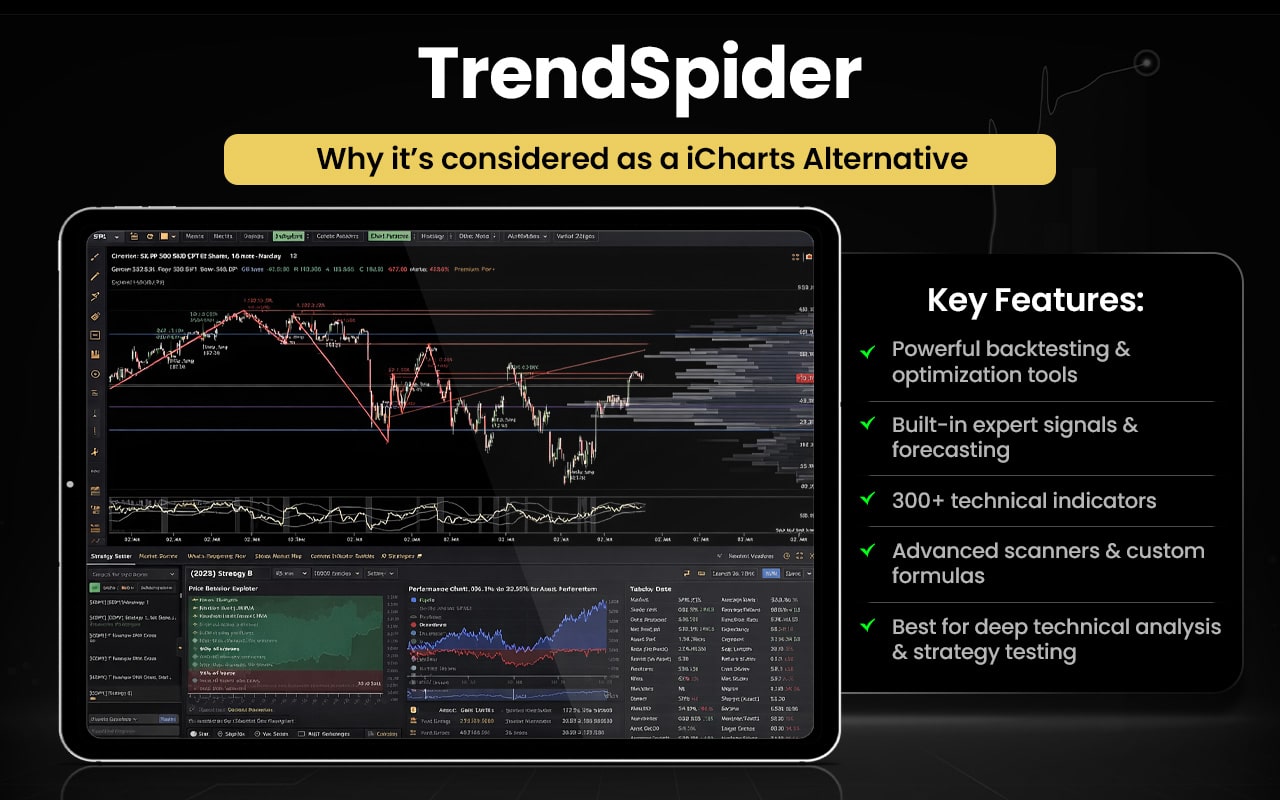
Let us now check the comparison between TrendSpider and iCharts to see which serve your purpose better.
| Feature / Aspect | TrendSpider | iCharts |
| Primary Focus | Automated technical analysis, strategy tools, trading automation. | Technical charting and visualization tools. |
| Charting | Advanced charts including raindrop, multi‑timeframe analysis. | Line, bar, and candlestick charts. |
| Automation | Auto trendlines, pattern detection & smart alerts. | Manual drawing + standard indicators. |
| Technical Indicators | 200+ indicators, custom indicators & scripts. | 30 built‑in indicators. |
| Alerts | Dynamic alerts & multi‑factor alerts. | Not a primary focus (chart alerts only). |
| Backtesting | Strategy backtesting included. | No built‑in backtester. |
| Market Scanning | Technical market scanner for patterns. | Charting only. |
| Customization | Highly customizable charts & indicators. | Basic chart customization. |
Switch to TrendSpider if you:
- Want automated trendlines, pattern detection, and alerts.
- Need strategy creation and backtesting without coding.
- Use multi-timeframe charts and advanced raindrop charts.
- Require 200+ technical indicators and custom scripts.
- Want dynamic, multi-factor alerts and market scanning tools.
- Prefer highly customizable charts and workflow automation.
Stick to iCharts if you:
- Focus mainly on simple, clean charting.
- Use line, bar, or candlestick charts.
- Need basic technical indicators (~30).
- Prefer a lightweight, chart-focused interface without extra tools.
- Track intraday or periodic prices quickly and visually.
Customers overwhelmingly describe TrendSpider as powerful, intuitive, and packed with useful tools that streamline technical analysis and trading decisions. Many reviews highlight excellent, responsive support and helpful onboarding, especially for beginners, while others note a learning curve and occasional complexity for new users. A few users mention pricing as a drawback.
What are the Free Alternatives to iCharts?
The free alternatives to iCharts include MetaTrader 5, Thinkorswim, StockCharts, and GoCharting.
- MetaTrader 5 – Free charting and technical tools available via brokers with no subscription fee.
- Thinkorswim – Comprehensive free charting and analysis included with a brokerage account.
- StockCharts (Basic Free) – Interactive charts and essential indicators at no cost.
- GoCharting – Browser‑based free charts with multiple tools and indicators.
These platforms allow you to view charts and perform technical analysis without requiring a paid subscription.
What are the Paid Alternatives to iCharts?
The paid alternatives to iCharts are Strike Money, Sensibull, Opstra, Quantsapp, and Stolo.
- Strike Money – Options analytics with strategy builder, payoff charts, Greeks, and backtesting.
- Sensibull – Options strategy tools, live option chains, open interest data, and broker execution.
- Opstra (Definedge) – Greeks analysis, multi‑leg strategy creation, and volatility visualization.
- Quantsapp – Open interest/IV tracking, alerts, payoff visuals, and strategy tools, especially mobile‑friendly.
- Stolo – Real‑time option chains, FII/DII data, strategy builder, and advanced option charts.
These platforms offer paid plans or subscriptions for advanced charting, analytics, strategy tools, or trading services that go beyond iCharts’ basic charting functionality.
iCharts Alternatives with Expiry Day Analysis
iCharts alternatives with expiry day analysis or similar feature include Strike Money, Sensibull, Opstra, Quantsapp, Stolo, and Thinkorswim.
- Strike Money — Options expiry tools, payoff charts, and Greeks for precise expiry day planning.
- Sensibull — Expiry day strategy builder with live chains, OI/volatility views, and scenario analysis.
- Opstra (Definedge) — Expiry‑focused Greeks, payoff visuals, and detailed volatility analysis.
- Quantsapp — OI/IV tracking, alerts, and expiry‑specific strategy insights.
- Stolo — Real‑time option chain, open interest & expiry insights for traders.
- Thinkorswim — Advanced options analytics including expiry day scenario planning.
iCharts’ expiry day analysis provides a snapshot of options activity, showing price, open interest, and volume trends after 2 PM to help traders plan strategies on the contract’s final trading day.
iCharts Alternatives with Backtesting
iCharts alternatives with backtesting include Strike Money, Opstra, Sensibull, Quantsapp, Stolo, TradingView, TrendSpider, MetaTrader 5, and Thinkorswim.
- Strike Money – Provides backtesting for options strategies with historical results.
- Opstra – Offers multi-leg options strategy testing over past market data.
- Sensibull – Provides historical simulation of options scenarios for analysis.
- QuantsApp – Offers probability-based evaluation of options strategies and returns.
- Stolo – Provides backtesting for technical and options strategies with risk metrics.
- TradingView – Offers custom strategy scripting with full historical backtesting.
- TrendSpider – Provides automated technical strategy backtesting and performance metrics.
- MetaTrader 5 – Offers testing for automated trading strategies on historical data.
- Thinkorswim – Provides backtesting for equities and options with detailed analytics.
These platforms let you simulate and evaluate trading strategies over past data, unlike iCharts which focuses primarily on charting.
iCharts Alternatives for Stock Traders
iCharts alternatives for stock traders include Strike Money, Sensibull, Opstra, Quantsapp, Stolo, Thinkorswim, MetaTrader 5, TradeStation,Investar, StockCharts, TradingView, GoCharting, TradingTick, Koyfin, and TrendSpider.
- Strike Money – Provides options and strategy backtesting with historical performance visualization.
- Sensibull – Offers options scenario analysis and simulated strategy outcomes.
- Opstra (Definedge) – Provides multi‑leg options strategy testing with historical payoff metrics.
- Quantsapp – Offers probability‑based options evaluation and backtesting insights.
- Stolo – Provides backtesting for both technical and options strategies with risk stats.
- Thinkorswim – Offers powerful backtesting for stocks and options with detailed analytics.
- MetaTrader 5 – Provides automated strategy testing and optimization on historical data.
- TradeStation – Offers advanced strategy backtesting and automation for stocks and futures.
- Investar – Provides technical strategy backtesting with clear performance summaries.
- StockCharts – Offers chart‑based pattern testing and technical scan history.
- TradingView – Provides custom scripting and full historical strategy backtesting (Pine Script).
- GoCharting – Offers technical charting with strategy backtesting tools.
- TradingTick – Provides technical backtesting and signal evaluation across stocks.
- Koyfin – Offers comprehensive market analytics, with backtesting via chart overlays and indicators.
- TrendSpider – Provides automated technical strategy backtesting with performance metrics.
These platforms collectively offer stock traders far more powerful backtesting, strategy simulation, and analytics than iCharts, helping make smarter, data-driven trading decisions.
iCharts Alternatives for Forex Traders
iCharts alternatives for forex traders include MetaTrader 5, Thinkorswim, TradeStation, TradingView, TrendSpider, GoCharting, and TradingTick.
- MetaTrader 5 – Provides comprehensive Forex backtesting, optimization, and automated trading.
- Thinkorswim – Offers Forex strategy backtesting with detailed analytics and scenario simulation.
- TradeStation – Supports Forex strategy testing and automated execution across currency pairs.
- TradingView – Provides full historical backtesting and custom strategy scripting for Forex.
- TrendSpider – Offers automated technical strategy testing applicable to Forex charts.
- GoCharting – Provides strategy backtesting with Forex chart support.
- TradingTick – Offers technical backtesting and signal evaluation for Forex markets.
These platforms equip Forex traders with robust backtesting, automation, and strategy insights that iCharts alone cannot provide.
iCharts Alternatives for Crypto Traders
iCharts alternatives for crypto traders TradingView, TrendSpider, GoCharting, MetaTrader 5, TradingTick, and Koyfin.
- TradingView – Provides comprehensive crypto charting and allows custom strategy backtesting across many digital assets.
- TrendSpider – Offers automated technical analysis and strategy backtesting for crypto markets.
- GoCharting – Supports crypto charts with advanced technical analysis and scripting for custom tools.
- MetaTrader 5 – Enables crypto CFDs and custom expert‑advisor backtesting in supported brokers’ feeds.
- TradingTick – Provides technical charting and backtesting that can include crypto instruments.
- Koyfin – Offers broad market analytics, including crypto charting and performance visualization.
These alternatives give crypto traders more robust charting, strategy testing, and analytics compared with iCharts’ static chart focus.
iCharts Alternatives for Futures Traders
iCharts alternatives for futures traders include Thinkorswim, MetaTrader 5, TradeStation, TradingView, TrendSpider, GoCharting,, and TradingTick.
- Thinkorswim – Offers advanced futures charting and built‑in strategy backtesting with detailed trade analytics.
- MetaTrader 5 – Provides strategy testing, optimization, and automated execution for futures via broker feeds.
- TradeStation – Supports futures trading with strong backtesting, automation, and performance reporting.
- TradingView – Offers comprehensive futures charting and custom strategy backtesting across many markets.
- TrendSpider – Provides automated technical strategy backtesting and multi‑market futures charts.
- GoCharting – Offers futures charting with advanced technical analysis and scripting tools.
- TradingTick – Provides technical charting and backtesting that can include futures instruments.
These platforms give futures traders more robust backtesting, automation, and strategy evaluation than iCharts’ primarily chart‑focused tools.
iCharts Alternatives for Options Traders
iCharts alternatives for options traders include Strike Money, Sensibull, Opstra, Quantsapp, Stolo, Thinkorswim, TradingView, and TrendSpider.
- Strike Money – Provides advanced options analytics, strategy building, payoff charts, and historical backtesting tools for options trading.
- Sensibull – Offers options strategy building, option chain data with Greeks, and simulated outcomes for strategy planning.
- Opstra (Definedge) – Provides detailed options analytics with multi‑leg strategy design and historical payoff/simulation tools.
- Quantsapp – Offers mobile‑friendly options analytics, and strategy evaluation with probability and risk insights.
- Stolo – Provides integrated options analysis with live option chains, strategy planning, and performance insight tools.
- Thinkorswim – Offers robust options analytics, paper trading, and strategy testing features for complex option strategies.
- TradingView – Provides options charting and customizable scripts that can be used to test and analyze option‑related strategies historically.
- TrendSpider – Offers advanced charting and automated technical analysis that supports evaluating option setups alongside strategy backtesting.
These platforms give options traders much stronger tools for strategy design, analytics, and historical testing compared with iCharts’ primarily chart‑centric features.
Why You Should Look for iCharts Alternatives?
You should look for iCharts alternatives because, while it provides basic charting, it lacks advanced features needed for serious trading.
Limited Backtesting
iCharts cannot test strategies on historical data, making it hard to measure performance or risk. Traders cannot see how a strategy would have behaved in different market conditions. TradingView, Strike Money, Thinkorswim, and MetaTrader 5 provide robust backtesting frameworks with detailed performance metrics.
No Custom Strategy Scripting
iCharts doesn’t allow writing custom rules or automation, limiting flexibility for systematic traders. You can’t automate entries, exits, or complex multi-condition strategies. TradingView, MetaTrader 5, and Thinkorswim let traders script, simulate, and optimize their own strategies.
Weak Options Tools
iCharts lacks options-specific analytics like payoff charts, Greeks, or probability calculations. Traders cannot analyze multi-leg strategies or measure potential outcomes accurately. Strike Money, Sensibull, Opstra, and Quantsapp provide advanced options tools with historical simulation and scenario analysis.
No Trade Execution
iCharts cannot place trades directly, forcing traders to use separate platforms for execution. This creates workflow gaps and manual errors. MetaTrader 5 and TradeStation combine charting, analysis, and live or automated trading in one platform.
Basic Technical Analysis Only
iCharts offers charting and indicators but lacks automated trend detection, alerts, or multi-timeframe analysis. Traders must manually identify patterns, which can be time-consuming. Strike Money, TrendSpider, GoCharting, and TradingTick provide automated technical analysis, smart alerts, and pattern recognition.
No Multi‑Asset Analytics
iCharts focuses on individual charts without a broader market context, limiting sector and cross-asset insights. Traders cannot easily compare performance or spot correlations. Koyfin and StockCharts provide dashboards, market breadth, and comparative analytics for smarter decision-making.
Choosing the right iCharts alternative lets traders access backtesting, automation, advanced analytics, and multi-asset insights that iCharts alone cannot provide.
What Features Should a Good iCharts Alternative Have?
The features that a good iCharts alternative should have combine all the strengths of iCharts with additional tools needed for a complete trading experience.
- Interactive and responsive charts with standard technical indicators like iCharts.
- Advanced backtesting to test strategies on historical data and evaluate performance metrics.
- Custom strategy scripting to create, automate, and optimize trading rules.
- Options analytics, including payoff charts, Greeks, multi-leg strategy builders, and scenario analysis.
- Integration with brokers for live or simulated trade execution.
- Automated technical analysis for trend detection, pattern recognition, and multi-timeframe alerts.
- Multi-asset and market breadth analytics covering equities, options, crypto, and futures with comparative sector insights.
- Probability and risk metrics such as expected returns, win probability, drawdowns, and volatility.
- Timely alerts and notifications for price, trend, or custom strategy triggers.
- User-friendly interface with customizable layouts and clear visualizations for beginners and professionals.
A good iCharts alternative equips traders with advanced analytics, automation, and actionable insights, providing a complete and smarter trading experience beyond basic charting.
What is the Best Alternative to iCharts?
Strike Money is the best alternative to iCharts as it offers advanced backtesting, options analytics, automated technical analysis, and strategy simulation that iCharts does not provide.
| Feature | iCharts | Strike Money | Advantages of Strike Money |
| Charts & Indicators | Available | Available | Interactive and advanced charts |
| Backtesting | Not available | Available | Test strategies on historical data |
| Custom Strategy | Not available | Available | Create and simulate rules |
| Options Tools | Not available | Available | Payoff charts and multi-leg analysis |
| Trade Execution | Not available | Partially available | Simulated trades and analysis |
| Automated Analysis | Not available | Available | Trend detection and alerts |
| Multi-Asset Analytics | Not available | Partially available | Stock-focused dashboards |
| Probability & Risk | Not available | Available | Returns, drawdown, and win rate metrics |
| Alerts & Notifications | Not available | Available | Custom price and strategy triggers |
| User Interface | Available | Available | Advanced and intuitive layout |
 5 mins