15 Spider Software Alternatives [Free+Paid] You Should Use in 2026


 Author

 Editor
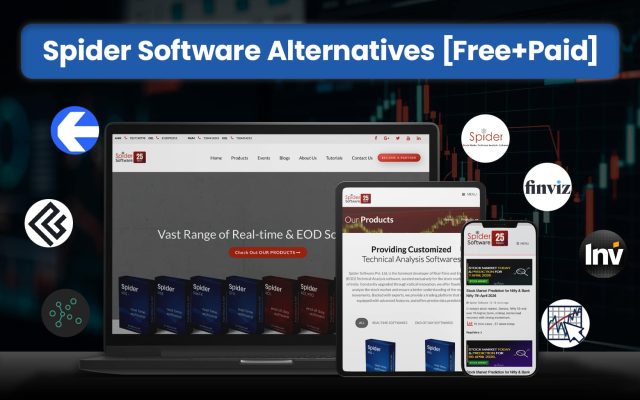
Spider Software alternatives are searched for when they find their existing platform falling short of certain features. This Spider Software alternatives list will mention some of the options that one may choose if Spider Software seems disappointing at any stage of their trading journey.
In this guide, we will not only name the alternatives to Spider Software but also talk about their features, pricing, and customer experiences. By the end of this article, you will know whether to stick to Spider Software or switch to one of the alternatives mentioned here in the list.
Our Experience with Spider Software Alternatives
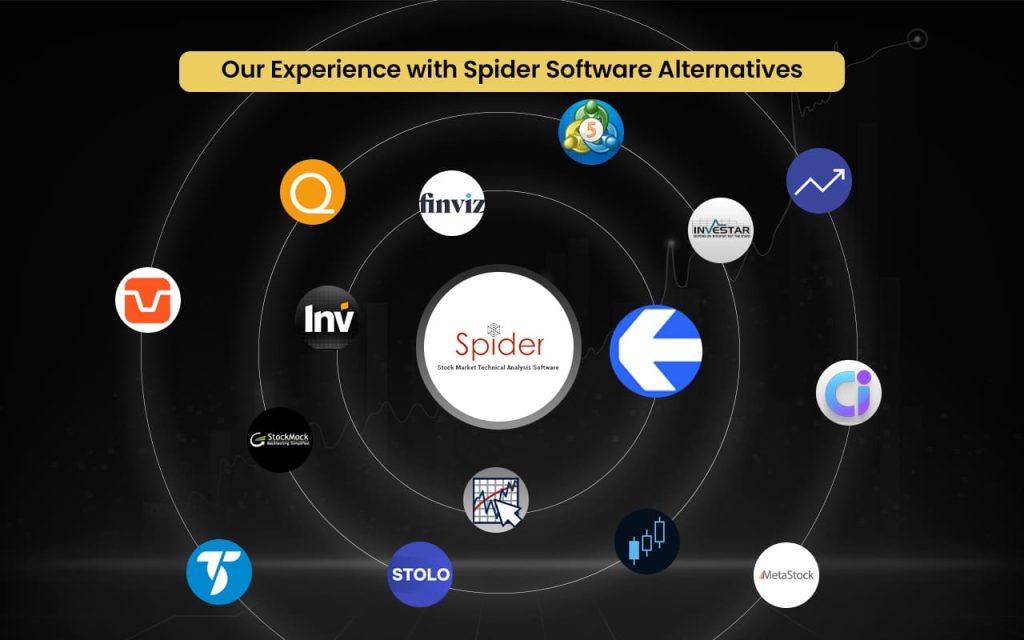
- Strike Money — Best For Web-Based Stock And Options Analysis
- TradingView — Best For Web-Based Charting And Market Analysis
- TradeStation — Best For Direct Market Access And Automation
- Koyfin — Best For Financial Data Analytics And Screening
- Tickeron — Best For AI-Driven Predictive Trading Insights
- TrendSpider — Best For Automated Technical Analysis And Pattern Detection
- NinjaTrader — Best For Professional Charting And Trade Automation
- DXCharts — Best For High-Speed Multi-Asset Charting
- MetaStock — Best For Institutional-Grade Charting And Forecasting
- AmiBroker — Best For Advanced Strategy Backtesting And Coding
- Investar — Best For Desktop Technical Analysis And Screening
- ChartBolt — Best For Visual Stock Scanning And Alerts
- StocksToTrade — Best For All-In-One Trading And Analysis
- Trade Ideas — Best For AI-Powered Stock Scanning And Signals
- Spreadsheet Server (Insight Software) — Best For Excel-Based Financial Reporting And Analytics
Best Spider Software Alternatives with Detailed Comparison
| Platform Name | Features Missing In Spider Software | Pricing | Review (Market Perception) |
| Strike Money | Modern web platform, options analytics | ₹649 per month (India-focused plans) | Fast-growing modern platform |
| TradingView | Cloud access, social charts, broker integration | Essential – ₹995 per month (when billed annually)Plus – ₹1,995 per month (when billed annually)Premium – ₹3,995 per monthUltimate – ₹17,333 per month | Highly popular, beginner-friendly |
| TradeStation | Direct execution, advanced automation | Lite – ₹0Basic – ₹495 onwardsStandard – ₹995 onwards | Professional trading tool |
| Koyfin | Macro data, portfolio analytics | Free – $0 per month (limited feature access)Plus – $39 per monthPremium – $79 per monthAdvisor Core – $209 per monthAdvisor Pro – $299 per month | Strong research platform |
| Tickeron | AI signals, predictive analytics | Daily Buy/Sell Signals – $60/yearAI Robots – $540/yearAI Robots Unlimited – $1500/year | Known for AI insights |
| TrendSpider | AI automation, auto pattern detection | Advanced – $72.76 per monthEnhanced – $61 per monthPremium – $49.14 per monthStandard – $41.58 per month | Powerful but premium tool |
| NinjaTrader | Futures automation, trade simulation | Free – $0 plus commissionMonthly – $99 plus commission per monthLifetime – $1,499 plus commission (one-time payment) | Professional-grade platform |
| DXCharts | Multi-asset advanced charting | Basic – $499/month (1-month free trial)Enterprise – Custom PricingLifetime License – Per plan chosen | Institutional-style charts |
| MetaStock | Forecasting tools, deep analytics | Specific plans for specific features | Trusted legacy software |
| AmiBroker | Advanced coding & backtesting | Standard – $299Professional – $369Ultimate – $499These are license fees exclusive of the add-on and upgrade charges. | Quant traders’ favourite |
| Investar | Cloud/mobile flexibility | Lite – ₹0Basic – ₹495 onwardsStandard – ₹995 onwardsPRO – ₹1345 onwards | Solid but traditional |
| ChartBolt | Visual scanners, simplified UI | Basic – $90 per yearStandard – $290 per yearAdvanced – $990 per year | Easy for quick scanning |
| StocksToTrade | Integrated news and scanners | Monthly – $179.95Annual – $1899.50 | Popular with active traders |
| Trade Ideas | AI stock scanner, live signals | The Blue Bundle – $89/monthThe Powder Elite – $178/monthThe Tester – Free of cost | Strong for intraday trading |
| Spreadsheet Server | Excel automation, financial dashboards | Request for pricing | Enterprise-focused tool |
Strike Money
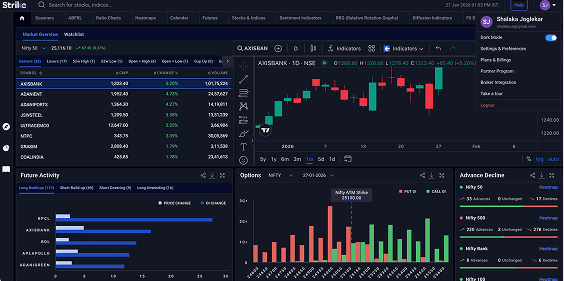
Strike Money is an all-in-one stock market analysis platform that provides real-time market insights, advanced charting, technical indicators, and data-driven recommendations to help traders make informed decisions. It simplifies complex market data through screeners, heatmaps, sentiment indicators, and trend analysis tools, while also offering options analytics, strategy building, backtesting, and real-time stock screening to identify high-potential trades quickly. The platform follows a freemium model with essential tools available for free and advanced features offered through subscriptions.
Strike was founded on 15 June 2023 in Mumbai as an Indian stock market analytical tool designed to deliver accurate insights and actionable trading data. It is backed by market veteran Rohit Srivastava, who supports the platform’s development and vision to become a leading stock market analysis solution.
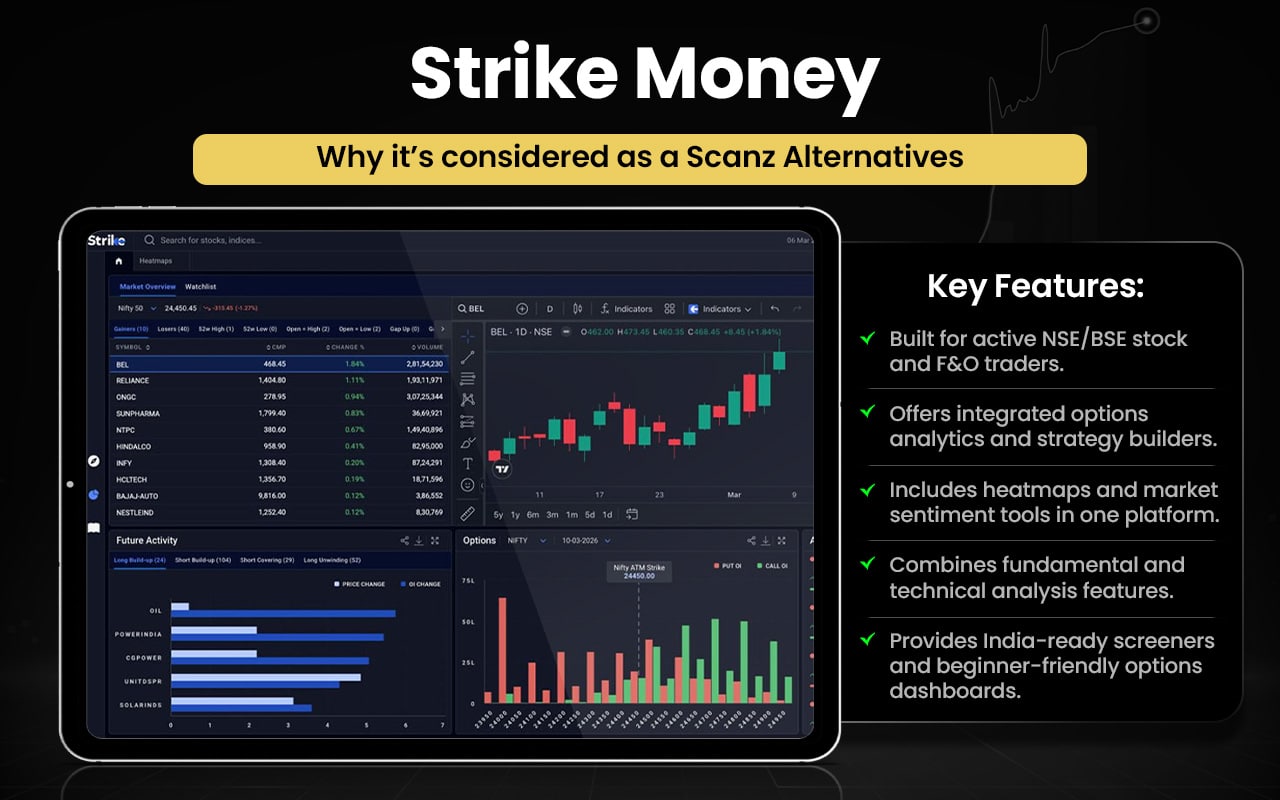
Let us check how Strike Money and Spider Software surpass each other in certain aspects.
| Feature | Strike Money | Spider Software |
| Platform Type | Fully web-based platform | Desktop-based software |
| Accessibility | Browser access, multi-device | Windows installation required |
| Real-Time Data | Real-time market insights | Tick-by-tick real-time data |
| Charting | Advanced web charts | Advanced desktop charts |
| Technical Indicators | Multiple proprietary indicators | 150+ technical indicators |
| Stock Screeners | Smart screeners & filters | Technical scanners available |
| Heatmaps & Sentiment | Heatmaps and sentiment tools | Limited sentiment visuals |
| Options Analytics | Dedicated options analysis tools | F&O tracking available |
| Strategy Tools | Strategy insights & tracking | Algo trading software support |
| Backtesting | Strategy testing tools | Backtesting with historical data |
| Ease of Use | Modern, simple interface | Complex professional interface |
| Market Coverage | Stocks, options, futures | Primarily Indian stock market |
| Pricing Model | Freemium + subscription | Paid desktop licensing |
Switch to Strike Money if you:
- Want a fully web-based platform with multi-device access
- Prefer modern UI with easier navigation
- Need advanced options analytics and strategy insights
- Use smart screeners, heatmaps, and sentiment tools
- Want quick market insights without heavy setup
- Prefer freemium pricing and flexible plans
Stick to Spider Software if you:
- Need deep desktop-based technical analysis
- Use 150+ indicators and advanced chart studies
- Rely on tick-by-tick real-time Indian market data
- Require detailed backtesting and historical data
- Use algo trading tools for automation
- Prefer professional, feature-heavy trading software
Users generally describe the platform as intuitive and insight-driven, praising its clean interface, actionable market analytics, and ease of understanding complex data. Many appreciate real-time insights and efficiency. However, some note limited advanced features in free plans and premium pricing concerns, while overall sentiment reflects strong satisfaction and growing trust.
TradingView
TradingView is a web-based charting and social trading platform used by millions of traders and investors worldwide to analyse global financial markets and discover opportunities. It offers advanced interactive charts, technical indicators, screeners, alerts, and strategy testing tools, along with a social network where users share ideas and insights. The platform supports multi-asset analysis including stocks, forex, crypto, and futures, and enables traders to track markets, create watchlists, and collaborate with a global community.
TradingView was founded in 2011 by Stan Bokov, Denis Globa, and Constantin Ivanov with the vision of creating an accessible web-based charting platform combined with social collaboration for traders. The founders previously worked on trading software and aimed to build a cloud-based tool that made professional-grade market analysis available to everyone.

Let us now compare the features of TradingViewand Spider Software to see in what areas or aspects they are better than each other.
| Feature | TradingView | Spider Software |
| Platform Type | Web-based charting and trading platform | Desktop-based technical analysis software |
| Market Coverage | Global markets: stocks, forex, crypto, futures | Primarily Indian markets (NSE, BSE, MCX) |
| Charting Tools | 400+ indicators, drawing tools, pattern recognition | Advanced charts with 150+ indicators |
| Custom Indicators | 100,000+ public indicators and scripts | Built-in indicators and pattern scanners |
| Multi-Timeframe Analysis | Multi-timeframe and auto chart patterns | Real-time and historical analysis for NSE/BSE |
| Alerts | Price, technical, and watchlist alerts | Live updates and notifications |
| Backtesting & Strategy | Strategy tester, paper trading, custom scripts | Backtesting with EOD and intraday data |
| Broker Integration | Trade directly with 100+ brokers | Mainly analysis-focused, limited execution |
| Accessibility | Cloud, mobile, desktop sync | Windows-based software |
| Data Coverage | Multi-asset global data | Tick-by-tick Indian market data |
| Community & Social | Social trading and idea sharing | Primarily standalone analysis platform |
| Portfolio Tracking | Watchlists, alerts, and simulations | Portfolio tracking and optimisation |
Switch to TradingView if you:
- Want cloud-based access across web and mobile
- Trade global markets like forex, crypto, US stocks
- Need social trading and shared ideas
- Prefer custom indicators and Pine Script strategies
- Want broker integration and paper trading
- Need multi-device syncing and alerts
Stick to Spider Software if you:
- Focus mainly on Indian stock markets
- Need tick-by-tick real-time market data
- Use extensive built-in technical indicators
- Prefer desktop-based professional tools
- Require detailed historical data and backtesting
- Use advanced technical scanners regularly
Users widely praise the platform for powerful charts, real-time global data, and strong community features that support analysis and idea sharing. However, some report app slowdowns, login issues, and occasional chart glitches after updates.
TradeStation
TradeStation is an online brokerage and trading technology platform that offers advanced tools for trading stocks, ETFs, options, and futures across desktop, web, and mobile. It provides real-time data, advanced charting, customizable dashboards, backtesting, simulated trading, and automated strategy development tools designed for active traders and institutions. The platform supports multi-asset trading, detailed analytics, and direct market execution, along with educational resources and customizable trading environments to help traders research, test, and execute strategies efficiently.
TradeStation was founded in 1982 by brothers William (Bill) Cruz and Rafael (Ralph) Cruz as a software development company focused on creating tools that allowed traders to design and test strategies. It later evolved into a full-service online brokerage and trading platform, becoming known for pioneering strategy backtesting and automated trading technologies for active traders.
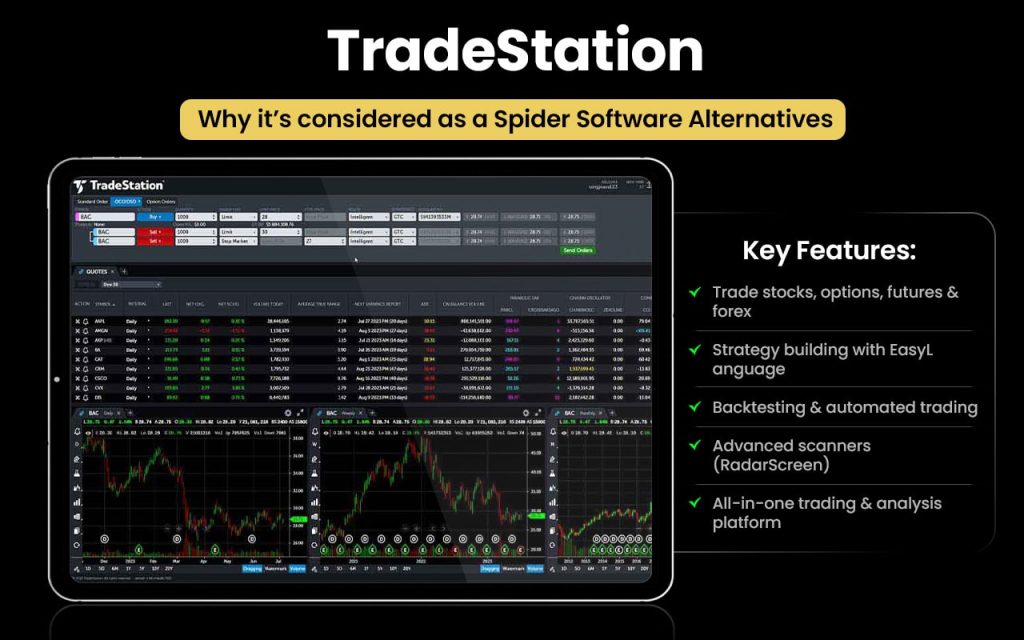
Let us look into the comparison between the features of TradeStation and Spider Software.
| Feature | TradeStation | Spider Software |
| Platform Type | Online brokerage + trading platform | Desktop technical analysis software |
| Market Coverage | Stocks, ETFs, options, futures (global) | Primarily Indian stock markets |
| Trading Capability | Direct trade execution and order management | Mainly analysis-focused platform |
| Charting & Analysis | Advanced charting with customizable dashboards | Advanced charts with technical indicators |
| Backtesting & Simulation | Robust backtesting and simulated trading tools | Backtesting with EOD and intraday data |
| Automation & APIs | Algorithmic trading and API integration | Algo tools and technical scanners |
| Accessibility | Web, desktop, and mobile platforms | Primarily desktop-based software |
| Real-Time Data | Real-time data with analytics and dashboards | Real-time NSE/BSE and F&O tracking |
| Multi-Asset Support | Multi-asset trading and analytics | Equity, F&O, MCX tracking |
| Portfolio & Watchlists | Watchlists, alerts, analytics tools | Portfolio tracking and live updates |
| Target Users | Active and institutional traders | Self-directed Indian market traders |
Switch to TradeStation if you:
- Want direct trade execution and brokerage integration
- Trade global markets across multiple asset classes
- Need advanced backtesting and simulated trading
- Use automated strategies and API integrations
- Prefer web, desktop, and mobile access
- Need institutional-grade analytics and dashboards
Stick to Spider Software if you:
- Focus mainly on Indian stock markets
- Need tick-by-tick NSE/BSE real-time data
- Use extensive built-in technical indicators
- Prefer desktop-based professional analysis tools
- Require detailed historical data and scanners
- Rely on advanced technical chart studies
Customer feedback reflects mixed sentiment, with many traders praising the platform’s powerful tools, fast execution, and deep customization for active trading. However, frequent complaints highlight slow or unresponsive customer support, high fees, withdrawal delays, and occasional technical glitches.
Koyfin
Koyfin is a comprehensive financial data and analytics platform designed for investors, advisors, and research teams to analyse markets and portfolios in one place. It offers advanced graphing, customizable dashboards, real-time alerts, financial analysis, equity screeners, watchlists, company snapshots, macroeconomic data, and portfolio tools that help users track price, valuation, and market trends efficiently.
Founded in 2016 by Rob Koyfman, Koyfin was built to democratize access to high-quality financial research tools without the high cost of traditional terminals. Koyfman, a seasoned investment strategist, created the platform to provide professional-grade data and insights to a broad audience, enabling more informed investment decisions.
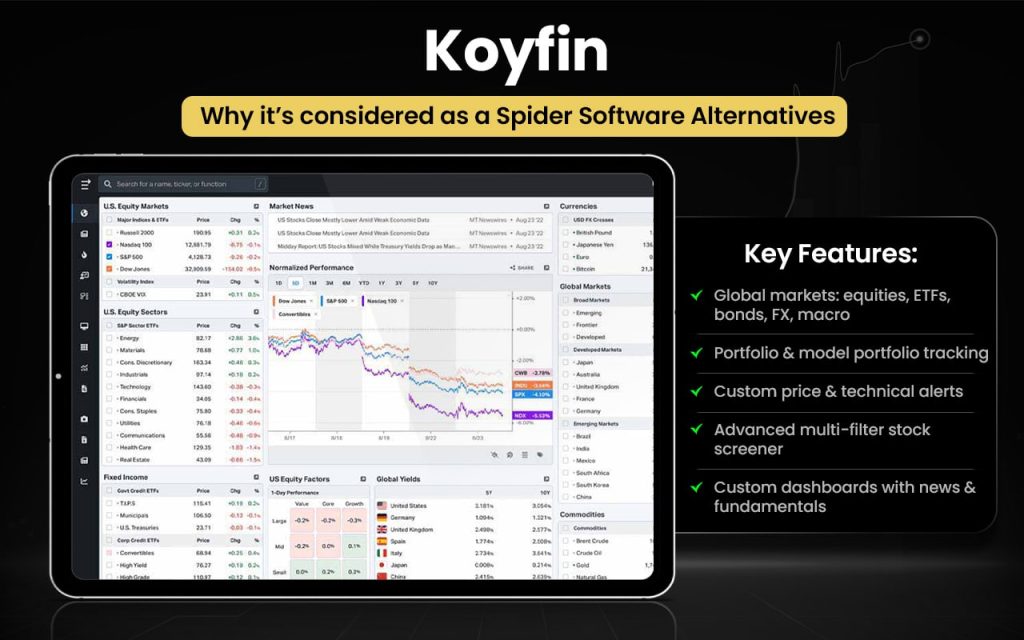
Let us now check how the features of Koyfin and Spider Software can be better than each other in certain aspects.
| Feature | Koyfin | Spider Software |
| Platform Type | Web-based financial analytics | Desktop technical analysis software |
| Market Coverage | Global markets – stocks, ETFs, indices, macrodata | Primarily Indian markets (NSE, BSE, MCX) |
| Charting & Visualisation | Advanced interactive graphs & dashboards | Advanced charts with indicators |
| Financial Data Sets | Deep fundamental, macroeconomic, and market data | Focused on price, technical indicators |
| Screeners | Custom stock filters & screeners | Technical condition scanners |
| Portfolio Analytics | Performance dashboards & benchmarking | Basic portfolio tracking |
| Alerts | Real-time alerts on price and events | Real-time alerts within software |
| Accessibility | Browser access from anywhere | Windows desktop only |
| Research Tools | Company financial summaries, ratios | Technical analysis tools |
| User Base | Investors, analysts, advisors | Technical traders, Indian market users |
Switch to Koyfin if you:
- Want global market and macroeconomic data
- Prefer web-based access across devices
- Need strong fundamental and financial analysis
- Use customizable dashboards and visual analytics
- Track portfolios with benchmarking tools
- Require company financials and valuation data
Stick to Spider Software if you:
- Focus mainly on Indian stock markets
- Need tick-by-tick real-time NSE/BSE data
- Use extensive technical indicators and scanners
- Prefer desktop-based professional tools
- Require detailed technical chart analysis
- Rely on backtesting and historical price data
Users generally praise Koyfin for its intuitive interface, ease of use, and comprehensive market data that simplifies investment research and portfolio tracking. Many find it cost-effective and efficient compared to legacy tools. Some users note limitations in data depth, free-tier features, and charting functionality, but overall feedback highlights strong satisfaction and usability.
Tickeron
Tickeron is an AI-powered trading and investment platform that provides advanced tools for market analysis, forecasting, and automated trading. It uses artificial intelligence and proprietary algorithms to deliver stock predictions, pattern recognition, buy/sell signals, AI screeners, and automated trading bots. The platform includes AI Robots, pattern search engines, trend prediction tools, and real-time insights that help traders analyse markets, identify opportunities, and make data-driven trading decisions across multiple assets.
Tickeron was founded in 2013 as an AI-driven fintech platform focused on improving trading decisions through machine learning and data analysis. It was created by Sergey Savastiouk and a team of Ph.D. mathematicians and quantitative experts to build sophisticated AI-powered tools capable of performing extensive market research and delivering predictive insights for investors and traders.
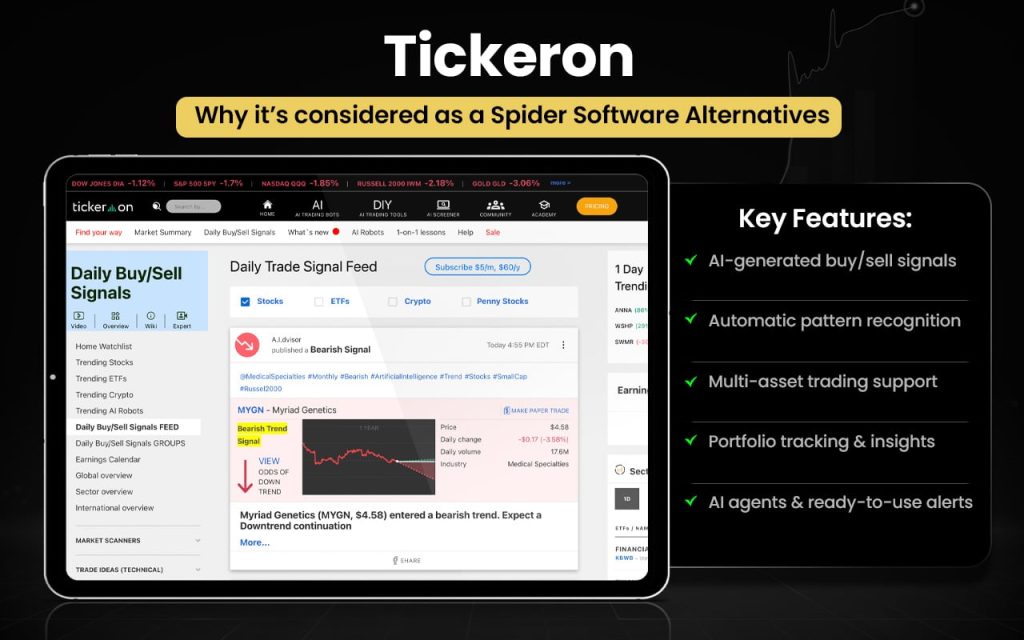
Let us now compare Tickeron and Spider Software and check which serves your trading needs better.
| Feature | Tickeron | Spider Software |
| Platform Type | AI-powered web trading platform | Desktop technical analysis software |
| Core Technology | Artificial intelligence and machine learning tools | Traditional technical analysis tools |
| Market Coverage | Stocks, ETFs, and multi-asset markets | Primarily Indian stock markets |
| Pattern Detection | AI pattern search and real-time pattern analysis | Auto trendlines and chart pattern tools |
| Trade Signals | AI buy/sell signals and predictions | Technical signals via indicators and scanners |
| Trading Bots | AI trading robots and virtual agents | Algo tools and technical scanners |
| Screeners | AI stock screener with entry/exit insights | Technical screeners and stock filters |
| Backtesting | AI-based pattern and strategy validation | Backtesting with EOD and intraday data |
| Real-Time Insights | Real-time AI market analysis and alerts | Tick-by-tick real-time NSE/BSE data |
| Charting | AI-assisted charts and analytics | Advanced charts with 150+ indicators |
| Accessibility | Web-based cloud access | Windows desktop-based |
| Portfolio & Tracking | AI insights and strategy guidance | Portfolio tracking and live updates |
| Target Users | AI-driven traders and investors | Indian technical traders |
Switch to Tickeron if you:
- Want AI-powered trading bots and signals
- Need predictive analytics and AI forecasts
- Use automated pattern recognition tools
- Prefer real-time AI screeners and insights
- Want entry/exit suggestions with confidence scores
- Need machine-learning-based trade ideas
- Prefer cloud-based access and automation
Stick to Spider Software if you:
- Focus mainly on Indian stock markets
- Need tick-by-tick NSE/BSE real-time data
- Use extensive built-in indicators and scanners
- Prefer desktop-based technical analysis tools
- Require detailed historical data and backtesting
- Track F&O and equities with live market feeds
Customer feedback shows mixed experiences. Many users appreciate AI tools, trade signals, and profitable ideas that simplify market analysis and save time. However, frequent complaints mention confusing pricing, subscription billing issues, and occasional dissatisfaction with support or signal accuracy.
TrendSpider
TrendSpider is an automated technical analysis platform that helps traders uncover strategies, pinpoint opportunities, and time trades more efficiently. It offers advanced charting, automated trend detection, pattern recognition, customizable alerts, multi-timeframe analysis, strategy backtesting, and idea generation tools for stocks, forex, crypto, and other assets—all in a web-based interface designed to streamline market analysis.
TrendSpider was founded in 2016 by Dan Ushman and Ruslan “Rus” Lagutin to address inefficiencies in traditional charting tools and automate routine technical work for traders. Ushman, a seasoned tech entrepreneur and trader, and Lagutin, its CTO, built the platform to make professional-grade technical analysis more accessible and accurate for active traders worldwide.

Now, let us check how TrendSpider and Spider Software can be better than each other in certain aspects.
| Feature | TrendSpider | Spider Software |
| Platform Type | Cloud-based automated analysis platform | Desktop technical analysis software |
| Core Technology | AI-powered automation and pattern detection | Traditional technical analysis tools |
| Market Coverage | Multi-asset markets globally | Primarily Indian markets (NSE, BSE, MCX) |
| Automated Analysis | Auto trendlines, patterns, support/resistance | Manual + scanner-based analysis |
| Multi-Timeframe Analysis | Automated multi-timeframe charting | Real-time and historical analysis tools |
| Strategy Testing | Strategy testing and backtesting tools | Backtesting with historical and options data |
| Alerts & Automation | Smart alerts, bots, automation tools | Live alerts and technical notifications |
| Charting | AI-assisted smart charts and pattern tools | Advanced charts with 150+ indicators |
| Screeners & Scans | Automated scanners and idea generation | Powerful technical scanners and filters |
| Accessibility | Web access across devices | Windows desktop-based |
| Algo & Automation | No-code automation and integrations | Dedicated algo trading software for Indian markets |
| Data Strength | Automation and analytics focus | Tick-by-tick real-time Indian data |
| Target Users | Data-driven and global traders | Indian technical traders |
Switch to TrendSpider if you:
- Want automated pattern recognition and trendlines
- Use AI-driven chart analysis and signals
- Need multi-timeframe automated analysis
- Prefer no-code strategy testing and backtesting
- Want real-time idea generation and scanners
- Use cloud-based access across devices
- Need automated alerts and smart charts
Stick to Spider Software if you:
- Focus mainly on Indian stock markets
- Need tick-by-tick NSE/BSE real-time data
- Use 150+ built-in technical indicators
- Prefer desktop-based analysis tools
- Need detailed historical data and scanners
- Track equities, F&O, and MCX markets
- Rely on professional technical charting
Customer feedback is largely positive, with users praising powerful automation, smart charts, and time-saving analysis tools that improve trading efficiency. Many appreciate helpful support and innovative features. However, some mention a learning curve, premium pricing concerns, and complexity for beginners.
NinjaTrader
NinjaTrader is a futures-focused trading platform and brokerage that provides advanced charting, real-time market data, customizable indicators, and automated strategy development tools for active traders. It offers desktop, web, and mobile platforms with trade simulation, backtesting, order-flow analysis, and access to thousands of third-party apps and add-ons, allowing traders to analyse markets, build strategies, and execute trades from a single integrated environment.
NinjaTrader was founded in 2003 by Raymond Deux to create better tools for futures traders and simplify professional trading technology. What began as a software solution for strategy testing and charting evolved into a full trading platform and brokerage supporting hundreds of thousands of traders worldwide with advanced technology and trading tools.
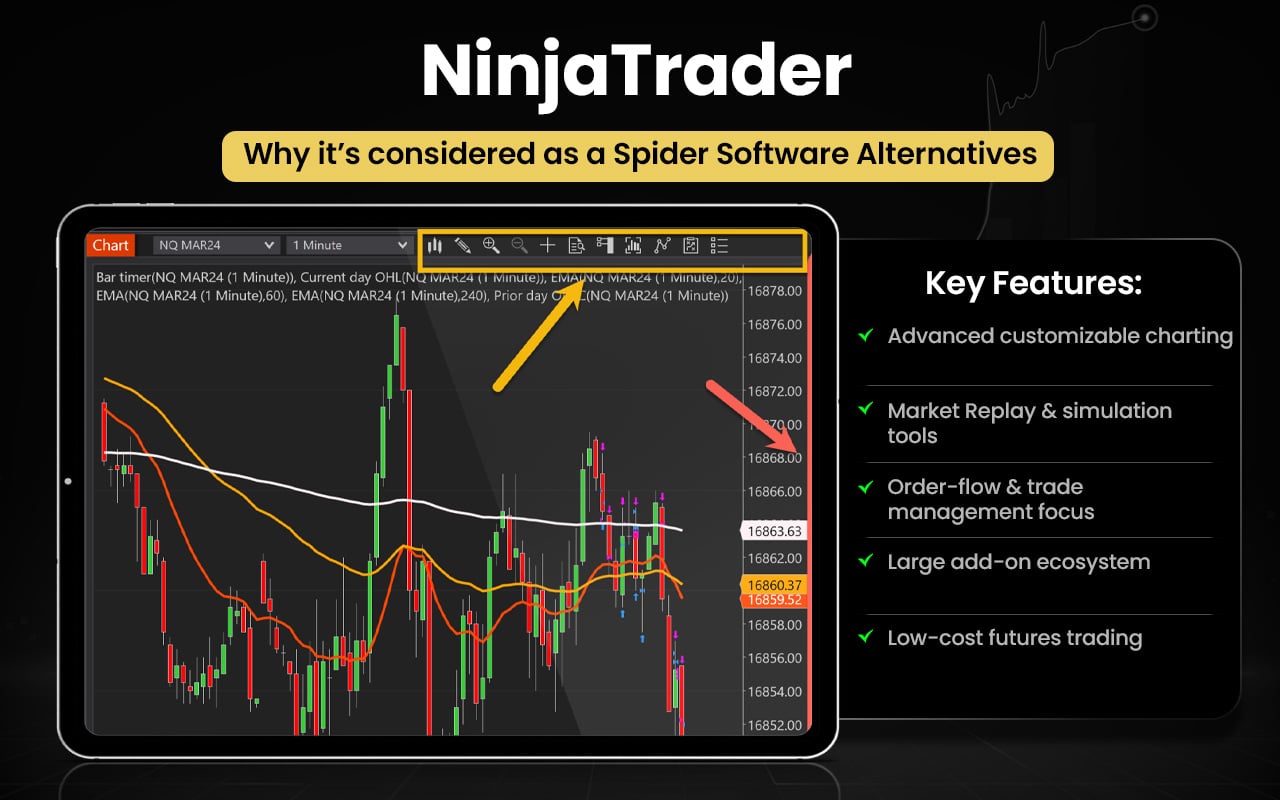
Let us now compare the features of NinjaTrader and Spider Software to see in what areas or aspects they are better than each other.
| Feature | NinjaTrader | Spider Software |
| Platform Type | Multi-platform trading (desktop, web, mobile) | Desktop technical analysis software |
| Core Focus | Futures trading, automation, execution | Technical analysis for Indian markets |
| Market Coverage | Futures, forex, multi-asset markets | Primarily Indian equities and F&O |
| Trade Execution | Direct trade execution and brokerage support | Mostly analysis-focused tools |
| Charting Tools | Customizable charts and indicators | Advanced charts with 150+ indicators |
| Strategy Automation | Automated strategies and add-ons | Algo trading tools and scanners |
| Backtesting & Simulation | Strategy backtesting and simulated trading | Backtesting with EOD/intraday data |
| Real-Time Data | Real-time market data and analytics | Live NSE/BSE tick-by-tick data |
| Third-Party Add-Ons | Thousands of third-party integrations | Limited external integrations |
| Accessibility | Desktop, web, and mobile access | Windows desktop only |
| Learning Tools | Trading education and simulation tools | Training sessions and webinars |
| Portfolio Tracking | Performance analytics and dashboards | Portfolio tracking and reports |
| Target Users | Active futures and global traders | Indian technical traders |
Switch to NinjaTrader if you:
- Want direct trade execution and brokerage integration
- Trade global futures and forex markets
- Need advanced strategy automation and APIs
- Use simulated trading and performance analytics
- Prefer desktop, web, and mobile access
- Want third-party add-ons and integrations
- Need advanced order-flow and market depth tools
Stick to Spider Software if you:
- Focus mainly on the Indian stock markets
- Need tick-by-tick NSE/BSE real-time data
- Use extensive built-in technical indicators
- Prefer desktop-based professional tools
- Require detailed historical data and scanners
- Track equities, F&O, and MCX markets
- Use advanced technical chart studies
Customer feedback is mixed but generally positive. Many users praise powerful trading tools, customization, and helpful support that enhance trading efficiency. However, common complaints mention billing or payment issues, occasional data or platform glitches, and inconsistent support experiences.
DXCharts
DXCharts is a financial charting library developed by Devexperts that enables brokers, trading platforms, and financial applications to deliver advanced charting and market analysis tools. It provides interactive HTML5 charts, over 100 technical indicators, drawing tools, customizable layouts, multi-chart views, and real-time data visualisation across stocks, forex, crypto, and other assets. The platform supports deep customization, white-label integration, trading directly from charts, and fast deployment into web, mobile, or desktop platforms, helping users analyse price movements and execute trades efficiently.
DXCharts is built by Devexperts, a financial software company founded in 2002 to create trading and capital-markets technology for brokers, exchanges, and wealth management firms. The firm developed DXCharts as part of its suite of professional trading solutions to deliver customizable charting technology and advanced analytics for modern trading platforms.
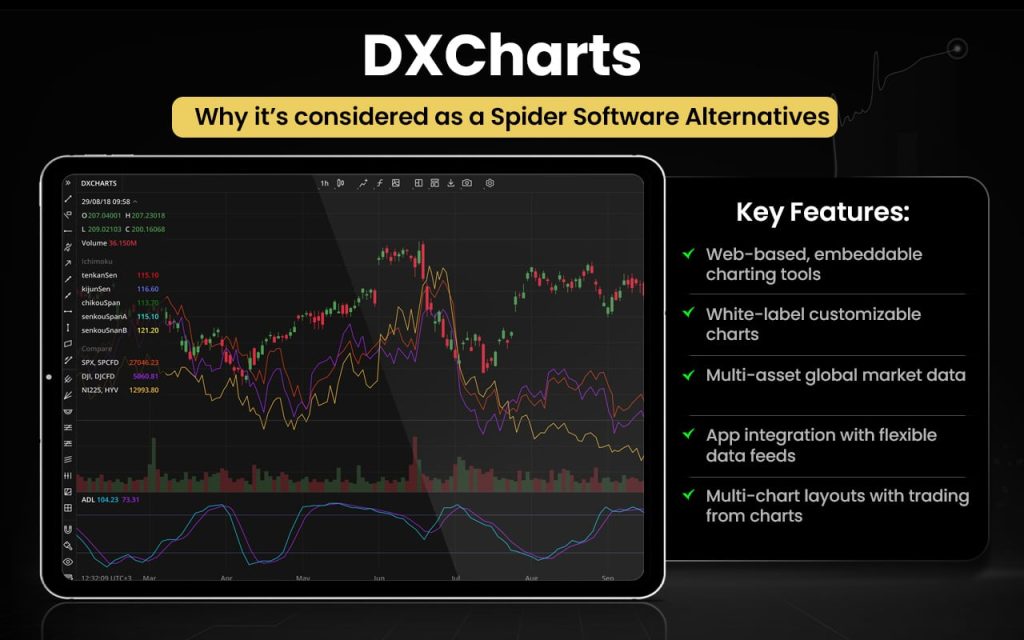
Let us check how DXCharts and Spider Software can be better than each other and in what aspects.
| Feature | DXCharts | Spider Software |
| Platform Type | Web-based charting library for trading platforms | Desktop technical analysis software |
| Core Focus | Customizable financial charting and data visualization | Technical analysis for Indian stock markets |
| Market Coverage | Multi-asset global markets | Primarily Indian equities, F&O, MCX |
| Charting Tools | 100+ indicators, 50+ drawing tools, custom indicators | 150+ indicators and advanced chart studies |
| Customization | White-label charts with deep UI customization | Limited customization within desktop software |
| Integration | Can be embedded into web/mobile trading platforms | Standalone desktop application |
| Multi-Chart Layouts | Multi-chart and compare chart layouts | Multiple charts with technical analysis tools |
| Automation & Trading | Trade directly from charts, custom indicators | Algo trading tools and scanners available |
| Accessibility | Web and mobile integration ready | Windows desktop only |
| Data Flexibility | Data-agnostic, integrates any data feed | Built around NSE/BSE real-time data |
| Backtesting | Visualization and analytics tools | Backtesting with historical and intraday data |
| Real-Time Analysis | Real-time chart visualization and analytics | Tick-by-tick real-time Indian data |
| Target Users | Brokers, fintech platforms, global traders | Indian technical traders |
Switch to DXCharts if you:
- Want web-based, embeddable charting tools
- Need customizable white-label chart solutions
- Use multi-asset global market data
- Require integration into web or mobile apps
- Prefer multi-chart layouts and comparisons
- Need flexible data-feed integrations
- Want trading directly from charts
Stick to Spider Software if you:
- Focus mainly on Indian stock markets
- Need tick-by-tick NSE/BSE real-time data
- Use extensive built-in technical indicators
- Prefer desktop-based analysis tools
- Require detailed historical data and backtesting
- Track equities, F&O, and MCX markets
- Use advanced technical scanners regularly
Customer feedback highlights a modern interface, strong customization, and reliable chart performance that improves trading and data visualization. Users appreciate flexibility, fast integration, and intuitive design. However, some mention limited documentation, fewer plugins, and minor UX adjustment needs.
MetaStock
MetaStock is a technical analysis and charting software designed for self-directed traders to analyse financial markets and make informed trading decisions. It offers advanced charting tools, real-time and end-of-day market data, technical indicators, market scanning, backtesting, and buy/sell signal generation across stocks, options, futures, and forex. The platform also provides news, analytics, customizable dashboards, and forecasting tools to help traders identify trends, test strategies, and execute trades with confidence.
MetaStock was first released in 1985 as a technical analysis program developed by Computer Asset Management, a company founded by Steve Achelis. It evolved through multiple versions and became widely used for charting and market analysis, later becoming part of Innovative Market Analysis, which continues to develop the platform for traders worldwide.
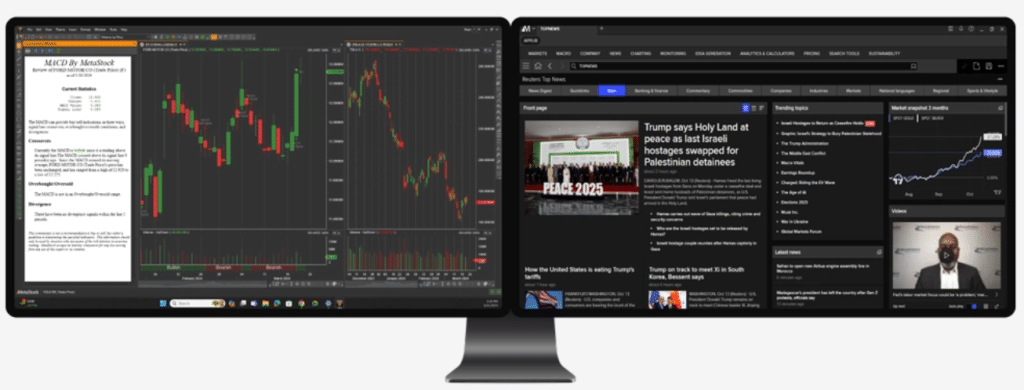
Let us compare the features of both MetaStock and Spider Software to see which one suits your trading needs the best.
Switch to MetaStock if you:
- Want advanced forecasting and buy/sell signals
- Need global market and multi-asset coverage
- Use expert advisors and trading systems
- Prefer integrated news and research tools
- Require customizable dashboards and analytics
- Need powerful system testing and scanning
- Want professional global data integration
Stick to Spider Software if you:
- Focus mainly on Indian stock markets
- Need tick-by-tick NSE/BSE real-time data
- Use extensive built-in technical indicators
- Prefer desktop-based technical analysis tools
- Require detailed historical data and scanners
- Track equities, F&O, and MCX markets
- Use advanced technical chart studies
Customer feedback highlights a modern interface, strong customization, and reliable chart performance that improves trading and data visualization. Users appreciate flexibility, fast integration, and intuitive design. However, some mention limited documentation, fewer plugins, and minor UX adjustment needs.
AmiBroker
AmiBroker is a technical analysis and trading system development software designed for traders to analyse financial markets and build, test, and optimise trading strategies. It offers advanced charting, hundreds of technical indicators, real-time and end-of-day data support, custom indicator creation, portfolio backtesting, optimization, scanning, alerts, and multi-window analysis tools. The platform also includes a powerful formula language that allows users to create automated strategies, perform statistical testing, and analyse multiple assets including stocks, futures, forex, and mutual funds.
AmiBroker was first released in 1995 by Tomasz Janeczko as a shareware technical analysis program and later evolved into a full-featured trading system development platform. Created to provide flexible and powerful analysis tools for traders, it has grown into a widely used software for charting, backtesting, and strategy development across global markets.

Let us now compare the features of AmiBroker and Spider Software to see in what areas or aspects they are better than each other.
| Feature | AmiBroker | Spider Software |
| Platform Type | Advanced technical analysis & system development software | Desktop technical analysis software |
| Core Focus | Strategy development, backtesting, optimization | Technical analysis for Indian markets |
| Market Coverage | Stocks, forex, futures, mutual funds, global markets | Primarily Indian markets (NSE, BSE, MCX) |
| Charting Tools | Advanced charts, custom indicators, overlays | Advanced charts with multiple indicators |
| Custom Indicators | Create custom indicators using AFL language | Built-in indicators and scanners |
| Backtesting & Optimization | Portfolio backtesting and optimization engine | Backtesting with EOD and intraday data |
| Automation & Coding | Full strategy coding and automation support | Algo trading platform for Indian markets |
| Real-Time Data | Supports multiple data sources and real-time feeds | Live NSE/BSE tick-by-tick data |
| Scanning & Exploration | Advanced scanning and exploration tools | Technical scanners and stock tracking |
| Alerts | Customizable real-time alerts and notifications | Real-time alerts within the platform |
| Customization | Highly customizable with formulas and plugins | Limited customization within software |
| Accessibility | Desktop software with multi-data integrations | Windows desktop-based |
| Target Users | Quantitative and system traders globally | Indian technical traders |
Switch to AmiBroker if you:
- Need advanced backtesting and strategy optimization
- Want custom indicators using AmiBroker Formula Language (AFL) coding
- Prefer portfolio-level and walk-forward testing
- Work with large historical data and quant analysis
- Want automation and multiple data-feed integrations
Stick to Spider Software if you:
- Prefer simple, ready-to-use technical analysis
- Need fast and reliable real-time NSE/BSE data
- Use built-in scanners and indicators
- Focus on manual/discretionary trading
- Want easy setup with strong local support
Users highlight AmiBroker’s speed, reliability, and powerful backtesting as major strengths, especially for strategy development and data handling. Many appreciate its flexibility and value for money. However, feedback also notes a dated interface and steep learning curve, making it better suited to experienced or technical traders rather than beginners seeking simplicity.
Investar
Investar is an integrated Indian stock market software designed for technical analysis, fundamental analysis, and portfolio management across exchanges like NSE, BSE, MCX, and NCDEX. It offers advanced charting, auto buy/sell signals, auto-support and resistance, trendlines, pattern detection, and AI-powered supply/demand zones. The platform also includes multi-timeframe screeners, customizable alerts, and an interface combining technical and fundamental data to help traders and investors make informed decisions.
Investar was founded in 2006 by Himanshu Patil, who serves as Founder and Chief Architect. Developed as a trader-focused analytical platform, the software was created to simplify market analysis through automation and integrated tools. Investar, since its foundation, has evolved into a comprehensive charting and analysis solution serving Indian market participants.
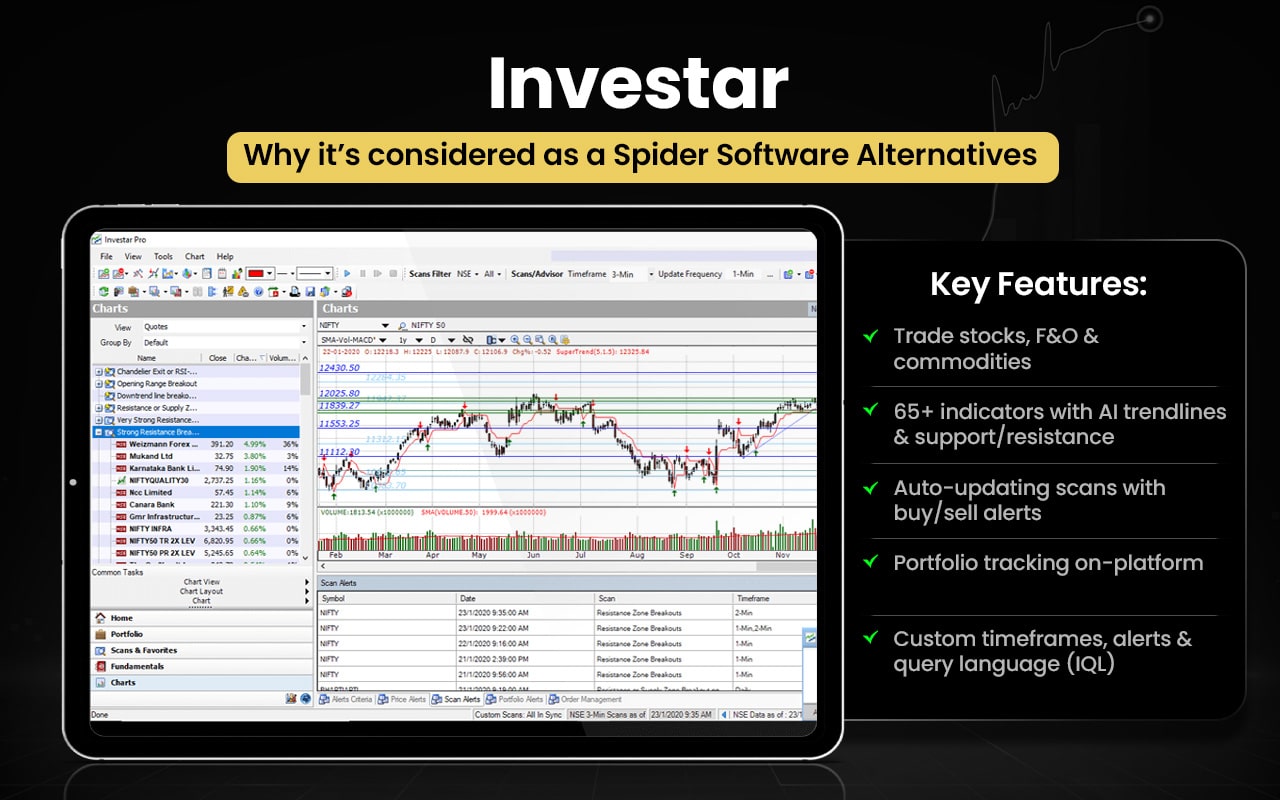
Let us check which one out of Investar and Spider Software serves your trading requirements better.
| Feature | Investar | Spider Software |
| Core use | Integrated analysis and trading software | Real-time technical analysis software |
| Market coverage | NSE, BSE, F&O, MCX, NCDEX | NSE, BSE, F&O, MCX |
| Technical tools | Advanced charts, auto trendlines, auto S/R, indicators | Advanced charts, indicators, pattern tracking |
| Fundamental analysis | Strong built-in fundamental data and ratios | Limited focus on fundamentals |
| Screeners | AI-based and custom screeners | Built-in market scanners |
| Signals & alerts | Auto buy/sell signals and custom alerts | Real-time alerts and tracking |
| Automation | Semi-algo trading and broker integration | Dedicated algo and CTCL platforms |
| Portfolio tracking | Detailed portfolio and P&L tracking | Portfolio tracking available |
| Data strength | Historical and integrated analysis tools | Strong real-time market data |
| Best for | Traders wanting all-in-one analysis | Traders focused on live market tracking |
Switch to Investar if you:
- Want technical and fundamental analysis together
- Need AI-based screeners and custom scans
- Prefer auto support/resistance and trendlines
- Want broker integration with semi-algo trading
- Need detailed portfolio and P&L tracking
- Prefer automated buy/sell signals
Stick to Spider Software if you:
- Need strong real-time market data
- Prefer dedicated algo and CTCL platforms
- Want ready-made scanners for quick trades
- Focus on technical chart-based trading
- Prefer simple live market monitoring
- Value stable performance for intraday trading
Users appreciate Investar for smooth charting, useful technical tools, and integrated screening that support trading decisions. Many find it helpful for analysis and learning. However, feedback often highlights data accuracy issues, chart delays, glitches, and slow support. Some also feel pricing is high, making reliability and value inconsistent for active traders.
ChartBolt
ChartBolt is a stock portfolio and technical analysis software designed to help traders and investors manage and analyse market data efficiently. It works with the TradingView charting platform and provides automated signals based on price action, trends, support, resistance, and other metrics. Key features include a suite of 10 technical analysis tools, real-time indicators, automated alerts, and tools that help identify entry and exit points, supporting both day traders and long-term investors.
ChartBolt was developed as a digital indicator and analysis system to simplify market decision-making through automated tools and TradingView integration.

Let us now compare the features of ChartBolt and Spider Software to see in what areas or aspects they are better than each other.
| Feature | ChartBolt | Spider Software |
| Core use | Indicator and signal system integrated with TradingView | Full technical analysis and real-time trading software |
| Platform type | Works with TradingView charts | Standalone desktop software suite |
| Technical tools | 10 built-in analysis tools with automated signals | Advanced charts, indicators, scanners, pattern detection |
| Signals & alerts | Automated trade signals and alerts | AI buy/sell signals and market alerts |
| Charting | Uses TradingView charting interface | Advanced proprietary charting with multiple chart types |
| Real-time tracking | Depends on TradingView data | Strong real-time NSE/BSE market data |
| Scanners | Identifies trends, entries, and exits automatically | Market scanners and opportunity tracking |
| Automation | Automated indicators and decision support | Algo trading, backtesting, strategy testing |
| Market coverage | General market analysis via TradingView | Indian markets: NSE, BSE, cash and F&O |
| Best for | Traders wanting simple signal-based analysis | Traders needing a full real-time technical suite |
Switch to ChartBolt if you:
- Want TradingView-based charting and interface
- Prefer simple automated trade signals
- Need ready-to-use entry and exit indicators
- Want cloud-based access without heavy setup
- Prefer alert-driven trading with minimal configuration
- Focus on quick decision support tools
Stick to Spider Software if you:
- Need strong real-time NSE/BSE market data
- Prefer advanced standalone charting software
- Want built-in scanners and technical indicators
- Need dedicated algo trading and CTCL tools
- Focus on detailed technical analysis
- Prefer a stable desktop platform for active trading
Users highlight ChartBolt’s wide range of indicators, oscillators, and automated tools that deliver strong value in one package. Many appreciate its affordability and ease of use for identifying trade entries and exits. Some feedback suggests minor website or design improvements, but overall sentiment reflects satisfaction with features, pricing, and performance.
StocksToTrade
StockToTrade is an all-in-one trading and market analysis platform designed mainly for day traders. It combines real-time news, advanced charting, customizable stock screeners, and proprietary algorithms to identify trade opportunities quickly. Key features include Oracle and IRIS AI tools for forecasting price moves, breaking news integration, technical indicators, financial data, SEC filings, alerts, and paper trading. The platform also offers education through webinars, chat rooms, and strategy resources, helping traders analyze, plan, and execute trades from one dashboard.
StockToTrade was founded in 2009 by Zak Westphal and later co-founded with trader and educator Timothy Sykes. The platform was created to provide traders with a single ecosystem combining news, analytics, and trading strategies. Zak Westphal currently serves as CEO and has led product innovation and AI-driven tools since the company’s founding.
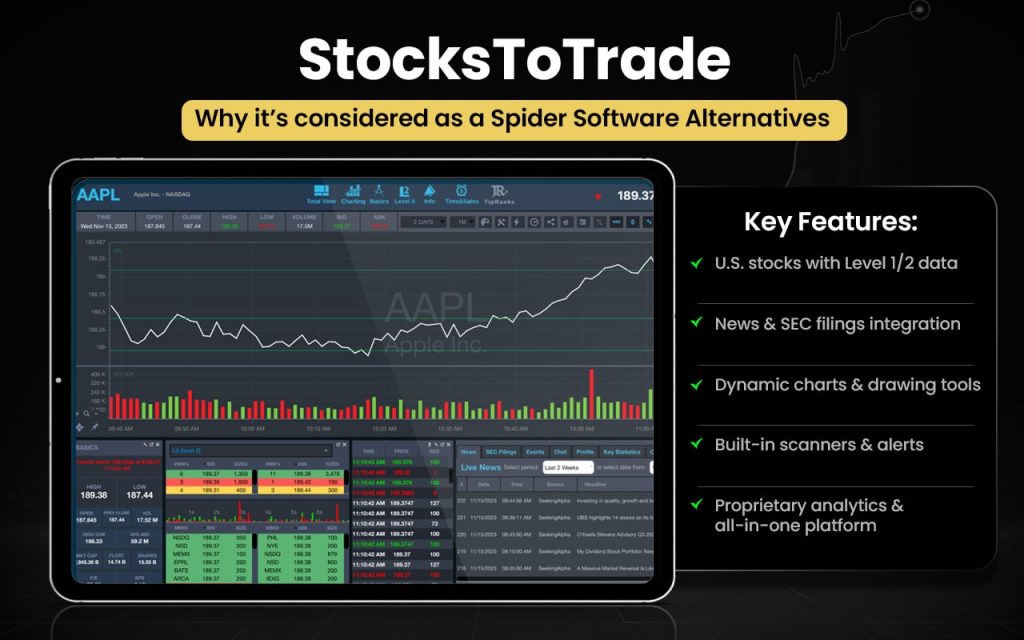
Let us check how StocksToTrade and Spider Software are better than each other in certain aspects.
| Feature | StocksToTrade | Spider Software |
| Core use | All-in-one trading, scanning, news, and analytics platform | Technical analysis and real-time market tracking software |
| Market focus | Global stocks with real-time news and data | Indian markets (NSE, BSE, F&O) |
| Real-time data | Level 1 quotes, news, press releases, social feeds | Real-time NSE/BSE data and live market tracking |
| Screeners | AI scanners like Oracle and Alpha for trade ideas | Market scanners and opportunity tracking |
| Charting | Advanced charting with indicators and analysis tools | Advanced proprietary charting and pattern detection |
| AI & algorithms | AI-driven alerts, forecasting, and opportunity tools | AI-based trade suggestions and alerts |
| News integration | Built-in breaking news and SEC filings | Limited news focus; more chart-driven analysis |
| Education | Webinars, chat rooms, and trading resources | Webinars and technical-analysis training |
| Automation | Algorithm-based alerts and trade planning | Algo trading platform and CTCL tools |
| Portfolio tracking | Integrated analysis and trade planning tools | Portfolio tracking with real-time monitoring |
| Best for | Traders wanting news + AI + scanning in one platform | Traders focused on real-time technical analysis in India |
Users appreciate StocksToTrade for powerful scanners, real-time data, and educational support that help identify trading opportunities and build confidence. Many find the tools effective and beginner-friendly. However, some reviews mention high pricing, upselling concerns, a learning curve, and occasional delays in support or training, making value perception mixed for certain users.
Trade Ideas
Trade Ideas is an AI-powered stock analysis and trading platform designed to help traders identify opportunities using real-time data and automated insights. It offers AI-driven stock scanning, entry and exit signals, automated alerts, portfolio management tools, and backtesting features. The platform continuously monitors market activity to detect momentum, rank opportunities, and generate trade ideas, helping traders make faster and more informed decisions through automation and analytics.
Trade Ideas was founded in 2003 by financial-technology entrepreneurs including Dan Mirkin and Philip Smolen, with additional founding members such as David Aferiat and Brad Williams. The company was created to empower self-directed traders with technology that transforms real-time market data into actionable trading ideas and strategies.

Let us quickly compare the features of Trade Ideas and Spider Software to check what will work better for you.
| Feature | Trade Ideas | Spider Software |
| Core use | AI-powered stock scanning and trade idea platform | Technical analysis and real-time charting software |
| Market focus | Primarily US/global markets | Indian markets (NSE, BSE, F&O) |
| AI capabilities | Advanced AI assistant (Holly), automated trade ideas and signals | Auto buy/sell signals using built-in strategies |
| Scanning & alerts | Real-time AI stock scanning with customizable alerts and filters | Market scanners for tracking opportunities |
| Backtesting | Event-based backtesting with OddsMaker tool | Backtesting with EOD and historical data |
| Charting | Advanced charting with entry/exit signals and indicators | Advanced proprietary charting and pattern tools |
| Automation | AI-driven strategies, simulated trading, and broker linking | Algo trading, CTCL platform, and custom strategies |
| Data & analysis | Processes market data to generate actionable insights and stock profiles | Strong real-time NSE/BSE data and live tracking |
| Portfolio & risk tools | Portfolio management and risk-analysis features | Portfolio tracking and market monitoring |
| Best for | Traders wanting AI-driven idea generation and automation | Traders focused on Indian real-time technical analysis |
Switch to Trade Ideas if you:
- Want AI-driven stock scanning and trade ideas
- Need automated entry and exit signals
- Prefer event-based backtesting tools
- Want an AI assistant for trade opportunities
- Need advanced real-time alerts and filters
- Prefer simulated trading and strategy testing
Stick to Spider Software if you:
- Need strong real-time NSE/BSE data
- Trade mainly in Indian markets
- Prefer advanced standalone charting tools
- Want built-in scanners for technical analysis
- Need dedicated algo and CTCL platforms
- Focus on intraday technical trading
While some users praise its powerful scanning and AI signals for finding trade setups, many express frustration with an outdated interface, complexity, and a steep learning curve. Several reviewers also cite dissatisfaction with usability and support, making the overall sentiment varied.
Spreadsheet Server (Insight Software)
Spreadsheet Server is a real-time ERP reporting and financial analysis tool that connects Microsoft Excel directly to live ERP and business data. It enables finance and operations teams to generate real-time reports, automate reporting, and analyze transactional data without relying on IT. Spreadsheet Server was developed by Insightsoftware as part of its reporting and analytics solutions portfolio to simplify complex financial and operational reporting through Excel-based automation.
The key features include integration with over 140 data sources, dynamic drill-down reporting, automated report distribution, self-service reporting, and the ability to combine multiple data sources into a single Excel report to enable faster, more accurate decision-making.
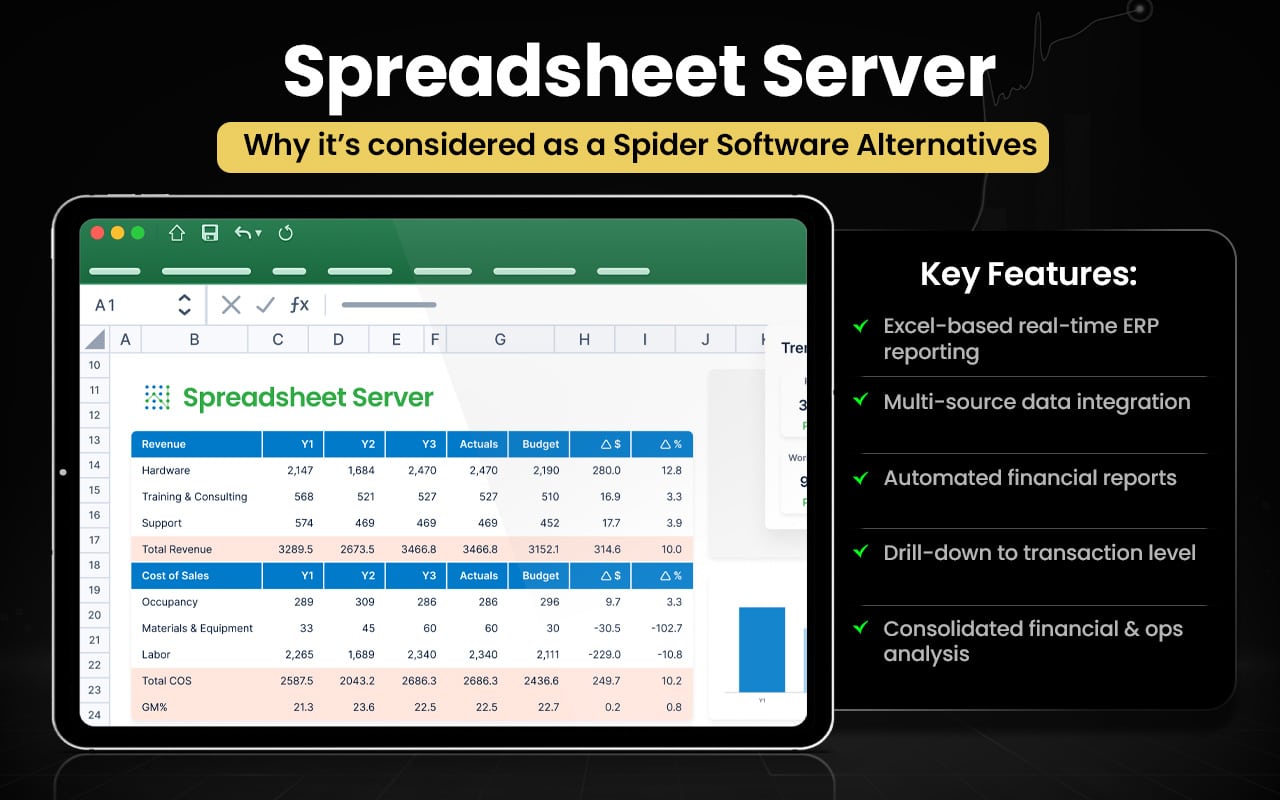
Let us have a look at the comparison between Spreadsheet Server and Spider Software below.
| Feature | Spreadsheet Server | Spider Software |
| Core use | ERP reporting and financial analysis in Excel | Technical analysis and trading software |
| Primary users | Finance and operations teams | Stock market traders and investors |
| Data integration | Connects Excel to 140+ ERP and business data sources | Connects to NSE, BSE, MCX real-time market data |
| Reporting | Real-time financial and operational reporting | Real-time market tracking and analysis |
| Automation | Automated report generation and distribution | Alerts, signals, and automated market tracking |
| Drill-down analysis | Drill down to transaction-level ERP data | Detailed stock chart and technical analysis |
| Multi-data consolidation | Combines multiple systems into one report | Tracks multiple stocks, indices, and markets |
| Charting tools | Limited charting; Excel-based analysis | Advanced proprietary charting and indicators |
| Algo/automation | Focus on reporting automation, not trading | Algo trading and CTCL execution tools |
| Portfolio tracking | Financial and operational performance tracking | Stock portfolio and market monitoring |
| Best for | Businesses needing ERP-based reporting | Traders needing real-time technical analysis |
Switch to Spreadsheet Server if you:
- Need Excel-based real-time ERP reporting
- Want integration with multiple business data sources
- Prefer automated financial report generation
- Need drill-down to transaction-level data
- Want consolidated reports across systems
- Focus on financial and operational analysis
Stick to Spider Software if you:
- Need strong real-time stock market data
- Trade mainly in NSE/BSE markets
- Prefer advanced technical charting tools
- Want built-in scanners and indicators
- Need algo trading and CTCL platforms
- Focus on active trading and market analysis
Users appreciate Spreadsheet Server for fast report generation, easy Excel integration, and strong customization for financial reporting. Many highlight improved efficiency and reliable customer support. However, feedback mentions occasional performance issues with large datasets, installation challenges, and data pull errors.
What are the Free Alternatives to Spider Software?
The free alternatives to Spider Software are TradingView, TradeStation, Koyfin, NinjaTrader, DXCharts, and Investar.
- TradingView – Permanent free plan with charting, indicators, and global market tracking.
- TradeStation – Free access with a brokerage account or a trial.
- Koyfin – Offers a free plan for market data, charts, and analytics (basic version).
- NinjaTrader – Free charting and simulation; paid for live trading features.
- DXCharts – Offers free charting tools with limited features.
- Investar – Free trial and free Lite edition with basic features.
These help with simulated trading without immediate cost, making them accessible options for beginners and active traders.
What are the Paid Alternatives to Spider Software?
The paid alternatives to Spider Software are Strike Money, Tickeron, TrendSpider, MetaStock, AmiBroker, ChartBolt, StocksToTrade, Trade Ideas, and Spreadsheet Server.
- Strike Money – Paid plans offer advanced analytics and premium screeners.
- Tickeron – Subscription platform with AI trading signals and bots.
- TrendSpider – Paid AI charting, scanning, and backtesting platform.
- MetaStock – Premium software for advanced technical analysis.
- AmiBroker – Licensed platform for backtesting and system trading.
- ChartBolt – Subscription tool with automated trade signals.
- StocksToTrade – Paid platform with scanners, news, and analytics.
- Trade Ideas – Subscription AI tool for automated trade ideas.
- Spreadsheet Server – Paid Excel-based reporting and analysis tool.
Paid trading tools typically provide more reliable real-time data, advanced backtesting, automation, and professional-grade analysis than free versions.
Spider Software Alternatives with Backtesting
Spider Software alternatives with backtesting include Strike Money, TradingView, TradeStation, Tickeron, TrendSpider, NinjaTrader, MetaStock, AmiBroker, Investar, and Trade Ideas.
- Strike Money – Offers strategy testing features to validate ideas on historical data.
- TradingView – Lets you backtest strategies with Pine Script and built-in strategy testers.
- TradeStation – Provides robust backtesting and automation tools.
- Tickeron – Includes backtesting tools for AI trade patterns and signals.
- TrendSpider – Built-in backtesting for automated strategies and alerts.
- NinjaTrader – Offers advanced backtesting with market replay and simulation.
- MetaStock – Strong historical testing and forecasting tools.
- AmiBroker – Industry-grade backtesting and optimization engine.
- Investar – Supports backtesting on historical price data.
- Trade Ideas – Includes backtesting tools to evaluate signals and strategies.
These platforms allow evaluation of trading strategies on past data, helping refine and validate before live use.
Spider Software Alternatives for Self-Directed Traders
Spider Software alternatives for self-directed traders include TradingView, TrendSpider, Trade Ideas, TradeStation, and Tickeron.
- TradingView – Popular web-based platform with interactive charts, social idea sharing, and custom indicators via Pine Script.
- TrendSpider – Automated technical analysis platform with auto trendlines, heatmaps, and Raindrop charts.
- Trade Ideas – AI-focused scanner where “Holly” delivers real-time trade suggestions based on data models.
- Tickeron – Uses AI Robots for buy/sell signals and real-time pattern detection for intraday trades.
- TradeStation – All-in-one brokerage platform with EasyLanguage coding for building and automating trading strategies.
These platforms provide advanced charting, AI-driven analysis, real-time alerts, and automated scanning tools that support independent decision-making.
Spider Software Alternatives for Stock Traders
Spider Software alternatives for stock traders are Strike Money, TradingView, TrendSpider, Trade Ideas, AmiBroker, and NinjaTrader.
- Strike Money – Stock analysis platform with screeners, charts, and strategy insights.
- TradingView – Web-based charting platform with indicators and social trading ideas.
- TrendSpider – AI-powered charting with automated trendlines and pattern detection.
- Trade Ideas – AI-driven stock scanner providing real-time trade suggestions.
- AmiBroker – Advanced technical analysis software with powerful backtesting.
- NinjaTrader – Trading platform with charting, strategy testing, and automation tools.
These platforms provide stock traders with reliable charting, scanning, and analysis tools to evaluate market trends and make informed trading decisions.
Spider Software Alternatives for Forex Traders
Spider Software alternatives for forex traders are TradingView, TradeStation, TrendSpider, NinjaTrader, MetaStock, and Tickeron.
- TradingView – Multi-asset charting platform with strong forex chart analysis tools.
- TradeStation – Brokerage platform supporting forex trading and automation.
- TrendSpider – AI charting with automated trendlines and pattern detection for forex.
- NinjaTrader – Advanced platform for forex charting, backtesting, and automation.
- MetaStock – Premium software with powerful forex technical analysis tools.
- Tickeron – AI-driven platform offering forex signals and real-time pattern recognition.
These platforms support forex traders with advanced charting, technical indicators, strategy testing, and real-time data.
Spider Software Alternatives for Crypto Traders
Spider Software alternatives for crypto traders are TradingView, TrendSpider, and Tickeron.
- TradingView – Crypto charts, indicators, and real-time alerts.
- TrendSpider – AI charting with automated trendlines and patterns.
- Tickeron – AI signals and real-time crypto pattern detection.
These platforms support crypto traders with real-time charts, technical analysis, pattern recognition, and alerts across major cryptocurrencies.
Spider Software Alternatives for Futures Traders
Spider Software alternatives for futures traders are TradingView, TradeStation, TrendSpider, NinjaTrader, MetaStock, and AmiBroker.
- TradingView – Multi-asset charting platform with futures charts and broker integration.
- TradeStation – Advanced trading platform supporting futures execution and analytics.
- TrendSpider – Automated analysis and AI tools for futures market research.
- NinjaTrader – Dedicated futures trading platform with automation and simulation tools.
- MetaStock – Advanced charting and backtesting software for multi-asset futures analysis.
- AmiBroker – Technical analysis platform supporting futures backtesting and scanning.
These platforms support futures traders with advanced charting, strategy testing, and real-time analysis across global futures markets.
Spider Software Alternatives for Options Traders
Spider Software alternatives for options traders are Strike Money, TradingView, TradeStation, TrendSpider, Tickeron, and Trade Ideas.
- Strike Money – Options analytics platform with strategy builder, payoff charts, and backtesting tools.
- TradingView – Advanced charts and indicators with broker-linked options trading.
- TradeStation – Full brokerage platform supporting options trading and automation.
- TrendSpider – AI charting with options flow and unusual activity tracking.
- Tickeron – AI-driven signals and pattern detection for options traders.
- Trade Ideas – AI scanner delivering real-time trade alerts and strategy testing.
These platforms provide options traders with powerful charting, strategy analysis, and AI-driven insights to evaluate trades more effectively.
Why Should You Look for Spider Software Alternatives?
You should look for Spider Software alternatives because some traders need more advanced and modern features to trade efficiently and reliably.
Limited AI-driven insights and automation
Spider Software offers scanners and signals but lacks advanced AI forecasting and automation. Trade Ideas and TrendSpider provide AI-based insights, smart alerts, and automated pattern detection to support faster and data-driven trading decisions.
No strong web-based or cloud trading ecosystem
Spider Software is mainly desktop-based, which limits flexibility. TradingView, Strike Money, and Tickeron offer cloud-based access, allowing traders to track markets, analyse charts, and set alerts from any device.
Limited global market and multi-asset coverage
Spider Software focuses largely on the Indian markets. TradingView, TradeStation, and NinjaTrader support global stocks, forex, crypto, and futures, making them more suitable for multi-market traders.
Basic backtesting and strategy automation
Spider Software has limited advanced backtesting and automation depth. AmiBroker, TradeStation, NinjaTrader, and Strike Money provide stronger strategy testing and performance analysis tools for systematic traders.
Less integrated news and analytics ecosystem
Spider Software focuses mainly on charting with fewer integrated analytics. StocksToTrade, Investar, and Trade Ideas combine market data, screeners, and insights in one place, helping traders react faster to opportunities.
Exploring modern alternatives can give you access to smarter analytics, automation, and multi-market coverage, helping you trade more efficiently and stay competitive in fast-moving markets.
What Features Should a Good Spider Software Alternative Have?
The features a good Spider Software alternative should have include strong technical tools along with modern capabilities that improve flexibility, automation, and decision-making.
- Real-time market data with fast and reliable price updates.
- Advanced charting tools with multiple indicators and drawing features.
- AI-driven signals and predictive analytics for smarter trade insights.
- Detailed backtesting with strategy optimisation and performance metrics.
- Algo trading and automation support for faster execution.
- Multi-asset coverage including stocks, forex, crypto, and futures.
- Access to global markets beyond just regional exchanges.
- Integrated news feeds and sentiment analysis for informed decisions.
- Powerful stock screeners and customizable scanners.
- Cloud-based platform with web and mobile access.
- Broker integration for seamless trade execution.
- Risk management tools and portfolio performance analytics.
- Custom scripting or strategy-building capabilities for advanced traders.
Choosing a platform with these features will ensure a more flexible and future-ready trading experience.
What is the Best Alternative to Spider Software?
Strike Money is the best alternative to Spider Software as it offers modern analytics, options tools, and integrated market insights in a more flexible and user-friendly platform.
| Feature | Spider Software | Strike Money | Advantages of Strike Money |
| Platform type | Desktop-based | Web-based | Access anywhere |
| Market focus | Mainly Indian stocks | Stocks and options analytics | Wider analysis |
| Charting | Advanced technical charts | Clean charts and insights | Easier analysis |
| AI insights | Limited | Smart analytics tools | Better decisions |
| Options tools | Basic | Strategy builder, payoff charts | Strong options support |
| Screeners | Technical scanners | Smart screeners and data | Deeper insights |
| Backtesting | Basic | Strategy testing tools | Better validation |
| Interface | Complex for beginners | Simple, modern UI | Easy to use |
| Accessibility | System dependent | Cloud-based | Flexible access |

 5 mins