15 TradingView Alternatives [Free+Paid] You Should Use in 2026

 Author

 Editor
![15 TradingView Alternatives [Free+Paid] You Should Use in 2026](https://www.strike.money/wp-content/uploads/2026/04/TradingView-Alternatives.jpg)
TradingView alternatives are often searched for by traders and investors when they require a trading platform that is less pricey with good customer support, which the platform lacks. This TradingView alternatives list will help you know which options stand strong in what aspect when compared to TradingView.
In this article, we will discuss the TradingView alternatives, mentioning what they are best for, along with details about their features, pricing, and feedback that customers have shared about them.
Our Experience with Tradingview Alternatives
Not every TradingView alternative suits every trader. Here’s a quick, one-line guide to help you choose the right platform based on what each tool does best.
- Strike Money – Best for Indian Traders & Options Analysis
- Investing.com – Best for Global Markets & Economic News
- MetaTrader – Best for Forex & Automated Trading
- StockCharts – Best for Classic Technical Analysis
- Finviz – Best for Fast Stock Screening & Market Heatmaps
- Koyfin – Best for Fundamental & Macro Analysis
- ProRealTime Web – Best for Advanced Charting Without Coding
- TrendSpider – Best for Automated Technical Analysis
- TC2000 – Best for US Stocks & Swing Trading
- NinjaTrader – Best for Futures & Order Flow Trading
- Chartink – Best for Indian Stock Scanning
- InvestarIndia – Best for Indian Market Backtesting
- GoCharting – Best for Order Flow in Indian Markets
- TradeStation – Best for Professional & System Traders
- MetaStock – Best for Advanced Technical & System Trading
Best TradingView Alternatives with Detailed Comparison
| Platform Name | Features Missing in TradingView | Pricing | Review (Market Perception) |
|---|---|---|---|
| Strike Money | India-focused analytics, FII/DII data, options OI, sentiment indicators (RMI), sector & index strength | ₹649 per month (India-focused plans) | Strong reviews among Indian traders for options & market breadth |
| Investing.com | Macroeconomic calendar depth, global news integration, and economic indicators | Pro – ₹269 per month (when billed annually)Pro+ – ₹679 per month (when billed annually) | Popular with global users; charts basic but data-rich |
| MetaTrader (MT4/MT5) | Native broker integration, automated trading (EAs), ultra-low latency execution | Free to use through brokers | Industry standard for forex; UI feels outdated |
| StockCharts | Point & Figure charts, seasonal charts, classic TA workflows | Basic – $19.95 per month Extra – $29.95 per monthPRO – $49.95 per month | Trusted by traditional technical analysts |
| Finviz | Advanced heatmaps, ultra-fast stock screening, insider data | Free – 7 daysElite – $24.96 per month (billed annually) or $39.50 per month (billed annually) | Highly rated for screening, limited chart depth |
| Koyfin | Institutional-grade fundamentals, macro dashboards, and valuation models | Free – $0 per month (limited feature access)Plus – $39 per monthPremium – $79 per monthAdvisor Core – $209 per monthAdvisor Pro – $299 per month | Excellent for fundamentals & macro investors |
| ProRealTime Web | Auto trendlines, backtesting without coding, tick-by-tick data (broker-linked) | Web – 100% freeComplete – $29 per monthPremium – $84 per month | Highly rated in Europe for serious TA |
| TrendSpider | Fully automated chart patterns, AI trendlines, multi-timeframe analysis | Advanced – $72.76 per monthEnhanced – $61 per monthPremium – $49.14 per monthStandard – $41.58 per month | Very strong reviews for automation & advanced traders |
| TC2000 | Ultra-fast desktop scanning, proprietary indicators, portfolio simulation | Basic – $20.82 per monthPremium – $41.65 per monthPremium+ – $83.32 per month | Loved by US swing & position traders |
| NinjaTrader | Order flow, footprint charts, market depth, futures-first design | Free – $0 plus commissionMonthly – $99 plus commission per monthLifetime – $1,499 plus commission (one-time payment) | Top choice for futures & order-flow traders |
| Chartink | Powerful custom scanners for Indian stocks | Monthly – ₹780 Yearly – ₹8,500 | Extremely popular in India for screening |
| InvestarIndia | Desktop software, Indian market backtesting, advanced alerts | Lite – ₹0Basic – ₹495 onwardsStandard – ₹995 onwardsPRO – ₹1345 onwards | Good reviews among Indian retail traders |
| GoCharting | Order flow, footprint charts, Indian F&O focus | Free – ₹0India Lite – ₹504 onwardsNSE India Premium – ₹1260 onwards | Gaining popularity among advanced Indian traders |
| TradeStation | Built-in brokerage, EasyLanguage strategy coding, institutional tools | Lite – ₹0Basic – ₹495 onwardsStandard – ₹995 onwards | Strong reputation among US professionals |
| MetaStock | System testing, expert advisors, institutional-grade indicators | Specific plans for specific features | Veteran platform; steep learning curve |
Now that we have listed the alternatives and given you an overall view of each, let us discuss the platforms and their features in detail so that you know what is meant for you and what is not.
1. Strike Money
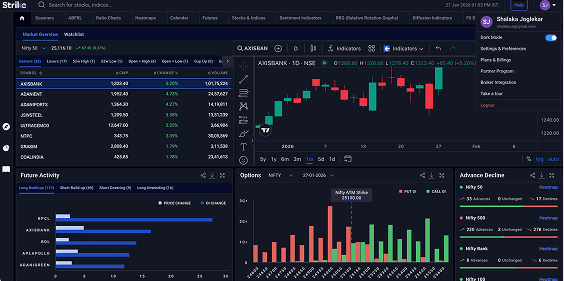
Strike Money is a real-time stock analysis platform that helps traders and investors identify high-potential stocks and analyze trends for data-driven decisions. It features 30+ scanners and color-coded heatmaps, catering to short-term, F&O, and long-term investors.
Founded on June 15, 2023, by market strategist Rohit Srivastava under Indiacharts.com in Mumbai, India, the platform reflects his three decades of experience in understanding trader needs. Strike Money enables comprehensive market analysis, from spotting top performers to underperforming stocks, and hosts over 50 stocks, serving more than 40,000 users with advanced tools for informed trading and investment decisions.
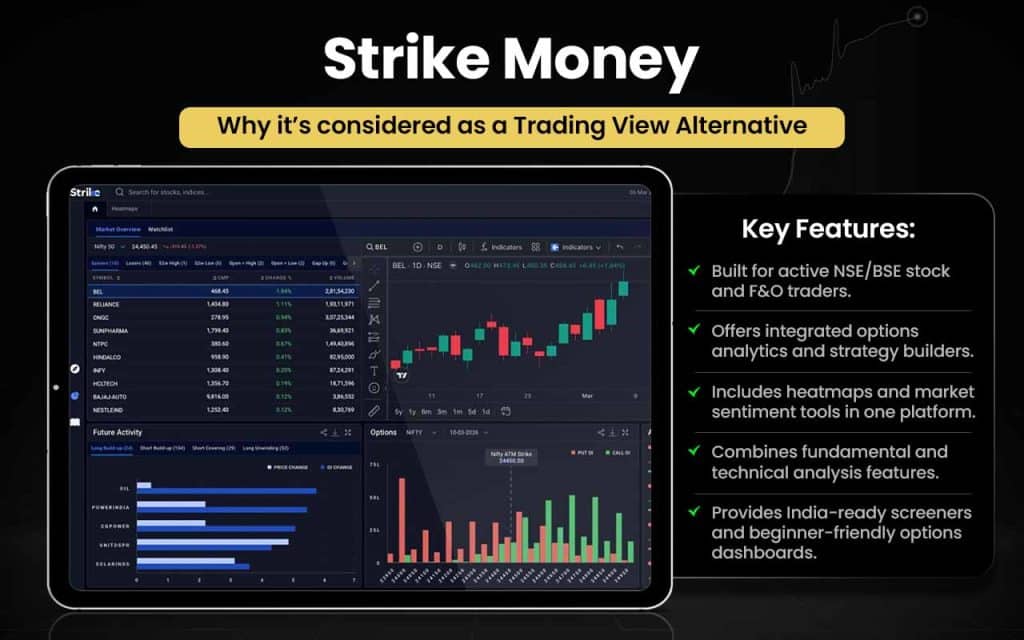
Let’s see what advantages Strike Money has to offer you over TradingView.
| Area | Strike Money | TradingView |
|---|---|---|
| Options Analytics | Built-in options chain, Greeks, OI, IV tools | Basic options view, limited analytics |
| Options Strategies | Ready-made payoff & strategy visualisation | No native option strategy builder |
| OI & Derivatives Data | Strong NSE F&O OI and rollover insights | Weak or non-native OI analysis |
| India Market Focus | Designed specifically for NSE/BSE traders | Global focus, less India-optimised |
| Heatmaps & Sentiment | Native market heatmaps and sentiment tools | Mostly price-only visualisation |
| Fundamental + Technical | Fundamentals integrated with charts | Fundamentals are secondary |
| Pre-built Screeners | India-ready technical & options screeners | Heavy manual setup required |
| Workflow for F&O Traders | End-to-end F&O analysis in one platform | Requires multiple tools/scripts |
| Learning Curve for Options | Beginner-friendly options dashboards | Options analysis is complex |
| Use Case Fit | Active Indian options & strategy traders | General-purpose charting users |
Strike Money is for you if you:
- Trade NSE/BSE stocks or Indian F&O actively
- Want integrated options, analytics and strategy builders
- Prefer native heatmaps and market sentiment tools
- Like a combined fundamental + technical analysis in one platform
- Want pre-built, India-ready screeners for faster decision-making
- Seek beginner-friendly dashboards for options trading
- Need an end-to-end workflow for F&O trades
Stick to TradingView if you:
- Trade global markets beyond India
- Need broad charting tools for general purposes
- Prefer a social/community trading platform with shared ideas
- Rely on multiple scripts and tools for analysis
- Don’t require in-built Indian options or OI/rollover data
Strike Money has proven itself as one of the best stock analysis platforms for its users and has scored 88 and 94 out of 100 in the Financial Services and user satisfaction categories, grabbing the Quality Choice Award and the Happiest Users Award, respectively.
2. Investing.com
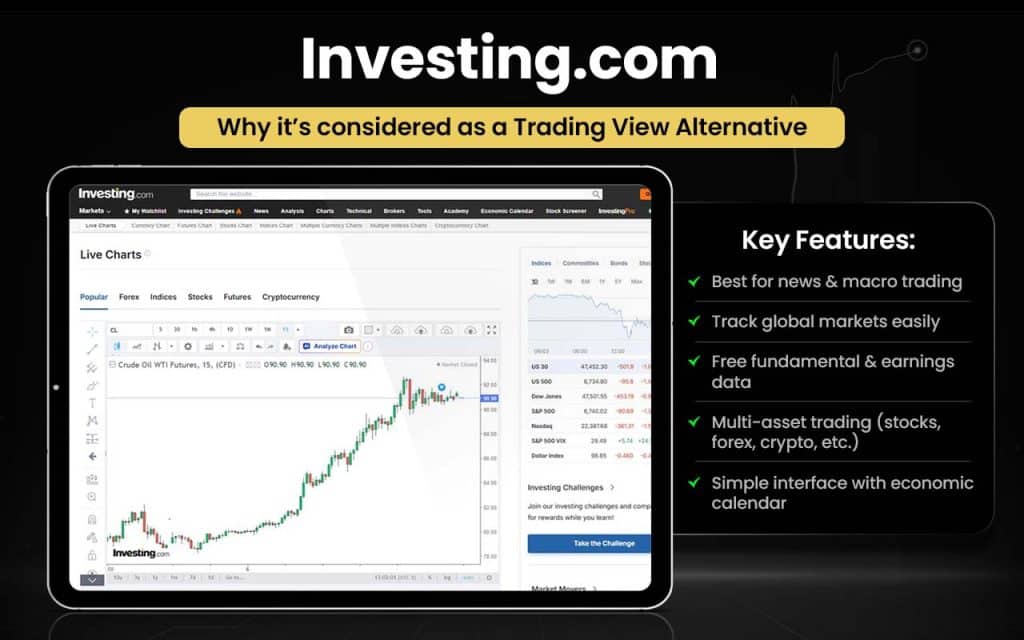
Investing.com is a global financial information platform that provides real-time market data, charts, and analysis tools across all major asset classes, including stocks, indices, commodities, forex, and cryptocurrencies. It serves users in 44 languages and covers over 250 exchanges worldwide.
Investing.com was co-founded in 2007 by Israeli entrepreneurs Dror Efrat and Lonny Szneiberg, with Efrat serving as CEO. In 2021, ownership shifted to Joffre Capital after Efrat sold his stake. Headquartered in Tel Aviv, the platform operates with a 250+ member team across offices in Madrid, Tokyo, Mumbai, Seoul, and Shenzhen.
| Area | Investing.com | TradingView |
|---|---|---|
| Economic Calendar | Best-in-class macro calendar with impact levels, forecasts & alerts | Basic calendar, limited macro depth |
| News & Macro Data | Real-time global news is tightly linked to assets | News is secondary, chart-first focus |
| Fundamental Data | Built-in ratios, earnings, valuation metrics (no scripts needed) | Often requires paid plans or custom scripts |
| Global Coverage | 250+ exchanges, 44 languages | Strong markets, limited language depth |
| Beginner Friendly | Easier for investors & news-based traders | Steeper learning curve |
| Mobile Experience | Excellent for tracking markets & news | Strong charts, weaker news flow |
| Pricing | Pro – ₹269 per month (when billed annually)Pro+ – ₹679 per month (when billed annually) | Essential – ₹995 per month (when billed annually)Plus – ₹1,995 per month (when billed annually)Premium – ₹3,995 per monthUltimate – ₹17,333 per month |
| Best Use Case | Macro traders, investors, and news-driven strategies | Technical & chart-heavy traders |
Switch to Investing.com if you:
- Rely heavily on economic calendars, macro data, or news-based trading
- Track global markets across multiple exchanges
- Need fundamental data, earnings, and valuation ratios without add-ons
- Prefer a simpler, beginner-friendly interface
- Trade multiple asset classes (stocks, forex, commodities, crypto, indices)
- Want most features available for free
- Follow central bank events, inflation, GDP, and interest rates
- Need multi-language support (44 languages)
Stick with TradingView if you:
- Depend on advanced charting, custom indicators, or Pine Script
- Use community-shared scripts and chart ideas
- Focus mainly on pure technical analysis
One of the users, Markus Müller, wrote about Investing.com on Trustpilot:
“… too much information around…. if information were reworked/filtered more… where I can save time screening stock and spending hours on the desk. Unfortunately, it doesn’t work like that.”
3. MetaTrader
MetaTrader is a downloadable trading platform for stocks, futures, and Forex, offering advanced tools for technical analysis. It supports algorithmic trading through Expert Advisors, copy trading, and hedging. The platform includes 38 built-in indicators and 44 analytical objects, catering to professional and retail traders alike.
Developed by MetaQuotes Software Corp, founded in 2000 by Renat Fatkhullin and headquartered in Limassol, Cyprus, MetaTrader evolved from a simple FX charting tool to MetaTrader 5 in 2010, its latest multi-asset version. MT5 allows two market orders, six pending orders, two stop orders, and Trailing Stops, with free demo accounts for beginners.
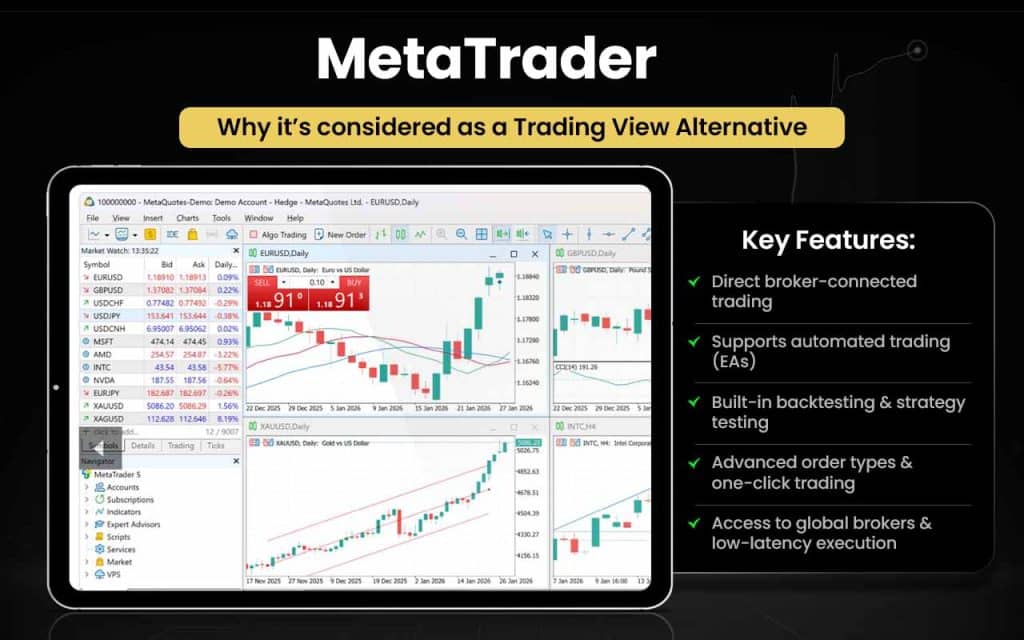
Let’s check out the comparison between MetaTrader and TradingView to know how the former can be better than the latter for you.
| Area | MetaTrader | TradingView |
|---|---|---|
| Trade Execution | Native broker-connected trade execution | Limited broker integrations |
| Automation | Full EA-based automated trading | No native trade automation |
| Backtesting | Built-in strategy tester for EAs | Strategy testing without execution |
| Order Types | Advanced orders and one-click trading | Basic order handling |
| Broker Coverage | Supported by thousands of brokers | Supported by select brokers |
| Depth of Market | Real DOM and order book (MT5) | Limited DOM support |
| Algo Trading | MQL language for professional algos | Pine Script mainly for indicators |
| Live Trading Focus | Designed for real trading workflows | Primarily analysis-first platform |
| Execution Speed | Direct low-latency broker execution | Depends on third-party connection |
| Practice Trading | Broker-simulated demo accounts | Chart-based paper trading only |
MetaTrader is for you if you:
- Want native broker-connected trade execution
- Rely on automated trading via Expert Advisors (EAs)
- Need built-in backtesting and strategy testing with execution
- Require advanced order types and one-click trading
- Want access to thousands of brokers globally
- Trade using Depth of Market (DOM) and order book
- Need low-latency direct execution for live trading
- Prefer broker-simulated demo accounts for practice
Stick to TradingView if you:
- Mainly need charting and technical analysis tools
- Prefer a wide range of community scripts and ideas
- Don’t require native trade automation or DOM tools
- Trade with select brokers integrated into the platform
- Are a casual or social trader rather than a full-time professional
MetaTrader customers, who have been using its latest version, MT5, are quite satisfied with the performance of the product. According to the reviews, it is better than its previous version, MT4, especially when it comes to the loading time. MT5 opens faster than MT4. A few users, however, complain about the lags while using Expert Advisor and the unresponsive customer support team.
4. StockCharts
StockCharts is a data visualization platform offering traders and investors clear market insights for informed decisions. It provides advanced charting tools, screeners, and alert systems for tracking stocks that meet custom criteria. The platform supports both technical and fundamental analysis, while also offering educational resources for beginners.
Founded in 1999 by ex-Microsoft developer Chip Anderson, StockCharts leverages technology for efficient market assessment and portfolio management. Serving over 1.9 million users worldwide, it allows analysis of more than 50,000 symbols and multiple custom alerts, helping users identify optimal trading opportunities.
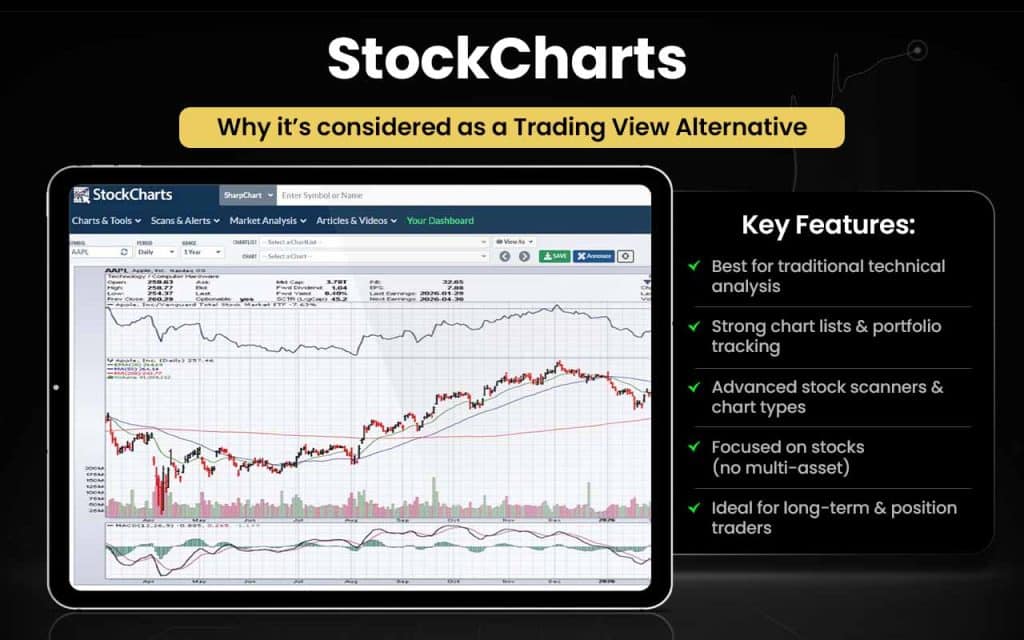
Now, let’s see where StockCharts prove to be better than TradingView for users.
| Area | StockCharts | TradingView |
|---|---|---|
| Technical Style | Pure, traditional technical analysis focus | Broad, multi-asset charting |
| Chart Organization | Structured ChartLists for portfolios | Basic watchlists only |
| Multi-Chart View | CandleGlance vertical chart scrolling | No native scrolling view |
| Stock Scanning | Deep, rule-based stock scanners | Screeners less stock-centric |
| Chart Types | Strong P&F and classical charting | Limited classical emphasis |
| Indicator Usage | Many overlays per chart | Indicator limits on plans |
| Stock-Only Workflow | Designed for equity analysis | Mixed asset workflows |
| Educational Content | Built-in expert commentary | Community-driven ideas |
| UI Simplicity | Clean, analyst-friendly layout | Feature-dense interface |
| Long-Term Analysis | Excellent for position traders | Better for active traders |
StockCharts is for you if you:
- Focus on traditional technical analysis for equities
- Need structured ChartLists for portfolio management
- Want vertical multi-chart scrolling (CandleGlance)
- Rely on deep, rule-based stock scanners
- Prefer classical charts like Point & Figure
- Want multiple overlays per chart
- Analyze stocks only, not mixed assets
- Seek built-in educational content and expert commentary
- Are a long-term or position trader
Stick to TradingView if you:
- Trade multiple asset classes beyond equities
- Need broad charting with social/community ideas
- Prefer active or intraday trading tools
- Rely on flexible, feature-rich but less structured interfaces
- Want responsive customer support for technical issues
StockCharts users are satisfied with the platform so far as the technical and fundamental analyses tools are concerned. However, they do have grievances, which remain unresolved most of the time. According to customers, the customer support professionals do not even exist, as they never respond.
5. Finviz
Finviz is a stock screening platform providing quotes, financial data, and market news to help traders and investors make timely decisions. It offers advanced screeners, market maps, comparative tools, and charting features for quick market analysis. Founded in 2007 by Juraj Duris in the Netherlands, Finviz serves both retail and institutional clients.
While a free version is available, access to full features requires a premium subscription, enabling users to conduct deeper research, identify opportunities, and optimize trading and investment strategies efficiently. Finviz combines data, analysis, and visualization to support informed decision-making in the financial markets.
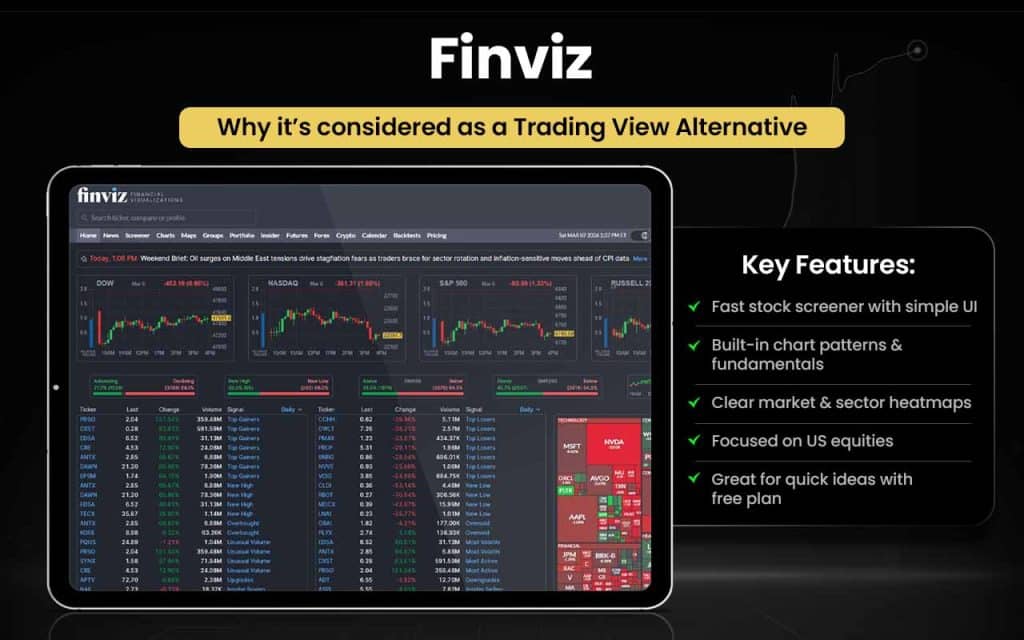
Now, let us check in what ways Finviz surpasses TradingView in terms of features.
| Area | Finviz | TradingView |
|---|---|---|
| Stock Screening | Fast, stock-first screener | Chart-first, screening secondary |
| Pattern Detection | Built-in chart pattern filters | Manual or script-based |
| Fundamental Filters | Valuation ratios in the screener | Fundamentals less central |
| Market Heatmaps | Clear sector & market heatmaps | More price-focused heatmaps |
| Preset Views | Ready-made screen layouts | Requires custom setup |
| Ease of Use | No coding or scripting needed | Learning curve for beginners |
| Single-Page Research | Screen, news, and heatmap together | Multiple tabs and panels |
| US Stock Focus | Optimized for US equities | Multi-asset global focus |
| Free Plan Utility | More usable free screening | Free tier is heavily limited |
| Idea Generation | Excellent for quick stock ideas | Better for deep chart analysis |
Finviz is for you if you:
- Want a fast, stock-first screener
- Need built-in chart pattern detection
- Rely on fundamental filters like valuation ratios
- Prefer clear sector and market heatmaps
- Like ready-made screen layouts with single-page research
- Focus on US equities
- Want a usable free plan for basic screening
- Need quick stock ideas without coding or scripting
Stick to TradingView if you:
- Trade multiple global assets, not just US stocks
- Want deep charting and technical analysis tools
- Prefer customizable multi-tab layouts and panels
- Rely on scripting or Pine Script for strategy building
- Value community ideas, social sharing, and active chart analysis
Finviz customer feedback reflects mixed opinions in the market. While many people say it works for them, there are a few users who have found the data to be “unreliable.” The huge amount of information that the platform offers makes it look cluttered and tough to digest.
6. Koyfin
Koyfin is an analytics platform that helps traders and investors study markets, allocate assets, and make informed decisions. It offers smart tools for generating reports, importing third-party data, and efficiently diversifying portfolios. Founded in 2016 by Roy Koyfman, with Rich Meatto as co-founder, Koyfin is headquartered in Miami, Florida.
Within a decade, it attracted 500,000 users. The platform’s mission is to make financial data more accessible, providing investors with ready insights on market trends and favorability, helping them decide the optimal time for trading and investment across multiple asset classes.
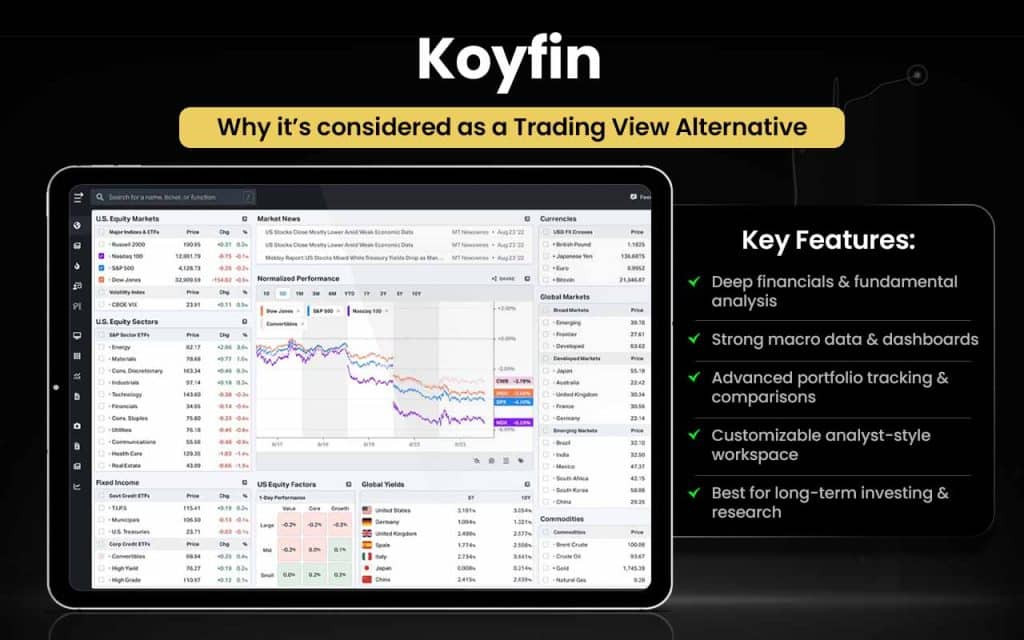
Let us check how Koyfin can be better than TradingView:
| Area | Koyfin | TradingView |
|---|---|---|
| Fundamental Data | Deep financials and ratios | Fundamentals are lighter |
| Macroeconomic Data | Built-in global macro dashboards | Macro data is limited |
| Research Workflow | Analyst-style research platform | Trader-first charting tool |
| Custom Dashboards | Data-rich, customizable dashboards | Chart-centric layouts |
| Portfolio Analysis | Advanced portfolio tracking tools | Basic portfolio features |
| Company Comparison | Side-by-side fundamentals comparison | Manual chart comparison |
| Economic Events | Integrated macro and earnings calendars | Calendar is secondary |
| News Integration | Financial news tied to data | News tied mainly to charts |
| Long-Term Investing | Optimized for investors | Optimized for traders |
| All-in-One Research | Single platform for data & analysis | Multiple tools often needed |
Koyfin is for you if you:
- Need deep financials, ratios, and fundamentals
- Track global macroeconomic trends and dashboards
- Want an analyst-style research workflow
- Require customizable, data-rich dashboards
- Need advanced portfolio tracking and analysis tools
- Want side-by-side company comparisons
- Rely on integrated macro and earnings calendars
- Prefer a single platform for all research and analysis
- Focus on long-term investing rather than short-term trading
Stick to TradingView if you:
- Primarily trade short-term or active positions
- Need broad, chart-focused technical analysis tools
- Prefer multi-asset global charting over deep fundamentals
- Rely on community scripts, Pine Script, and social trading ideas
- Want fast, real-time charting for trading execution
While nationwide (the US) investors and advisors seem happy with Koyfin and its tools, the clients dealing in overseas assets do have grievances, as the international data on the platform gets updated only “at the end of the day.”
7. ProRealTime Web
ProRealTime Web offers advanced analytical tools for real-time market assessment, enabling traders to make informed decisions. The platform provides direct exchange data, allowing users to monitor current market conditions and execute trades effectively.
Developed by IT-Finance (France) and co-founded by Damien Adant in 2001, ProRealTime is available on desktop and mobile. It focuses on advanced charting and technical analysis, helping traders identify opportunities within market price fluctuations. With intuitive tools and real-time data access, ProRealTime Web supports both professional and retail traders in executing timely, data-driven trading strategies while enhancing overall market analysis capabilities.
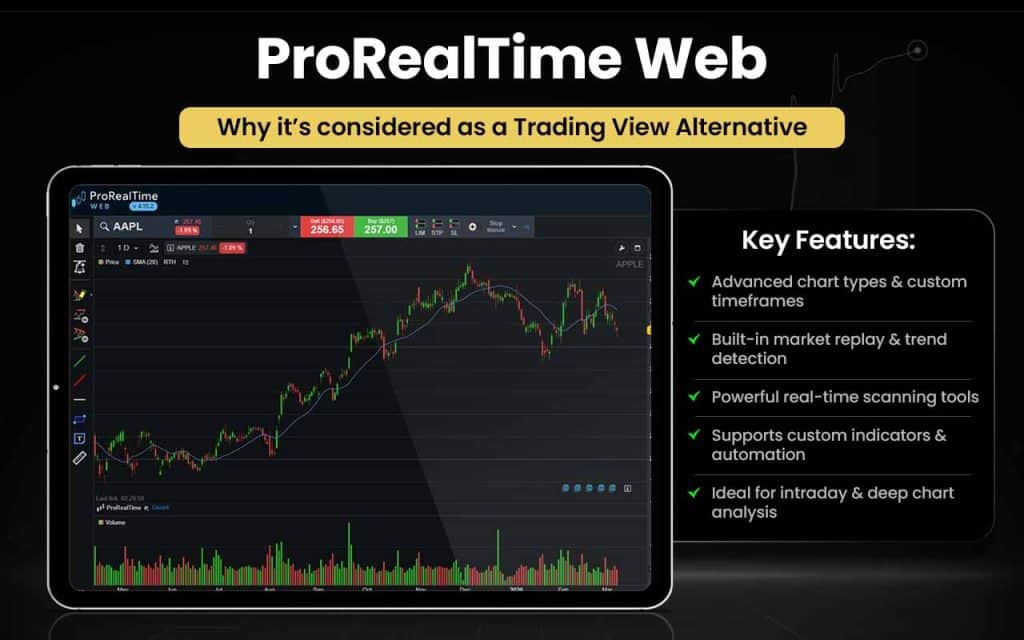
If you want to explore how ProRealTime could be an alternative to TradingView, the comparison table below will help you.
| Area | ProRealTime Web | TradingView |
|---|---|---|
| Chart Types | Native Renko, P&F, Kagi charts | Limited advanced chart types |
| Custom Timeframes | Fully flexible custom intervals | Fixed or limited intervals |
| Market Replay | Built-in historical replay | No native replay |
| Trend Detection | Automatic trendlines and levels | Manual drawing only |
| Market Scanning | Real-time ProScreener scans | Less powerful screeners |
| Volume Profile | Native volume profile tools | Mostly script-based |
| Order Flow | Integrated depth and order book | Limited-depth tools |
| Trade from Charts | Direct chart-based execution | Broker-dependent trading |
| Indicator Creation | ProBuilder custom indicators | Pine Script is mainly for charts |
| Data Depth | Deep intraday historical data | Data depth varies by plan |
ProRealTime Web is for you if you:
- Need advanced chart types like Renko, P&F, and Kagi
- Want fully flexible custom timeframes
- Rely on built-in market replay for historical analysis
- Prefer automatic trend detection with trendlines and levels
- Need real-time ProScreener scans for stocks
- Want native volume profile and order flow tools
- Like direct chart-based trade execution
- Want to create custom indicators using ProBuilder
- Require deep intraday historical data
Stick to TradingView if you:
- Trade across multiple global assets
- Prefer social trading and community ideas
- Rely mainly on Pine Script for charting
- Don’t need advanced chart types or market replay
- Are okay with broker-dependent trade execution
ProRealTime has lived up to the expectations of majority of users and has been called a “perfect platform,” “an outstanding product,” and “user-friendly” by different users. However, the sudden maintenance feels annoying to many users.
8. TrendSpider
TrendSpider is a trading and market research platform offering automated trading and no-code custom strategy building. It supports over 60,000 assets, including stocks and cryptocurrencies, and provides access to Wall Street analyst recommendations with reliability insights.
Founded in 2016 by Dan Ushman and co-founder Ruslan “Rus” Lagutin in Deerfield, Illinois, the platform was created to solve challenges traders faced in repetitive chart analysis and missed opportunities. TrendSpider’s advanced tools and technology streamline research, technical analysis, and trade planning, helping traders make smarter, more consistent decisions while reducing manual charting effort across multiple markets.
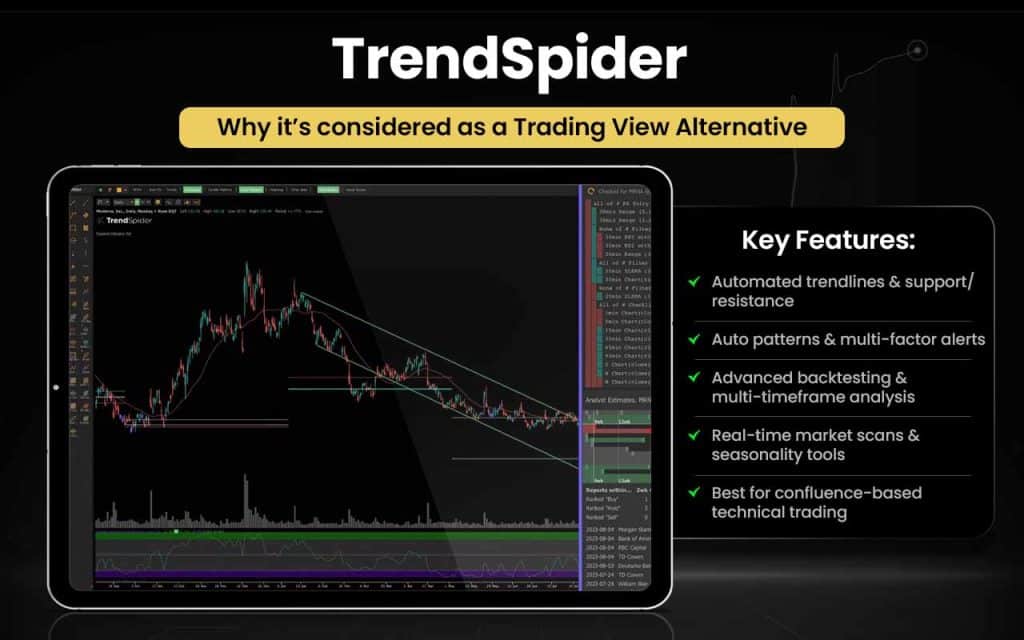
Let us check how TrendSpider can be better than TradingView:
| Area | TrendSpider | TradingView |
|---|---|---|
| Automated Trendlines | Auto-detected trendlines | Manual only |
| Dynamic Support/Resistance | Auto-update levels | Manual drawing |
| Raindrop™ Charts | Native volume/price fusion view | No native Raindrop™ charts |
| Multi-Factor Alerts | Alerts on multi conditions | Alerts mostly single condition |
| Backtesting Alerts | Backtest your alert rules | Backtesting limited |
| Multi-Timeframe Analysis | Composite multi-TF indicator view | Multi-TF without composite view |
| Market Scans | Dynamic real-time scans | Static/basic screener |
| Seasonality Tools | Built-in seasonal patterns | No native seasonality tools |
| Automated Patterns | Auto-pattern detection | Manual pattern search |
| Strategy Backtesting | Tight alert & strategy linking | Backtest via Pine, no execution |
| Chart Templates | Save auto-template rule sets | Save chart layouts only |
| Price Alerts Logic | Alerts on technical confluence | Alerts on single conditions |
TrendSpider is for you if you:
- Want automated trendlines and support/resistance levels
- Prefer auto-detected chart patterns and multi-factor alerts
- Need Raindrop™ charts for volume/price fusion
- Require backtesting of alerts and strategies
- Want composite multi-timeframe analysis
- Rely on dynamic real-time market scans
- Need built-in seasonality tools for patterns
- Like saving auto-template rule sets for charts
- Value alerts based on technical confluence
Stick to TradingView if you:
- Prefer manual charting and trendline drawing
- Are comfortable with single-condition alerts
- Don’t need Raindrop™ charts or automated patterns
- Rely on Pine Script for strategy backtesting
- Want a simpler interface with a gentler learning curve
- Trade multiple global assets with community support
While the users find TrendSpider fulfilling from all perspectives as a technical analysis platform, they do think that the learning curve is steep. For beginners, specifically, the interface can be highly overwhelming. However, the customer support executives are always there to assist.
9. TC2000
TC2000 is a stock analysis platform that simplifies screening and identifying profitable stocks, helping traders make better decisions. It offers customizable indicator criteria, efficient stock scans, watchlists, and built-in strategies. Recognized as the Best Interactive Chart Stock Screener in 2024, TC2000 has proven its value in trading.
Founded in 1988 by Chris and Peter Worden, with headquarters in Wilmington, North Carolina, the platform has consistently supported traders in streamlining their trading and investment processes. It has been awarded Best Stock Analysis Software by Stocks and Commodities Magazine for 22 consecutive years, highlighting its long-standing credibility and effectiveness.
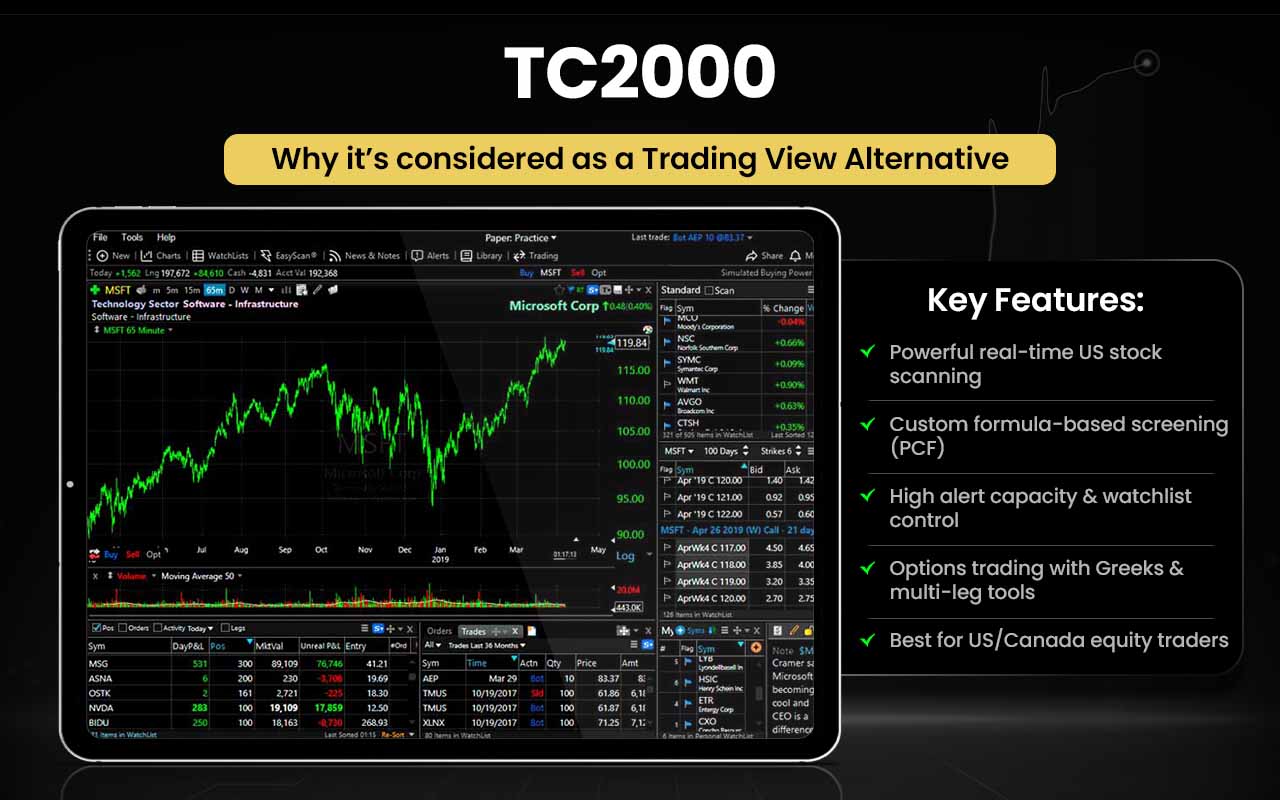
To check how TC2000 could be more useful than TradingView, you can study the comparative table below:
| Area | TC2000 | TradingView |
|---|---|---|
| Real-Time U.S. Scanning | EasyScan® with real-time stock scans | Scanner updates slower (~10 sec) |
| Custom Screen Formulas | PCF formula-based custom screens | No flexible custom scan formulas |
| Alert Capacity | Up to 1,000 simultaneous alerts | Lower alert limits on plans |
| Streaming U.S. Equity Data | Nasdaq Basic streaming is included | Real-time requires extra effort for each feed |
| Options Screening/Tools | Options chains with Greeks and multi-leg screening | Basic options support only |
| Watchlist Management | Advanced multi-watchlist views | Watchlists are simpler |
| Integrated Brokerage | TC2000 Brokerage built in | Trading via external brokers only |
| U.S. Market Focus | Dedicated U.S./Canada equity tools | More global, less U.S.-centred depth |
| Data Columns Flexibility | Add any field to scan results | Limited column customisation |
| Pre-Built Screens | ~90+ ready stock screens | Fewer built-in screen templates |
TC2000 is for you if you:
- Need real-time U.S. stock scans via EasyScan®
- Want PCF formula-based custom screens
- Require high alert capacity (up to 1,000 simultaneous alerts)
- Rely on streaming Nasdaq Basic equity data
- Trade options with Greeks and multi-leg screening
- Prefer advanced multi-watchlist management
- Want integrated TC2000 brokerage for trading
- Need flexible data column customization
- Want access to 90+ pre-built stock screens
- Focus primarily on U.S./Canada equities
Stick to TradingView if you:
- Trade multiple global assets beyond U.S./Canada
- Need a broad, chart-focused platform rather than stock-centric scanning
- Prefer external broker trading over integrated brokerage
- Are okay with simpler watchlists and fewer pre-built screens
- Don’t need advanced U.S. options screening or PCF formula scans
TC2000 traders have been satisfied with the features and services coming from the platform, and the only grievance that the users have is regarding the technical glitches that arise from time to time.
10. NinjaTrader
NinjaTrader is a leading trading platform and brokerage specializing in futures trading. It offers integrated tools for market analysis, strategy building, and trade execution, supporting over 1,000 apps and add-ons for a personalized trading setup. Founded in 2003 by Raymond Deux in Chicago, Illinois, the platform has earned strong user support and multiple awards, including Best Trading Software and Excellence in Futures Trading Education in 2024.
In 2025, NinjaTrader was named the top Futures Broker by BrokerChooser.com. Its comprehensive tools, customization options, and recognized credibility make it a preferred choice for active futures traders seeking professional-grade trading solutions.
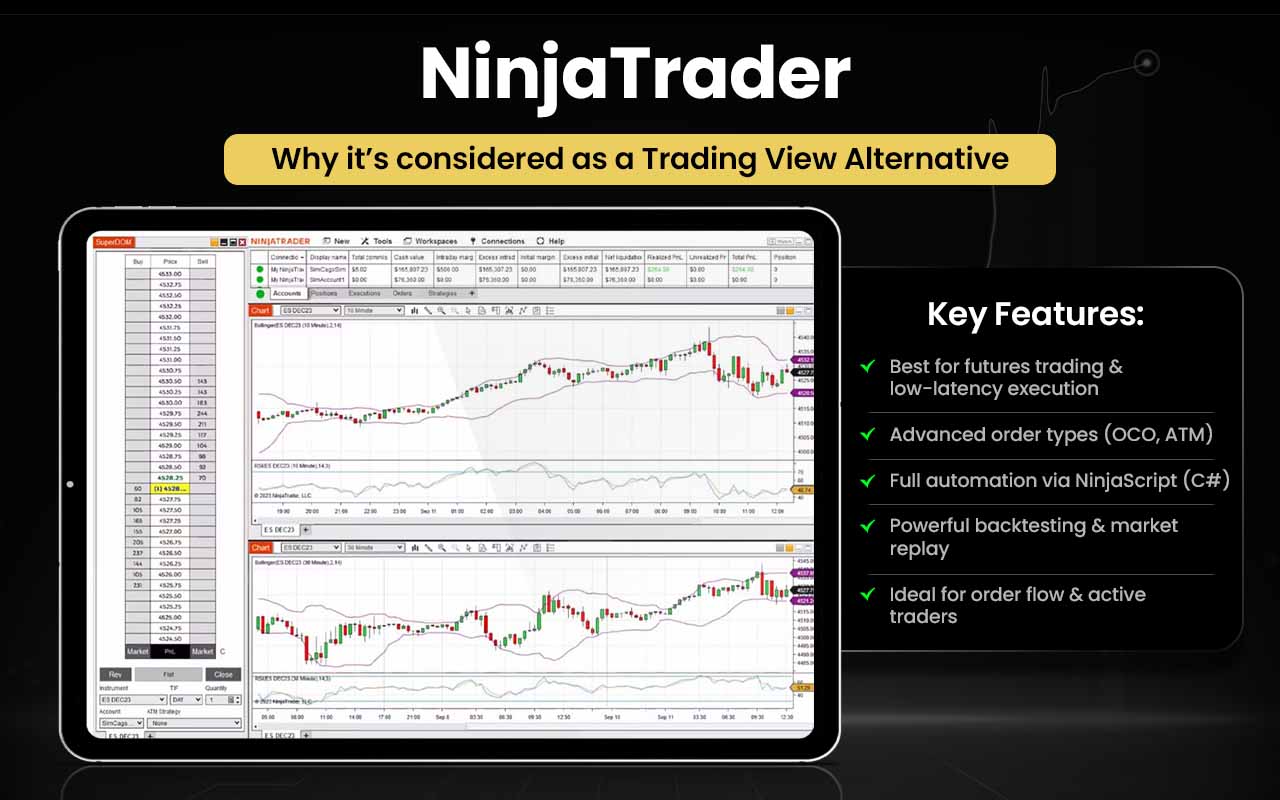
Now that we know how NinjaTrader works, let’s check in what ways it can be better than TradingView:
| Area | NinjaTrader | TradingView |
|---|---|---|
| Trade Execution | Professional, low-latency execution | Broker-dependent execution |
| Order Types | Advanced OCO and ATM orders | Basic order types |
| Automated Trading | Full strategy automation via NinjaScript | Alerts only, no live automation |
| Backtesting | Advanced strategy analyzer | Limited Pine backtesting |
| Market Replay | Replay full trading sessions | No native replay |
| Order Flow | Native DOM and footprint charts | Limited-depth tools |
| Algo Development | C#-based strategy coding | Pine Script is lighter |
| Alerts Scale | Unlimited locally coded alerts | Alert limits by plan |
| Execution Reliability | Desktop-based, broker-direct | Web-based, less control |
| Trader Focus | Built for active futures traders | Built for chart analysis |
NinjaTrader is for you if you:
- Trade futures with professional, low-latency execution
- Need advanced order types like OCO and ATM
- Rely on full strategy automation via NinjaScript
- Want advanced backtesting and strategy analysis
- Use market replay for full trading sessions
- Require native DOM and footprint charts for order flow
- Develop algorithms using C#
- Want unlimited locally coded alerts
- Prefer desktop-based, broker-direct execution
- Are an active futures trader
Stick to TradingView if you:
- Trade across multiple global assets, not just futures
- Prefer web-based, chart-focused analysis
- Rely on Pine Script for indicators and alerts
- Don’t need advanced order types or strategy automation
- Are okay with broker-dependent execution and alert limits
- Focus more on charting than live futures trading
NinjaTrader customers have good things to say about the platform. However, there are many who have complained about delayed updates in the real-time data, which made them lose their money. But the most common complaint that was received was about the customer support team, which remained idle in instances, like delayed withdrawal or technical support.
11. Chartink
Chartink is a financial analysis and stock screening platform that allows traders to customize indicators and retrieve stocks matching specific criteria. Users can set keyword-based parameters that trigger alerts when conditions are met. The platform supports creating and sharing over 100,000 custom indicators and scans.
Founded in 2010 by Ruby Anand and headquartered in Pune, India, Chartink offers advanced tools for chart analysis and timely trading actions. It also provides historical market data dating back to 1980, enabling traders to conduct efficient backtesting and refine strategies based on past market performance.
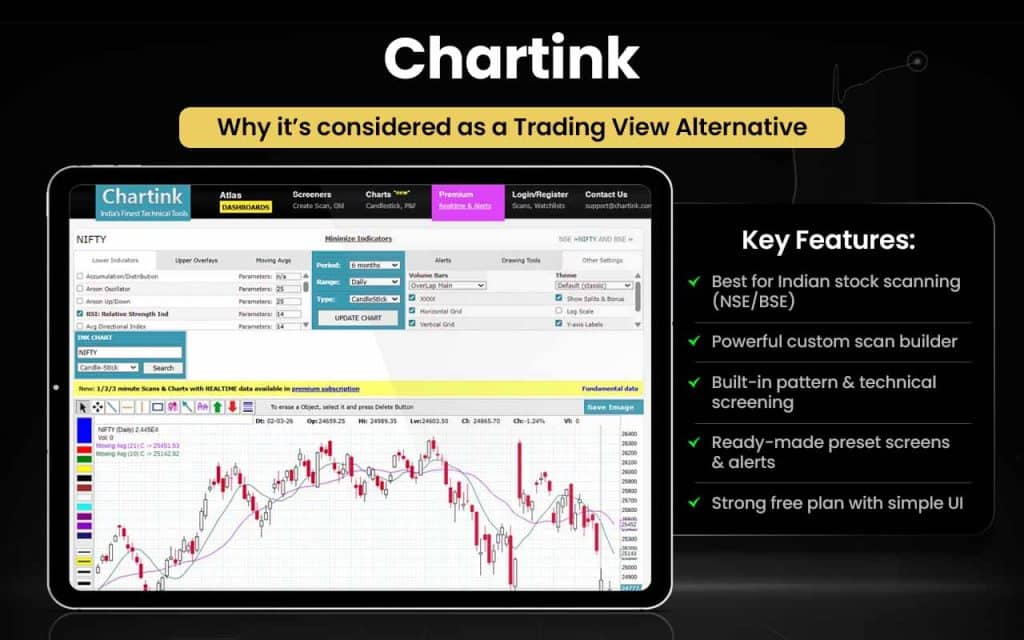
Let us now see how Chartink can be better than TradingView in some instances:
| Area | Chartink | TradingView |
|---|---|---|
| Scanner Power | Very strong India‑focused stock scanner | Scanner exists but less focused on India |
| Custom Scan Logic | Easy custom filters with operators | Requires more manual scripts/indicators |
| Pattern Screening | Built‑in pattern filters (flags, triangles) | Pattern screening via scripts only |
| India Market Coverage | NSE/BSE specific filters & data | Global focus, less India depth |
| Technical + Fundamentals | Combine technical + basic fundamentals | Separate tools or extra setup needed |
| Preset Screens | Many ready‑to‑use screens | Fewer prebuilt screen templates |
| Quick Watchlists | Scan directly into watchlists | Watchlists separate from scans |
| Alert on Scans | Alerts tied to scan triggers | Alerts mainly chart based |
| Simple UI for Scans | Very straightforward screener UI | UI broad, less scan‑centric |
| Free Screener Strength | Powerful free plan scanning | Many features behind paywalls |
Chartink is for you if you:
- Trade Indian stocks on NSE/BSE
- Need a very strong India-focused stock scanner
- Want easy custom scan logic with operators
- Rely on built-in pattern screening (flags, triangles)
- Prefer combining technical and basic fundamental analysis
- Want many preset screens ready to use
- Like scanning directly into watchlists with alerts
- Want a simple, scan-centric UI
- Need a powerful free plan for screening
Stick to TradingView if you:
- Trade global stocks and multi-asset markets
- Rely on Pine Script for custom scans
- Don’t need India-specific filters or deep local coverage
- Prefer advanced charting and social/community ideas
- Are okay with separate tools for fundamentals and technicals
- Want a feature-rich interface beyond scanning
While there are no grievances from customers so far as the features are concerned, they find the frequent ad pop-ups quite irritating. Some of them complain about missing out on important deals because of these ads appearing every now and then on the screen.
12. InvestarIndia
InvestarIndia is a stock market software that helps traders and investors carry out technical and fundamental analyses, while managing the portfolio most efficiently. InvestarIndia gives users access to stock screeners that auto-update themselves based on the information reflected on NSE, BSE, MCX, and NCDEX. With 2,50,000 registered users, the platform indicates how reliable it is in the eyes of he users.
InvestarIndia, a product of Proseon Technologies, was introduced in 2006, with its headquarters in Vadodara, India. Though it allows you a free trial, you can access all features and tools only when you upgrade to Investar Pro.
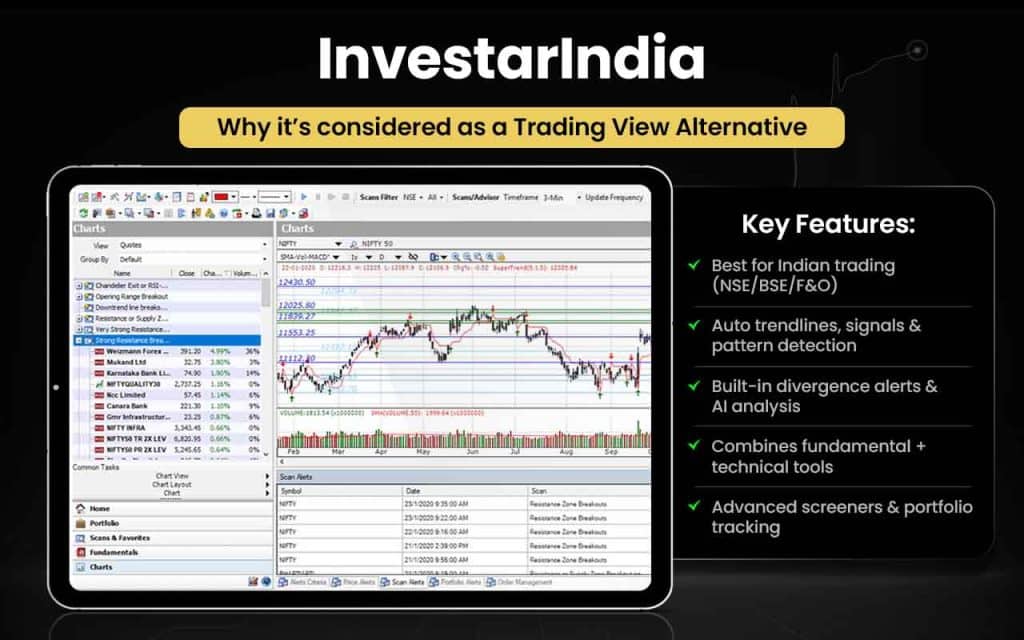
Let us now check how InvestarIndia can be better than TradingView:
| Area | InvestarIndia | TradingView |
|---|---|---|
| Auto Trendlines | Drawn automatically | Manual only |
| Auto Support/Resistance | AI‑plotted zones | Manual only |
| Buy/Sell Signals | Automatic chart markers | No native signals |
| Pattern Detection | Auto classical & harmonic patterns | Script-based only |
| Divergence | Auto divergence alerts | Manual or scripted |
| Fundamental Integration | Fundamentals and technicals together | Separate tools |
| Screeners | Auto-updating India-focused scans | Less India-specific |
| Custom Scan Language | IQL for complex scans | Pine Script only |
| Portfolio Management | Integrated portfolio and charts | Watchlists separate |
| Market Focus | NSE/BSE/F&O centric | Global focus |
InvestarIndia is for you if you:
- Trade NSE/BSE/F&O actively in India
- Want auto-drawn trendlines and AI-plotted support/resistance
- Rely on automatic buy/sell signals
- Need auto detection of classical and harmonic patterns
- Want auto divergence alerts
- Prefer integrated fundamental and technical analysis
- Use auto-updating India-focused stock screeners
- Need complex scans via IQL
- Want integrated portfolio management with charts
Stick to TradingView if you:
- Trade global assets beyond Indian markets
- Prefer manual or script-based trendlines and patterns
- Rely on Pine Script for alerts and scans
- Want separate tools for fundamentals and technicals
- Prefer lower-cost or flexible premium options
- Are okay with watchlists separate from portfolios
InvestarIndia users are quite satisfied with the services that the software offers, with a few reports of delayed updates. However, the major concerns are about the restricted customization and expensive premium options.
An anonymous user wrote on MouthShut:
“I have been using Investar for quite some time now, and recently upgraded to the Pro version, thinking it might make my trades better. There were a lot of positive reviews for the paid version, and the free model seemed insufficient. The price of around 10,000 rupees per year looked steep, and I was right.”
13. GoCharting
GoCharting is a charting tool that helps traders deal in multiple assets, including stocks, cryptos, and forex. GoCharting offers advanced technical analysis tools, including charting features, strategy builder, stock screeners, etc. With more than one million downloads, the platform has proven its worth in the market.
GoCharting was founded in 2021 by Sushanta Deb and Ragunath Ramaswamy, with its headquarters in Guwahati, Assam. With GoCharting, you can sign up, analyze, and trade at the same platform.
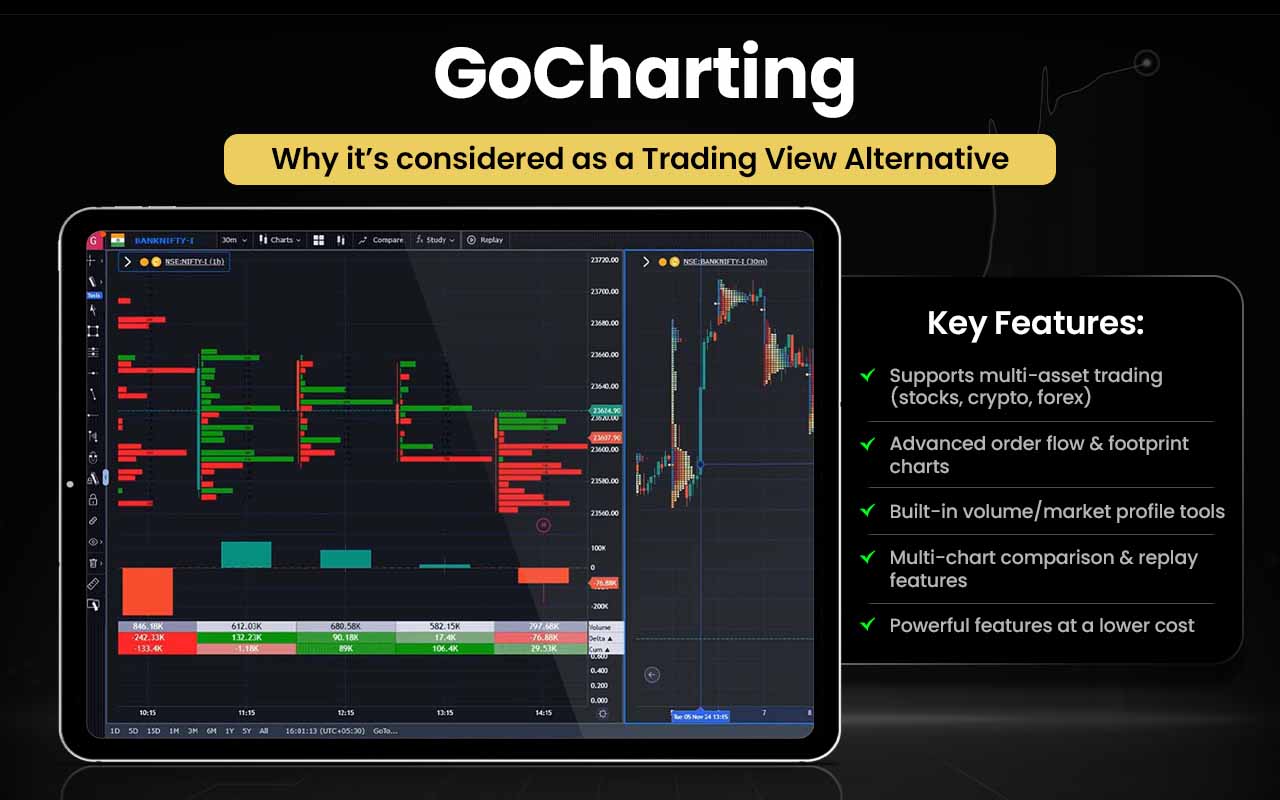
Let’s check the aspects in which GoCharting is better than TradingView:
| Area | GoCharting | TradingView |
|---|---|---|
| Order Flow | Footprint & imbalance charts | Not native |
| Volume/Market Profile | Built-in profile charts | Script-based only |
| Chart Comparison | Multi-instrument side-by-side | Paid plan only |
| Time of Sale Data | Real-time alerts & data | Not native |
| Advanced Chart Types | Renko, Range, Kagi, P&F | Limited types |
| Trading Tools | Direct chart order execution | Broker-dependent |
| Bar Replay | Historical replay available | Not native |
| Indicator Layers | Flexible layering | Limited layers |
| Custom Dashboards | Dynamic workspaces | Rigid layouts |
| Cost | Many features at lower price | Paid tiers for features |
GoCharting is for you if you:
- Trade multiple assets: stocks, crypto, and forex
- Need native footprint and imbalance order flow charts
- Want built-in volume/market profile charts
- Like multi-instrument side-by-side chart comparisons
- Rely on real-time time-of-sale alerts and data
- Use advanced chart types like Renko, Range, Kagi, P&F
- Want direct chart order execution
- Need historical bar replay
- Prefer flexible indicator layers and dynamic dashboards
- Want many features at a lower cost
Stick to TradingView if you:
- Rely on broker-dependent trading execution
- Don’t need native order flow or market profile charts
- Prefer community scripts and Pine Script customization
- Trade casually or across fewer asset types
- Want stable, reliable real-time data without lag
- Prioritize a more established and widely supported platform
Though GoCharting offers multiple features and promises to help traders with real-time data, many users complain about data time lag and sometimes wrong chart displays. However, the users know quite well that the platform has potential, and a little improvement on the delayed updates can make it efficient and reliable.
14. TradeStation
TradeStation provides direct market access for stocks, futures, ETFs, and mutual funds, allowing traders to analyze markets and execute trades without switching platforms. In Q3 2024, it facilitated over $10 million in price movements with execution speeds of 0.044 seconds for stocks.
Founded in 1982 by Bill and Ralph Cruz as Omega Research Inc., TradeStation is headquartered in Plantation, Florida. The platform offers sophisticated trading technology designed for experienced traders, supporting advanced analysis, strategy building, and rapid execution, though it may be complex for beginners. TradeStation’s integrated tools make it a powerful choice for professional trading across multiple asset classes.
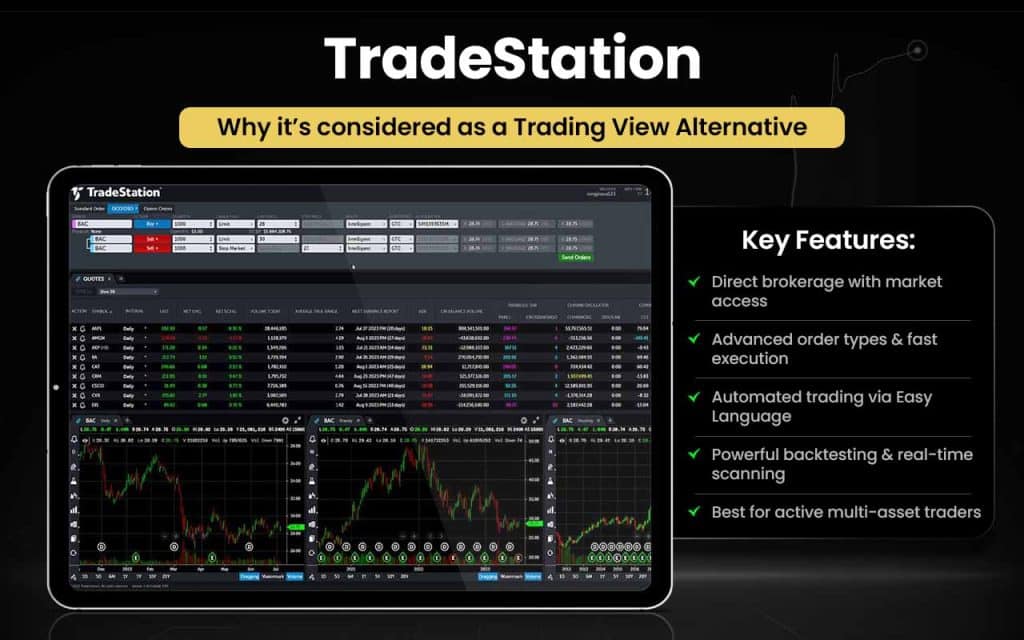
Let us now see how TradeStations can be better in certain aspects than TradingView:
| Area | TradeStation | TradingView |
|---|---|---|
| Broker Integration | Built-in brokerage with direct execution | Requires external broker integration |
| Advanced Order Execution | Professional order types and direct market access | Basic execution via integrated brokers |
| Proprietary Scripting (EasyLanguage) | Powerful automated trading and custom indicators | Pine Script simpler, no direct automation |
| Strategy Backtesting | Long historical data and deep backtesting tools | Backtesting via Pine, less granular |
| Options & Futures Tools | Sophisticated options/futures analysis & execution | Limited native derivatives tools |
| Market Scanner (RadarScreen) | High-capacity real-time scanner | No native equivalent scanner |
| Custom Strategy Development | Build full trade systems with EasyLanguage | Scripts mostly for indicators/alerts |
| Execution Speed & Precision | Low‑latency direct execution | Execution via broker APIs, slower |
| Integrated Research Tools | Built‑in research and news feeds | Charts & ideas but less integrated research |
| Asset Variety for Active Trading | Stocks, options, futures, ETFs direct | Markets viewable; trading depends on broker connection |
TradeStation is for you if:
- Want direct market access with built-in brokerage
- Need professional order types and low-latency execution
- Rely on powerful automated trading via EasyLanguage
- Perform deep backtesting with long historical data
- Trade options, futures, ETFs, and stocks natively
- Need high-capacity real-time scanners (RadarScreen)
- Want to build full trade systems with custom scripts
- Value integrated research tools and news feeds
- Prioritize execution speed and precision for active trading
Stick to TradingView if:
- Trade globally across multiple asset classes
- Prefer a simpler scripting environment like Pine Script
- Don’t require direct brokerage integration
- Focus more on charting and idea sharing than execution
- Don’t need high-capacity scanners or sophisticated derivatives tools
- Are a beginner or casual trader
The platform has been praised by users not only for the trading services it offers, but also for the support features it has, including its executives who are there for technical assistance and also the tutorials they have for guiding users.
15. MetaStock
MetaStock is an advanced market analysis platform designed for traders of all levels, from beginners to professionals. It provides tools for stock screening, technical analysis, and backtesting, with 84% of users reportedly executing effective trades. Introduced in 1985 by Computer Asset Management, founded by Scott Brown, MetaStock was later acquired by Innovative Market Analysis and Thomson Reuters.
Headquartered in Salt Lake City, Utah, the platform has received numerous awards, including PC Magazine’s Editors’ Choice and Stock & Commodities Readers’ Choice for over 20 consecutive years. MetaStock combines robust analytical features and long-standing industry recognition to support informed trading decisions.
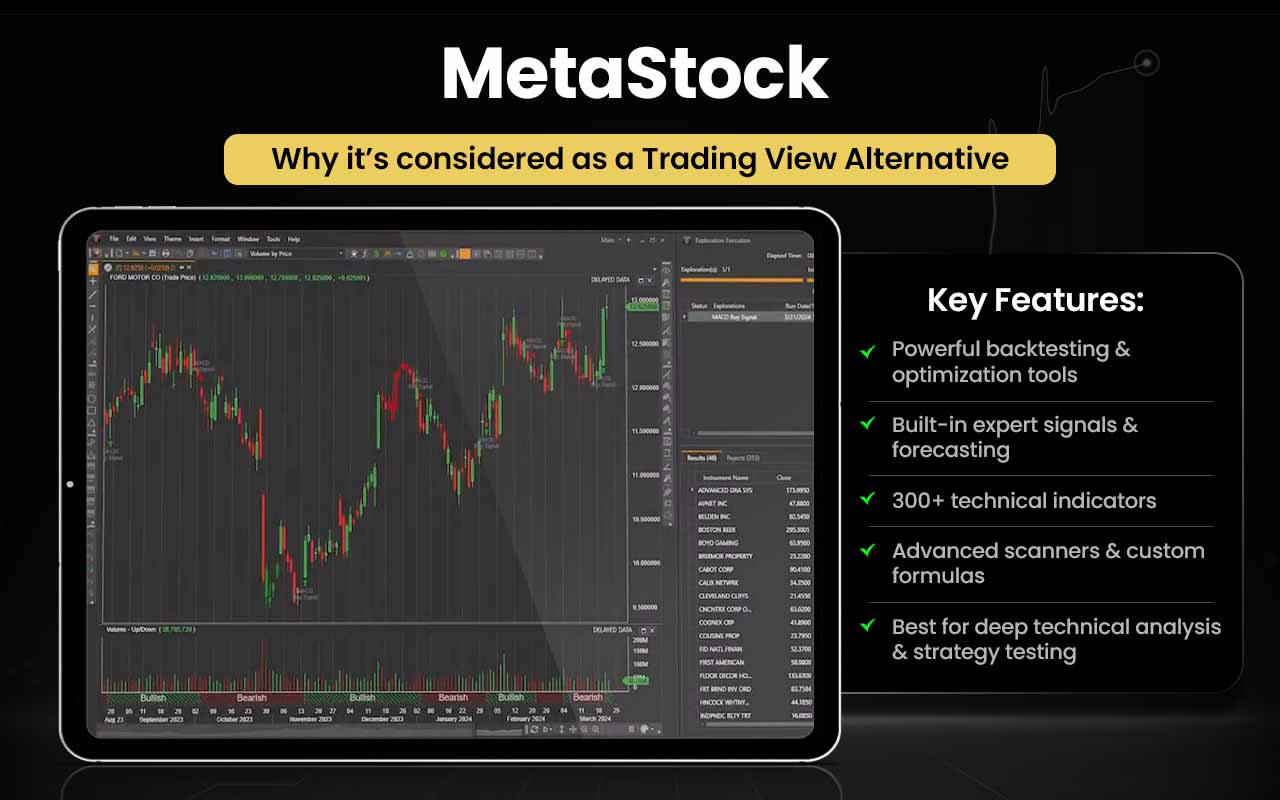
Let’s check how MetStock can be better than TradingView in certain instances:
| Area | MetaStock | TradingView |
|---|---|---|
| Backtesting | Deep multi-system & optimization | Basic Pine Script backtesting |
| Expert Systems | Built-in automated signals | None |
| Forecasting Tools | Probability forecasting | Not available |
| Indicators | 300+ built-in indicators | ~150 indicators |
| Market Scanner | Advanced Explorer scanner | Limited screener |
| Historical Data | Extensive analysis & sector grouping | Less deep |
| Custom Formulas | Create/test custom formulas | Limited scripting |
| Data Feeds | Premium feeds like Refinitiv | Broker-dependent |
| Performance | Desktop for heavy analysis | Web/cloud-based |
| Strategy Library | 250+ built-in strategies | Community scripts |
| User Focus | Professional/system traders | Broad charting/social ideas |
MetaStock is for you if:
- Need deep multi-system backtesting and optimization
- Rely on built-in automated expert signals
- Want probability-based forecasting tools
- Need 300+ built-in indicators for technical analysis
- Use advanced Explorer market scanners
- Require extensive historical data and sector grouping
- Want to create and test custom formulas
- Use premium data feeds like Refinitiv
- Prefer desktop-based performance for heavy analysis
- Want access to 250+ built-in trading strategies
Stick to TradingView if:
- Prefer a web/cloud-based platform for easy access
- Focus more on charting and social/idea sharing
- Are satisfied with basic Pine Script backtesting
- Don’t need automated expert systems or forecasting tools
- Rely on community scripts instead of professional strategy libraries
- Want a simpler interface with faster navigation
While MetaStock users were satisfied with the previous versions to a great extent, the latest version 19 seems to be disappointing, as most of them think the previous ones were better, at least were easy to flip through.
What are the Free Alternatives to TradingView?
The free alternatives to TradingView are Investing.com, MetaTrader, and ChartInk.
- Investing.com: Real-time news, economic calendar, and macro data
- MetaTrader: Automated trading and broker-connected execution
- ChartInk: Indian stock screening and scans
To access advanced features or anything other than what has been mentioned above, you might have to upgrade your subscription likewise.
What are the Paid Alternatives to TradingView?
The paid alternatives to TradingView are TrendSpider, ProRealTime, GoCharting, Koyfin, MetaTrader, and Finviz.
- TrendSpider: Automated technical analysis and AI-driven trend detection
- ProRealTime: Professional-grade backtesting and broker-integrated trading
- GoCharting: Advanced options analytics and India-focused derivatives trading
- Koyfin: Institutional-style macro, fundamentals, and portfolio analysis
- MetaTrader: Algorithmic trading and broker-based execution workflows
- Finviz: Fast visual stock screening and fundamental filtering
When you pay for TradingView alternatives, you get access to advanced features that enable you to conduct better research and analysis.
TradingView Alternatives with Pine Script
TradingView alternatives with Pine Script, its proprietary programming language, include platforms with their specific tech language.
- NinjaTrader: NinjaScript based on the C# programming language.
- MetaTrader 4/5 (MT4/MT5): MetaQuotes Language (MQL4/MQL5) for the forex/CFD community and for developing EAs
- TradeStation: EasyLanguage that makes it a powerful algorithmic trading platform with robust APIs.
When you have a proprietary programming language like TradingView’s Pine Script, creating custom technical analysis indicators and strategies becomes much easier.
TradingView Alternatives with Backtesting
TradingView alternatives with backtesting are Strike Money, TradeStation, NinjaTrader, ProRealTIme, MetaTrader. And GoCharting.
- Strike Money: Options strategy backtesting with payoff simulation, historical evaluation, and Greeks analysis
- TradeStation: Institutional-grade strategy backtesting with direct trade execution
- NinjaTrader: Futures-focused strategy backtesting and automated trading
- ProRealTime: Rule-based backtesting tightly integrated with broker execution
- MetaTrader (MT4/MT5): Algorithmic backtesting and broker-linked automated trading
- GoCharting: Options and derivatives backtesting with India-focused market tools
Access to backtesting feature helps you have historical financial data as a ready reference, helping you identify current trends and future patterns of the market.
TradingView Alternatives for Stock Traders
TradingView alternatives for stock traders are TrendSpider, Finviz, StockCharts, Strike Money, Koyfin, MetaStock, and TC2000.
- TrendSpider: Automated technical analysis and strategy validation for stocks
- Finviz: Rapid stock screening using visual and fundamental filters
- StockCharts: Classical chart patterns and long-term stock analysis
- Strike Money: Stock options strategy analysis with payoff visualization and Greeks
- Koyfin: Fundamental, macro, and portfolio-driven stock research
- MetaStock: Professional-grade technical analysis and system testing
- TC2000: Fast stock scanning with integrated charting and alerts
For stock traders, be it intraday traders or swing traders, the above websites can offer what they have always been looking for.
TradingView Alternatives for Forex Traders
TradingView alternatives for Forex traders include MetaTrader, NinjaTrader, TradeStation, and ProRealTime.
- MetaTrader (MT4/MT5): Broker-connected forex trading and automated strategies (EAs)
- NinjaTrader: Strategy backtesting and automation for currency futures
- TradeStation: Professional-grade forex strategy development and testing
- ProRealTime: Rule-based forex backtesting with broker-integrated execution
When a platform supports forex trading, you know you have a partner to help with all currency analysis and trade on margin in a decentralized market.
TradingView Alternatives for Crypto Traders
TradingView alternatives for crypto traders are GoCharting, MetaTrader, and TrendSpider.
- GoCharting: Derivatives-focused crypto analysis with advanced options & futures tools
- MetaTrader (MT5): Broker-based crypto CFD trading and automated strategies
- TrendSpider: Automated technical analysis on crypto without manual drawing
Very few platforms support crypto trading. Hence, if you are thinking of TradingView alternatives to enable you to trade cryptos, you may consider the above ones.
TradingView Alternatives for Futures Traders
TradingView alternatives for futures traders are NinjaTrader, TradeStation, GoCharting, and MetaTrader.
- NinjaTrader: Futures-first trading with deep backtesting and order-flow tools
- TradeStation: Professional futures strategy development with direct exchange execution
- GoCharting: Futures & options analytics with modern web-based tools
- MetaTrader (MT5): Broker-based futures CFDs with automated strategies
With the above platforms, trading in futures becomes hassle-free, given the unique features they all offer.
TradingView Alternatives for Options Traders
TradingView alternatives for options traders are Strike Money, GoCharting, TrendSpider, TradeStation, and Sensibull.
- Strike Money: Options strategy analytics, payoff visualization, and historical evaluation with Greeks
- GoCharting: Advanced options analytics with payoff charts and strategy tools
- TrendSpider: Options-driven technical setups using automated analysis
- TradeStation: Professional options strategy testing with broker-integrated execution
When trading options, it is important to have a clear trading plan. This is what the above platforms help in.
Why You Should Look for TradingView Alternatives?
You should look for TradingView alternatives with your changing trading style, as you may start to feel its limitations.
1. Limited Features on the Free Plan
TradingView has been found to delay market data displays with limited indicators, charts, and alerts. Platforms, like MetaTrader, StockCharts, offer broader functionality for free, while Finviz, Strike Money and ChartInk provide powerful free screeners without strict chart limits.
2. Backtesting Isn’t Truly Professional-Grade
On TradingView, strategy backtesting depends on Pine Script and there is no native portfolio-level or multi-asset backtesting. TradeStation, Strike Money, MetaStock, ProRealTime, and NinjaTrader provide institutional-grade backtesting, optimization, and system testing beyond TradingView’s scripting model.
3. Weak Options Analytics
With TradingView, you get no built-in options strategy builder and there is limited Greeks and payoff visualization. StrikeMoney, GoCharting, Sensibull, Thinkorswim, and OptionStrat specialize in options analytics, offering payoff charts, live Greeks, and strategy modeling.
4. No Native Trade Execution (India & Many Regions)
TradingView is primarily an analysis platform, and broker integration is limited or region-specific. MetaTrader, TradeStation, NinjaTrader, and ProRealTime combine charting with direct broker execution and automation.
5. Automation Is Restricted
TradingView’s Pine Script strategies cannot execute trades universally, and there is limited control over live automated execution. MetaTrader (EAs), NinjaTrader, and TradeStation support fully automated trading systems with real-time execution.
6. Expensive for Advanced Users
With TradingView, higher-tier plans are needed for multiple charts, alerts, and exports. Real-time data may require additional purchases. Here, GoCharting, Finviz Elite, StrikeMoney and StockCharts can help you by delivering niche-specific tools at a lower total cost.
What Features Should a Good TradingView Alternative Have?
The features that a good TradingView alternative should have include everything that TradingView offers, such as advanced charting, indicators, alerts, and multi-asset coverage, along with the areas where TradingView falls short.
- Professional-grade backtesting for strategies and portfolios, like ProRealTime
- Options analytics with payoff charts and Greeks, like Strike Money
- Broker integration and live trade execution, like MetaTraders
- Automated trading and algorithmic strategy support, like TradeStation and MetaTrader
- Cost-effective access to real-time data, alerts, and multi-chart layouts, like MetaStock
In short, the best alternatives combine TradingView’s strengths with additional features that fill its gaps, helping traders achieve a more complete, efficient, and tailored trading workflow.
What is the Best Alternative to TradingView?
Strike Money is the best alternative to TradingView as it is better than the latter in certain aspects.
| Feature | TradingView | Strike Money | Advantage |
|---|---|---|---|
| Options Strategy Builder | Not available | Available | Build custom option strategies visually |
| Payoff Chart Visualization | Not available | Available | Shows profit/loss for strategies at expiry |
| Live Greeks Analysis | Limited | Available | Tracks Delta, Gamma, Theta, Vega for options |
| Historical Options Strategy Backtesting | Limited via Pine Script | Available | Evaluate options strategies on historical data |
| India-Specific Options & Derivatives Data | Limited; mostly global markets | Fully supported | Covers NSE stocks, indices, and F&O options |
| Options Risk Analysis | Not built-in | Available | Visualize potential risk/reward across strategies |
| Options Alerts | Limited; mostly price or indicator-based | Available | Alerts based on strategy conditions, not just price |
| Portfolio-Level Options Tracking | Not available | Available | Manage multiple option strategies in one view |
| Ease of Use for Options | Medium; requires Pine Script | High; drag-and-drop, intuitive | No coding required for options strategy creation |
![15 Investing.com Alternatives [Free+Paid] You Should Use in 2026](https://www.strike.money/wp-content/uploads/2026/04/Investing.com-Alternatives-768x482.jpg)
 38 mins
![15 TradeStation Alternatives [Free+Paid] You Should Use in 2026](https://www.strike.money/wp-content/uploads/2026/04/TradeStation-Alternatives-768x482.jpg)
![15 Chartink Alternatives [Free+Paid] You Should Use in 2026](https://www.strike.money/wp-content/uploads/2026/04/Chartlink-Alternatives-768x482.jpg)