15 Quantsapp Alternatives [Free+Paid] You Should Use in 2026

 Author

 Editor
Quantsapp alternatives are for users who search for a substitute for the platform when they find it running short of the features they require. This Quantsapp alternatives list has been curated for you to have a look at the alternatives and their features in detail so that you choose the ones that best suit your requirements.
By the end of this Quantsapp alternatives list, you will probably be clear about whether to stick to Quantsapp or switch to some other platform with better features and interface.
Our Experience with Quantsapp Alternatives
- Strike Money – Best For Advanced Options Analytics And Strategy Building
- Opstra – Best For Options Strategy Analysis And Payoff Charts
- Sensibull – Best For Beginner-Friendly Options Trading And Strategies
- NiftyTrader – Best For Live OI Data And Analytics
- iCharts – Best For Technical Charts With Options Analytics
- Streak – Best For No-Code Algo Trading Automation
- uTrade – Best For Broker-Integrated F&O Analytics Tools
- Tradetron – Best For Automated Multi-Strategy Algo Trading
- AlgoTest – Best For Options Backtesting And Strategy Automation
- Bantix – Best For Niche Derivatives Analytics And Signals
- SigTech – Best For Institutional Quant Analytics And Portfolio Tools
- UpLeg – Best For Options Strategy Building And Execution
- TradingView – Best For Advanced Charting And Market Analysis
- Stolo – Best For Options Strategy Visualization And Analysis
- thinkorswim – Best For US Options Trading And Analytics
Best Quantsapp Alternatives with Detailed Comparison
| Platform Name | Features Missing In Quantsapp | Pricing | Review (Market Perception) |
|---|---|---|---|
| Strike Money | Community insights, execution-focused analytics | ₹649 per month (India-focused plans) | Fast-growing analytics platform; strong community |
| Opstra | Broker integration, direct trade execution | Basic – ₹0Monthly – ₹13006 months – ₹6,000Annual – ₹11,000 | Advanced analytics; preferred by pro traders |
| Sensibull | Institutional-level analytics depth | Free – ₹0Pro – ₹392/month (when billed annually) | Easy to use, popular with beginners |
| NiftyTrader | Deep institutional analytics tools | NT Prime – ₹449/monthCombo – ₹549/monthOption Simulator – ₹299/month | Good OI analytics; rising adoption |
| iCharts | Strategy marketplace, automation | 7-Day Trial – ₹199Monthly – ₹599Quarterly – ₹1600Half-Yearly – ₹3000Yearly – ₹5700 | Known for charting + derivatives analytics |
| Streak | Deep options analytics and Greeks | Free for Zerodha accounts | Best for algo automation without coding |
| uTrade | Advanced visual analytics depth | Mostly free with brokers | Good for broker-integrated trading tools |
| Tradetron | Institutional-grade options analytics | FreeStarter – ₹300/monthRetail – ₹1200/monthRetail+ – ₹2500/monthCreator – ₹5000/monthCreator+ – ₹9000/month | Top algo marketplace and automation tool |
| AlgoTest | Institutional-level OI analytics | Algo-tradingAlgo execution – ₹4/day or lesserForward test – ₹2/day or lesserUnlimited Backtesting₹599 for 7 days₹1499 for 30 days₹3499 for 90 days₹5999 for 180 daysIndicator Algo₹1299/month₹4999/6 monthsClick Trade₹499 for 30 days₹2499 for 180 days₹3999 for 360 days | Popular for options backtesting |
| Bantix | Large community, broker integration | QuikStrike Pro$300/month$3600/yearQuikStrike Pro + QuikVol$400/month$4400/year | Niche but useful derivatives analytics |
| SigTech | Retail F&O focus | Not publicly listed | Institutional quant platform reputation |
| UpLeg | Institutional analytics depth | Not publicly listed | Clean strategy builder; growing users |
| TradingView | Deep options analytics & strategy tools | Essential – ₹995 per month (when billed annually)Plus – ₹1,995 per month (when billed annually)Premium – ₹3,995 per monthUltimate – ₹17,333 per month | Industry-leading charting platform |
| Stolo | Institutional data & research tools | Trial Pro Plan – ₹299 for 7 daysMonthly Pro Plan – ₹999/monthAnnual Pro Plan – ₹833/month | Modern strategy builder with execution |
| thinkorswim | India F&O analytics & NSE focus | Free for Charles Schwab clients | Highly respected global trading terminal |
As we have already mentioned the names of the alternatives to Quantsapp, it’s time to explore the features and details about each of these options.
Strike Money
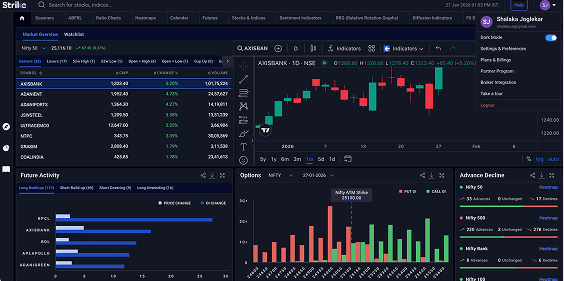
Strike Money is an Indian stock market analytics platform that provides real-time market insights, advanced charting, and data-driven tools to help traders and investors make informed decisions. It offers intelligent scanners, heatmaps, relative rotation graphs, sentiment indicators, and futures and options analytics to identify trading opportunities and market trends. The platform supports technical, fundamental, and derivatives analysis through features such as open interest interpretation, option calculations, ratio charts, and financial data.
Strike Money was founded in 2023 by Rohit Srivastava, a market strategist and founder of Indiacharts, to simplify market research through accessible, data-driven analytical tools for modern traders. It is useful for short-term traders, long-term investors, and F&O participants. It follows a freemium model with both free and premium analytical features.
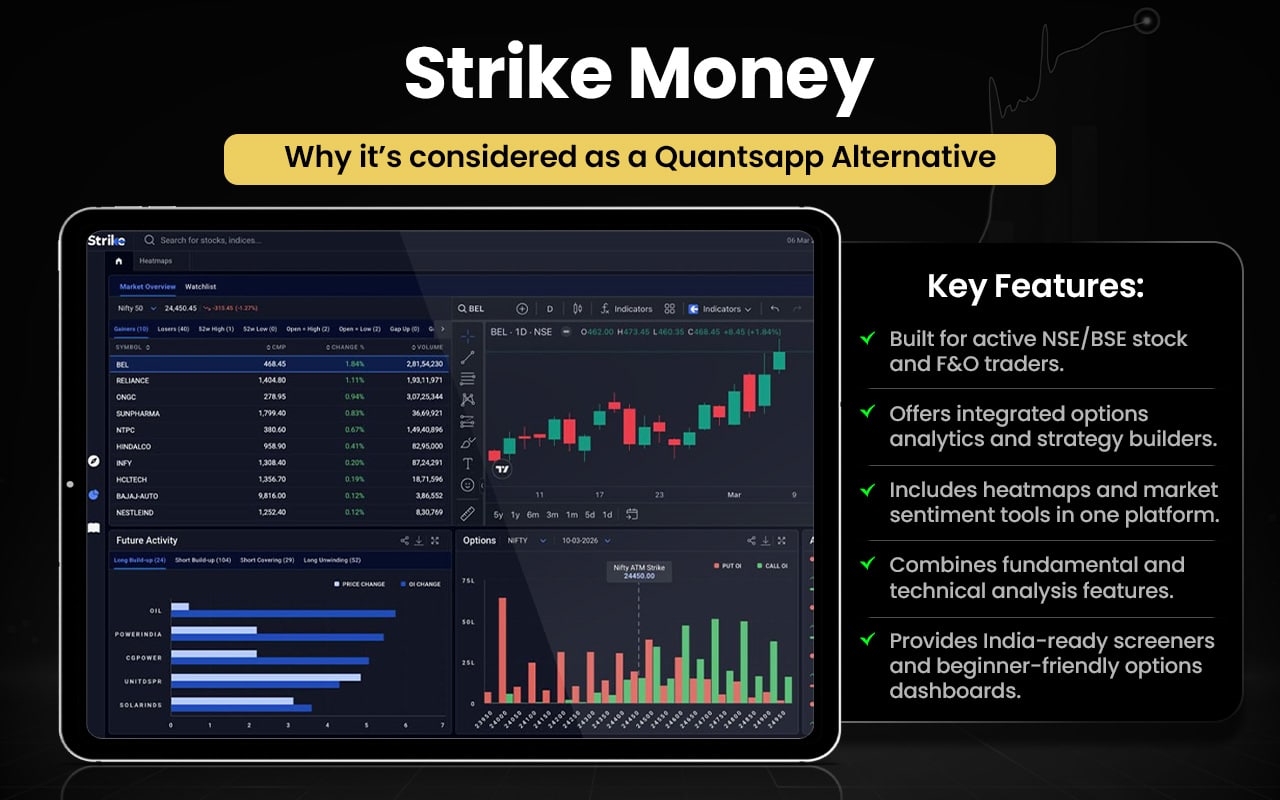
After briefly mentioning the features of Strike Money, let us quickly compare them with those offered by Quantsapp.
| Feature | Strike Money | Quantsapp |
|---|---|---|
| Core Focus | Visual analytics and smart scanners | Deep options analytics platform |
| Options Analytics | Basic to advanced F&O insights | Very advanced options analytics |
| Greeks & IV Tools | Available but limited depth | Extensive Greeks and IV tools |
| Strategy Builder | Basic strategy and payoff tools | Advanced strategy builder tools |
| Backtesting | Limited backtesting features | Strong strategy backtesting |
| Heatmaps & RRG | Advanced heatmaps and RRG charts | Limited visual heatmap tools |
| Market Scanners | Smart scanners and sentiment tools | Fewer stock-level scanners |
| Data Coverage | Stocks, indices, derivatives data | Mostly derivatives-focused data |
| Ease of Use | Clean, visual, beginner-friendly | Complex but powerful tools |
| Pricing | Freemium with paid upgrades | Freemium with premium tiers |
Switch to Strike Money if you:
- Want advanced scanners, heatmaps, and sentiment tools
- Prefer visual analytics like RRG and ratios
- Need stock + derivatives analysis together
- Like cleaner, faster market dashboards
- Want broader market insight beyond options
Stick to Quantsapp if you:
- Need deep options chain and Greeks analytics
- Use advanced options strategy builders
- Want strong backtesting and optimization tools
- Rely on detailed OI, IV, and volatility data
- Prefer institutional-level options analytics
Users generally describe the platform as intuitive and visually strong, praising its clean interface, customizable dashboards, and powerful scanners that deliver actionable market insights quickly. Many appreciate accurate analytics and ease of use, though some mention pricing concerns and feature depth expectations. Overall sentiment is positive, especially among traders seeking fast, data-driven analysis.
Opstra
Opstra is an options analytics and trading platform that helps traders find, analyse, and track opportunities across futures and options using advanced analytical tools. It enables users to create, backtest, and execute strategies with features such as strategy builder, options backtesting and simulator, payoff charts, option chain analysis, volatility and IV charts, futures dashboard, and paper portfolio tracking.
Opstra was developed by Definedge as part of its trading and analytics ecosystem. It was created by Raghunath Reddy and launched under Definedge to simplify options analysis and provide a comprehensive strategy-building and execution platform for traders. Definedge founder and CEO Prashant Shah leads the company behind the platform, which continues expanding its analytics and trading tools for derivatives traders.
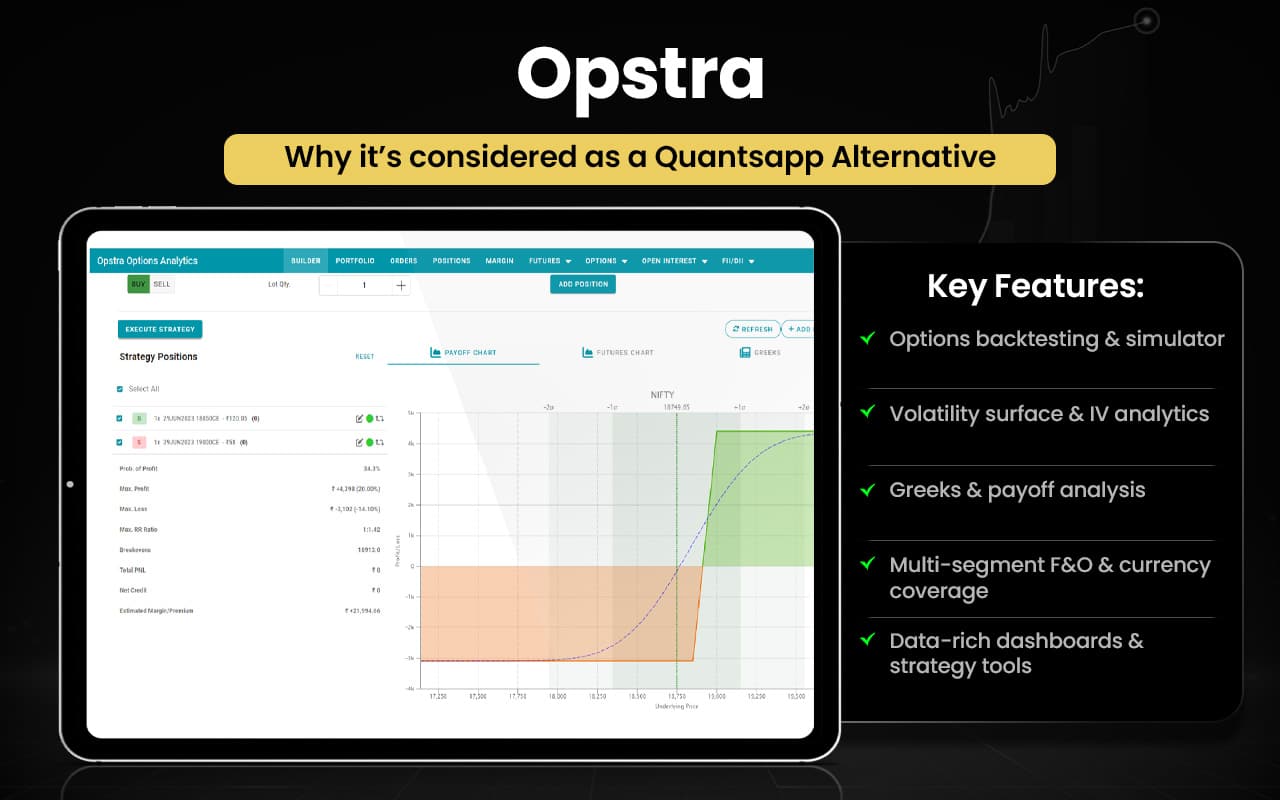
Let us now compare Opstra and Quantsapp to check which is more suitable for you.
| Feature / Aspect | Opstra | Quantsapp |
|---|---|---|
| Core Focus | Options strategy analysis and simulation | Deep options analytics and research |
| Strategy Builder | Advanced strategy builder with payoff charts | Strategy builder with optimizer |
| Backtesting | Strong historical backtesting and simulator | Strategy backtesting with optimization |
| Options Simulator | Real-time options simulator available | Limited simulation vs Opstra depth |
| Volatility Tools | Volatility surface and IV analysis | IV, PCR and volatility analytics |
| Option Chain & Greeks | Option chain with Greeks and P&L tracking | Real-time Greeks and OI analytics |
| Analytics Depth | Strategy and volatility-focused tools | 100+ analytics and institutional tools |
| Order Flow Analytics | Limited order-flow data tools | Advanced order & trade book analytics |
| Learning Content | Strategy blogs and learning resources | 200+ hours webinars and courses |
| Market Coverage | F&O strategy and futures dashboard | Extensive derivatives analytics suite |
| User Strength | Best for strategy testing and simulation | Best for deep real-time analytics |
Switch to Opstra if you:
- Want advanced options strategy builder and payoff charts
- Need strong backtesting and strategy simulator
- Prefer volatility surface and IV analysis tools
- Track paper portfolio and live strategy performance
- Want structured F&O strategy testing tools
Stick to Quantsapp if you:
- Need deep options chain and Greeks analytics
- Use 100+ advanced options analytics tools
- Want detailed OI, IV, and volatility data
- Prefer order flow and trade analytics
- Value institutional-level options research tools
Users appreciate the platform’s powerful strategy builder, payoff analysis tools, and ability to analyse and manage options positions in one place. Many find it useful for structured strategy testing and learning. Some users note a learning curve, occasional feature limitations in free plans, and expectations for smoother performance improvements over time.
Sensibull
Sensibull is an options trading and analytics platform that helps traders build strategies, analyse market trends, and access real-time derivatives data. It offers features such as a strategy builder, draft portfolios, options chain with open interest and Greeks, payoff charts, options screener, heatmaps, live options charts, FII/DII data, and positions analysis. Users can track volatility, PCR, max pain, and volume, monitor strategies, and view verified trader performance data.
Founded in 2013 by Abid Hassan along with Balajee Ramachandran and other co-founders, the company aimed to help retail investors reduce losses and trade more systematically. The platform integrates with multiple brokers and provides real-time analytics and structured tools to help traders create, test, and manage options strategies efficiently.
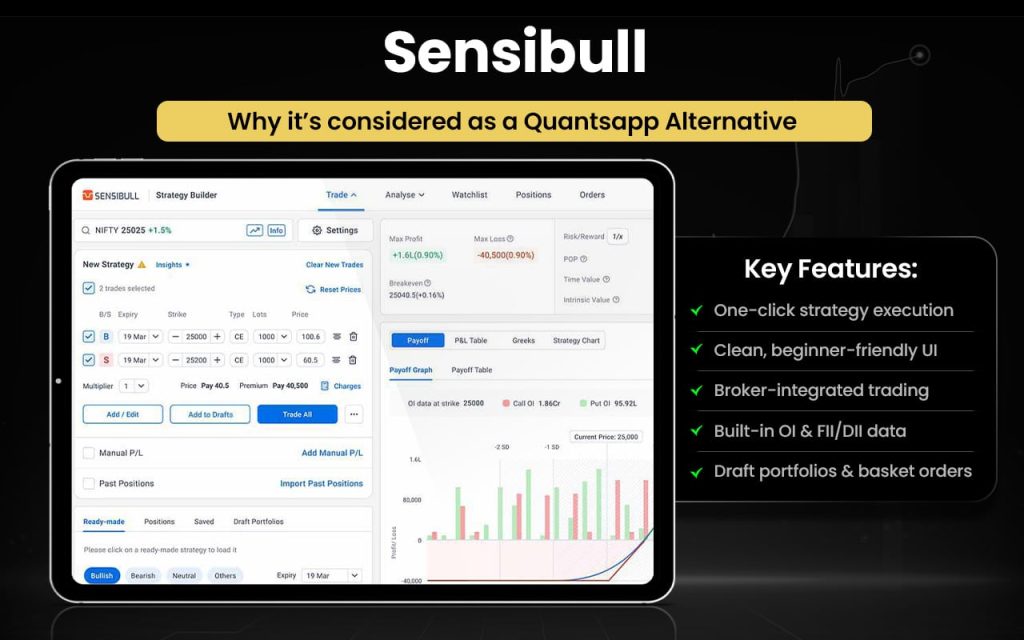
Let us see the features of Sensibull and features of Quantsapp compare so that you know which one you should choose to serve your trading purposes.
| Feature / Aspect | Sensibull | Quantsapp |
|---|---|---|
| Core Focus | Options trading + strategy building | Deep options analytics & research |
| Strategy Builder | Simple strategy builder with payoff charts | Advanced strategy optimizer tools |
| Option Chain & Greeks | Real-time option chain with Greeks & OI | Real-time Greeks with deeper analytics |
| Pre-Built Strategies | Ready-made strategies for beginners | 40+ advanced strategy modules |
| Backtesting | Basic analysis and virtual trading | Strong historical backtesting tools |
| Analytics Depth | Essential F&O analytics and charts | 100+ advanced analytics tools |
| Order Flow Data | Limited order-flow analytics | Institutional order book analytics |
| Market Data Tools | PCR, IV, heatmaps, FII/DII data | OI, IV, PCR, volatility & built-up data |
| Learning Content | Strategy guides and tutorials | 200+ hours webinars & courses |
| User Experience | Beginner-friendly and simple | Advanced, data-heavy interface |
| Community Features | Verified P&L and trader sharing | Research-driven insights & alerts |
Switch to Sensibull if you:
- Want an easy strategy builder with ready suggestions and payoff views.
- Prefer practice trades and draft portfolios to learn safely.
- Like free option chain, OI, FII/DII, IV charts for quick analysis.
- Appreciate live options charts and multistrike OI views.
- Value simple, beginner-friendly tools with broker login support.
Stick to Quantsapp if you:
- Need largest range of deep analytics tools and Greeks.
- Use real-time data with institutional-grade order book analysis.
- Want strategy optimizer and advanced analytics content.
- Prefer positional + intraday tools with extensive learning resources.
- Rely on data-driven decision support for complex options trades.
Users generally praise the platform for its simple interface, strong strategy builder, and helpful analytics that make options trading easier to understand and execute. Many appreciate real-time data and learning tools. Some users mention occasional lag, pricing concerns, and feature limits in free plans, but overall feedback remains largely positive.
NiftyTrader
NiftyTrader is a stock market analytics and trading research platform that provides real-time insights, option chain analysis, and advanced screening tools for traders and investors. It offers features such as live market and options screeners, advanced stock screener with multiple filters, real-time option chain with open interest, PCR, max pain, and Greeks data, option strategy optimiser, options simulator, technical indicators, and live analytics for Nifty and Bank Nifty. The platform also includes watchlists, alerts, market statistics, and comprehensive stock and derivatives analysis tools to help users track trends, identify opportunities, and optimise trading strategies.
NiftyTrader was founded by Pradeep Sangatramani, an engineer and IIM Calcutta alumnus who built the platform to simplify market analysis with data-driven tools for traders. The company is headquartered in India and was founded around 2014, focusing on providing accessible analytics, education, and decision-support tools for retail traders.
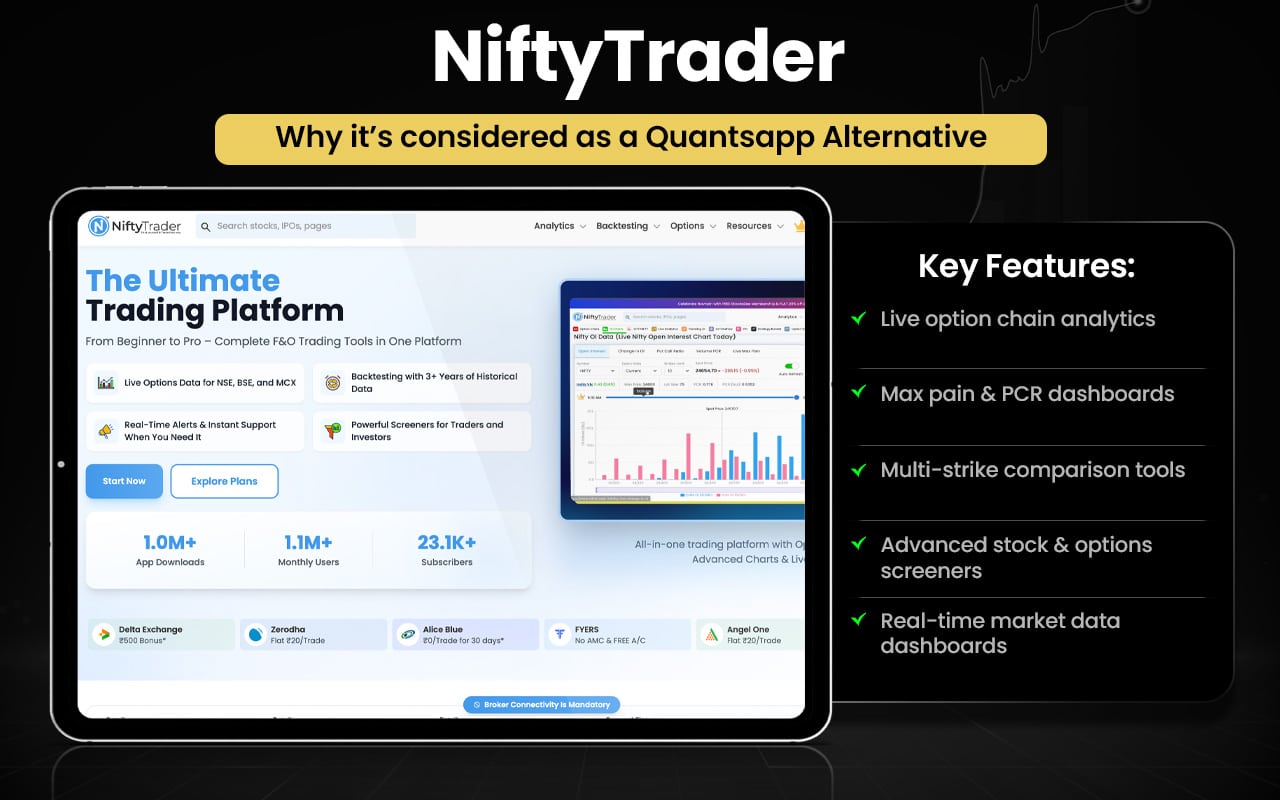
Let us quickly compare the features of both NiftyTrader and Quantsapp to check which is better and in what aspects.
| Feature / Aspect | NiftyTrader | Quantsapp |
|---|---|---|
| Core Focus | Market screeners and options analytics | Deep options analytics platform |
| Options Data | Real-time option chain, PCR, max pain | Real-time Greeks, IV, OI analytics |
| Analytics Depth | Good analytics for retail traders | 75+ advanced analytics tools |
| Strategy Tools | Options simulator and optimizer | Strategy builder with optimizer |
| Backtesting | Basic strategy simulation tools | Strong historical backtesting |
| Scanners | Advanced stock and F&O screeners | FnO scanners and triggers |
| Volatility & Greeks | Essential Greeks and IV data | Advanced Greeks and volatility tools |
| Order Flow Analytics | Limited order-flow tools | Institutional order-book analytics |
| Learning Content | Basic guides and analytics | 400+ hours learning content |
| Ease of Use | Clean and beginner-friendly | Data-heavy but powerful interface |
| Alerts & Tracking | Alerts, watchlists, analytics | Advanced alerts and analytics suite |
Switch to NiftyTrader if you:
- Want advanced stock & F&O screeners not emphasised on Quantsapp
- Prefer clean, beginner-friendly dashboards for quick insights
- Use real-time PCR, max pain, and simple option chain tools
- Need watchlists, alerts, and filtered market stats
- Like easy visuals for Nifty and Bank Nifty trends
Stick to Quantsapp if you:
- Need deep options analytics with real-time Greeks & volatility tools
- Use strong strategy builder and backtesting
- Rely on institutional-grade data & order flow analytics
- Prefer large analytics library and optimizer tools
- Want advanced alerts, triggers, and derivative research support
Users generally appreciate the platform for its real-time option chain data, powerful screeners, and useful analytics that help identify trading opportunities quickly. Many find it beginner-friendly and informative. However, some users mention app lag, ads, and occasional performance issues. Overall feedback highlights strong features but suggests room for smoother performance improvements.
iCharts
iCharts is an options analytics and technical charting platform that provides data-driven tools for analysing futures and options markets. It offers features such as option chain analysis, straddle and strangle charts, spread charts, price vs OI tools, multi-strike open interest charts, cumulative OI change, IV and volatility charts, futures charts, and technical indicators. Traders can track price-OI relationships, volatility trends, and market positioning through detailed visual charts and analytics tools designed to support derivatives analysis and strategy planning across NSE equity, index, and currency F&O segments.
iCharts was founded in 2007 by iCharts Technologies Pvt Ltd to provide cost-effective technical analysis, data, and charting tools for Indian traders. Over time, it evolved into a data and analytics company serving thousands of traders and institutions through its web-based analytics platforms and expanding options data tools.
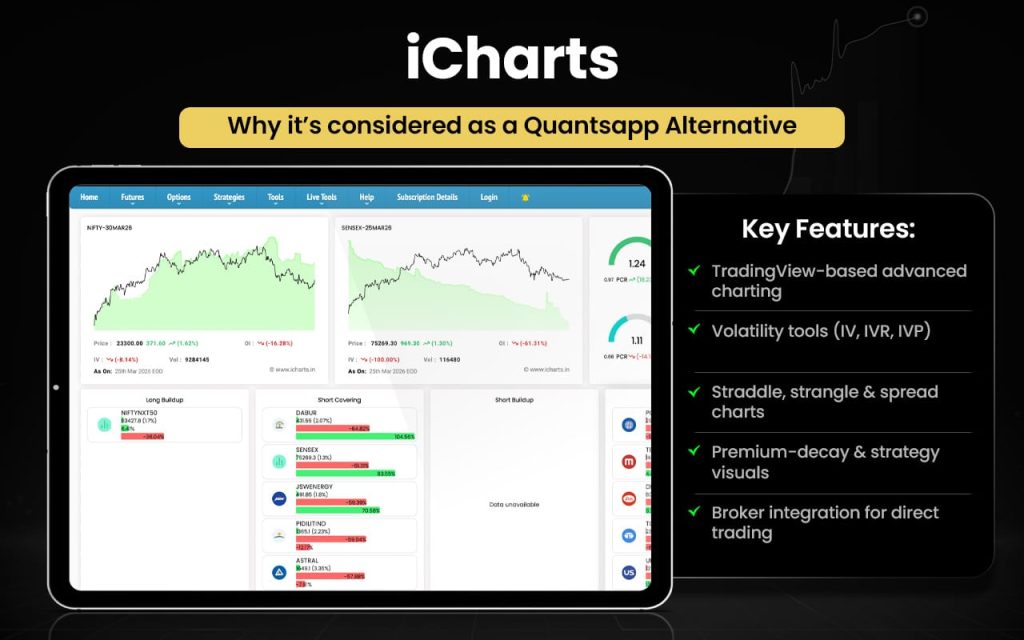
Now that we are aware of the features of iCharts in brief, let us check how they compare with the features that Quantsapp has to offer.
| Feature / Aspect | iCharts | Quantsapp |
|---|---|---|
| Core Focus | Visual charting and OI-based analysis | Deep F&O analytics and research tools |
| Option Chain & OI | Detailed option chain, OI and IV charts | Real-time option chain with Greeks & IV |
| Charting Tools | Strong visual charts for price-OI analysis | Strategy charts and technical charts |
| Volatility Tools | IV and volatility visual charts | Advanced IV, volatility & Greeks tools |
| Strategy Builder | Limited strategy tools vs Quantsapp | Advanced strategy builder & optimizer |
| Backtesting | Minimal backtesting features | Strong backtesting and optimization |
| Analytics Depth | Focus on visual derivatives analysis | 100+ analytics and indicators |
| Order Flow Data | No institutional order-flow analytics | Real-time order & trade book analytics |
| Learning Resources | Limited educational tools | Extensive articles, webinars, courses |
| User Strength | Best for visual chart-based analysis | Best for deep data-driven analytics |
Switch to iCharts if you:
- Want advanced straddle, strangle, and spread charts
- Prefer price-vs-OI and multi-strike OI charts
- Need detailed visual OI buildup analysis tools
- Like direct trading from option chain
- Prefer chart-focused derivatives analysis tools
Stick to Quantsapp if you:
- Need 75+ advanced options analytics tools
- Use strategy builder with optimizer
- Want real-time Greeks and volatility analytics
- Rely on order-flow and trade book data
- Prefer institutional-level options research tools
Users appreciate the platform’s strong charting tools, detailed open-interest analytics, and reliable derivatives data for informed trading decisions. Many value its visual insights and usefulness for options analysis. However, some mention a dated interface, learning curve for beginners, and expectations for smoother performance. Overall feedback reflects satisfaction among serious derivatives traders.
Streak
Streak is an algorithmic trading and strategy automation platform that enables traders to create, backtest, and deploy trading strategies without coding. It provides features such as a no-code strategy builder, historical backtesting, live strategy deployment, scanners, technical indicators, alerts, and performance tracking. Users can automate entry and exit rules, test strategies on historical data, and deploy them in live markets through broker integrations.
Streak was founded in August 2017 by Harsha Manohar, Vipul Divyanshu, and Jayalakshmi Manohar to democratise algorithmic trading for retail investors. Built by Streak AI Technologies, the platform was created to give traders access to institutional-grade automation tools through a simple, no-code interface.
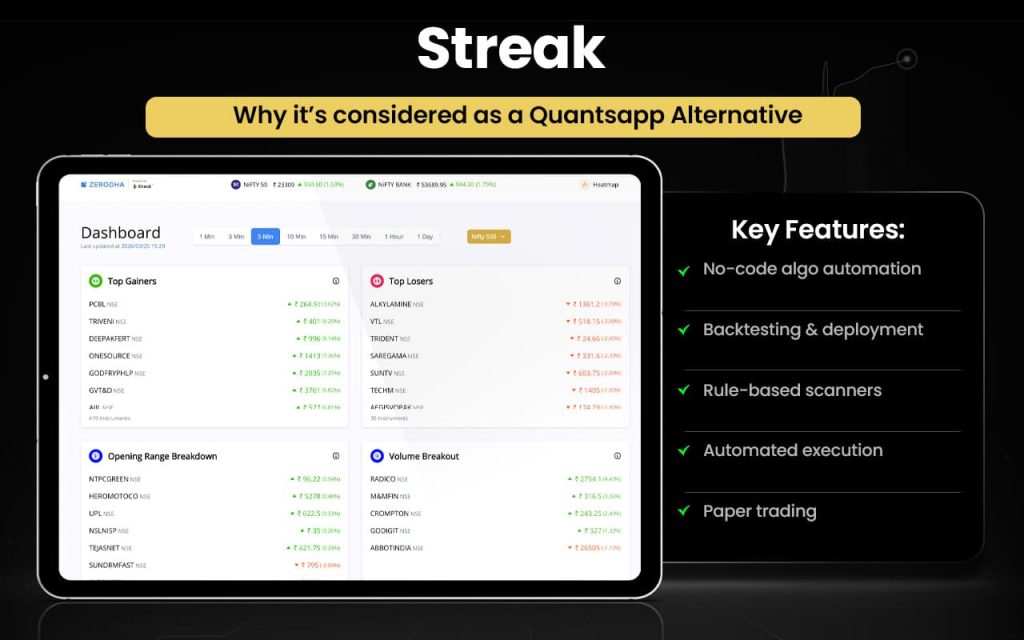
Let us now check how Streak and Quantsapp features surpass each other in certain aspects.
| Feature / Aspect | Streak | Quantsapp |
|---|---|---|
| Core Focus | Algo strategy creation and automation | Deep options analytics platform |
| Strategy Creation | No-code strategy builder for automation | Strategy builder with optimizer |
| Backtesting | Historical backtesting for strategies | Advanced options backtesting |
| Automation | Live strategy deployment & execution | Limited automation vs Streak |
| Scanners | Custom stock & F&O scanners | FnO analytics-driven scanners |
| Coding Requirement | No coding needed for algo trading | Analytics focused, not automation |
| Market Coverage | Stocks, futures, and options | Primarily F&O analytics focus |
| Analytics Depth | Basic analytics for strategies | 100+ options analytics tools |
| Order Flow Data | No institutional order-flow analytics | Full order & trade book analytics |
| Greeks & IV Tools | Limited options Greeks tools | Advanced Greeks & IV analytics |
| Learning Resources | Basic guides and support | 400+ hours webinars & courses |
| User Strength | Best for algo automation traders | Best for deep analytics traders |
Switch to Streak if you:
- Want no-code algo strategy creation and automation
- Need a powerful historical backtesting engine
- Prefer live strategy deployment with alerts
- Use fast technical scanners and strategy baskets
- Want paper trading and virtual strategy testing
- Need systematic trading without manual tracking
- Prefer rule-based trading execution tools
Stick to Quantsapp if you:
- Need 75+ advanced options analytics tools
- Use real-time Greeks, IV, and OI analytics
- Want a strategy optimizer for options trades
- Prefer order-flow and trade book analytics
- Need institutional-grade derivatives data
- Value a large learning library and research tools
- Focus mainly on deep F&O analytics and insights
Users generally praise the platform for its no-code strategy automation, reliable backtesting, and intuitive interface that simplifies systematic trading. Many appreciate scanners and performance tracking for disciplined execution. Some users highlight a learning curve, integration issues, and occasional performance or stability concerns. Overall feedback reflects strong satisfaction among algo-focused traders.
uTrade
uTrade is an algorithmic trading and automation platform that enables traders to build, backtest, and deploy strategies across equity and options markets using AI-driven and no-code tools. It offers features such as an AI strategy builder, backtesting with historical data, live strategy deployment, expert-built algos, payoff curves, technical indicators, and multi-broker connectivity. Users can create multi-leg strategies, set dynamic entry and exit rules, monitor performance in real time, and use AI insights, screeners, and market outlook tools to plan and execute trades systematically through a structured, automated workflow.
uTrade Algos is developed by uTrade Solutions, a fintech trading-technology company focused on algorithmic trading and institutional-grade tools. The company was founded by Kunal Nandwani, who serves as co-founder and CEO. The broader uTrade business was founded in 2011, with over 14 years of experience delivering algorithmic trading technology and later expanding to make algo trading accessible to retail traders.
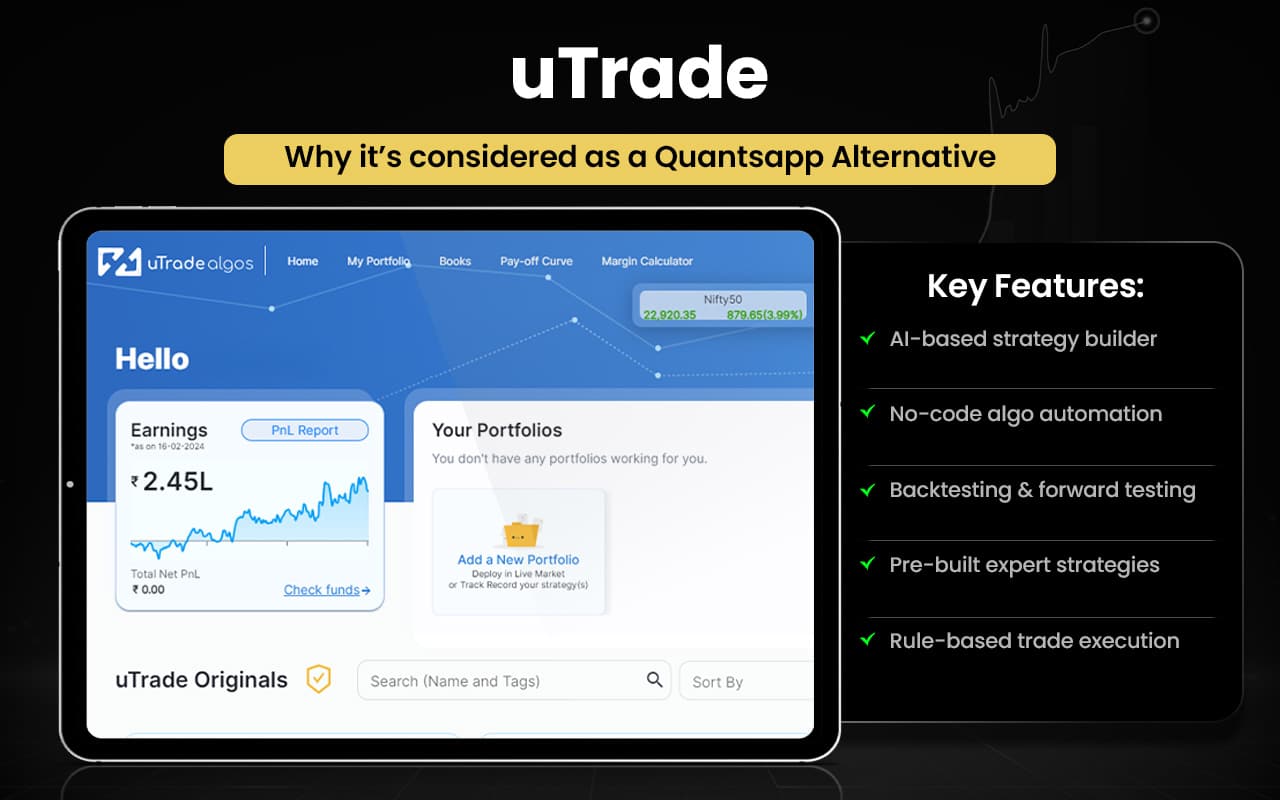
Let us compare uTrade and Quantsapp to check which serves your trading purpose better.
| Feature / Aspect | uTrade | Quantsapp |
|---|---|---|
| Core Focus | AI-driven algo strategy builder | Deep options analytics & research |
| Strategy Creation | AI + no-code strategy creation | Strategy builder with optimizer |
| Backtesting | Historical backtesting for strategies | Strong historical backtesting |
| Automation | Live algo deployment & execution | Limited automation vs uTrade |
| Option Analytics | Basic options payoff tools | Advanced option analytics |
| Volatility & Greeks | Standard Greeks & volatility | In-depth Greeks & IV analytics |
| Order Flow Analytics | Not core focus | Institutional order-book analytics |
| Market Coverage | Stocks, options, multi-leg strategies | Deep F&O analytics suite |
| AI & Screening | AI insights and market outlook tools | Analytics alerts and detailed indicators |
| User Strength | Best for AI-based algo trading | Best for deep data-driven analytics |
Switch to uTrade if you:
- Want no-code algo strategy creation and automation
- Need AI-based strategy builder and trading bots
- Prefer multi-broker connectivity for execution
- Use forward testing and live strategy deployment
- Want pre-built expert algos and templates
- Need interactive payoff curves with customization
- Prefer full algo trading workflow tools
Stick to Quantsapp if you:
- Need 100+ deep options analytics tools
- Use real-time Greeks, IV, and OI analytics
- Want order-book and trade-flow analytics
- Prefer strategy optimizer and options algorithms
- Need real-time option chain and volatility tools
- Value extensive learning content and research
- Focus on institutional-grade F&O analytics
Users generally appreciate the platform for its no-code algo trading tools, user-friendly interface, and ability to automate strategies with backtesting and real-time execution. Many find it helpful for disciplined trading and strategy diversification. Some users mention occasional technical issues, complexity for beginners, and expectations for smoother performance and support improvements.
Tradetron
Tradetron is a cloud-based algorithmic trading platform that allows traders to create, backtest, and deploy automated trading strategies without coding. It offers a visual no-code strategy builder, real-time execution, paper trading, performance analytics, risk management tools, and multi-broker integration. Users can build multi-leg strategies, define entry and exit rules, automate trades across assets, and monitor portfolios through dashboards.
Tradetron was founded in 2019 by Umesh Ranglani as a no-code algorithmic trading platform designed to make automated trading accessible to retail traders and strategy creators through a cloud-based ecosystem for building and deploying strategies.
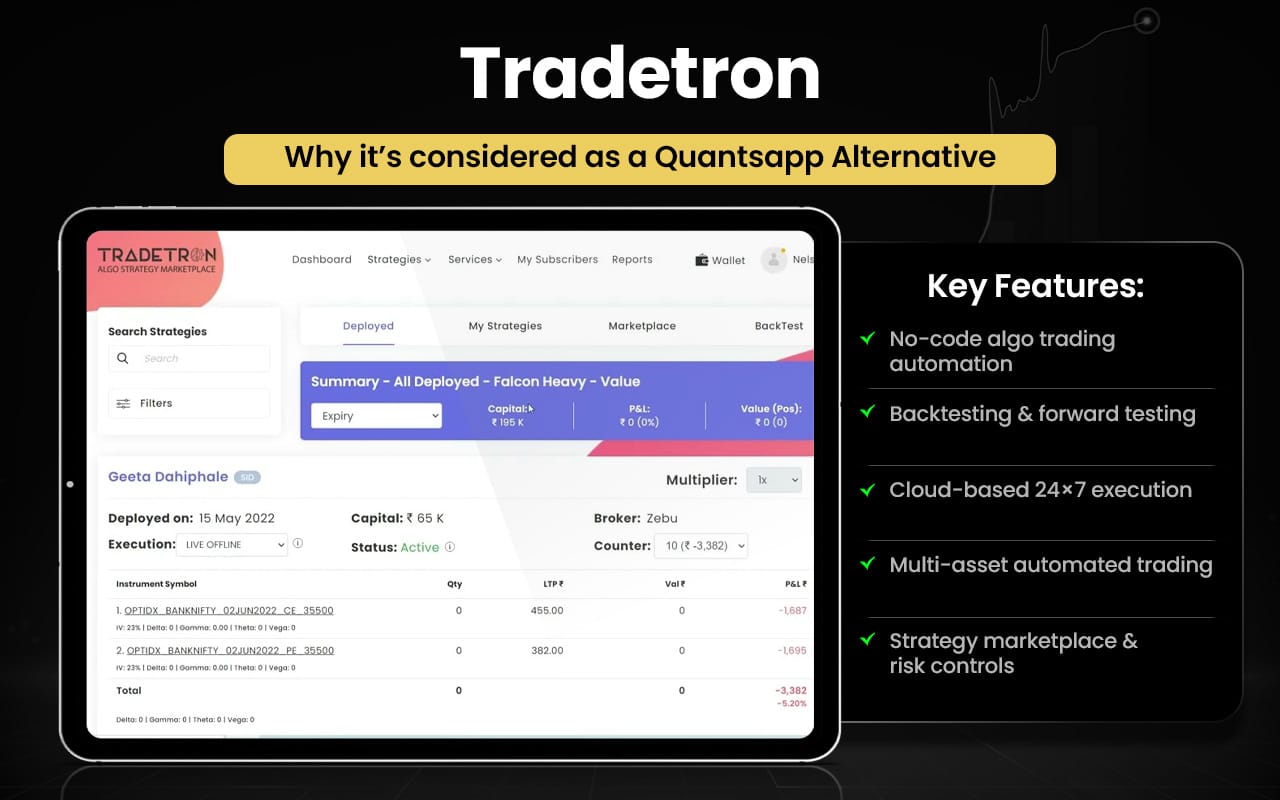
Let us now check how tradetron features compare with Quantsapp features.
| Feature / Aspect | Tradetron | Quantsapp |
|---|---|---|
| Core Focus | Algo trading creation and automation | Deep options analytics and research |
| Strategy Creation | No-code algo strategy builder | Options strategy builder & optimizer |
| Automation | Full automated execution & bots | Limited automation focus |
| Backtesting | Historical backtesting engine | Options backtesting & what-if analysis |
| Strategy Marketplace | Social marketplace to copy/monetise strategies | No marketplace for strategies |
| Asset Coverage | Multi-asset: stocks, F&O, forex, crypto | Primarily F&O analytics focus |
| Broker Integration | Multi-broker automated execution | Analytics-focused; limited execution |
| Analytics Depth | Basic analytics for automation | 100+ advanced options analytics tools |
| Order Flow Analytics | Not core feature | Institutional order-book analytics |
| Greeks & IV Tools | Limited options Greeks analytics | Advanced Greeks, IV, OI analytics |
| Learning & Research | Community and marketplace insights | 400+ hours courses & research |
| User Strength | Best for automation & algo deployment | Best for deep derivatives analytics |
Switch to Tradetron if you:
- Want full no-code algo strategy creation
- Need automated trade execution across brokers
- Prefer strategy marketplace to copy/monetise algos
- Use cloud-based deployment and monitoring
- Want multi-asset automation (stocks, F&O, crypto)
- Need portfolio-level automation and risk controls
- Prefer rule-based systematic trading workflows
Stick to Quantsapp if you:
- Need 100+ advanced options analytics tools
- Use real-time Greeks, IV, and OI analytics
- Want strategy optimizer and backtesting tools
- Prefer institutional-level order-flow analytics
- Need real-time option chain and volatility data
- Value 400+ hours options learning content
- Focus on deep derivatives research and insights
Users appreciate the platform’s no-code automation, strategy marketplace, and ability to deploy multi-leg algos easily. Many find it useful for systematic trading and backtesting. However, feedback also mentions bugs, slow performance, execution issues, and a learning curve. Overall sentiment is mixed but positive among serious algo traders.
AlgoTest
AlgoTest is an algorithmic options-trading platform that enables traders to design, backtest, forward-test, and automate strategies without coding. It provides tools such as strategy builders, simulators, paper trading, and live execution so users can test ideas on historical data and deploy them seamlessly in real markets. The platform supports options-focused trading, integrates with multiple brokers, offers analytics, charts, and risk-management tools, and allows traders to refine and automate strategies through a structured test-first approach.
AlgoTest was founded in 2021 by Raghav Malik and Rajat Jaiswal to bring institutional-grade algorithmic trading tools to retail traders. The founders built the platform to democratise access to strategy testing and automated execution for Indian traders.
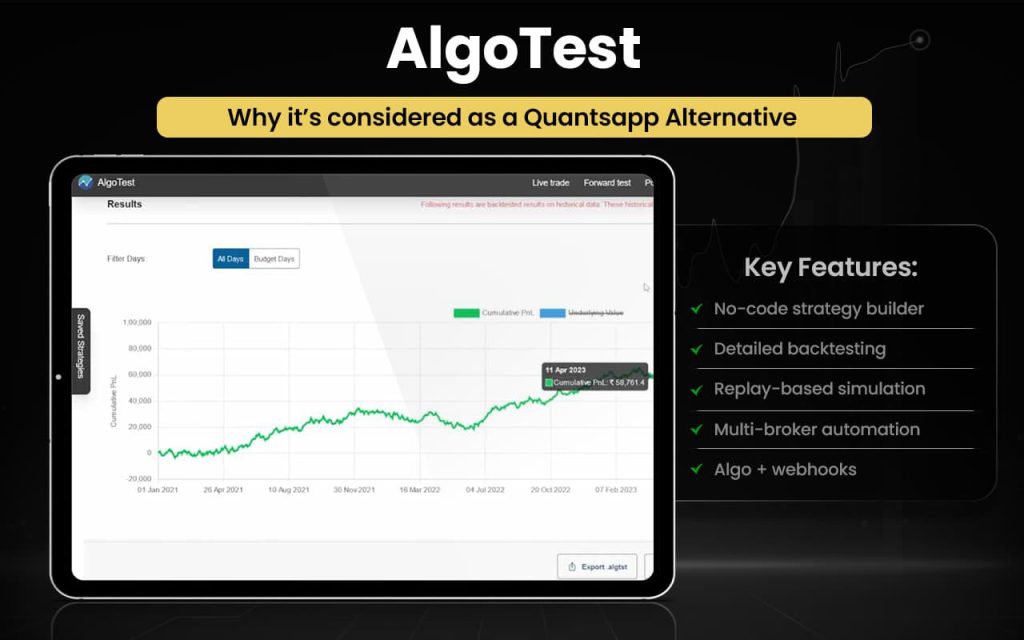
Let us compare the features of both AlgoTest and Quantsapp to understand which serves your purpose the best.
| Feature | AlgoTest | Quantsapp |
|---|---|---|
| Core focus | Algo-trading platform for strategy building, testing & automation | Options analytics & strategy research platform |
| Strategy builder | No-code multi-leg strategy builder & customization | Strategy builder with optimizer & payoff insights |
| Backtesting | Advanced historical backtesting with detailed reports | Backtesting available for options strategies |
| Forward testing / paper trading | Yes, forward testing & paper trading before live deployment | Limited forward-testing focus |
| Live algo trading | Live automated execution with broker integrations | Mainly analytics-driven trading support |
| Broker integration | 30+ broker integrations for live deployment | Not core feature |
| Portfolio backtesting | Backtest multiple strategies together | Not highlighted |
| Options analytics tools | Basic analytics & charts for strategy validation | 100+ analytics tools, Greeks, OI, order-flow analytics |
| Real-time order & trade analytics | Limited focus | 30+ real-time order book analytics & insights |
| Educational resources | Tutorials & courses for algo trading | 200+ hours webinars, articles & learning |
| Market data & insights | Strategy testing-oriented | Real-time data, OI, Greeks, alerts & research |
| Automation of signals | Automate TradingView/indicator signals | Not primary feature |
Switch to AlgoTest if you:
- Want full algo automation with live broker execution
- Need a no-code strategy builder
- Prefer advanced backtesting with detailed reports
- Want forward testing and paper trading
- Need portfolio-level backtesting
- Use TradingView/webhook signal automation
Stick to Quantsapp if you:
- Want deep options analytics (Greeks, OI, volatility)
- Prefer real-time data insights and dashboards
- Use strategy ideas and optimization tools
- Value strong educational content
- Focus more on research and analysis than automation
Users generally appreciate the platform’s trade analysis tools, clear MTM graphs, and easy breakdown of daily performance. Many find it helpful for reviewing strategies and understanding P&L behaviour. However, some feedback mentions occasional data limitations and dependency on broker files, suggesting room for smoother integration and enhanced reliability.
Bantix
Bantix is a provider of web-based options analysis software designed for the futures options market. Its key products include QuikStrike and QuikVol, which offer tools for options pricing, volatility analysis, historical data tracking, spread building, risk analysis, and portfolio management. The platform delivers pricing sheets, volatility curves, open-interest data, and advanced analytics through an easy-to-use interface, enabling traders and brokers to analyse strategies, monitor risk, and access comprehensive market information across major global exchanges.
Bantix Technologies was founded in 2000 to develop specialised options-analysis software for professional traders and institutions. Founding members include Nick Howard and Tony Andriacchi, who helped design and build the initial QuikStrike platform and continue shaping its development and functionality. The company focuses on delivering institutional-grade analytics and pricing tools for futures options markets.
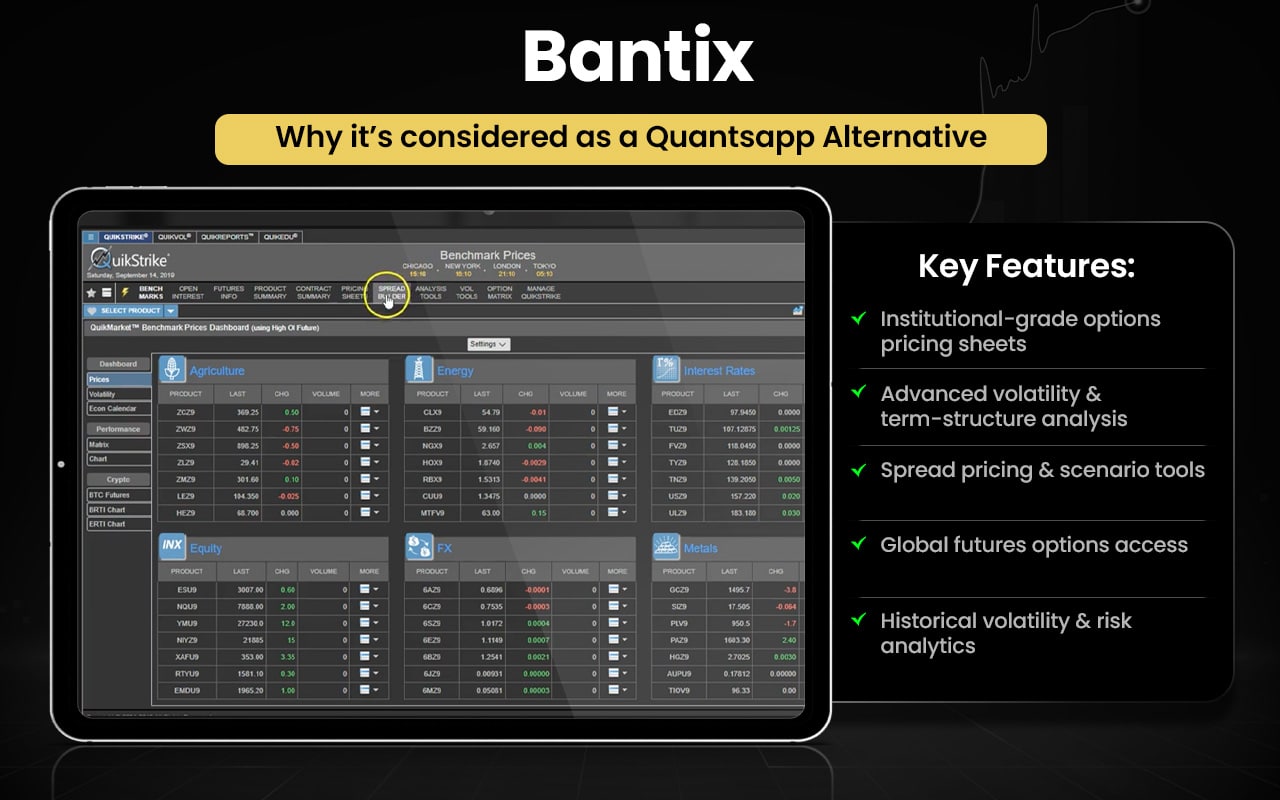
Let us compare Bantix and Quantsapp and check which one is better than the other in what aspects.
| Feature | Bantix | Quantsapp |
|---|---|---|
| Core focus | Futures options pricing & volatility analysis software | Options analytics, strategy building & trade insights platform |
| Options pricing | Advanced pricing sheets for options & spreads | Basic pricing via analytics & option chain |
| Volatility analytics | Implied, historical, skew & term-structure volatility analysis | IV, Greeks & volatility insights |
| Market data reports | Open interest, volatility curves, historical datasets | Real-time OI, Greeks, price & order-flow data |
| Strategy analysis | Build, price & analyse spreads with scenario tools | Strategy builder, optimizer & payoff charts |
| Risk & portfolio tools | Risk analysis, PnL reports, portfolio tools | Trade analytics & position management |
| Historical data | Extensive historical volatility & pricing database | Backtesting for options strategies |
| Real-time order analytics | Not primary feature | 30+ order-book & trade analytics |
| Educational content | Tutorials & documentation | 200+ hours webinars & learning |
| Target users | Professional & institutional futures options traders | Retail options traders & learners |
Switch to Bantix if you:
- Need institutional-grade options pricing sheets
- Want advanced volatility modelling and term-structure analysis
- Require spread pricing and scenario analysis tools
- Use futures options across global exchanges
- Need deep historical volatility and pricing datasets
- Prefer detailed risk and portfolio analytics
Stick to Quantsapp if you:
- Want real-time options analytics with OI, Greeks, and IV
- Prefer an easy strategy builder and optimizer
- Need order-flow and market insight dashboards
- Value alerts, trade insights, and ready strategies
- Want strong educational content and webinars
- Focus on retail options trading and research
Some users praise helpful support, clear guidance, and profitable trades that suited both beginners and experienced traders. Others report serious issues, including difficulties withdrawing funds, significant trading losses, and poor responsiveness. Experiences vary widely, highlighting strong support for some and frustration or risk concerns for others.
SigTech
SigTech is a fintech company focused on AI-driven quantitative analysis and investment technology for financial institutions. Its platform provides tools for systematic investing, backtesting, portfolio analytics, and data integration across multiple asset classes such as equities, FX, commodities, and rates. It offers cloud-based quant infrastructure, curated datasets, and advanced analytics to help hedge funds and asset managers build, test, and manage investment strategies efficiently using AI and quantitative methods.
SigTech was founded in 2019 and was originally developed as an in-house system to manage systematic investments before being spun out as an independent company. The company was founded by Bin Ren, who serves as founder and CEO, with the aim of providing next-generation quant technology and AI-powered analytics for global investors and asset managers.
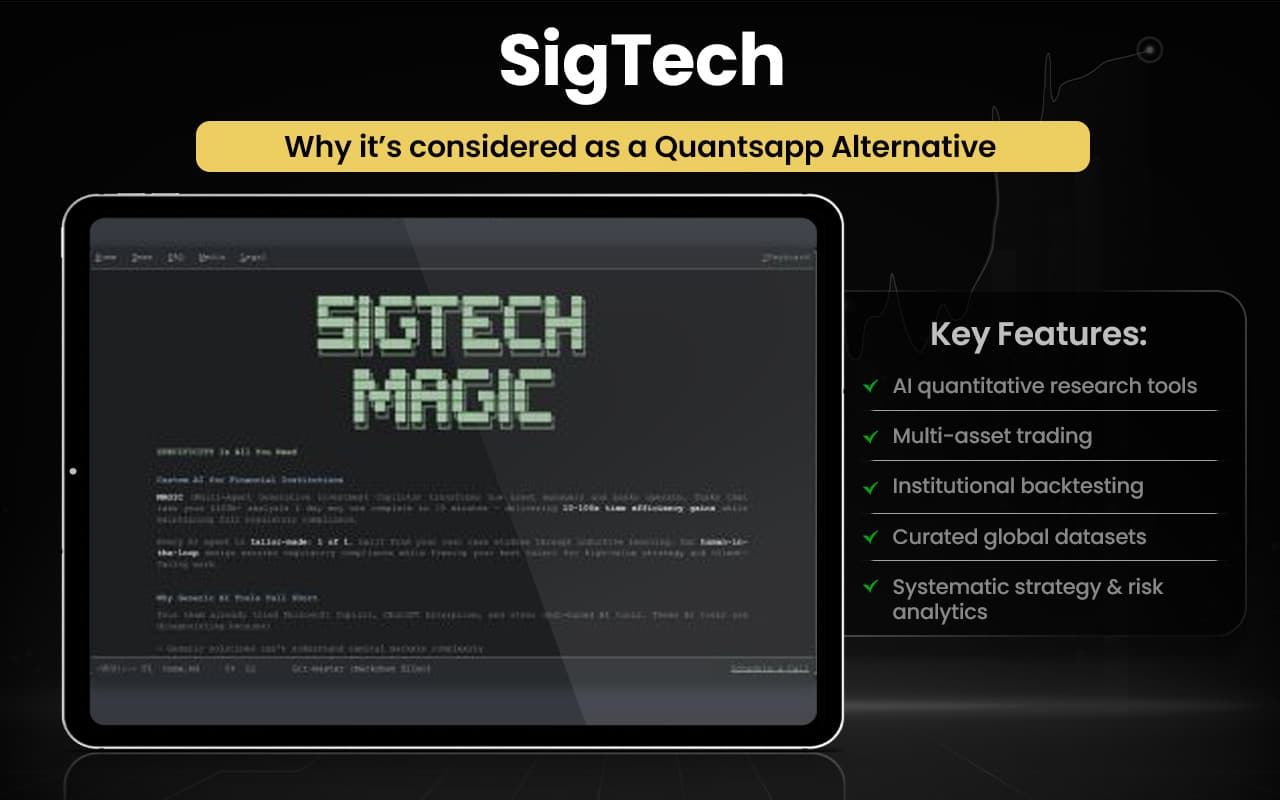
Now that we have explored the features of SigTech in brief, let us compare them with Quantsapp to see which beats the other in what ways.
| Feature | SigTech | Quantsapp |
|---|---|---|
| Core focus | AI-driven quant platform for institutions | Options analytics & strategy platform for retail traders |
| Asset coverage | Multi-asset: equities, FX, commodities, rates, volatility | Primarily F&O and options markets |
| Quant research tools | AI-driven analytics and systematic investing tools | Options analytics dashboards and insights |
| Backtesting | Advanced institutional-grade backtesting engine | Options strategy backtesting and optimization |
| Data infrastructure | Curated datasets with cloud-based quant infrastructure | Real-time options data, OI, Greeks and IV |
| Strategy development | Build and manage systematic multi-asset strategies | Options strategy builder and optimizer |
| Portfolio analytics | Portfolio construction and risk analytics tools | Trade analytics and position tracking |
| Real-time order analytics | Not a primary feature | 30+ order-flow and trade analytics tools |
| Options analytics depth | Limited retail-style analytics | 100+ analytics tools for options analysis |
| Education resources | Institutional-focused platform | Webinars, learning modules and guides |
| Target users | Hedge funds, asset managers, quant teams | Retail options traders and learners |
Switch to SigTech if you:
- Need AI-driven quantitative research tools
- Trade multiple asset classes (equities, FX, commodities, rates)
- Want institutional-grade backtesting infrastructure
- Require curated global datasets
- Focus on systematic strategy development
- Need portfolio construction and risk analytics
Stick to Quantsapp if you:
- Want deep options analytics (Greeks, IV, OI)
- Prefer real-time order-flow insights
- Need an easy options strategy builder
- Use options backtesting and optimization tools
- Value alerts and analytics dashboards
- Focus mainly on retail options trading
Feedback around the platform is generally positive among professional users, who value its powerful quantitative analytics, deep data integration, and efficient strategy-testing tools. It is seen as strong for institutional research and systematic investing. However, its advanced, specialist focus means it may feel complex or less accessible for beginners or smaller traders.
UpLeg
UpLeg is an options-strategy creation and trading platform designed to help users build, configure, and visualize options trades easily. It offers tools for creating and customizing strategies, visualizing trades before execution, integrating with broker APIs, and accessing trading technology and community-driven features that support decision-making and strategy deployment. The platform focuses on simplifying options trading with intuitive design and actionable strategy tools for retail traders.
UpLeg was founded in 2021 and is focused on providing technology and customized trading solutions for individual investors and trading communities. The company was co-founded by Abdul Zoheb (CEO) and other team members with the goal of making options strategy creation and visualization easier for modern retail traders through intuitive trading tools and integrated technology.
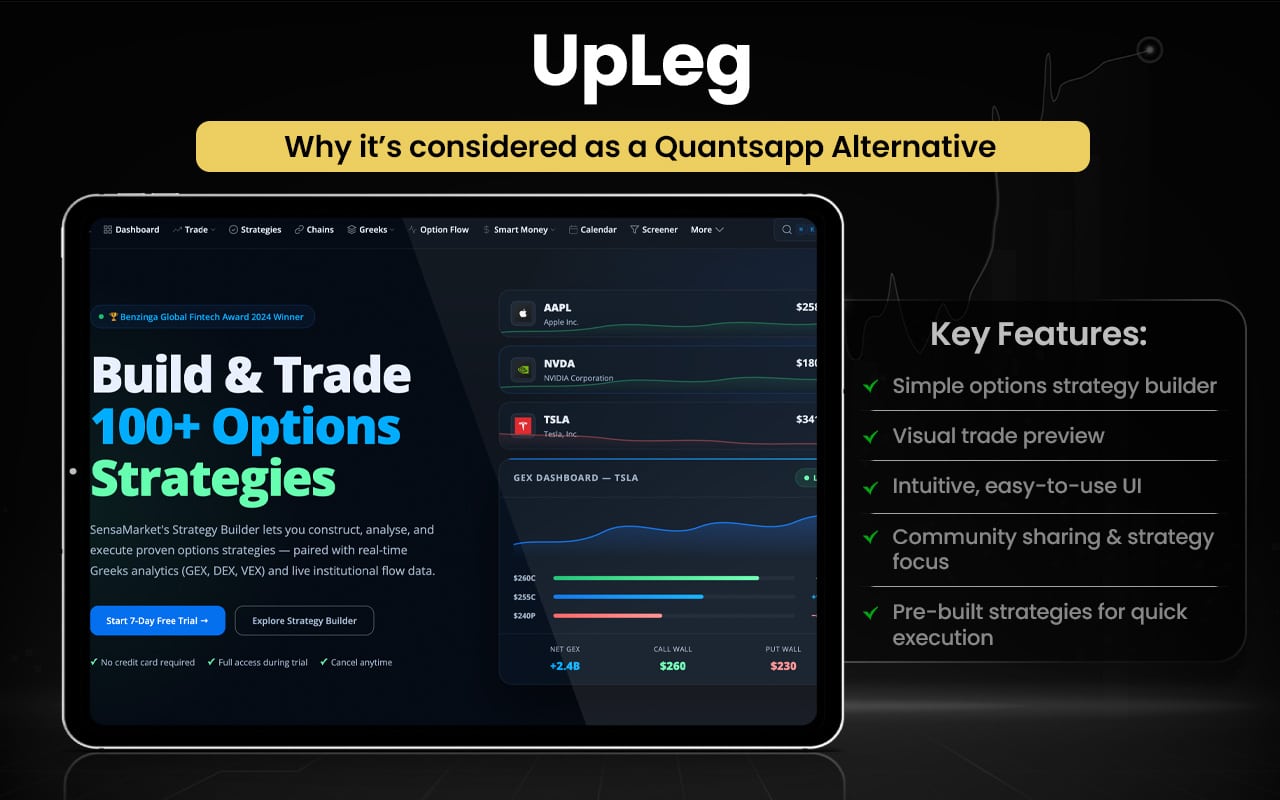
Let us quickly compare the features of both UpLeg and Quantsapp.
| Feature | UpLeg | Quantsapp |
|---|---|---|
| Core focus | Options strategy creation, visualization & execution platform | Options analytics and strategy research platform |
| Target users | Beginner to advanced options traders | Retail options traders and analysts |
| Strategy creation | Guided 3-step strategy builder & configurator | Advanced options strategy builder & optimizer |
| Strategy visualization | Visualize and test strategies before execution | Payoff charts, Greeks charts & analytics dashboards |
| Pre-built strategies | Yes, ready strategies available | Yes, multiple strategy templates & optimization |
| Trade execution | Execute options trades via broker integrations | Multi-leg order execution and trade tracking |
| Social/community features | Strategy sharing & social trading engagement | Limited social sharing focus |
| User interface | Simple, attractive UI focused on ease of use | Data-rich interface with advanced analytics tools |
| Real-time analytics | Basic visualization and trade tools | Real-time OI, Greeks, IV and order-flow analytics |
| Order & trade analytics | Not a primary feature | 30+ real-time order and trade analytics |
| Backtesting | Strategy visualization/testing support | Options strategy backtesting & optimization |
| Learning resources | Community-driven engagement | Webinars, demo videos & extensive education |
| Data depth | Focus on strategy creation & execution | 100+ analytics tools with deep market data |
Switch to UpLeg if you:
- Want a simple options strategy builder with guided setup
- Prefer pre-built strategies for quick execution
- Need visual trade preview before placing orders
- Like intuitive UI focused on ease of use
- Want strategy sharing/community-driven features
- Prefer a platform focused on strategy creation and execution simplicity
Stick to Quantsapp if you:
- Want 100+ options analytics and real-time data tools
- Need order-flow, OI, Greeks and IV analytics
- Prefer strategy backtesting and optimization
- Use real-time order & trade analytics dashboards
- Value 200+ hours webinars and learning content
- Want a data-driven options research platform
User feedback is generally positive, with many highlighting its simple interface, visual strategy builder, and ease of executing options trades. Beginners appreciate pre-built strategies and intuitive design. Some users note limited advanced analytics compared to larger platforms, but overall, it is seen as user-friendly and helpful for learning and executing options strategies.
TradingView
TradingView is a cloud-based charting and financial analysis platform that enables traders and investors to track markets, analyse assets, and share ideas. It offers advanced charting with multiple chart types, 400+ built-in indicators, drawing tools, and multi-timeframe analysis. Users can access real-time data, create and test strategies, set alerts, paper trade, and execute trades through broker integrations directly from charts. The platform also functions as a social network where users publish and discuss trading ideas across global markets through interactive tools and analytics.
TradingView was founded in 2011 by Stan Bokov, Denis Globa, and Constantin Ivanov to build a web-based charting and social trading platform accessible to traders worldwide. The founders aimed to combine professional-grade charting tools with collaboration features, evolving it into a global market-analysis and trading community used by millions.
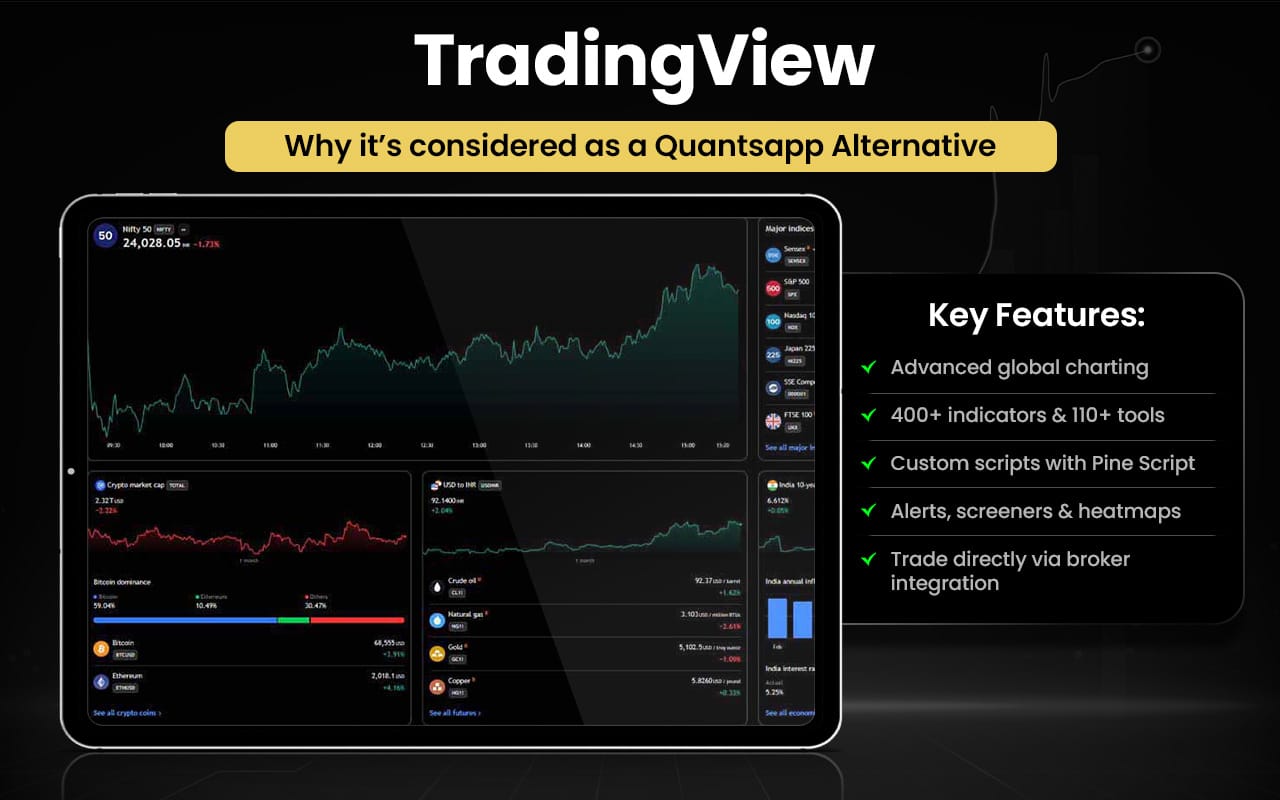
Let us now quickly compare the features of TradingView and Quantsapp to see which serve your trading objectives better.
| Feature | TradingView | Quantsapp |
|---|---|---|
| Core focus | Multi-asset charting, technical analysis & social trading platform | Options analytics, strategy building & derivatives research |
| Asset coverage | Stocks, forex, crypto, indices, commodities, bonds globally | Primarily futures & options markets |
| Charting tools | Advanced charts with 400+ indicators & drawing tools | Technical charts with options data overlays |
| Strategy testing | Strategy tester & paper trading with historical data | Options strategy builder & backtesting tools |
| Screeners | Multi-asset screeners with 400+ filters | Options-focused analytics and scanners |
| Alerts | Custom price, indicator & strategy alerts | Market alerts and analytics-based alerts |
| Real-time data | Real-time global market data across asset classes | Real-time OI, Greeks, IV & derivatives data |
| Options analytics | Limited advanced options analytics | 75+ options analytics tools & order-flow data |
| Order-flow analytics | Not core feature | 30+ order book & trade analytics tools |
| Community/social features | Publish ideas, scripts & interact with traders | Limited social/community focus |
| Education & learning | Community ideas, scripts & tutorials | 200+ hours webinars & learning content |
| Target users | Multi-asset traders, investors, chartists | Options traders and derivatives analysts |
Switch to TradingView if you:
- Want multi-asset charting across stocks, forex, crypto, indices, and commodities
- Use 400+ built-in indicators and drawing tools
- Need custom screeners and alerts across global markets
- Prefer social trading and idea sharing with a global community
- Use paper trading and strategy testing on multiple assets
- Seek a unified platform for technical analysis and markets
Stick to Quantsapp if you:
- Want deep options analytics, including Greeks, IV, and OI
- Need order-flow and trade analytics dashboards
- Use options strategy builder and backtesting tools
- Prefer options-specific market alerts
- Value extensive learning content focused on derivatives
- Focus mainly on retail options trading and research
Users praise the platform’s powerful charting tools, wide market coverage, and customization options that support serious technical analysis. However, many report frustration with billing issues, subscription pricing, delayed data on some feeds, and slow or automated customer support. Overall sentiment highlights strong features but inconsistent service and support experiences.
Stolo
Stolo is an all-in-one Indian options trading platform that provides real-time market data, analysis, and trade tools tailored to Nifty, BankNifty, FinNifty and F&O stocks. It offers 50+ analysis charts including OI, option chain, Greeks, FII/DII data, and more. The platform includes a strategy builder, scalping terminal, basket orders, order analysis, and trading journal to help traders analyse and execute options trades efficiently. It also integrates TradingView charts and various power tools like scalping calculators and market alerts for deeper insights. Stolo delivers live NSE-sourced data refreshed every few minutes and supports multiple broker integrations for seamless execution.
Stolo was founded by Anurag Rath to simplify and unify options trading for retail traders in India. He built the platform to replace fragmented tools with a single, powerful system that helps users analyse, trade, and review all in one place, aiming to improve clarity and decision-making in options trading.
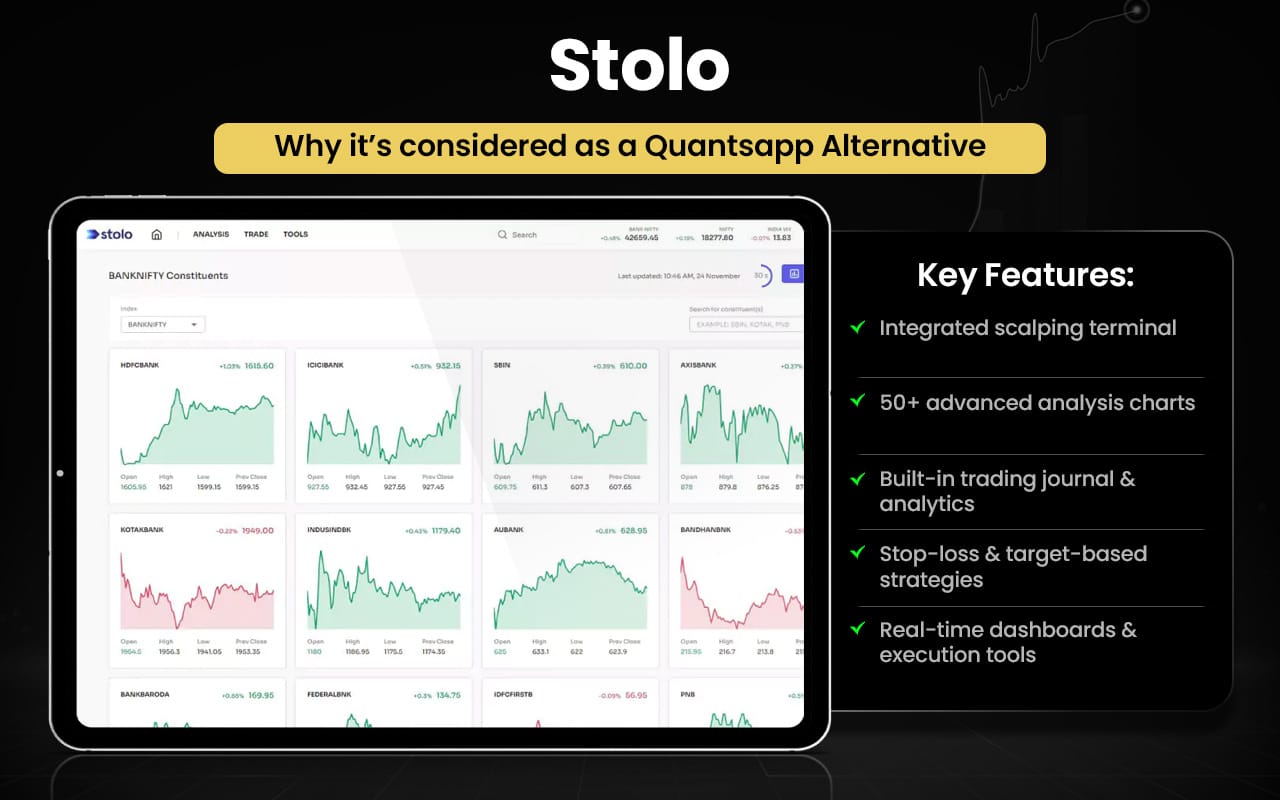
Now that we have explored the features of Stolo in brief, let us quickly have a look at how they compare with Quantsapp features.
| Feature | Stolo | Quantsapp |
|---|---|---|
| Core focus | All-in-one options analysis and trading execution platform | Options analytics, strategy research & optimization platform |
| Market coverage | Nifty, BankNifty, FinNifty & FnO stocks | Primarily futures & options markets |
| Analytics tools | 50+ analysis charts including OI, option chain, FII/DII, PCR | 100+ options analytics tools with IV, Greeks, OI insights |
| Strategy builder | Custom options strategy builder with visualization | Strategy builder with payoff, optimization & analytics |
| Trading terminal | Built-in one-window trading terminal & basket orders | Trade management and analytics tools |
| Scalping tools | Dedicated scalping terminal with one-click execution | Not a primary feature |
| Real-time data | Real-time NSE-based data & broker integration | Real-time derivatives data & analytics dashboards |
| Order execution | Direct trade execution with basket orders & auto-split | Primarily analytics-driven trading support |
| Order & trade analytics | Basic order analysis & P/L tracking | 30+ order & trade analytics tools |
| Backtesting | Limited visual strategy testing | Options backtesting and optimization tools |
| Trading journal & tools | Trading journal, calculators & scalping tools | Trade tracking & analytics utilities |
| Learning resources | Learning section and community support | Webinars, courses & extensive education |
| Target users | Retail options traders needing analysis and execution | Data-driven options traders focused on analytics |
Switch to Stolo if you:
- Want an all-in-one platform (analysis + trading + journal) in one dashboard
- Prefer a built-in trading terminal with basket order execution
- Need a dedicated scalping terminal and scalping tools
- Use integrated TradingView charts inside the trading terminal
- Want pre-built strategies and visual strategy execution
- Need trading journal, calculators and post-trade review tools
Stick to Quantsapp if you:
- Want 75+ options analytics tools with real-time Greeks, IV, OI
- Need advanced order-flow and trade analytics dashboards
- Prefer options strategy optimization and backtesting
- Want data-driven insights and market alerts
- Value extensive learning resources and webinars
- Focus mainly on deep analytics rather than trading execution
The customer experience and feedback is generally positive, with users appreciating its helpful trade analytics, fast performance, and usefulness for options buyers and scalpers. Many highlight a responsive team that accepts feedback and improves features. However, reviews are limited and suggest scope for broader reliability insights, indicating early but encouraging user satisfaction overall.
Thinkorswim
thinkorswim is an advanced trading platform offering professional-level tools for market analysis and execution across equities, options, futures and forex. It provides powerful charting, custom technical studies, real-time data, paper trading, strategy testing, and highly configurable interfaces, helping traders analyse markets, build strategies, and execute trades efficiently across multiple trading environments.
Founded by Tom Sosnoff and Scott Sheridan in 1999 as a standalone online trading brokerage, thinkorswim focused on active and options traders. It later grew into a renowned professional platform and was acquired by TD Ameritrade in 2009, and eventually became part of Charles Schwab’s trading offerings after Schwab acquired TD Ameritrade.
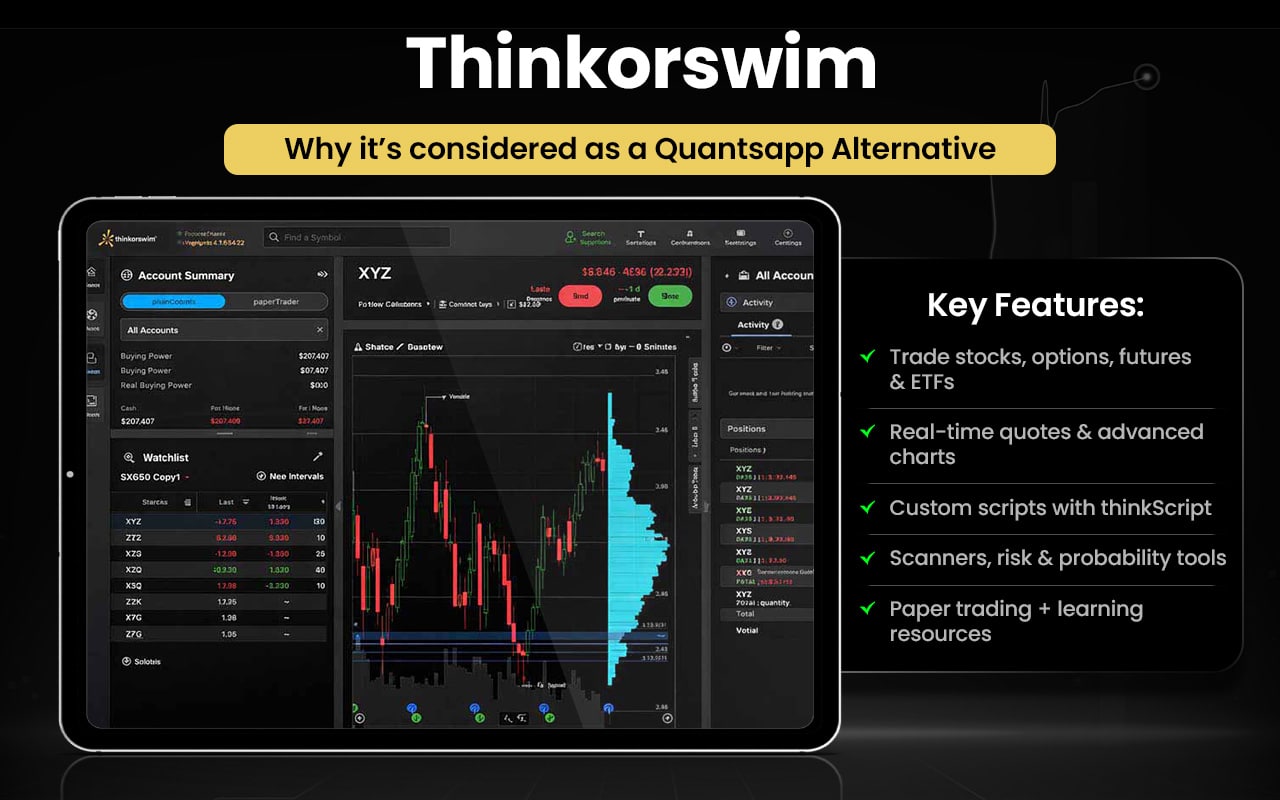
Let us now quickly have a look at the comparison between the features of both thinkorswim and Quantsapp to check which suits your trading objectives better.
| Feature | thinkorswim | Quantsapp |
|---|---|---|
| Core focus | Advanced multi-asset trading, charting & strategy platform | Options analytics, learning & strategy optimization platform |
| Asset coverage | Stocks, options, futures, forex and more | Primarily futures & options markets |
| Charting tools | Advanced customizable charts, drawing tools & technical studies | Options-focused charts with OI, Greeks & analytics overlays |
| Strategy testing | Strategy testing, simulated trades & paper trading (paperMoney) | Options backtesting and optimizer tools |
| Trade simulation | Simulate trades, analyze probabilities & risk profiles | Strategy payoff analysis and optimization |
| Data & analytics | Real-time data with built-in insights and market stats | 75+ analytics tools with real-time Greeks, IV, OI |
| Screeners & scanners | Custom stock, options & futures screeners | Options analytics and intraday/positional tools |
| Alerts & monitoring | Alerts, watchlists and market monitoring tabs | Market alerts and analytics-driven signals |
| Options analytics depth | Standard options analytics and volatility stats | Deep options analytics and order-flow data |
| Order-flow analytics | Not core feature | Real-time order and trade-flow analytics |
| Education | Built-in insights, tutorials & platform learning | 200+ hours webinars and options education |
| Target users | Active traders, multi-asset traders, institutions | Retail options traders and derivatives learners |
Switch to thinkorswim if you:
- Trade multiple assets (stocks, futures, forex, options)
- Want advanced customizable charting & technical studies
- Need paper trading and simulated strategy testing
- Prefer built-in screeners and market monitoring tools
- Use professional trading interface with deep customization
- Want a platform for active multi-asset trading and execution
Stick to Quantsapp if you:
- Want deep options analytics (Greeks, IV, OI)
- Need order-flow and trade analytics dashboards
- Use options strategy builder and backtesting tools
- Prefer data-driven insights and market alerts
- Value extensive options learning content
- Focus mainly on options research and analysis
While some find the platform’s powerful tools appealing, many reviewers describe it as confusing, unintuitive, and difficult to use, especially since the acquisition transition. Users commonly report complex navigation, login and trade issues, and a steep learning curve, with frustration around usability despite some strong features.
What are the Free Alternatives to Quantsapp?
The free alternatives to Quantsapp are Opstra, Sensibull, NiftyTrader, and Tradetron.
- Opstra: Free basic plan with options analytics, payoff charts, and limited strategy backtesting.
- Sensibull: Free option chain, strategy builder, and basic options analysis tools.
- NiftyTrader: Free real-time option chain, OI, Greeks, and F&O analytics.
- Tradetron: Free plan for creating and backtesting limited automated trading strategies.
These offer strong analytics, charting, or backtesting without a mandatory subscription.
What are the Paid Alternatives to Quantsapp?
The paid alternatives to Quantsapp are Strike Money, Stolo, AlgoTest, TradingView, iCharts, and Bantix.
- Strike Money: Stock and options analysis platform with charts, screeners, and real-time insights.
- Stolo: All-in-one options analysis and trading platform with strategy and scalping tools.
- AlgoTest: Algo-trading platform for building, backtesting, and automating options strategies.
- TradingView: Advanced charting and market analysis platform for multi-asset trading.
- iCharts: Technical charting and derivatives analytics platform for traders.
- Bantix: Professional options pricing and volatility analysis software for advanced traders.
These offer advanced analytics, charting, automation, and strategy tools suited for different types of traders and trading needs.
Quantsapp Alternatives with Trap Indicator
The Quantsapp alternatives with the trap indicator include TradingView and, to some extent, thinkorswim.
- TradingView: Offers custom and community-built trap-style indicators that detect false breakouts, liquidity traps, and trapped trader signals.
- thinkorswim: Allows users to create or import custom trap-like indicators using thinkScript and advanced chart studies.
A trap indicator detects false breakouts where buyers or sellers get trapped, often signaling a potential price reversal.
Quantsapp Alternatives with Backtesting
Quantsapp alternatives with backtesting include Opstra, Sensibull, Stolo, Upleg, AlgoTest, Tradetron, Streak, and uTrade.
- Opstra: Offers options strategy backtesting with payoff analysis and historical data testing.
- Sensibull: Provides strategy backtesting and performance analysis for options trades.
- Stolo: Includes strategy testing and analysis tools to review trade performance.
- UpLeg: Lets users visualize and test options strategies before execution.
- AlgoTest: Dedicated platform for advanced options strategy backtesting and forward testing.
- Tradetron: Supports deep backtesting for automated and algo trading strategies.
- Streak: Enables rule-based strategy creation with historical backtesting.
- uTrade: Provides basic strategy testing and analytics within its trading ecosystem.
Backtesting tests a trading strategy on past market data to check how it would have performed.
Quantsapp Alternatives for Stock Traders
Quantsapp alternatives for stock traders include Strike Money, Sensibull, Opstra, Stolo, AlgoTest, Streak, Tradetron, TradingView, NiftyTrader, thinkorswim, and iCharts.
- Strike Money: Stock and options analysis platform with screeners, charts, and insights for equity traders.
- Sensibull: Offers stock-based derivatives analysis and strategy tools useful for equity traders.
- Opstra: Provides analytics and strategy tools for stock F&O trading.
- Stolo: All-in-one analysis and trading platform covering stocks and F&O.
- AlgoTest: Strategy testing and automation platform for stock and options trading.
- Streak: Rule-based strategy creation and backtesting for stock trading.
- Tradetron: Algo-trading platform supporting automated stock strategies.
- TradingView: Advanced charting and analysis platform widely used by stock traders.
- NiftyTrader: Real-time analytics and data tools for stocks and derivatives.
- thinkorswim: Professional platform for stock trading, charting, and analysis.
- iCharts: Technical charting and analytics platform for stock market traders.
These platforms offer charting, analytics, automation, and strategy tools that make them suitable alternatives to Quantsapp for stock traders.
Quantsapp Alternatives for Forex Traders
Quantsapp alternatives for forex traders include TradingView, thinkorswim, SigTech, Bantix, Tradetron, and AlgoTest.
- TradingView: Advanced forex charting, indicators, and broker-linked trading.
- thinkorswim: Professional forex trading with deep analysis and charting tools.
- SigTech: Institutional platform for forex quant research and strategy testing.
- Bantix: Volatility and derivatives analytics useful for forex-linked markets.
- Tradetron: Automated strategy creation and execution for forex trading.
- AlgoTest: Strategy testing and automation platform supporting forex workflows.
These platforms support forex analysis, charting, or automated strategy trading, making them suitable Quantsapp alternatives for forex traders.
Quantsapp Alternatives for Crypto Traders
Quantsapp alternatives for crypto traders include TradingView, Tradetron, AlgoTest, SigTech, and thinkorswim.
- TradingView: Advanced crypto charting, indicators, and market analysis for Bitcoin, altcoins, and global exchanges.
- Tradetron: Automated crypto strategy building and execution with exchange integrations and algo trading.
- AlgoTest: Backtest, automate, and deploy crypto strategies with exchange connectivity and paper trading.
- SigTech: Institutional multi-asset quant platform supporting crypto data, research, and systematic strategies.
- thinkorswim: Multi-asset trading platform offering crypto-related analysis via advanced charting and tools.
These platforms support crypto charting, automation, or strategy testing, making them suitable Quantsapp alternatives for crypto traders.
Quantsapp Alternatives for Futures Traders
Quantsapp alternatives for futures traders include TradingView, thinkorswim, Bantix, SigTech, Tradetron, AlgoTest, Stolo, and iCharts.
- TradingView: Advanced futures charting, indicators, and multi-exchange market analysis.
- thinkorswim: Professional platform for futures trading with deep analytics and simulation tools.
- Bantix: Institutional futures options pricing and volatility analytics software.
- SigTech: Quant platform for futures strategy research, backtesting, and portfolio analytics.
- Tradetron: Automated futures strategy creation, backtesting, and live deployment.
- AlgoTest: Strategy testing and automation platform for futures and derivatives trading.
- Stolo: Real-time analytics and trading tools for index and derivatives futures traders.
- iCharts: Technical charting and derivatives analytics for futures market analysis.
These platforms support futures trading through advanced charting, analytics, automation, or institutional-grade strategy tools.
Quantsapp Alternatives for Options Traders
Quantsapp alternatives for options traders include Strike Money, Opstra, NiftyTrader, and Sensibull.
- Strike Money: Options analytics platform with strategy tools, charts, and real-time insights.
- Opstra: Advanced options analytics with payoff charts, Greeks, and backtesting tools.
- NiftyTrader: Real-time option chain, OI, IV, and F&O analytics for options traders.
- Sensibull: Options strategy builder with analysis, optimization, and trade insights.
These platforms provide strong analytics, strategy building, and market insights, making them suitable Quantsapp alternatives.
Why Should You Look for Quantsapp Alternatives?
You should look for Quantsapp alternatives because traders may need stronger automation, broader market coverage, deeper analytics, or integrated execution features that some other platforms offer more effectively.
Algo Trading and Automation
Quantsapp focuses more on analytics and insights but lacks full strategy automation. Platforms like AlgoTest, Tradetron, and Streak provide rule-based strategy building, automation, and execution support for systematic trading.
Advanced Backtesting and Strategy Testing
Quantsapp has limited backtesting compared to dedicated platforms. Opstra, AlgoTest, Tradetron, and Strike Money offer deeper historical testing, performance analysis, and strategy validation tools for better decision-making.
Multi-Asset Market Coverage
Quantsapp is mainly focused on options and derivatives. TradingView, and thinkorswim support stocks and multiple assets, helping traders diversify analysis and trading beyond just options.
Advanced Charting and Custom Indicators
Technical traders may find Quantsapp’s charting limited. TradingView, and thinkorswim, provide advanced charting, custom indicators, screeners, and deeper technical analysis capabilities.
Integrated Trading and Execution Tools
Quantsapp is more analytics-focused than execution-focused. Stolo, Tradetron, and uTrade offer integrated trading terminals, execution tools, and workflow support for active traders.
Choosing the right alternative depends on your trading style, preferred assets, and whether you prioritize automation, analytics depth, or complete trading workflow tools.
What Features Should a Good Quantsapp Alternative Have?
The features that a good Quantsapp alternative should have include advanced options analytics with real-time option chain, Greeks, IV, OI, and volatility data for informed decisions.
- Strategy builder with payoff analysis and multi-leg strategy visualization.
- Deep backtesting and forward testing to validate strategies before live trading.
- Algo trading and automation support for rule-based or systematic execution.
- Advanced charting with customizable indicators and technical tools.
- Multi-asset coverage including stocks, options, futures, forex, and crypto.
- Integrated trading and execution features like basket orders and broker connectivity.
- Real-time alerts, scanners, and smart signals for opportunity tracking.
- Educational resources, tutorials, and research support for traders.
- Portfolio tracking, trade analytics, and performance monitoring tools.
Choosing an alternative with these features ensures you get deeper insights, better strategy testing, and a more complete trading workflow than relying on analytics alone.
What is the Best Alternative to Quantsapp?
Strike Money is the best alternative to Quantsapp as it offers advanced analytics, strategy tools, charting, and broader stock and options insights in a simpler, data-driven platform.
| Feature | Quantsapp | Strike Money | Advantages of Strike Money |
|---|---|---|---|
| Core focus | Options analytics | Stock and options analytics | Broader coverage |
| Data insights | OI, Greeks, IV tools | Price, sentiment, analytics | Deeper insights |
| Strategy tools | Strategy builder | Strategy and analysis tools | More flexible |
| Charting | Basic charts | Advanced charts | Better analysis |
| Ease of use | Data-heavy UI | Clean simple UI | Easier navigation |
| Market coverage | Mainly options | Stocks and options | Multi-segment use |
| Learning curve | Moderate | Beginner-friendly | Faster adoption |
![15 Investing.com Alternatives [Free+Paid] You Should Use in 2026](https://www.strike.money/wp-content/uploads/2026/04/Investing.com-Alternatives-768x482.jpg)
 38 mins
![15 TradeStation Alternatives [Free+Paid] You Should Use in 2026](https://www.strike.money/wp-content/uploads/2026/04/TradeStation-Alternatives-768x482.jpg)
![15 Chartink Alternatives [Free+Paid] You Should Use in 2026](https://www.strike.money/wp-content/uploads/2026/04/Chartlink-Alternatives-768x482.jpg)